
Hello All,
I created a SCSCI share I would want to use the CHAP authentication so I create a group (syssec) with a GID 3000 and a user (syssec) with the UID 3000.
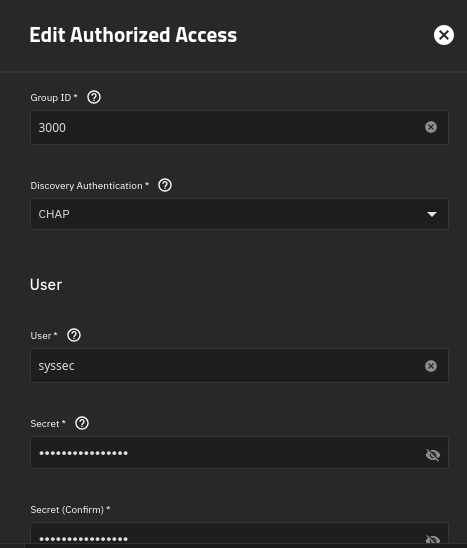
When I start the ISCSI service I get this error message “Nov 12 11:03:22 scst[28868]: FATAL: Received the following error: Nov 12 11:03:22 scst[28868]: Invalid configuration encountered. Attribute ‘IncomingUser’ has an invalid value. Nov 12 11:03:26 scst[28761]: failed!”
I know the problem come from to the CHAP configuration because if I remove it everything works fine.
Thank you for your help.
Kind regards,
smokyrun