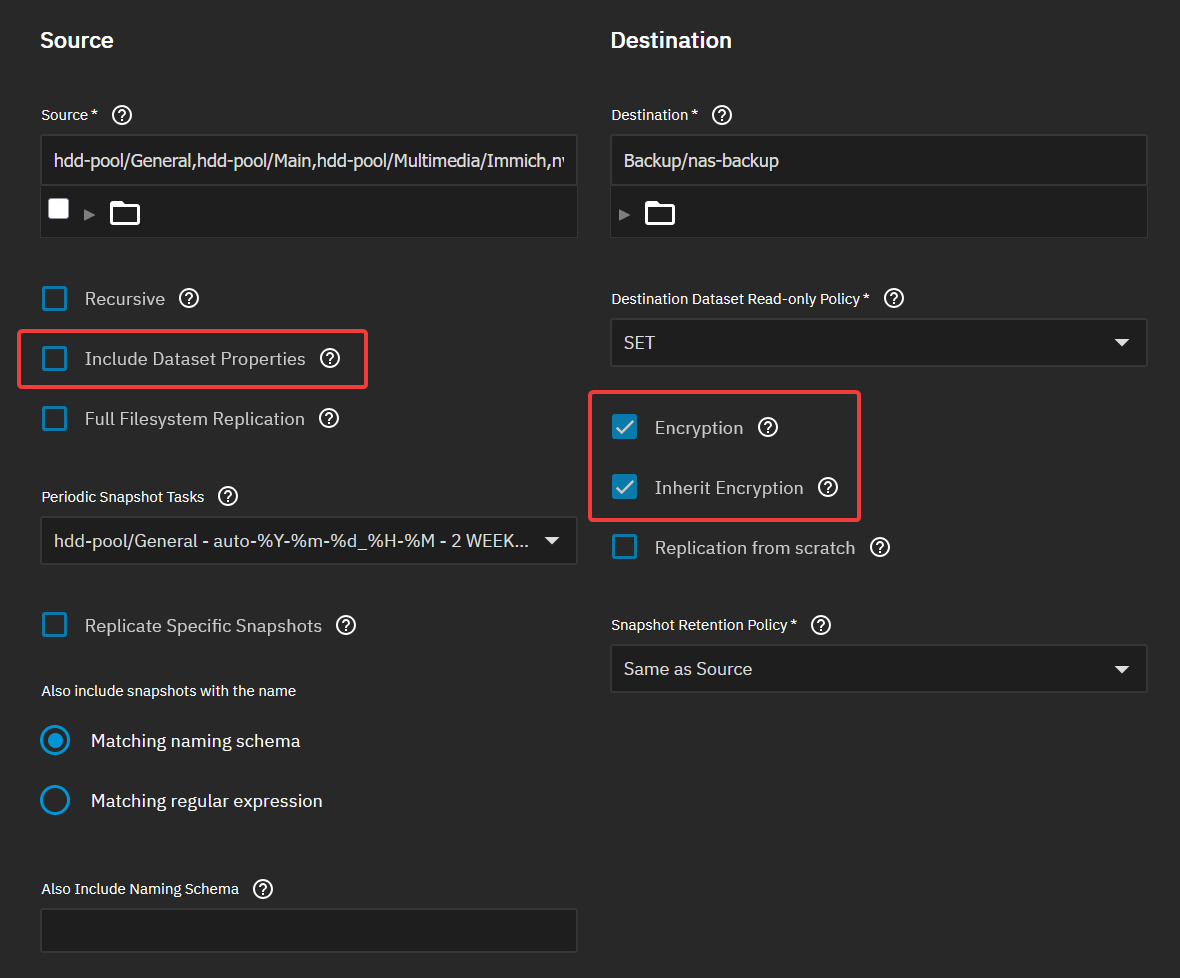
I have 2 source pools which are unencrypted (as per best practice due to single point of failure). Within these pools, I have encrypted datasets.
I have a destination pool on an external drive which is also unencrypted with a dataset (nas-backup) which is encrypted with a different key.
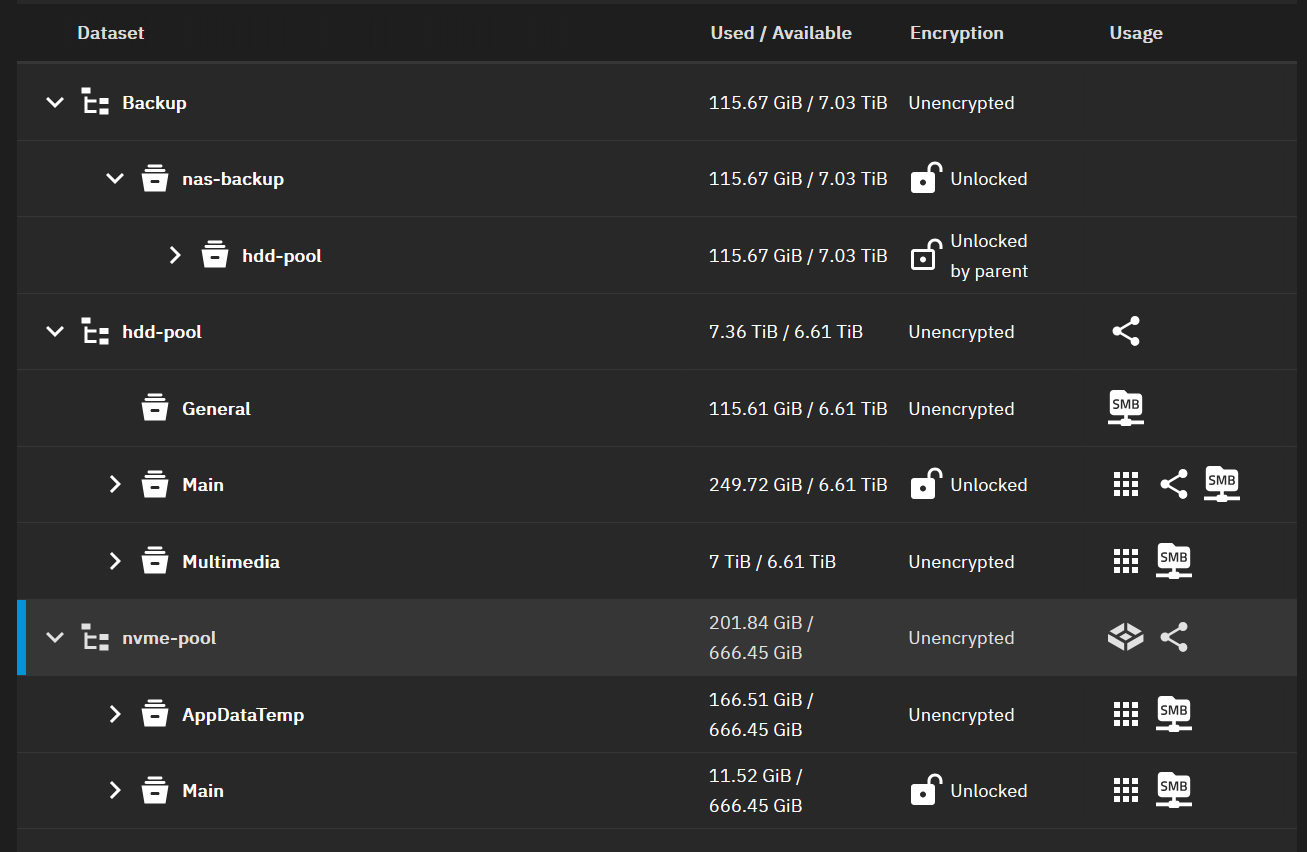
I simply want to backup my source datasets to my destination dataset. However, I am unable to do so due errors with encryption settings.
If I disable encryption for the task in the UI, I get the following error despite the destination dataset being encrypted (albeit with another key):
[EFAULT] Destination dataset 'Backup/nas-backup/hdd-pool/Main' must be encrypted (as one of its ancestors is encrypted). Refusing to transfer source dataset 'hdd-pool/Main' without properties and without replication task encryption.
I don’t understand why it’s not seeing the destination as encrypted (via the parent dataset).
If I enable encryption and inherit from parent, I get the following error:
[EFAULT] Re-encrypting already encrypted source dataset 'hdd-pool/Main' while preserving its properties is not supported.
Ideally, I would like to store everything from the source datasets in the destination dataset and have it only protected by the destination dataset encryption so that everything is accessible with another key for backup.
Is it just a case of doing this: