Looking for advice: Hardware check for new build

Hello all,

After a lot of reading (mostly here) I’m realizing I can do a lot better in both my setup (for future growth) as well as in my back-up system. I would to ask you folks to give me some pointers in (to you) obvious improvements. I do have money to spend (hence the upgrade within a year of setting up the current system) but please realize I’m a lightweight with respect to both experience as well as NAS use-case.

Use case of the current build, to be moved to the new build:
Self-hosted cloud (Nextcloud) with 5 user accounts (me, the wife, the son, my sister (living elsewhere), my mother (living elsewhere). I have a total archive of around 2.8 TB consisting of documents, photos and the occasional cellphone video.
Next to Nextcloud I run Tailscale (to access the Truenas webUI remotely when required), FileBrowser (as backdoor web access to files in case Nextcloud has issues) and NGINX Proxy Manager.
I just updated my home network to be fully 2.5GB compatible

Current build running Truenas Scale 25.04
• Jonsbo N1 casing
• AsRock B550m ITX/ac (mini-ITX) (with realtek 1GB LAN)
• Ryzen 3 3200G CPU with integrated graphics
• G.Skill DDR4 Ripsaw 2x 8GB
• M.2 NVME Lexar NM620 256GB Boot drive
• M.2 NVME Lexar NM710 500GB Apps drive on a PCIe adapter ICYBOX PCI208 (PCIe 4.0 x4)
• 4x 2TB Western Digital Red in Raidz1 (6GB effective)

This build is intended to remain relatively as-is, but will function as remote location back-up destination for snapshot replication. No Nextcloud, and the other apps (FileBrowser, NPM, Tailscale) might be able to run on the default iX-Apps location(which I think would be the boot drive, and thus eliminate the need for the M.2 adapter on the PCIe slot).
When over time the new NAS requires higher capacity drives, this back–up NAS would do so as well.

The New Build
What I am currently considering for the new build is a board with just that bit more expansion options (PCIe). While updating, I gave both CUP and RAM a bit more power (even though with the current build I havent noticed a need for it):
• Fractal Design Node 804 casing
• Gigabyte B550M DS3H (micro-ATX) (with realtek 1GB LAN)
• Ryzen 3 4300G CPU with integrated graphics
• G.Skill DDR4 Ripsaw 2x 16GB
• M.2 NVME Western Digital Black SN7100 500 GB Boot drive
• M.2 NVME Western Digital Black SN7100 500 GB Apps drive
• 3x 4TB Western Digital Red in Raidz1 (8GB effective)
• PCIe x1 for 2.5G LAN (Delock 89598 with Intel i225-V)

I have a LSI HBA (in IT mode) SAS9217-4i4e adding 4 SATA ports internally to the 4 the board already has for future growth. The external ports (eSATA) is not something I have a use case for, but it’s what I have lying around.

I have considered the Node 304 casing, but it only allows for mini-ITX and thus not the expansion I’m looking for. The large potential drive capacity of the Node 804 allows me to now fit it with a few new drives (relatively small but to me sufficient) but with plenty of room to grow with either pool expansion or even complete new pools.

Above build would be using all new components, but searching the local market places I found the following setup (for €400,-) I might be able to use. I’ve seen quite some messages on this forum with statements about trusting used server hardware better than new consumer level desktop/game hardware and I do understand the idea.

  • 1x Intel Xeon E3-1230 v3
  • 1x SuperMicro X10SLL±F Micro ATX motherboard
  • 2x Crucial 8GB DDR3 1600MHz
  • 1x Plextor PX-128M8PeY 128GB PCI-E SSD
  • 6x Western Digital WD30EFRX HDDs
  • 1x Corsair RM550 Power Supply
  • 1x Fractal Design NODE 804 case

The downsides of the above board is that although it has 2x LAN connection, both are 1G only so I would still need an expansion card, but that would be an easy fix.

Maybe post in one of these 2 threads to get some more answers.

Thanks, appreciate the links. Found them (and similar) as well, but as I’m really unfamiliar with the Supermicro boards I find it difficult to tell if the board I found (the X10SLL+F) is worth the effort compared to the boards listed in those discussions.

I’m convinced the second hand server hardware can indeed be more trustworthy than new desktop/game hardware for the use of a home NAS. I dont need further arguments for that. The point however is that I find them only for €400 and above. The board I found would come at €400 including the case, processor, memory etc etc.

IMO 400 EUR is at the top end, what I would be willing to pay for a 12 year old system with only 16GB of DDR3 memory.

Its for sure powerfull enough for a NAS, bur not optimal.

  • DDR3 ECC UDIMM instead of the plentyfull available DDR4 ECC RDIMM
  • 22nm process CPU , MAX memory 32 GB
  • only 2x SATA3, rest is SATA2 → ok for HDs, but limiting for SSDs
  • no 10Gbit Networking

Just for comparison, in the linked thread I just bought a Xeon-D 1521 SoC board for 250 EUR + 128 GB Ram for 150 EUR = 400 EUR. No case, but dual 10 Gb networking on board and the possibility to attach 4 NVME Drives via the x16 PCI slot.

Another option:
ASRock Rack E3C246D4U2-2T

Xeon E-2246G
= 350 EUR
Xeon E-2246G with iGPU and Quicksync
C246 Chipset allows for PCI passthrought of the IGPU to am VM
Uses UDIMM unfortunatly.

1 Like

I’m not planning the use of virtual machines, but the suggested Xeon E-2246G does seem to have onboard video which is a benefit (for the occasional start-up and look into the Bios).

For the AsRock Rack board I do think it is an interesting option, but I hear quite some bad rep about support. Supermicro = super support, ARR = lousy support. Ofcoure this only matters when needed, but still. Then again, I guess the ARR support should be inline with their regular boards from AsRock, it didnt stop me form now using one of those.

The insights on the 12 year old system… Fully understood, and you’re right. The board might be conditionally okay, but all the gear must have seen its wear and tear (especially the drives). I should definetly not take credit for buying these drives in the package. they might be included, but for good measure I should not rely on them.

ASRock Rack E3C246D4U2-2T got first listed as full ATX bord so I had mentioned the need to switch from Node 804 to (for instance) Jonsbo N5 casing, but I now see it actually is a micro ATX board so no need to change.

Thanks to its IPMI function you dont need to hook up a monitor. You can set up the system remotely and manage it remotely over the network. Including a virtual screen.

Any Xeon E-2100/2200 would fit. The “G” Versions include the GPU.

1 Like

Well, small update:
Ordered the AsRock Rack E3C246D4U2-2T and Intel Xeon E-2246G, both should arrive somewhere early December.

I’ll combine the CPU with a Noctua NH-U12S CPU fan, 2 sticks of 16GB ECC RAM * in a Fractal Design Node 804 housing.

*Edit to add: did not fully realize how difficult it is to find ECC unregistered RAM for a reasonable price. I did find 2 sticks of 16GB G.Skill Aegis F4-2133C15S-16GIS (so actually F4-2133C15D-32GIS being a pair), which is now also coming my way. Pfew…
End edit

I guess I will have to check all IPMI functionality in the meantime, but as I will have access to the server (it will be located in my home office) the regular approach will work just as well.

2 Likes

Allow me to make a note regarding the Fractal NODE804:

If possible, use SATA cables with angled connectors and locks on the HDD side. It may also be useful to attach 4-way splitters with angled and locked connectors to the SATA power connectors to supply power to the HDD. I initially had all straight connectors, which is not very practical.

In addition, someone here (or in the German forum?) recommended writing the serial numbers of the HDD on the bottom next to the SATS connectors. Then, in the event of a fault, you don’t always have to dismantle all the disks in a cage.

And if you live within the EU, it might be worth taking a look at bicker.de. The company produces power supplies for 24/7 operation and extended ambient temperatures. Not exactly cheap, but perhaps a solid foundation for a system that is supposed to run continuously for years.

Translated from German with DeepL.com (free version)

Thanks for the tips. I have just ordered some straight cable connectors with some other stuff (the case, fan, etc) but that won’t break the bank of I have to buy some more.

I’ll look into those power supply splitters. I realized this morning that although I deleted my earlier selected PSU (too lightweight for future expansion) I forgot to select a new one. So your tip comes just in time

Lastly, I ordered different color sata cables to enable easy tracking which HDD connects to which Port. But the serial number on a small label sounds like a good idea

Okay, last hurdle. Selecting the right PSU. Digging around I realize I need to have sufficient power to allow platter spin-up. With the potential of 8 HDDs Vs availability of solid PSU with platinum label I’m looking at the Seasonic Focus SPX 650.

It shows however a connectivity for 6 data drives. Am I wrong to assume this is just a matter of replacing the modular cable (with a cable splitter) or would they overload the connection on the PSU?

Alternatives I’m looking at are

  • Gigabyte GP-AE850PM PG5 PSU

  • ThermalRight TR-SP750 PSU / PC voeding

My main server in my signature runs off of a 700 W SFF PSU.

Okay, I have a conclusion on the PSU: be quiet! Dark Power 13 750W

With that the setup is:

  • Fractal Design Node 804
  • be quiet! Dark Power 13 750W
  • AsRock Rack E3C246D4U2-2T
  • Intel Xeon E-2246G with Noctua NH-U12S
  • G.Skill Aegis F4-2133C15D-32GIS (so 2x 16GB)
  • M.2 NVME Western Digital Black SN7100 500 GB Boot drive
  • 2x WesterDigital Red 500GB 2.5" SATA drives (mirrored applications pool)
  • LSI HBA SAS9217-4i4e (although the MB has sufficient SATA ports for the current intended build)
  • 3x 8TB Western Digital Red in Raidz1 (16GB effective). 4th drive cold spare

The only thing I now still need is a storage capacity increase plan for the “old” machine, swapping out the 4x 2TB drives to larger drives. :laughing:

I would use a much smaller NVMe for boot (128G is more then enough) and I would use SSDs or NVMe for applications. (if the WD reds are HDDs)

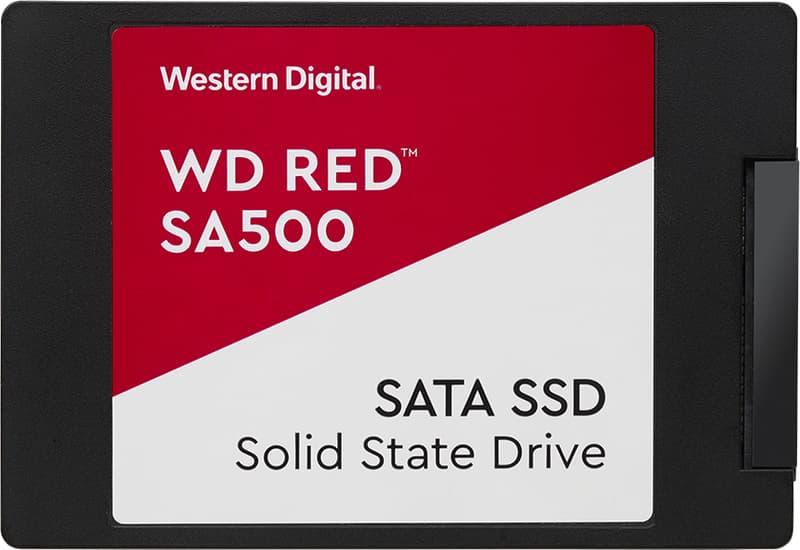
The WD Red line also has SATA SSDs:

The smaller NVME for boot is something I would have no problem with, but could find one rated for 24/7 operation other than the WD black I have now listed.

I run my TN from a cheap, 128GB NVMe, I bought from Amazon.

For SSD and NVMe I dont think that a 24/7 operation needs any special requirements.

Also, WD is really overpriced.

I would buy 2x 500 GB cheap NVMe (for example an 500 GB PNY NVMe is 35 EUR at Amazon, the WD red, you selected is about 75 EUR), mirror them and use another cheap NVMe for boot.

NVMe is way faster than sATA (at gen 3 4x it is about 3500MB/sec vs sATA 550MB/sec)

So an NVMe, even Gen3 is like 6-7x faster than a sATA SSD.

For about the same price!

(all you need to add is a PCIe card for 2 NVMe drives and the MoBo to be able to bifurcate the slot to 4x4x mode)