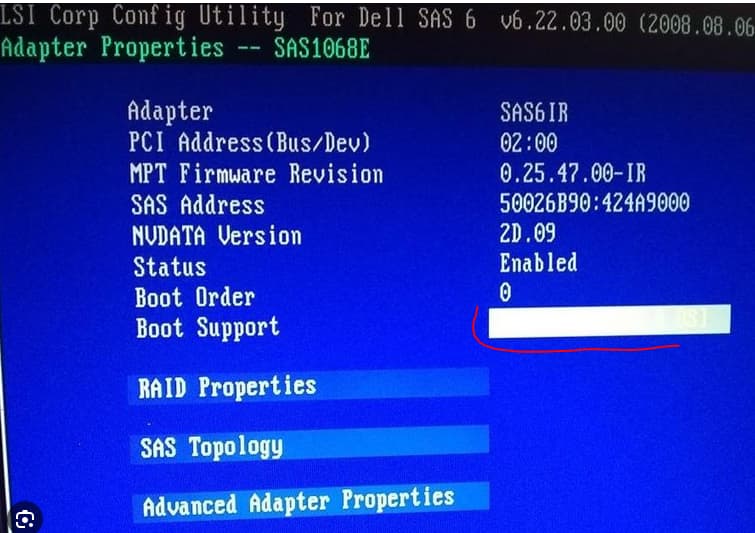
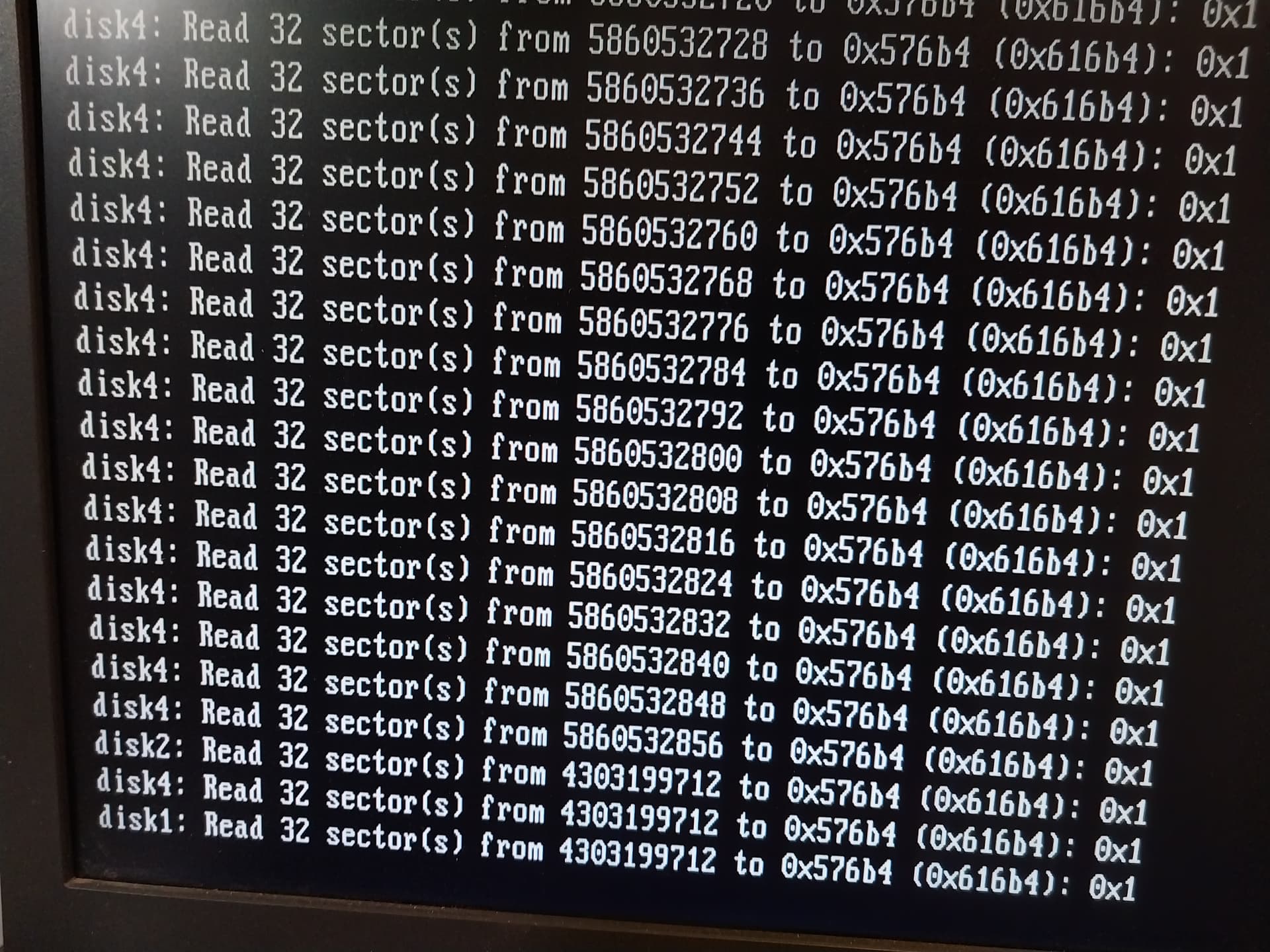
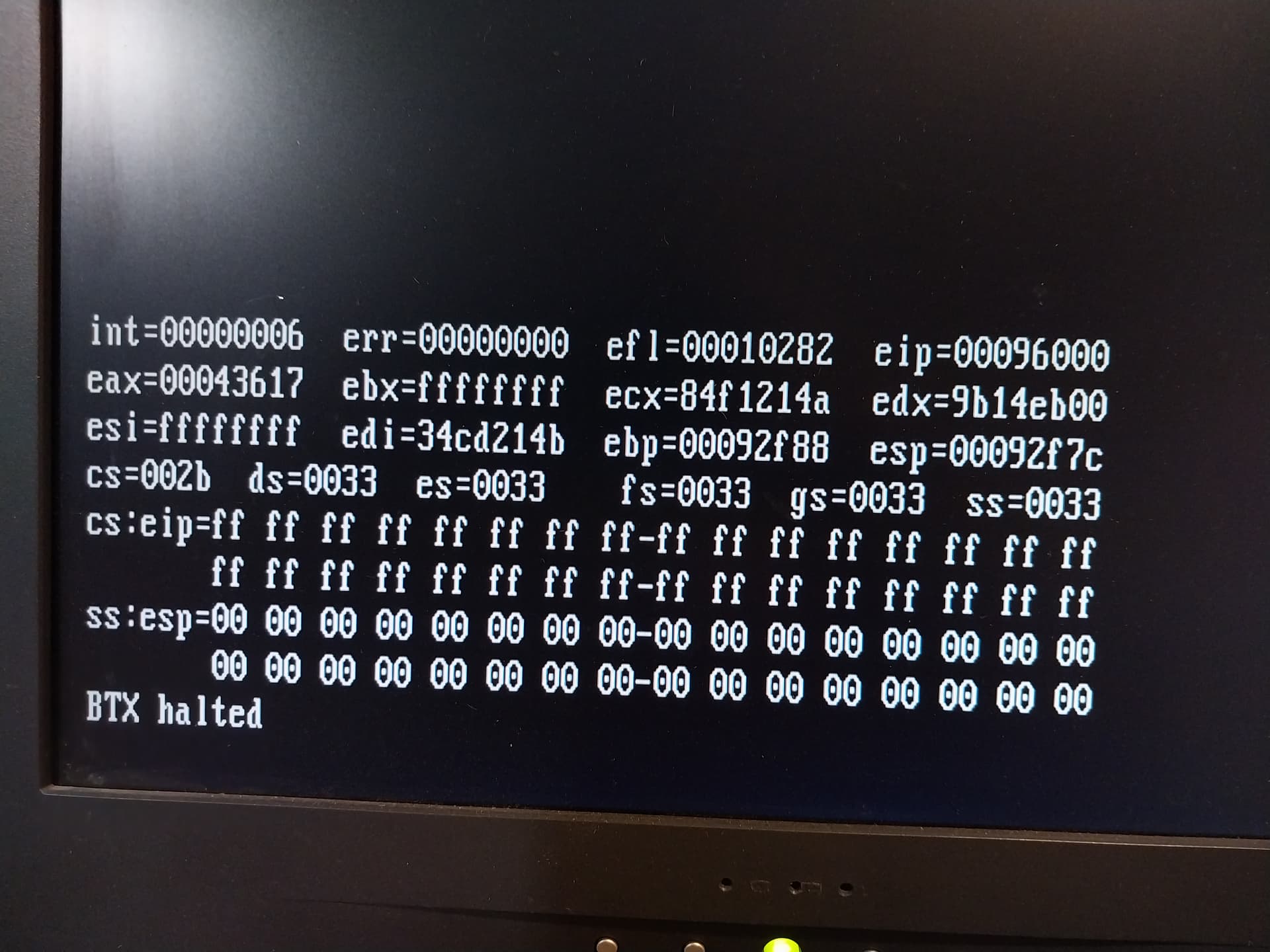
Hi, unfortunately I lost access to all data, photos going long way back. I used to use FreeNAS and updated to TrueNas 12.0 in 2022. The system was power on ones in 3-4 month to back up data. And couple of days ago I found that it is not booting. The hardware is Dell PowerEdge R410. You can see drive topology, errors and halt message. I verified sectors for each SAS drive by LSI controller. No bad sectors. If I replace current drives with new set, True NAS booted OK. So looks like something happen to SAS drives containing data. By the way I found that CMOS battery was defective. Replaced now and BIOS setting are restored. Desperately need help. Thanks!
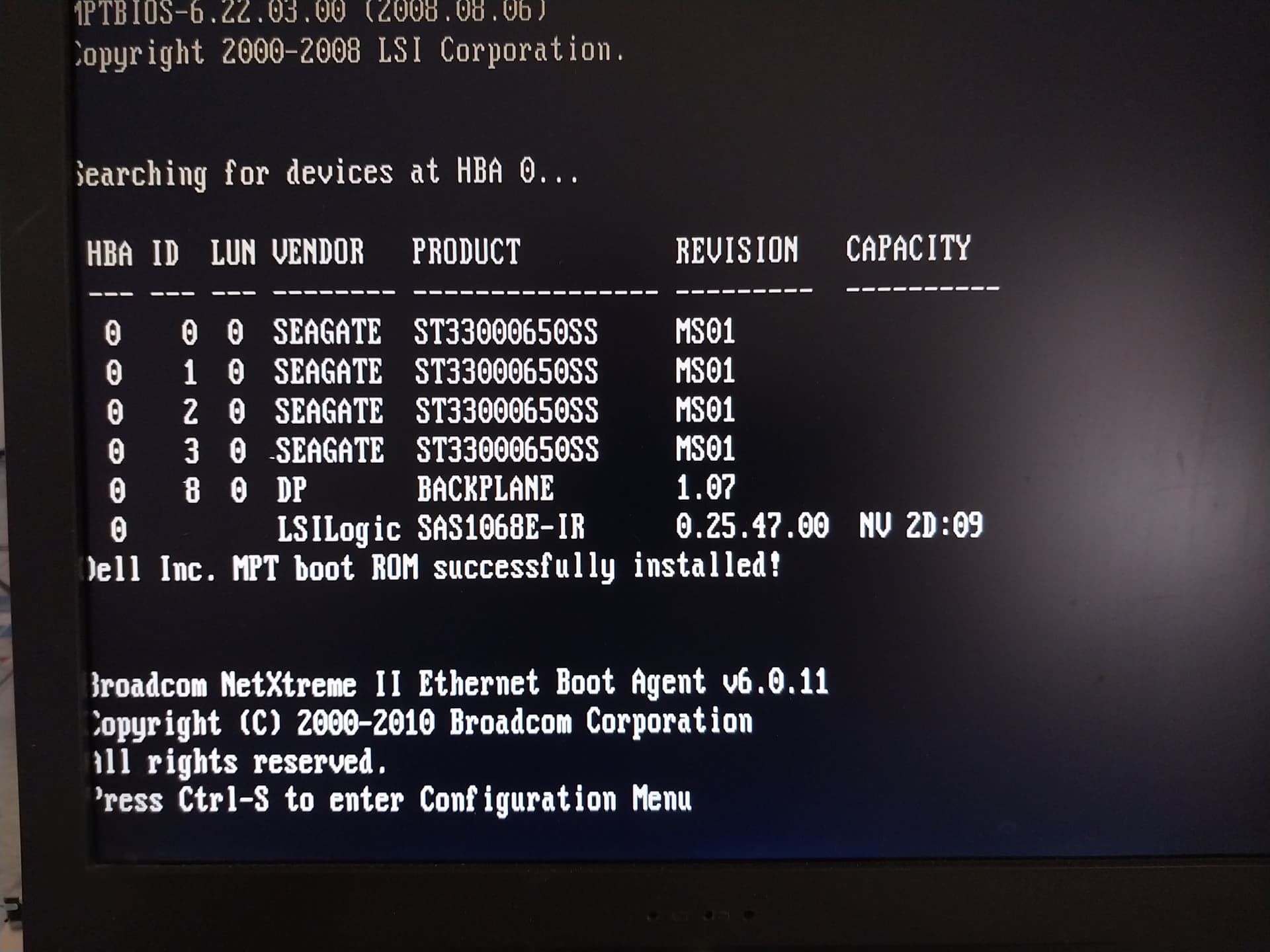
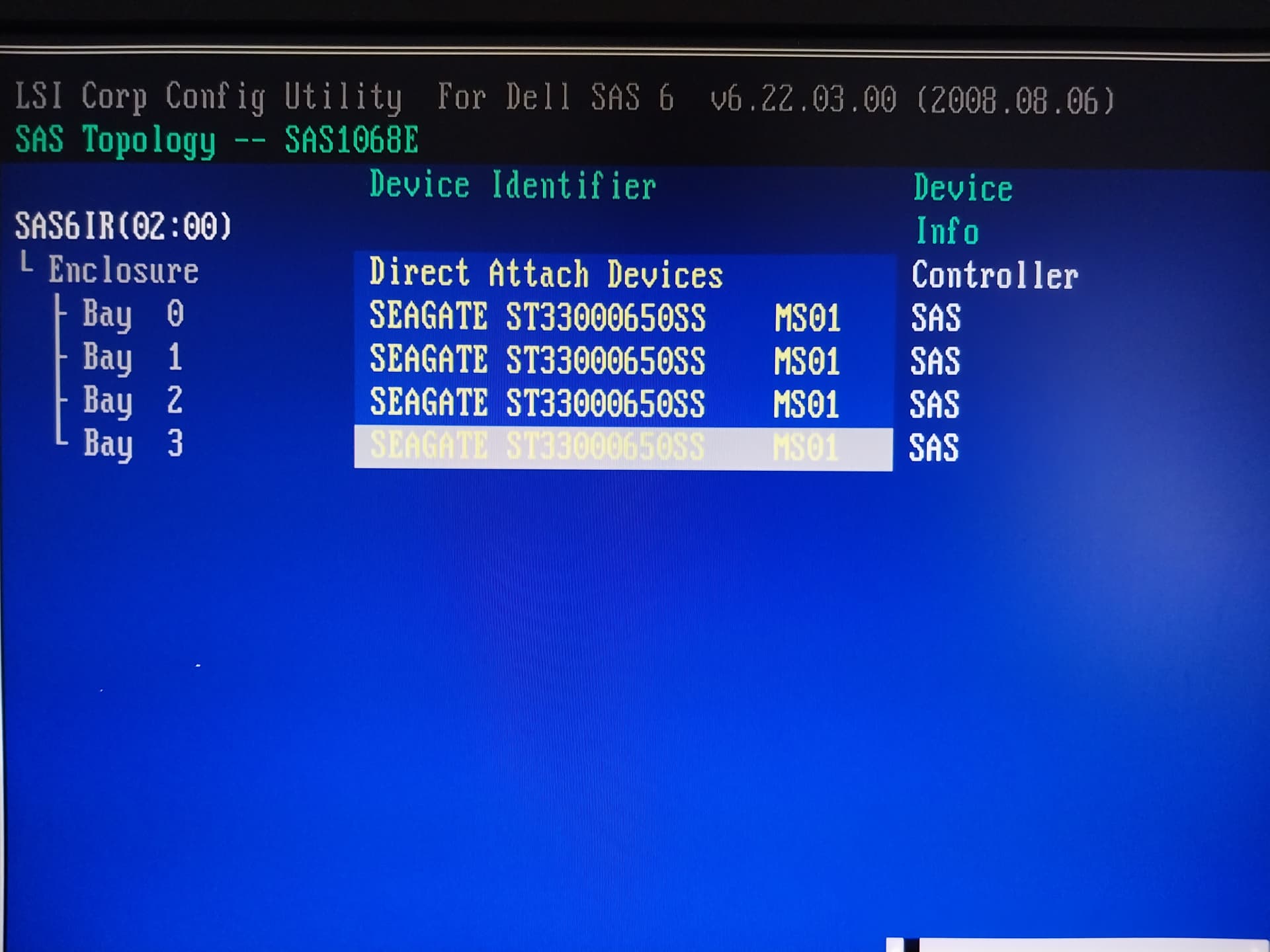
I am not sure related to your current problems, but I am curious if you flashed that HBA card to IT-mode?
Not being familiar with that rather old card I don’t know how it typically identifies itself.
No it was not flashed. I was considering this but system was working fine for last two years. Well until this week. 
The battery being out could be more than a coincidence, your issues could be linked to the BIOS settings being lost.
Are you 100% certain you set the BIOS settings back to what it was after replacing the battery? For example Legacy vs. UEFI boot.
Edit: I just realised you said it booted if you took the drives out. Still worth double-checking the BIOS for some setting that may not be as you would expect. Perhaps related to the RAID card?
Sadly experience has taught us that in these cases things run fine… until they don’t.
Are you able to see the boot drive in the BIOS?
Like I mentioned, If I replace all current data drives with a new set, TrueNAS will boot fine, and it reports the new set is available to build pool.
This make me think that BIOS is fine. Also sectors on all 4 Data drives were tested OK by Raid controller. So from hardware view these Data drives good too.
I really do think it’s a good idea to look through the BIOS settings because they will have been reset to defaults if the system was unpowered with no working battery, even if it turns out not to be causing your current boot problems.
Other than that, I have no suggestions.
Best of luck!
Besides the HBA document, which is very true you do want it, the other problem is backups. Truenas and any zfs level is no substitute for a backup, ever. So, moving forward, be sure and do backups.
Thanks to you all for comments. All these are hardware related. Any one can provide ideas why TrueNAS would boot fine with new set of drives, no other changes?
And what that Halt message means?
Old SAS controller possibly running in RAID mode rather than true HBA? That mpt driver is suspect.
Your drives are possibly “fine”, but you have to find the lost setting which this controller used to access them. Then get the data out!
Thanks. I’ll look in to it. But as far I can remember no RAID was created back then, all drives were reported in TrueNAS individually. 4 total, the same as number of physical drives. And as a side note, i believe raid configuration, if was present would be saved on drives themself and RAID controller would ask if I want to import it during boot.
No modifications were made to TruNAS at the time of installation. I’m still curious why I cant boot TrueNAS with original Data disk present?
If you did not flash the IT firmware the HBA it’s basically an expensive RAID card… at least to ZFS.
I’m considering to run diagnostics on Data disks. And need to boot the system to TrueNAS. But it will not boot with the Data disks installed. Any idea why?
Tank you for support. I just needed to disable boot support in the LSI RAID config menu.
does this mean you are back to 100% or you still have problems and are working on them?
And you didn’t see a message about attempting to boot a TrueNAS Data Disk before?
IIRC, TrueNAS used to display a short message about not being able to boot off the selected disk because its a data disk when the BIOS and HBA were misconfigured.
Of course, with UEFI etc, its quite possible that that message no longer displays… and instead you get the read 32 sectors error instead!
This is where I would place my bet.
Because of above.
I think so. The reset caused the controller to be in the highest boot order instead of his (I guess) SATA SSD that contains TrueNAS.
I know this, because I made the same mistake. CMOS battery died, removed power, inserted new battery, and wondered why TrueNAS would not boot 
I think deductions above are Incorrect.
Option to manual select boot media was used. In this case SATA drive. All Data drives are SAS. Just ones I made mistake attempting to booting from SAS controller, it clearly said : unbootable drive.
I’ll look how ZFS data write to drives affected by this option.