I know this questions has been asked many time and there’s also a lot of documentation around. Unfortunately this information is very scattered and sort of confusing.
I finally wanna do the step to migrate from TrueNAS Core to Scale. Fangtooth seems to be the right release for me. I did some extensive testing in a VM with Fangtooth and deployed all my former Jails and VM as apps in Scale as docker apps.
My TrueNAS server is located at a remote site I can not access easily.
so far so good, but now I am struggling with the correct upgrade path.
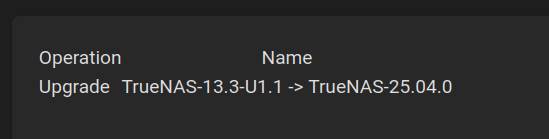
My current version is TrueNAS-13.3-U1.1.
I tried to upgrade via the ui, changing to Fangtooth release train and do the upgrade. This results in the following error message
dataclass() got an unexpected keyword argument 'kw_only'
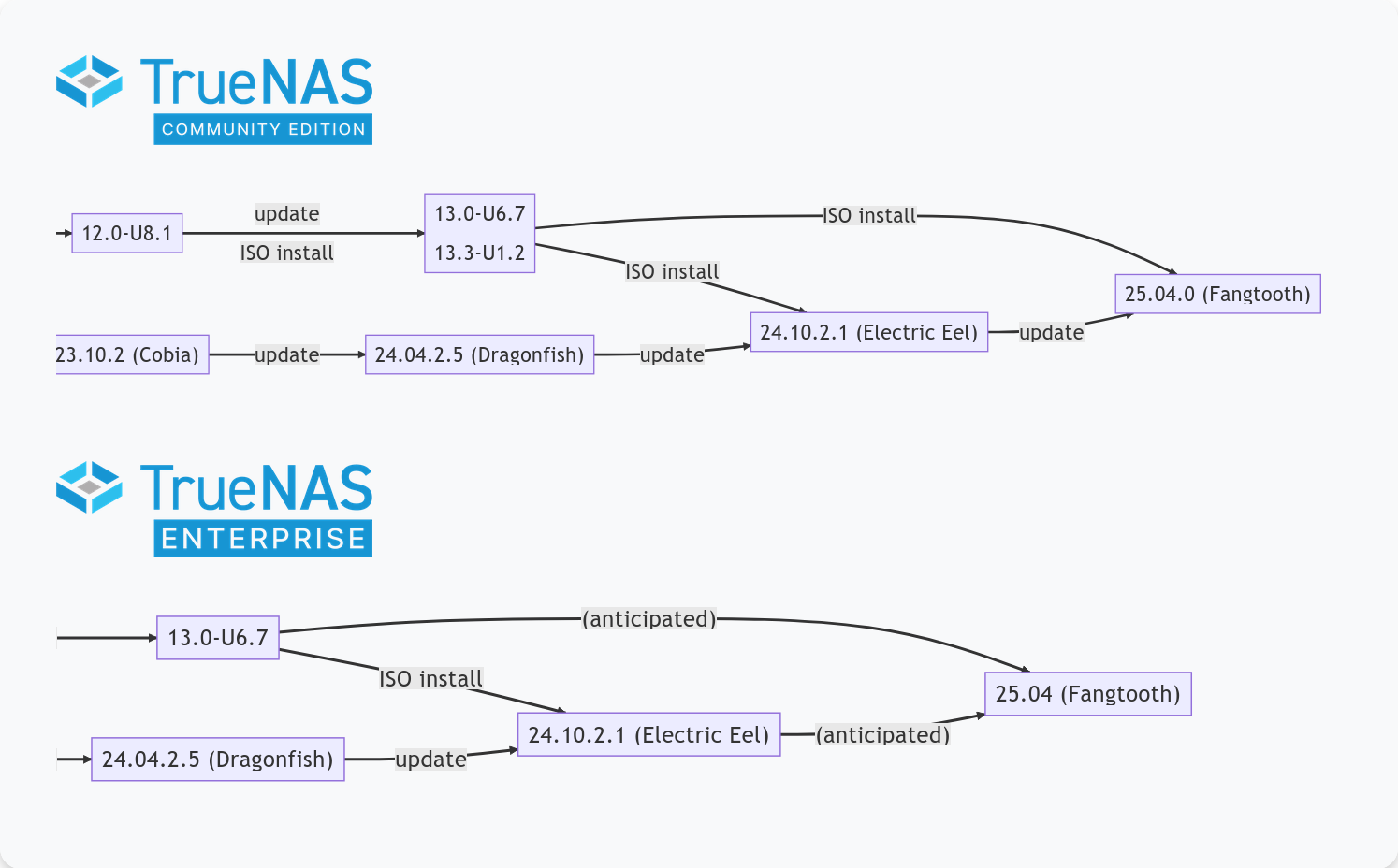
Somewhere in the migration documentation of TrueNAS I read that this upgrade path is not supported - → even tough this option was selectable in the UI
By saying “ISO install” do they mean a fresh install or should a manual update via TrueNAS-SCALE-25.04.0.update also work? I believe the update file is also some sort of an ISO.
In case a fresh install is meant, is an update to 13.3-U1.2 (from 13.3-U1.1) before actually necessary?
If I need to update to 13.3-U1.2 how can I switch back to the core release train? The UI doesn’t give the option to do so.
If I do a fresh install (and import the config file afterwards), can I do it remotely or is using a USB Stick on site mandatory?
Does the import of the Core 13.3 config file definitely work on TrueNAS Scale?
Is upgrading from Core 13.3 → 24.04. → 24.10 → 25.04 an option?
Yes, but please ensure you have read the migration information thoroughly before starting.
Yes if you are on 13.3-RELEASE that was a tested path, however there are significant differences between dragonfish 24.04 and fangtooth 25.04, I would suggest that applying the manual update to 13.3 and then upgrading to 25.04 is easier.
If your remote server has IPMI (or Dell’s iDRAC, or HPE’s iLO), you could very likely do it remotely–though personally I’d want to install onto a fresh boot device and save the CORE boot device just in case things went sideways (which is what I plan to do with my parents’ NAS when I get around to upgrading it to Fangtooth). But leaving the “fresh boot device” aside, IPMI would let you mount installation media over the network and do the install that way.
But otherwise, it’s as you say: you’d need to put hands on the server.
My server does have IPMI indeed but I forgot the password
Two years ago I moved my server from my home to another location. At home there was no need for IPMI and since then there wasn’t any issue with TrueNAS Core.
The idea regarding the use of a fresh boot device is good one.
The reason for wanting to switch to Scale was to reduce the time needed to maintain my VMs and stop getting annoyed by slow adaption of new versions for freebsd. Or even the non existence of some packages.
However, in my case this switch over again seems to be some work - I guess I postpone this move over a little longer
just a little heads-up.
I was able to reset my IPMI Password remotely which kinda scared me, because I believe it shouldn’t be like that.
However the IPMI on that board is so old that I couldn’t make it connect via IcedTea due to missing Java Libraries on my machine.
I went to the remote location and installed a glinet comet remote kvm and back home I was able to install TrueNAS Scale via this kvm easily.
Finally, after a couple of small hick-ups I’m very pleased with TrueNAS Scale due to simplicity, GPU Support and docker support in general
Composerized it with Dockge, and it works fine to connect to the Java-based IPMI KVM on my Dell C6220 II. You could just as well use Docker Desktop to run it on if you’d rather do it that way. Sure beats my old way of keeping a Windows 7 VM around.
I tried this as well as Openwebstart but didn’t have the patience to make it work.
Due to the fact that the IPMI won’t get many updates and there also was a critical vulnerability with Megarac recently I decided to go with a remote kvm.
But I haven’t yet found how to disable Megarac entirely - if that’s even possible. I unplugged the dedicated IPMI lan port but it’s still accessible via the regular lan port.
On every system I’ve used, there’s a setting to restrict it to its dedicated port–probably through its own web interface, and also usually in the BIOS setup.