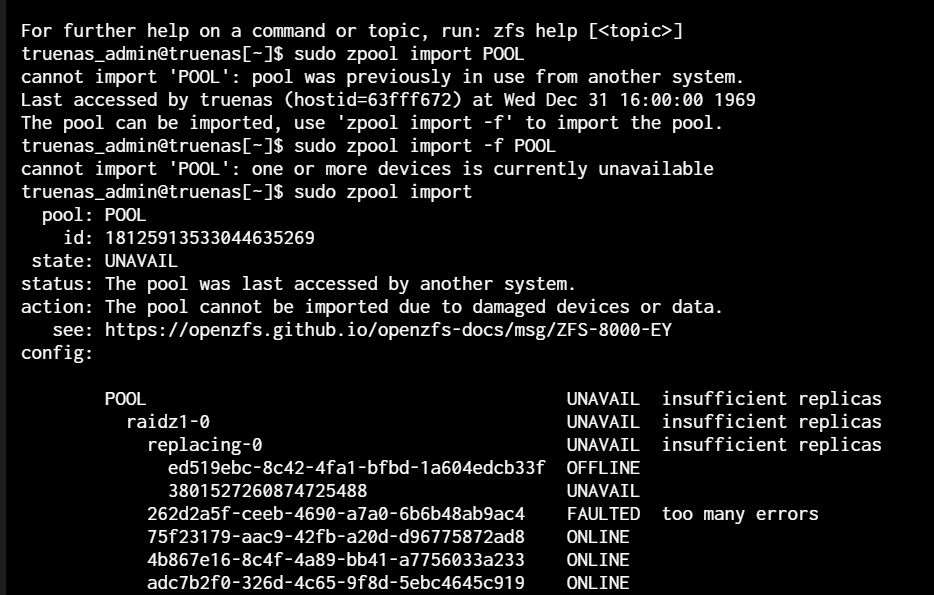
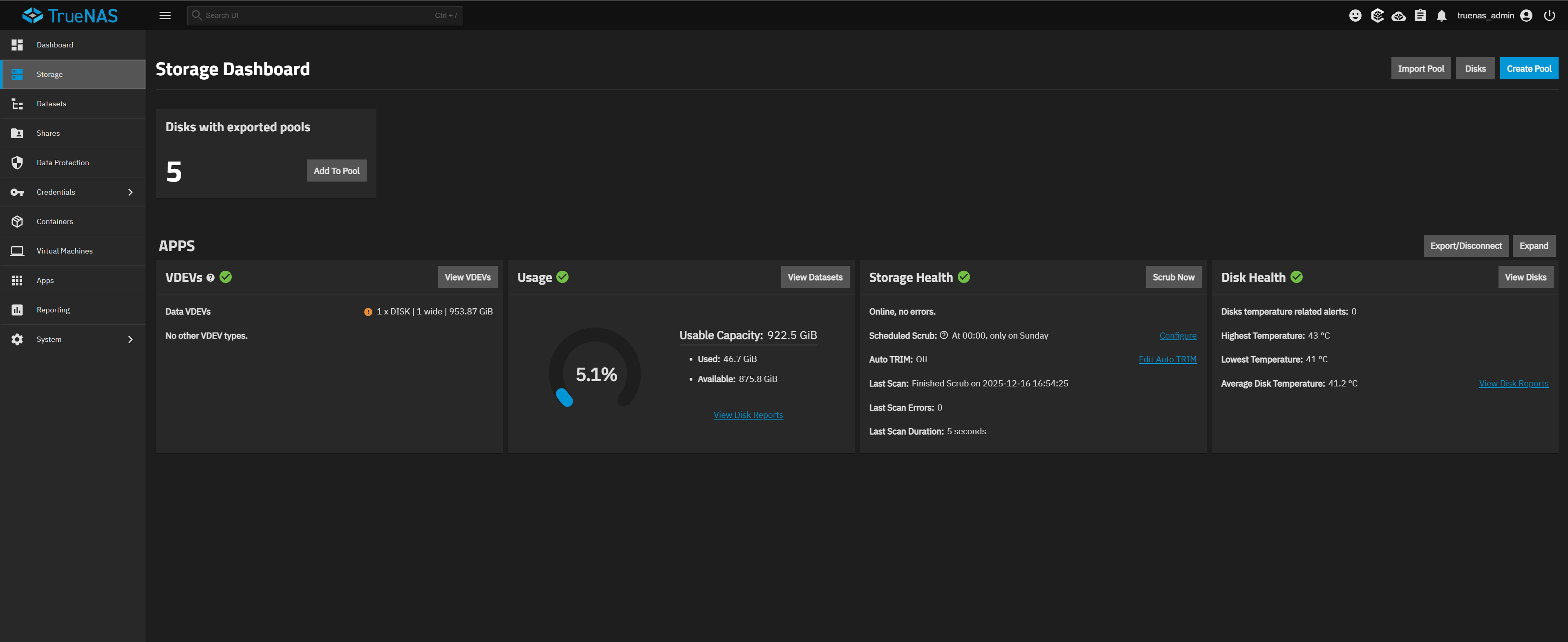
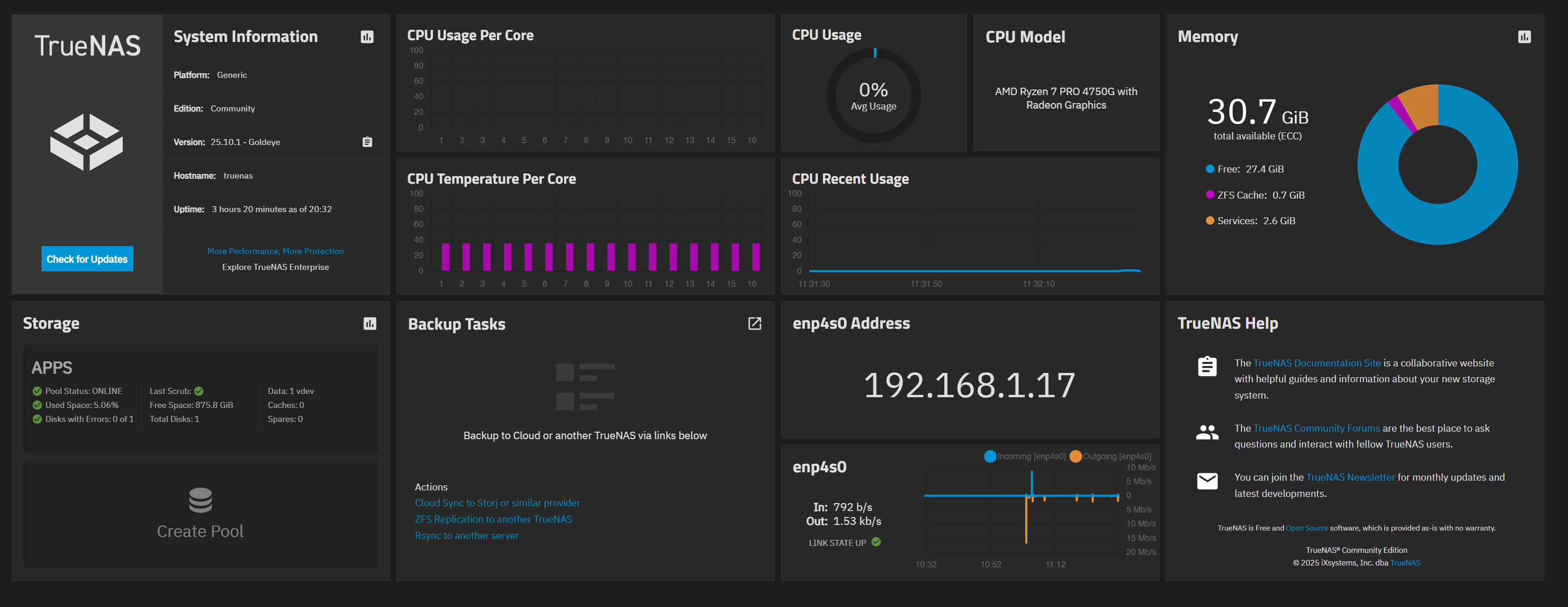
This morning, when I opened Truenas, I was shocked. My hard drive suddenly stopped reading. I’m using ZRAID 1 with five hard drives. Details are below. i wanna ask, how to make my pool back again, i just try using zpool import not working, using zpool import -f POOL not working.
Is TrueNAS installed on bare metal or is this a Virtual Machine install of TrueNAS? Were there any power outages or something?
Full hardware details on your system and how everything is attached. Looking for something like in the Details under my post. Click on Details to expand and get an outdated list for my system
I can see you are on Scale 25.10.1 Goldeye. In your first screenshot, info from the command line is better placed in the fourms using Preformatted Text mode (</>) or Ctrl+e on the tool bar. You should be able to just copy and paste text from the CLI.
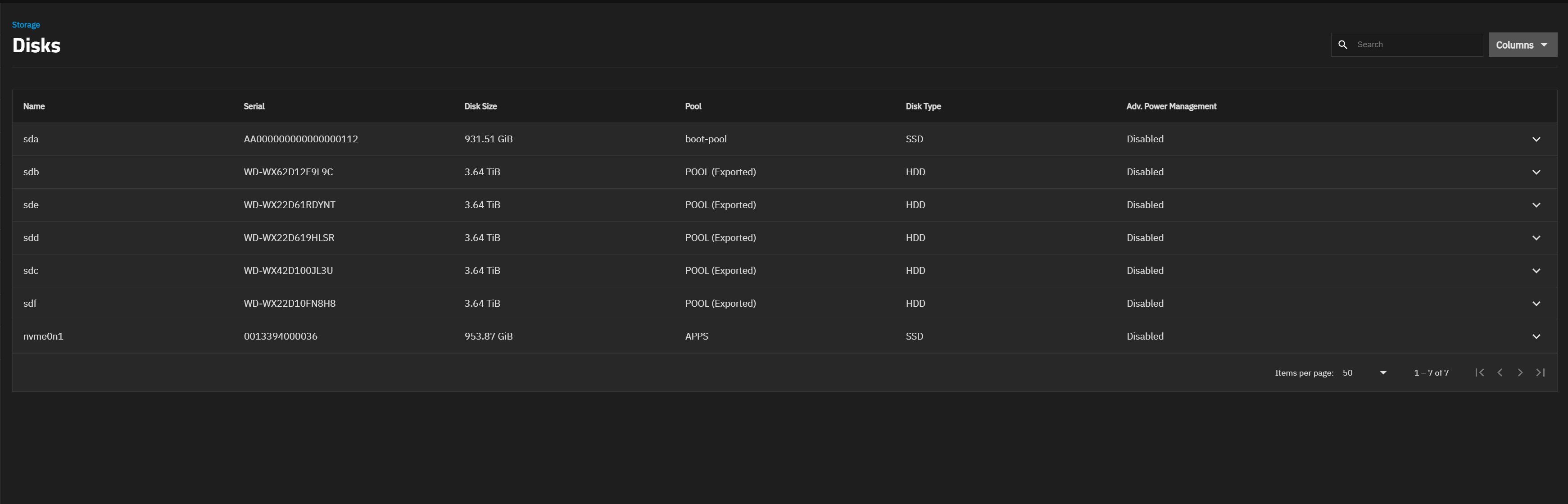
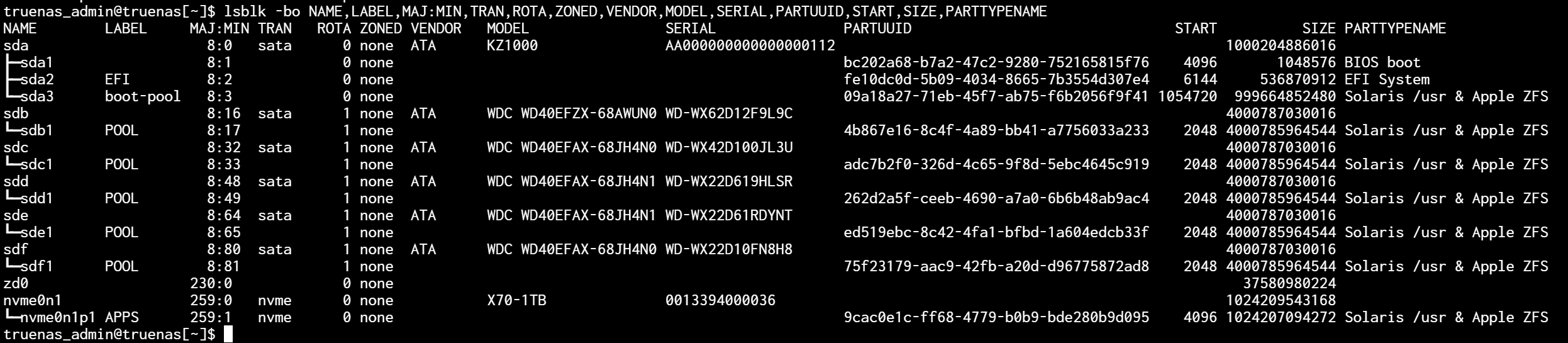
Keep track of the hard drives by the serial numbers as the drives can change position between reboots. We should try to see the health of your hard drives. Post each drives info back using Preformatted text mode. SDB through SDF, according to your screenshot.
sudo smartctl -x $disk or for disk in /dev/sd?; do; sudo smartctl -x $disk; done for the whole list of SD(x) drives.
Run and post back the results of the following using Preformatted text. It will let us see what drives you have. lsblk -bo NAME,LABEL,MAJ:MIN,TRAN,ROTA,ZONED,VENDOR,MODEL,SERIAL,PARTUUID,START,SIZE,PARTTYPENAME
thank you @SmallBarky for youe replay, i install on bare metal (pure only truenas on my drive) not on virtual machine. will try to do smartctl, i will attact in this topic soon
Look up your model numbers for your hard drives and make sure they are CMR and not SMR. I thought EFAX was a problem and that is what is listed in the article below. It should explain the SMR problem with ZFS. I don’t know if this will cause problems with recovery or just make it take a long time. We will have to see. Now, NAS branded drives are almost all CMR and not SMR but it is always good to check the models. These drives were the start of the problems when WD placed them in their NAS line.
SMR vs CMR ServeTheHome
I am not sure if you have lost the pool. Was your pool a 5 wide Raid-Z1? Your first image looked like a drive replacement was going on. It may have been a drive had a problem and then came back.
Running SMART Long tests to see the heath of all the drives would be important. It’s the smartctl command posted in my first reply above.
If everything is healthy, we would try to get the pool back online or imported. If it is a bit complicated, I will get a more experience user to walk us through the attempts. If you are powered down, it may be a good idea to check the SATA and power connections to the drives.
A good, detailed listing of the hardware and how you had your pools set up could be helpful. Motherboard and how the drives are physically attached. Are they all connected directly to the MB or do they connect to a HBA card?
This is the problem here. One drive was in REPLACING status, and then a second one faulted.
WD RED SMR drives specifically have a very bad failure case in firmware where they can return IDNF errors and it looks like this might be what happened here that kicked the second drive out.
It might be possible to import the pool read-only at an earlier transaction group because the second drive faulted, but you may still have errors if the drive throws IDNF during a read.