
I have not tried importing it with this command link yet. However it has the same result in that the machine crashes and reboots.
The above command made it crash? Did it print an error message?
1 Like
no message. I enter the command no response and it goes offline. go check the video output.
Can you provide the system info that @SmallBarky requested?
1 Like
nothing i can see from the Video output either. Its online and responding for pings for about 3 seconds after i issue the command, then fails, and about 6 seconds after i send it it physically shuts off
Sorry thought that might have come across in some of the commands he gave me.
Its a Asus Prime z70 board i believe
Intel i7700K
GTX1030
32 GB DDR4 3200 mhz ram
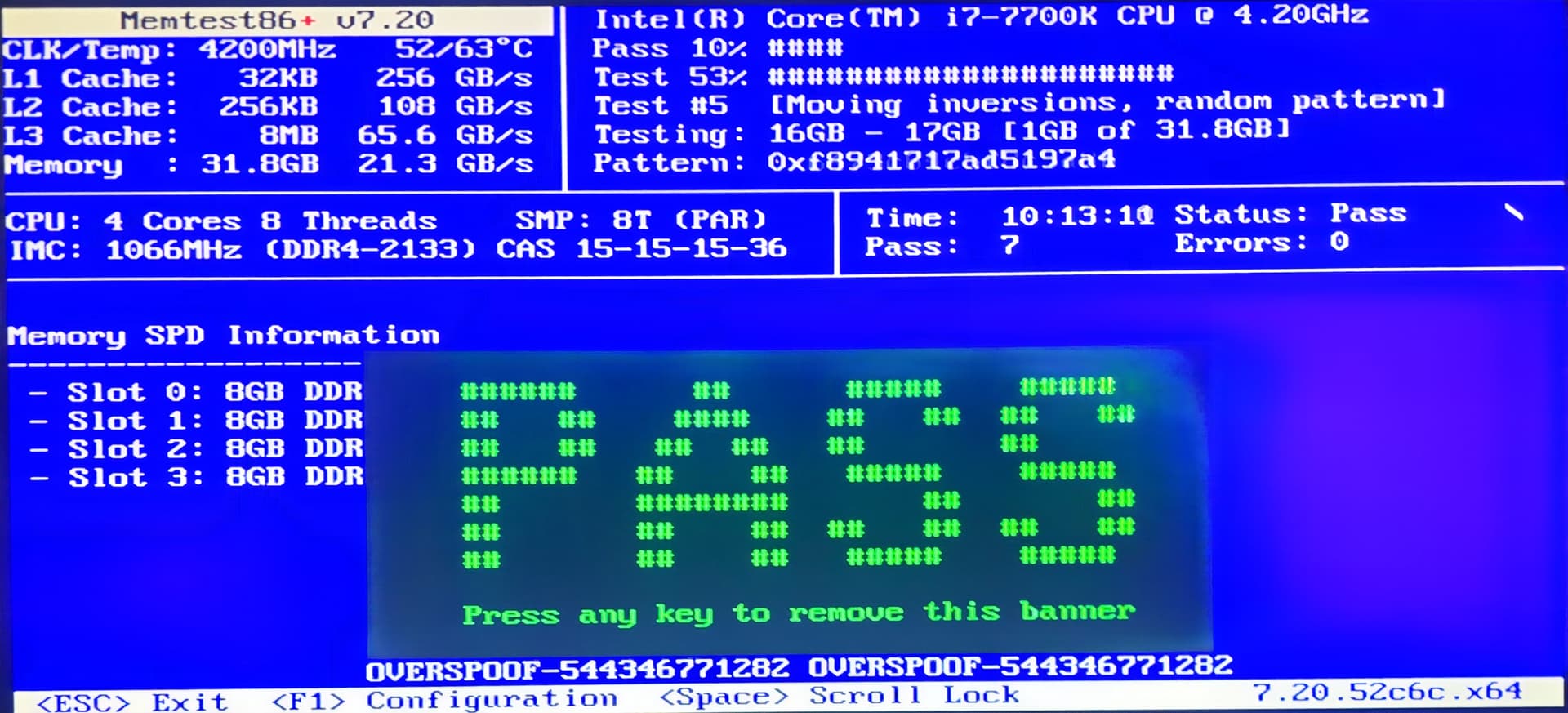
@winnielinnie Do you think we need to try running cpu and memtest86 to rule those out? I was out of ideas and was going to call in our Badger… We have been getting a bunch of HexOS lately and I have no clue how close it is to TrueNAS
1 Like
As far as I know its just a “installer for true nas scale” It just configures it with a more user friend UI. Hence my limited skills. I think i tried at one point to use truenas use as a nas years ago but i failed to figure it all out.
As far as cpu and memtest, I can tell you that the machine has been running for days at a time with the pool disconnected. Only when the pool is imported does it cause to crash. Way back when i first trouble shooting it. The machine would not even boot with all 4 drives connected. If i disconnect at least 2 drives it would boot as the pool would not even attempt to import with 2 drives missing. Then i was able to export the pool and I was able to get the machine and even my VMs running on an SSD pool running and has been fine.
I’ll see if i can figure out how to run a cpu and memtest on True Nas and get the results. Its not something i have tried to do yet.
You boot the system from a Live Linux version and run the software from there. Any version that includes the testing software. system-rescue would be one distro. We want at least 5 runs of memtest86.
@HoneyBadger I think we need help on pool import trouble.
1 Like
interesting that for all the past rhetoric about hex users cluttering this forum and force them to use the service they paid for, there are still far too many exceptionally helpful people around here 
memtest is to rule out weird hardware issues - with a K-series chip and DDR4-3200 I’d like to suggest reverting your RAM timings back to JEDEC speeds rather than using any XMP timings. 
Try booting without the drives, hot-plugging later, and then adding -o readonly=on to your import command:
sudo zpool import -d /dev/disk/by-partuuid -R /mnt -o readonly=on HDDs
If your pool will import read-only, that’s a start.
3 Likes
Good morning. I am pretty sure its not running an XMP profile on the ram. I could be wrong on the ram speeds.
The Pool does import in a read only state. I can see all of the the data sets and the systems is stable with it imported in the read only state. I jut have not been able to get any further than that. I do have other pools that are working just fine its just this one pool that is causing the issue.
Sorry it looks like i forgot to post the error read out i got. I’ll go find it now. I know there is an error with one of the data sets which is my security tapes which is all camera footage for my NVR. None of it is important
root@TitanHexNas[~]# zpool status -v HDDs pool: HDDs state: ONLINE status: One or more devices has experienced an error resulting in data corruption.
Applications may be affected. action: Restore the file in question if possible. Otherwise restore the entire pool from backup. see: https://openzfs.github.io/openzfs-docs/msg/ZFS-8000-8A

scan: scrub repaired 252K in 08:33:06 with 17 errors on Mon Jan 12 17:28:14 2026

expand: expanded raidz1-0 copied 4.65T in 12:39:26, on Fri Dec 13 05:59:05 2024

config: NAME STATE READ WRITE CKSUM HDDs
ONLINE 0 0 0 raidz1-0
ONLINE 0 0 0 6a2f9722-779d-4ad9-a174-66d6856dff9b
ONLINE 0 0 0 b610e5ec-7716-4689-9f8c-e4d25b40959b
ONLINE 0 0 0 5c46ab8b-82b6-436d-bcc6-e85461f55589
ONLINE 0 0 0 0a46c882-dcb8-457e-8733-fd2a13e37e14

ONLINE 0 0 0 errors: Permanent errors have been detected in the following files: HDDs/Security Tapes:<0x1>
Maybe i did. Sorry if i have repeated information most of this is over my head and i understand enough to be dangerous.
I think we might want to fix the “HDDs Recovery” pool name to remove the space in the name, Import the HDDs pool as read only and try to get the data off and onto your pool for recovery.
Do you have any data on “HDDs Recovery” at this time? If empty, easy way would be to destroy the “HDDs Recovery” and create a new pool in its place. Spaces in names sometimes gives problems. “RecoveryHDDs” or “HDDs_Recovery”. Something like that.
Try the command by HoneyBadger to get the pool imported read only and then give us a sudo zpool status -v and we can see where we are, currently
No i just threw it together to make sure I could make a new pool of HDDs and import them. I have 3 8tb drives I planned to added to the HDD pool. Currently it has 4 4 tb drives. I know mixing sizes it not best but i plan to donate my 4tb drives to the in-laws and getting all 8+ in the coming months.
Thank you everyone for the help as of now. I’ll get more info posted asap.
sudo zpool status -v
  pool: HDDs
 state: ONLINE
status: One or more devices has experienced an error resulting in data
        corruption.  Applications may be affected.
action: Restore the file in question if possible.  Otherwise restore the
        entire pool from backup.
   see: https://openzfs.github.io/openzfs-docs/msg/ZFS-8000-8A
  scan: scrub repaired 252K in 08:33:06 with 17 errors on Mon Jan 12 17:28:14 2026
expand: expanded raidz1-0 copied 4.65T in 12:39:26, on Fri Dec 13 05:59:05 2024
config:

        NAME                                      STATE     READ WRITE CKSUM
        HDDs                                      ONLINE       0     0     0
          raidz1-0                                ONLINE       0     0     0
            6a2f9722-779d-4ad9-a174-66d6856dff9b  ONLINE       0     0     0
            b610e5ec-7716-4689-9f8c-e4d25b40959b  ONLINE       0     0     0
            5c46ab8b-82b6-436d-bcc6-e85461f55589  ONLINE       0     0     0
            0a46c882-dcb8-457e-8733-fd2a13e37e14  ONLINE       0     0     0

errors: Permanent errors have been detected in the following files:

        HDDs/Security Tapes:<0x1>

  pool: HDDs Recovery
 state: ONLINE
config:

        NAME                                    STATE     READ WRITE CKSUM
        HDDs Recovery                           ONLINE       0     0     0
          c99fcc23-b2fa-483d-95f7-0ce8186db1fc  ONLINE       0     0     0

errors: No known data errors

  pool: boot-pool
 state: ONLINE
  scan: scrub repaired 0B in 00:01:46 with 0 errors on Sat Jan 24 03:46:47 2026
config:

        NAME        STATE     READ WRITE CKSUM
        boot-pool   ONLINE       0     0     0
          sdg3      ONLINE       0     0     0

errors: No known data errors
1 Like
This is metadata damage  that’s uglier to recover from.
If you’re able to import read-only and you have a group of 3x8T drives you could create a RAIDZ1 pool out of them and use that as a back-and-forth - copy all of your 4x4T data to the 3x8T drives, then remake the 4x4T pool (maybe as a Z2?) and copy back - if there’s enough free space to do that - then destroy the 3x8T, add them one at a time to expand your 4T pool, and then over time replace them with 4T drives?
If not, you can attempt pool rewinds to earlier transaction groups but those aren’t guaranteed to solve it (they will discard the data/recorded video from after that timestamp however!)
Thank you. Luckily thats just footage from my security cameras.
I am ready to copy the data from the drives. But i can’t figure out how to do it from the GUI of true nas scale. If there is a best practice or a document please let me know.
On that note is the best practice for video storage for cameras that record 24/7? Now my concern is this constant work load caused this issue. What would you all recommend doing for storage needs for my cameras.
Current setup is a Windows VM runs blue iris. There are 14 camera feeds that if there is not targets present they record in the lowest quality around 480p or less. This low quality feed is 24/7. If a target is detected they have high quality feeds around 10-30 Mbps. Pre-recording 10 seconds then record until no targets and stopping 10 seconds later.