Hi TrueNAS Community
I have a problem with my trueNAS and dont know anymore where to look, so I decided to come here to the core of it all 
As a backround to my issue
I Used for many years now my old Qnap nas (nearly 20 now) and nowadays I havent got anyupdates for it. So I wanted to use an old miniPC to host a few tasks. Plan is to run Jellyfin and maybe later a TVheadend or something similar.
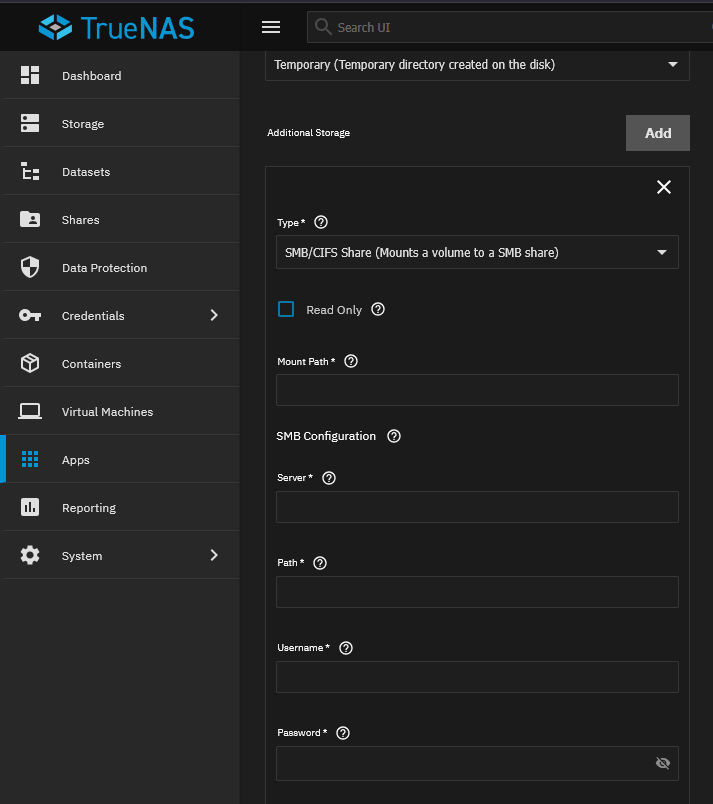
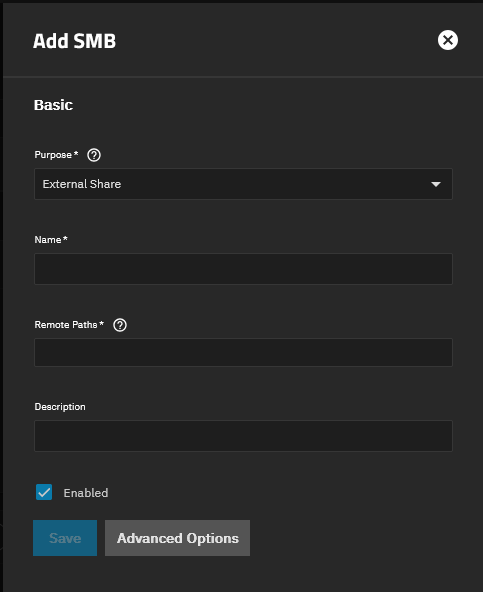
But since there are no more security updates on my QNAP I wanted to lock the NAS out and use it as an datajunkyard. So now more communication into the world just internal storage for pictures and videos. My issue is now that after several steps I was able to split the HDD into a Boot and Data Pool. Now I wanted to acess the data via truenas scale from the QNAP and watch movies and pictures. But Im not able to acess the date. Mainly because Im (personally)  not able to create a folder where I would be able to access the “external” QNAP data in my trueNAS scale. When I look up SMB and trueNAS I always end up how to create a SMB but not how to migrate SMB into jellyfin or the truenas scale.
Also how is it possible to acess data within the certain apps on the Truenas scale.
If there are any hints or documents that could help or support how to read data within the apps in truenas (or their dockers) that would be very very helpful
Thanks in advance
Tom