Problem/Justification
What is the problem you are trying to solve with this feature/improvement, or why should it be considered?
Add support for SMR (Shingled Magnetic Recording) drives.
Impact
How is this feature going to impact all TrueNAS users? What are the benefits and advantages? Are there disadvantages?
When users use SMR hard drives for backup or video recording, it can reduce their purchase costs.
User Story
Please give a short description of how you envision some user taking advantage of this feature, what steps a user will follow to accomplish it.
Pushing physical limits and extending “Moore’s Law”
Traditional CMR technology (with gaps between tracks) has hit a physical wall when trying to increase areal density. Continuing to shrink the head or magnetic grains is very difficult and expensive. SMR, by overlapping tracks like roof tiles and removing the protective gap, can increase storage density by about 25% without changing the core magnetic recording material. This is the most economical way for manufacturers to increase capacity within existing technology frameworks.
Precisely meeting the huge demand of the “cold data” market
2.1 Not all data requires extremely fast random writes. The vast majority of data on the internet (estimated at over 80%) is “cold data” or “warm data” – such as old photos, backup files, surveillance footage, archived user uploads, etc. The characteristics of this type of data are:
2.2 Written once, read many times, rarely modified.
2.3 Requires very high capacity, insensitive to random write performance.
SMR hard drives perfectly fit this scenario: they use high capacity, low price, and sufficient sequential read/write speeds to meet the essential needs of cold data storage, while their random write weakness is rarely triggered.
3.This strategy allows manufacturers to profit from both sides: high performance for high prices, high capacity for volume. Without SMR, manufacturers would be forced to use expensive CMR technology to cover the low-end, high-capacity market, either reducing profit margins or raising product prices.
It’s tied to ZFS, not TrueNAS itself. That said, you are free to use SMR drives at your own peril.
Feel free to plead your case with OpenZFS
Why SMR Drives Break Under ZFS Workloads
1. Random writes collapse the drive
SMR tracks overlap like roof shingles. Any random write forces the drive to rewrite an entire “zone” of tracks.
ZFS does lots of small, random writes, especially for:
metadata
ZIL (intent log)
snapshots
scrubs
resilvering
SMR drives respond with huge latency spikes and unpredictable pauses.
2. Resilvering often fails
During a resilver, ZFS issues heavy random writes.
SMR drives slow down so much that:
resilvering takes days
drives time out
ZFS marks them FAULTED
pools degrade or fail
This is widely documented with WD Red EFAX (DM‑SMR) models.
3. Device‑managed SMR hides what it’s doing
DM‑SMR drives pretend to be normal disks.
Internally they:
remap blocks
run garbage collection
rewrite zones
throttle writes unpredictably
ZFS expects deterministic block behavior. SMR firmware violates that assumption.
This mismatch leads to data loss risk.
4. Performance collapses once the CMR cache fills
Many SMR drives include a small CMR “buffer zone.”
Once that fills (often after a few GB), write speeds drop to ~40 MB/s or worse, even for sequential writes.
ZFS pools cannot tolerate this during:
scrubs
resilvers
heavy writes
snapshot replication
When SMR can work (limited cases)
If you absolutely must use them, they are only safe for:
Please adapt a usage method for SMR drives, rather than insisting on using the ZFS file system. As one of the market’s products, SMR drives must have their historical background for existing.
Trurnas never supported any other filesystem then zfs and I doubt that will change. If you insist on using smr drives you probably should look into other nas os systems
That might have been true when SMR was introduced, but with the current 30+ TB drives SMR variants are merely about 2 TB larger than their CMR counterparts. There’s a reason why SMR has essentially disappeared from consumer-facing lines and only persists in some data centre lines, for clients who seek the highest density at (almost) any cost.
My dealer offers two types of hard drives with roughly the same capacity:
Brand new CMR drive: 16TB for $598
Refurbished SMR drive: 14TB for $110
I plan to store important data on the CMR drive, and surveillance footage on the SMR drive. The footage will only be kept for 90 days. If the SMR drive fails, I’ll just re-record the footage. It’s best to put both types of drives in the same server to save on electricity costs.
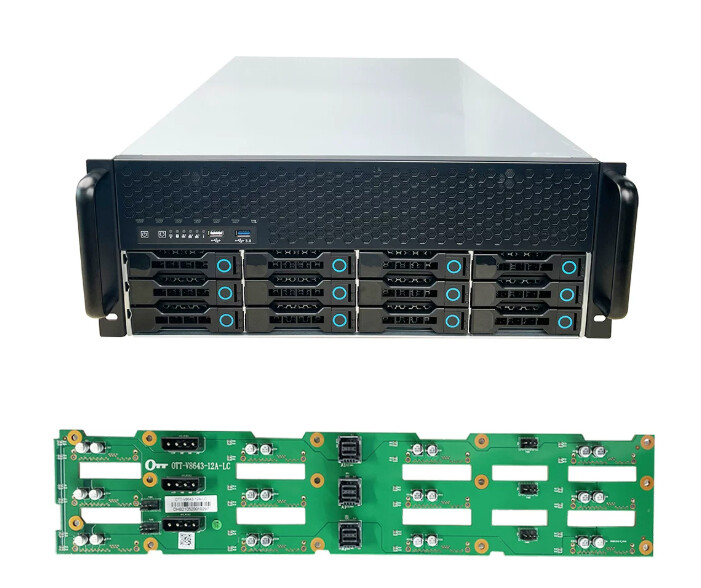
“I plan to use 4 SMR drives. The attached picture shows the chassis.”
That is a HM-SMR (Host-Managed) SMR - it requires handling as a zoned block device rather than random I/O. Think of it like a tape drive library with a SATA port welded on.
“Now I understand.” But, again, there is a reason why these SMR drives come so cheap: You need the proprietary driver, or even the full proprietary storage solution, that comes with them…
Here used 16 TB drives may be found for 300 € on small ads. I suggest you look for refurbished CMR drives as a midpoint which may be acceptable.
Following review, we have decided not to action on this feature request. Please see the following link for details of how we evaluate feature requests: