This has gotta be a well-known issue with a simple fix, but searching here or broadly isn’t finding me anything.
Running TrueNAS Scale 25.10.6, home server setup.
The general advice seems to be to use SMB for sharing things in the home environment, since we don’t usually (and in fact I don’t) have Kerberos or any central identity control system running. So I’m trying to do that.
I did this back on TrueNAS core with good results. I had a gap in doing much at home, and am now trying to get the working environments for things I was working on back up.
The basic problem is that things mounted via SMB share on Linux don’t have working permissions. Everything has execute permission, and chmod commands complete successfully but do not change the permissions as shown by ls. A certain amount of random weirdness can be ignored…except that this shows up as updates on every single tracked file in my git repositories. That’s NOT bearable, of course.
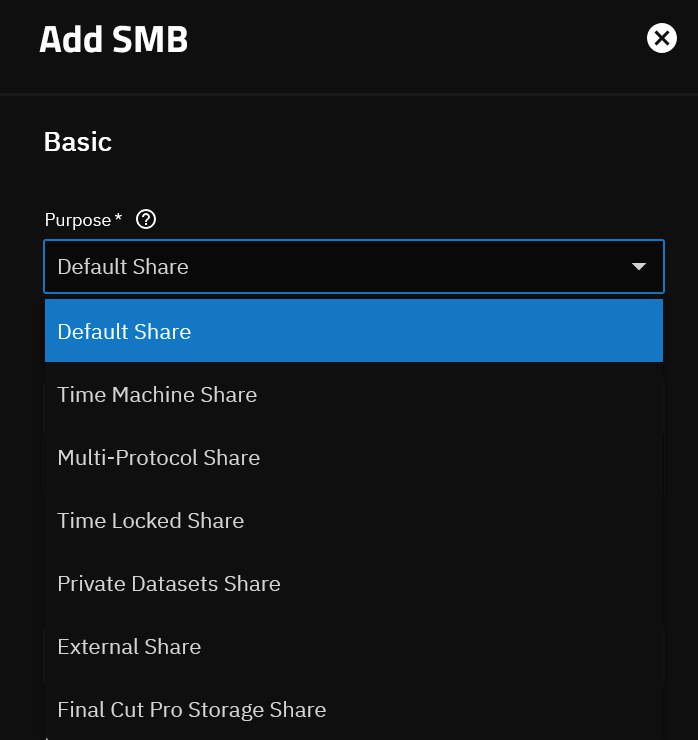
I tried creating a new dataset for testing things, and shared it, and I’m getting the same results, so it doesn’t seem to be any obscure buried option that got set in the past (it’d have to be something that looked sane and right so I set it now).
ddb@fsfsdev3:~/shr2
$ echo This is a text file! > test.txt
ddb@fsfsdev3:~/shr2
$ ls -al
total 4.7k
drwxr-xr-x 2 ddb ddb 0 Aug 13 16:11 .
drwxr-x— 12 ddb ddb 4.1k Aug 13 16:11 ..
-rwxr-xr-x 1 ddb ddb 21 Aug 13 16:11 test.txt
drwxr-xr-x 2 ddb ddb 0 Aug 13 15:56 .zfs
ddb@fsfsdev3:~/shr2
$ chmod 600 test.txt
ddb@fsfsdev3:~/shr2
$ ls -al
total 4.7k
drwxr-xr-x 2 ddb ddb 0 Aug 13 16:11 .
drwxr-x— 12 ddb ddb 4.1k Aug 13 16:11 ..
-rwxr-xr-x 1 ddb ddb 21 Aug 13 16:11 test.txt
drwxr-xr-x 2 ddb ddb 0 Aug 13 15:56 .zfs
What dataset and share options should I be suspicious of? Is there a clean way to capture all the dataset and share settings from the command line or in the gui? I kind of expect you’ll want more information, and it looks like some things that can only be set on creation don’t show in the GUI later?
The mount command was
sudo mount -t cifs -o username=ddb,uid=ddb,gid=ddb //fsfs.local/ddbshare2 /home/ddb/shr2
(It prompts me for the password, that’s fine for this use.)