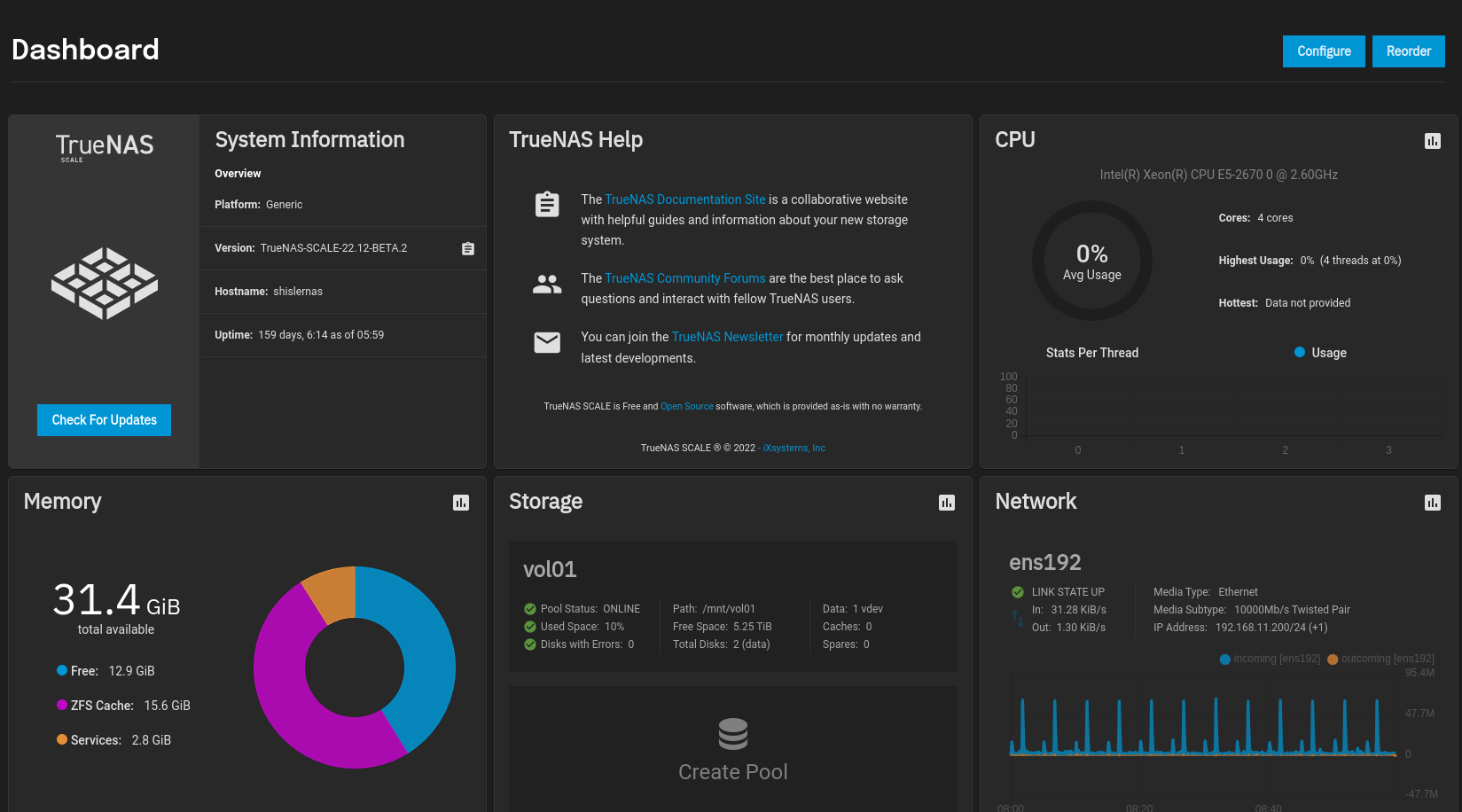
Fun fact, most of that is actually reserved by the Kernel because… Reasons? Linux accounts for some of the Kernel’s usage in a very weird way, effectively hiding it from userland.
1 Like
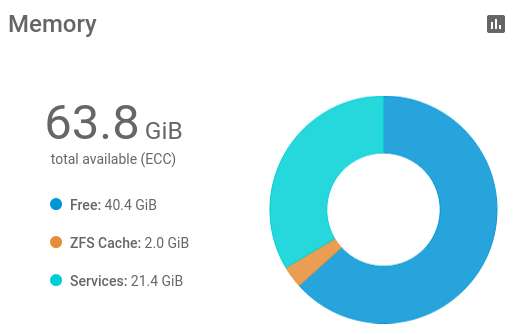
It is actually more than needed. 32GB would be enough but I had those modules lying around. 
(Screenshot uptime <4h so Cache is still quite low…)
Another fun fact: people often tell the truth on the internet.
I have 1024gb ram (Using plain text to go green).
5 Likes
What’s the use case for having 1 TB of memory in a NAS server? How many users are we talking about here that are using the NAS box?
Thing is, I build my system in 2016 utilizing a Intel(R) Xeon(R) CPU E3-1245 v5 @ 3.50GHz and 64GB of ECC memory. It’s primary use is a backup server, while the secondary use was a Plex media server. With the upgrade from TrueNAS Core (formerly FreeNAS) to TrueNAS scale, I added some applications including a DDNS updater, a reverse proxy manager, and a DNS server to block ads. While I’m tempted to do a motherboard transplant to a faster processor and a more memory, I’m hard pressed to provide a good reason why.
1 Like
Best reason is that an 8 year old motherboard is heading towards a sudden failure…
I’d consider building a newer system and demoting the 8 year old system to a backup 
1 Like
Possibly. The better systems out there tend to have lifespans well beyond 8 years. In a SOHO application, the more relevant question for me is what I would replace my extant board with should a sudden catastrophic motherboard failure arise? Ideally with tiered options, ie good, better, best based on what’s out there.
For me, the 2c version of my motherboard is still likely a better solution than the board I went for. All the things I thought I could run on the NAS like zone minder were hopelessly nonperformant. Ditto VMs for blueiris.
Climbing up the side of the bathtub though 
I figure, if your primary NAS fails, you’re going to have some significant downtime while you figure out a replacement, whereas if your backup fails… well… your backup just begins getting out of date.
So, maybe you’ll get another 2-5 years out of the motherboard as a backup system…
Everyone should have a backup anyway, so if you don’t it is a good idea to build a new primary demote the old primary to a backup… and maybe it will run for a good number of years after that
1 Like
I can see your point. Comes down to how available the data has to be and how you reckon the supply chain situation is. For my use case, a few days without power is ok. Other folk may have a different calculus.
1 Like
Only a lowly peasant would ask such questions. 

6 Likes
Excuse me, does Unicode not define a “Champagne in glass” emoji (or the alternative “Sparkling white wine in glass”, which is admissible to render identically to the former as the differences are not evident over textual media) or are you just doing a poor job of pretending to be a snob? A glass of red wine, seriously… Some people just don’t know how to correctly look down upon others…
4 Likes
VMs, VM storage, databases, file sharing to a truckload of users…
Don’t forget that 1 TB is the natural step up, on many systems, from 512 GB.
1 Like

(Blah blah blah blah)
It’s ARC. It’s all for ARC.
I have heard people say with drives that fast, ARC actually slows you down.
1 Like
Hi Mark,
Actually, no matter how much memory you use (no less than 4GiB), the ZFS system can run. The core question is how to deal with the performance problem. Even in a multi-user system with 2TiB memory, the available memory a single user can use is not very large.
For myself, I use 512GiB memory to cache all my projects and try to cut down the storage latency. Movie-related users want a big ZFS ARC system to cache their DaVinci Resolve project. Sometimes they even add L2ARC (usually a 1TB SSD).
ZFS users have a mantra: more memory is better.
Hi Stux,
I’m looking forward to the release and deployment of OpenZFS 2.3. In this version, direct-io is supported and can be used to bypass the ARC, especially in an all-flash pool.
2 Likes
I’m going to eventually need an “ELI5” explanation for this feature. While I sort of understand it, there are caveats and exceptions that fly over my head.
I am not sure i follow your reasoning on this. I run TrueNAS on even older hardware (X9-SCM-F with E3-1270v2 with 32GB ECC RAM) and i have no issues nor any concerns about this setup or the reliability. TrueNAS runs perfectly fine and so are Nextcloud and Plex for that matter. From a performance point of view, i am very unsure i will notice any performance upgrades as the CPU utilization is very low. I only recently upgraded my pfSense box from an X9-SCL-F with E3-1220v2 to an X10SDV-4C-TLN2F just because i got it very cheap. The X9 had been rock solid for many years with 24/7 operation and i am expecting the same from the X10SDV.
1 Like
In our case, the build was massive overkill though we didn’t find that out until after it was built and the workload was applied. A customer came to us with an “as fast as possible” requirement and waved a lot of money around. At the time, there wasn’t a lot of good information around high performance NVME TrueNAS systems so we over-engineered it on purpose. Were I to do it again, I’d probably cut the RAM in half, and go with 2 x High Frequency 32 core CPUs.
2 Likes
When I built my server in 2016, it was with a Supermicro MBD-X11SAE-M-O which, I believe, is a server-level motherboard, plus I’m using ECC memory with a Xeon processor. The 64GB limit was what I could afford at the time. When I see items like “VMs, VM storage, databases, file sharing to a truckload of users”, okay, that sounds like corporate use. I’m just a small hobbyist.
While I hope to pursue a virtualization box in the near future with Proxmox, I going to go down the same path that I did back in 2016… go with a small box, get familiar with how it works, then build a big server that lasts. In 2024, the NUCs look like a good place to start learning.