
and this one…
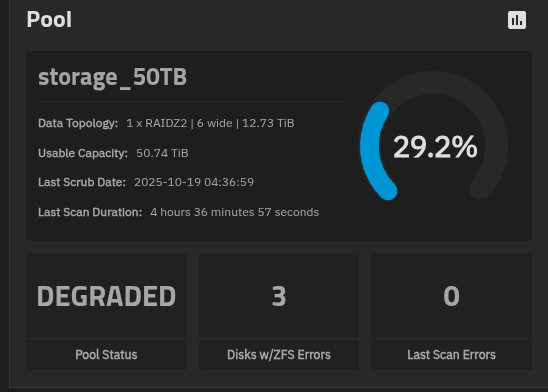
I would really like to be able to remove the second SSD as well… How should I proceed to remove both SSDs?
The output of zpool status -v storage_50TB should show what is needed.
Further, you should be able to remove the bad SLOG, (or both), as desired. I don’t have the location in the GUI, but it should be straight forward to find it. SLOG, Hot Spares and L2ARC / Cache devices can be added or removed any time.


Okay, I’m back to normal – everything seems to be there.
However, the shares aren’t working at the moment – but I’ll look into that later.
In any case, the data in the datasets appears to be complete.
If I understand correctly, I can simply remove the second SSD. I don’t trust those things anymore…
I can’t express how grateful I am to you all!!!
Using -R /mnt should have mounted the pool correctly for shares.
Anyway, the next step now that is to export the pool from GUI and import again from GUI so that the middleware has everything as it likes. If that does not bring back the shares, post again.
i did a reboot and the shares are working.
the export/import is now needed?
No. You have, in effect, exported and imported through the middleware.
Thank you, thank you, thank you, and thank you again!
There was already trouble brewing at home. Some of the pictures on it were of my wife from her college days almost 30 years ago…the “rest” didn’t matter, of course…I now have to create a few other media with the data and at least think about a minimal backup…something like this really makes you think…
Three cheers for the community!