Pool offline, drives exported - one cach and/or log-ssd dead

I just noticed that my TrueNAS Scale 25.04.2.6 is no longer accessible.

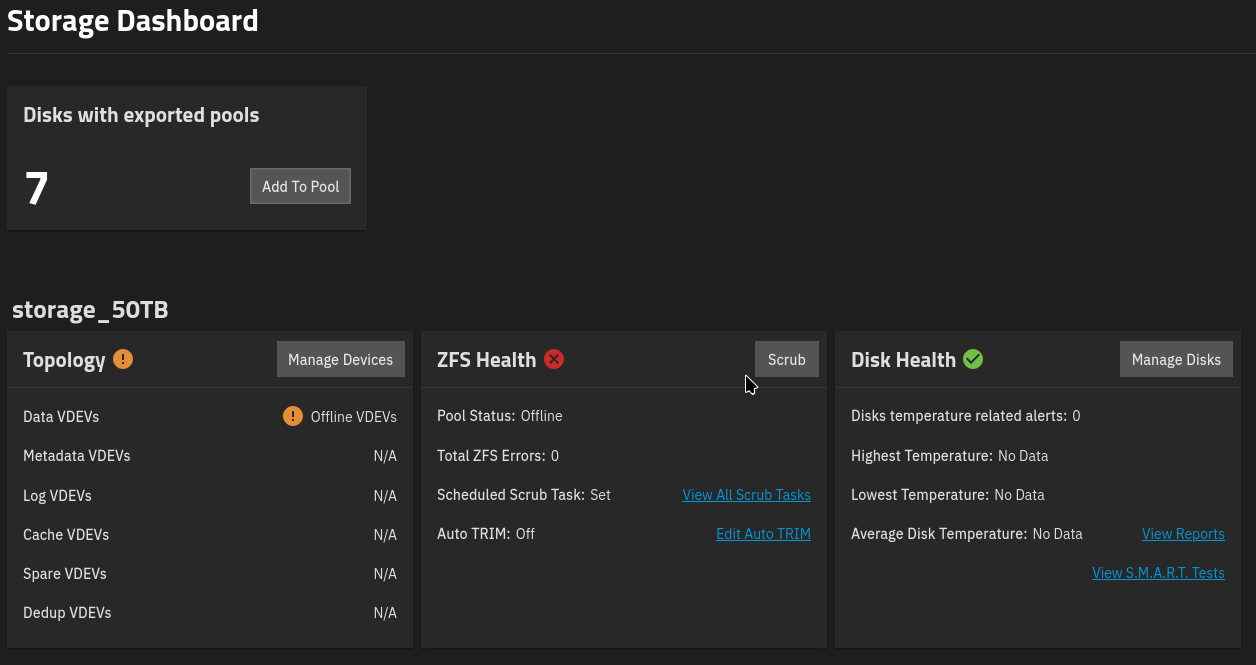
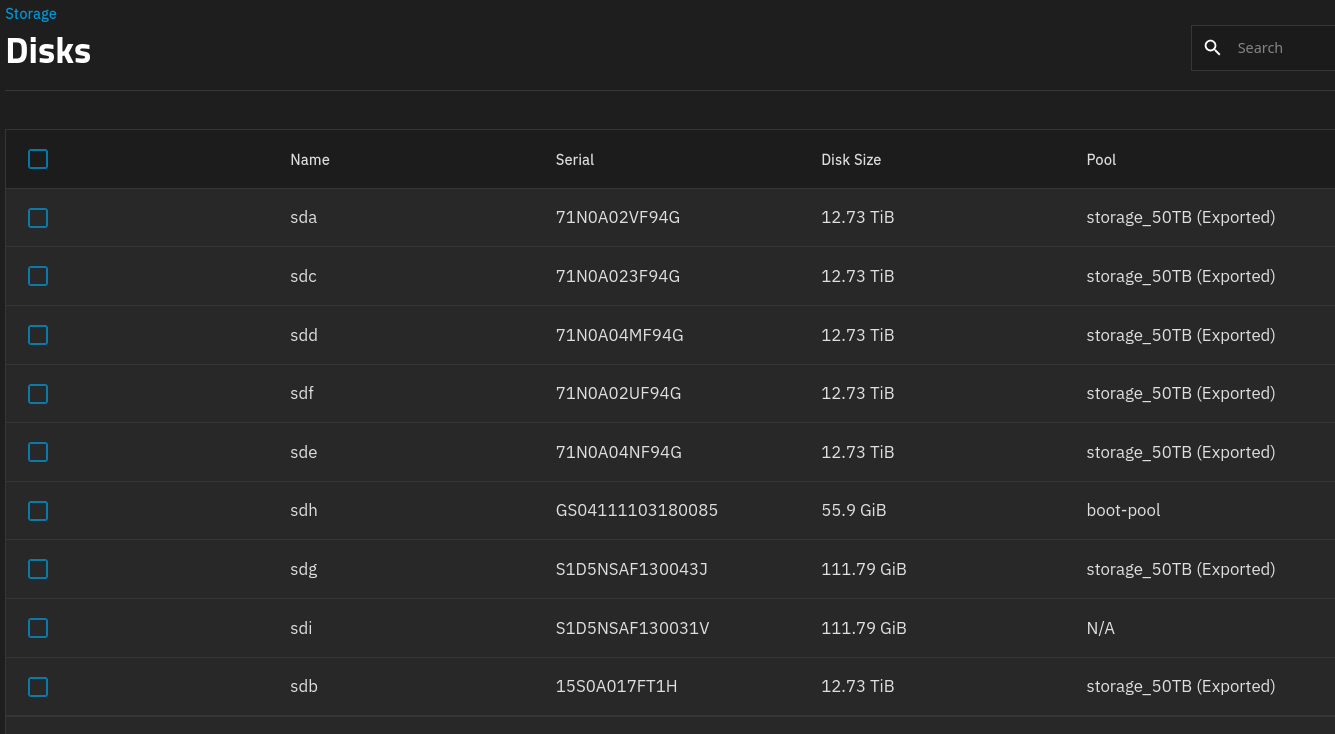
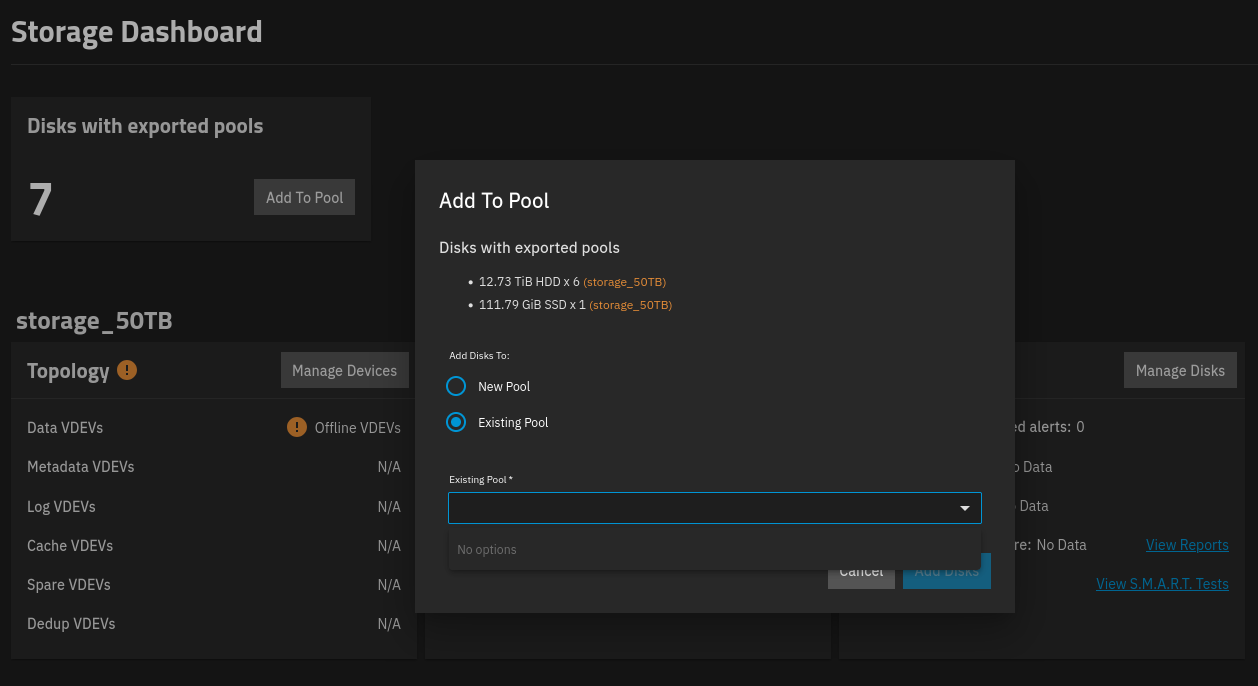
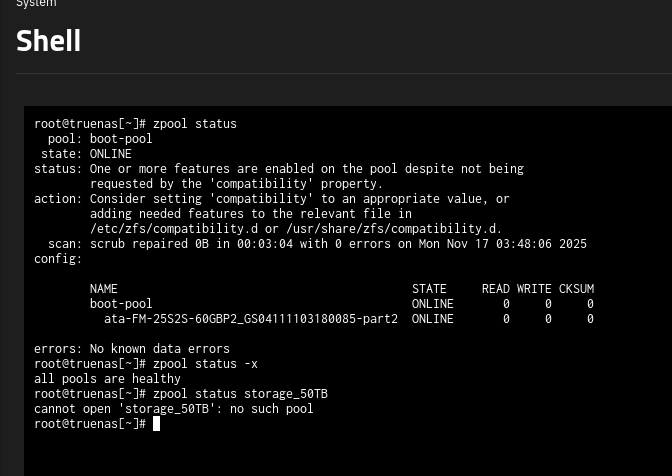
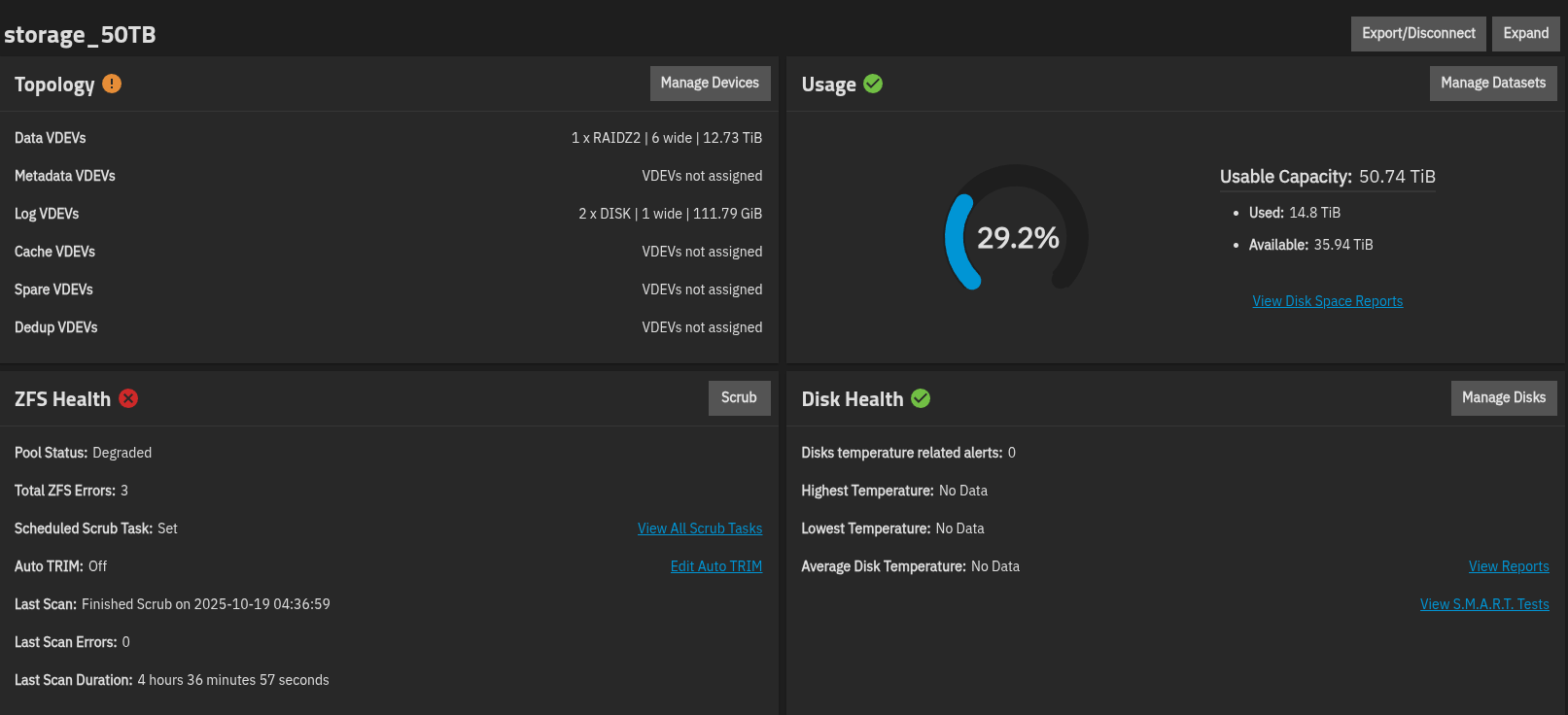
The “storage_50TB” pool is no longer displayed. All hard drives have “exported” in their names. The output of various commands can be seen in the following screenshots.

What is the best course of action now? Should I just remove the SSD? It would also be acceptable if both SSDs had to be removed, as long as the pool became accessible again.

The name of the pool does not appear in the import function, for example.

What further information is needed?

I would be very grateful for any help.

ps: why i can’t insert pictures?

Newly registered users have no ability to post pictures, as an anti-spam measure - but you appear to have good intentions here, so try again now. :wink:

Well, first of all, thank you for the good rating :wink:

And here are the screenshots, which hopefully show what is wrong here:

zpool import (you may copy from the shell and paste as formatted text: </> button)
and hardware details please. Is it baremetal?
If you had both a SLOG and a L2ARC, can you identify from serial numbers which one reports as N/A?

Yes, it runs baremetal.

The hard drives are connected to an HBA – I’ll have to check what type later.

The two SSDs and the boot SSD are connected to the motherboard.

Unfortunately, I really can’t remember exactly how the two 120GB SSDs were configured – the system has been running in the corner for years.

I have a saved configuration file from the system. Can I find it in there somehow?

here are some informations:

00:00.0 Host bridge: Intel Corporation Xeon E3-1200 v2/Ivy Bridge DRAM Controller (rev 09)
00:01.0 PCI bridge: Intel Corporation Xeon E3-1200 v2/3rd Gen Core processor PCI Express Root Port (rev 09)
00:02.0 VGA compatible controller: Intel Corporation Xeon E3-1200 v2/Ivy Bridge Graphics Controller (rev 09)
00:14.0 USB controller: Intel Corporation 7 Series/C210 Series Chipset Family USB xHCI Host Controller (rev 04)
00:16.0 Communication controller: Intel Corporation 7 Series/C216 Chipset Family MEI Controller #1 (rev 04)
00:1a.0 USB controller: Intel Corporation 7 Series/C216 Chipset Family USB Enhanced Host Controller #2 (rev 04)
00:1b.0 Audio device: Intel Corporation 7 Series/C216 Chipset Family High Definition Audio Controller (rev 04)
00:1c.0 PCI bridge: Intel Corporation 7 Series/C216 Chipset Family PCI Express Root Port 1 (rev c4)
00:1c.4 PCI bridge: Intel Corporation 7 Series/C210 Series Chipset Family PCI Express Root Port 5 (rev c4)
00:1c.6 PCI bridge: Intel Corporation 82801 PCI Bridge (rev c4)
00:1d.0 USB controller: Intel Corporation 7 Series/C216 Chipset Family USB Enhanced Host Controller #1 (rev 04)
00:1f.0 ISA bridge: Intel Corporation H77 Express Chipset LPC Controller (rev 04)
00:1f.2 SATA controller: Intel Corporation 7 Series/C210 Series Chipset Family 6-port SATA Controller [AHCI mode] (rev 04)
00:1f.3 SMBus: Intel Corporation 7 Series/C216 Chipset Family SMBus Controller (rev 04)
01:00.0 Ethernet controller: Intel Corporation 82599ES 10-Gigabit SFI/SFP+ Network Connection (rev 01)
02:00.0 Serial Attached SCSI controller: Broadcom / LSI SAS2008 PCI-Express Fusion-MPT SAS-2 [Falcon] (rev 03)
03:00.0 Ethernet controller: Qualcomm Atheros AR8161 Gigabit Ethernet (rev 10)
04:00.0 PCI bridge: Intel Corporation 82801 PCI Bridge (rev 41)

zpool import gives this:

root@truenas[~]# zpool import
  pool: storage_50TB
    id: 1286869677993033941
 state: DEGRADED
status: One or more devices are faulted.
action: The pool can be imported despite missing or damaged devices.  The
	fault tolerance of the pool may be compromised if imported.
config:

	storage_50TB                              DEGRADED
	  raidz2-0                                ONLINE
	    96c0907d-1972-11ec-bd42-5404a6912762  ONLINE
	    a952143b-6309-42f8-8df2-dc7615ac2c97  ONLINE
	    96e8db56-1972-11ec-bd42-5404a6912762  ONLINE
	    96f64b5f-1972-11ec-bd42-5404a6912762  ONLINE
	    9710bffa-1972-11ec-bd42-5404a6912762  ONLINE
	    96cf3015-1972-11ec-bd42-5404a6912762  ONLINE
	logs	
	  6c2130be-2cfa-11ec-af4d-94de80b38122    ONLINE
	  6c23b4e8-2cfa-11ec-af4d-94de80b38122    FAULTED  too many errors

but i see nothing in the GUI.

The GUI would not import a damaged pool.
So you had a striped SLOG, and one is defective. If losing up to 10 s of transactions is acceptable, you may try
zpool import -m -R /mnt storage_50TB
If it works, remove the SLOG from GUI, export and reimport from GUI.

root@truenas[~]# zpool import -m -R /mnt storage_50TB
cannot import ‘storage_50TB’: one or more devices is currently unavailable

It doesn’t seem to be working so easily… what else can I do?

Thanks for your help!

That doesn’t look good…
@HoneyBadger , @Arwen do you have an idea?

Well, @He_Ra, you could try this:

zpool import -m -R /mnt -Fn storage_50TB

Note that the “n” option won’t actually import it, but will attempt the import, potentially giving us further information.

Also, it is possible that there was a dis-connect in ZFS write transactions. You can check with this:

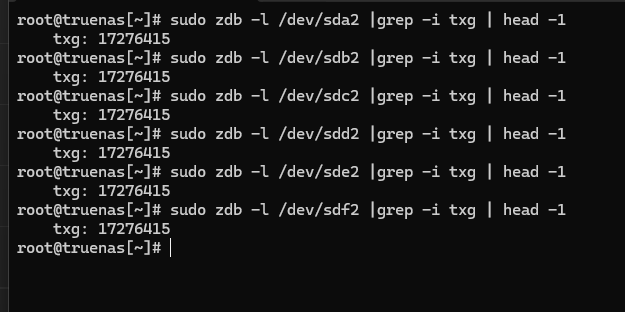
sudo zdb -l /dev/sda | grep -i txg | head -1
sudo zdb -l /dev/sdb | grep -i txg | head -1
sudo zdb -l /dev/sdc | grep -i txg | head -1
sudo zdb -l /dev/sdd | grep -i txg | head -1
sudo zdb -l /dev/sde | grep -i txg | head -1
sudo zdb -l /dev/sdf | grep -i txg | head -1
sudo zdb -l /dev/sdg | grep -i txg | head -1

Adjust the “/dev/sdX” as needed if your server re-lettered the drives. We only want your “storage_50TB” pool. And if their is a partition for the disks, add that too.

1 Like

ok, i will try this tomorrow. now it’s to late for such “experiments” :wink:

Thanks again!

I had to try this…..but:

root@truenas[~]# zpool import -m -R /mnt -Fn storage_50TB
root@truenas[~]# 

the command runs for 10-15 seconds before ending without any output.

the other commands i will do tomorrow……

This is actually good news: No output means “no error”.

Yes, that is good news. But, the most recent writes are thrown out. Here is the relevant manual page entry:

       -F      Recovery  mode  for a non-importable pool.  Attempt to return the pool to an importable state
               by discarding the last few transactions.  Not all damaged pools can  be  recovered  by  using
               this  option.  If successful, the data from the discarded transactions is irretrievably lost.
               This option is ignored if the pool is importable or already imported.

Is it that -m actually requires -F if data loss occurs as a result? I thought it was implied by instructing to discard the SLOG.

The -m will throw out any synchronous writes that existed on SLOG devices. That of course can mean data loss. Not sure how ZFS acts when their are 2 independent SLOG devices, one good and one bad.

The -F will cause the pool to roll back a few write transactions / TXGs, which also causes data loss. Now if one of the SLOG devices is absolutely dead, then the pool will never import without using the -m.

Since attempting import with just -m failed, then using -F seemed like the next step.


One last note for everyone. It is my understanding that if a SLOG device fails before a crash or power loss, ZFS will resort to using in pool ZIL. (Or other SLOG if available.) So zero potential data loss.


Hmm, I wonder if their is an odd bug in ZFS when using 2 separate SLOGs, (aka not Mirrored). Perhaps the -m attempts to import without the first SLOG, (which is good). But since their is a second SLOG, (which is bad), maybe the -m didn’t process it correctly.

Ideally, ZFS would import without the bad SLOG device, but keep the good SLOG device, (and any transactions stored on it).

This is an odd corner case. A user having 2 independent SLOG devices, but not Mirrored.

1 Like

Now my head is spinning… I’m still at work, but what is the next step/command I should execute?

Hi,

here are the results from the commands above:

good or bad? :anxious_face_with_sweat:

All in sync. Good.
Next step should be

zpool import -m -R /mnt -F storage_50TB

with possible loss of the last transactions.

ok, now i see the pool in the UI, but:

what should be the next step?