
See screenshots below. Truenas 25.10.2.1 - Goldeye.

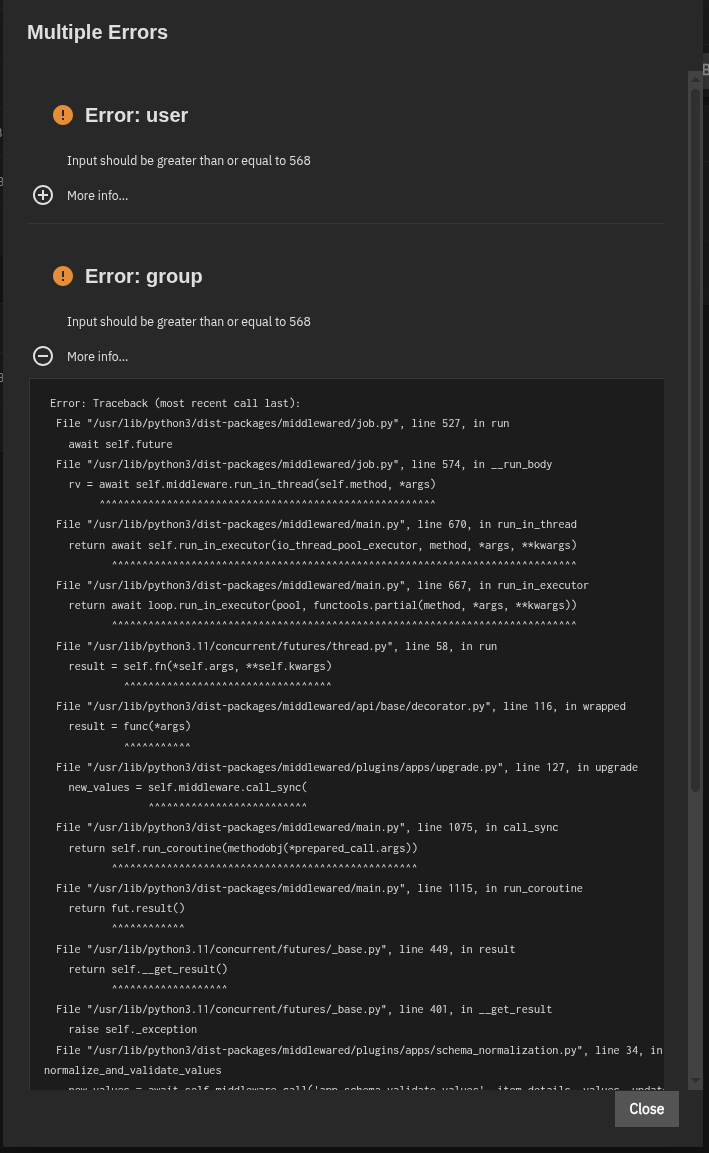
seems there was a change to portainer and it now wants to run as user 568, instead root (uid 0). At least that’s my guess from what i can decipher from the error picture.

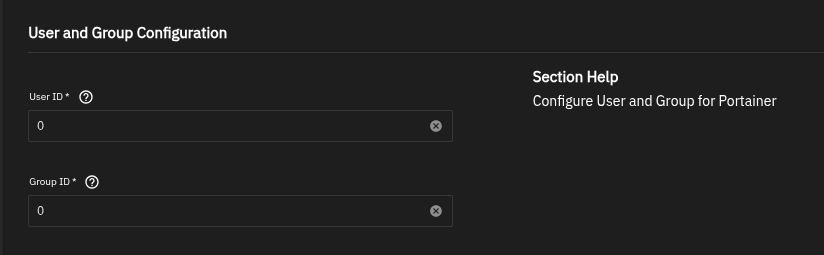
yes that should do it, at least that’s what i think.
Yeah, I tried that and the container wouldn’t start, so I had to revert to 0. Maybe if I delete the container, and build it anew w/568, maybe that’ll work.
It may be a permission issue, if user 568 doesn’t have permissions for the iXVolume or the hostpath you’re using it may refuse to start
Here’s what I found on the matter. The big question is, how do I “change the data directory ownership to a non-root user“? And what user should that be?
When you edit the app, for the storage section there should be a checkbox to enable ACL support. If you check it and add user 568 to the acl list it should do it (but since i don’t use portainer myself i can only guess)
Thanks. I had to first switch from an ixVolume to a regular dataset, and then i had to re-build my whole Portainer from pretty much scratch. Anyway, your suggestion about switching from UID 0 to 568 is precisely what had to happen, as per this. Cheers!
I seem to be hitting the same issue, but my portainer was even more out of date - **App Version:**2.35.0 → 2.42.0_1.7.7
**Version:**1.4.25 → 1.7.7
As a result, I don’t seem to have UID/GID exposed in the “edit” gui for the app, so I can’t set them to 568/568. I was able to get around this via ssh by running “midclt call -j app.upgrade portainer ‘{“app_version”:“latest”,“values”:{“run_as”:{“user”:568,“group”:568}}}’” which seemed to allow pushing the app to upgrade while simultaneously telling it to use the right UID/GID- this did the update and now it seems I’m good to go. I should have probably seen (somewhere) a warning about this eventually being an issue prior to getting into this lock state but it was still a bit annoying.