
Since the eMMC is soldered somewhere and too small for TrueNAS anyway, I purchased two smallish WD Black NVMe SSDs and installed TrueNAS on these. Just enter BIOS, boot from a USB stick containing the TrueNAS iso made with balena etcher and install away. Worked like a charm. And the HW is happy with two 16GB DDR4 3200 SO-DIMMs.
I am very interested in this QNAP box and for those of you that elected to install TrueNas on it instead of using QNAP’s latest OS…what were the reasons you chose TrueNAS? Sounds like it’s pretty painless and it sounds like this box could easily support ProxMox as well instead of TrueNAS? Does virtualization work on it under TrueNAS?
I finally installed TrueNAS on a QNAP TS-464eU. Scale 25.10.1 installed without issues on the two 256 GB NVMe drives without a single issue. They were automatically set up in a mirror configuration. I am also using two 16 GB DRAM modules, which weren’t cheap (the AI bubble can’t pop too soon!).
Migrating the configuration from an AOOSTAR R1 was very easy, too. So far, I am very happy.
Okay. I am beginning to wonder, whether this is the right hardware. I only have two drives installed at this point, and they are running hot. Much hotter than in the AOOSTAR R1. The following is output from @joeschmuck’s excellent Multi-Report script:
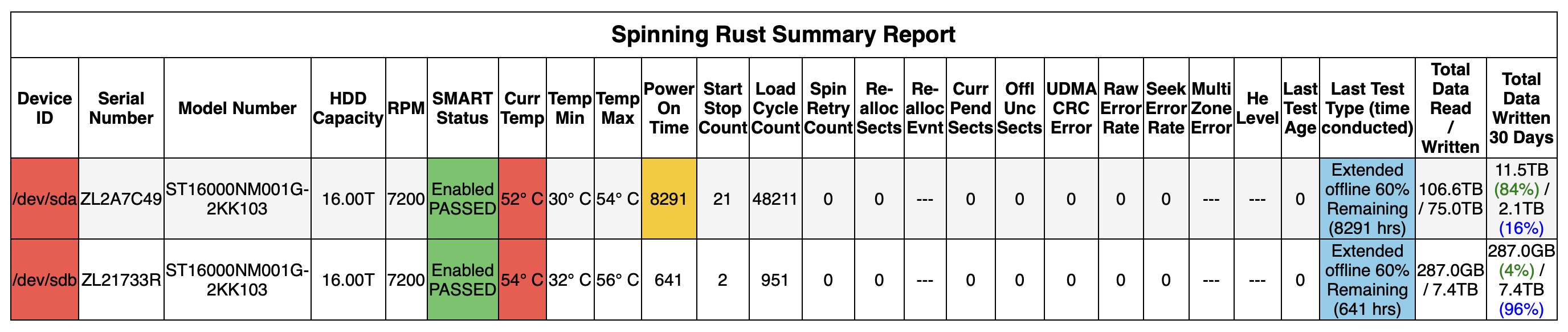
This is getting too close to the upper end of the environmental temperature spec of the drive, which is 60° C. What if I start populating this with the other two drives I have on order and the system starts resilvering?
Just curious if the fans are running full speed? It is only 3 small fans.
Do you have the two empty drive bays installed? If yes, try to place some tape (I like the blue painters tape) to cover the holes in the empty slots. See if that improves the cooling for the drives.
If that works, I realize this is not the solution, especially when you install the last two drives. But maybe installing them will produce enough resistance to pull more air across the other drives. You could mount the two drives and test it out.
If that fails, contact QNAP, see what they say.
I did a quick internet search and this seems to be a common condition for this model.
Good Luck on whatever you do. If I could return it, I might, but it depends on what fans are installed and if there is a higher airflow version, drop three of those in.
What I think I found, not knowing the actual fan model but using the QNAP website, it is a 40mm X 20mm 12VDC, 9000 RPM, 10.8CFM (max).
If you can fit a 28mm length fan in, or two, or three, you can increase the airflow. Also you could buy a few screaming demons like AVC DBTA0420B2U-P001 however I do not know if the 4-pin connector is the same. This fan is rated at 19CFM.
You could get a louder version: Delta THA0412AD-TZW3 which has a 20.56CFM (10.50 Min).
I would contact QNAP first. Maybe they can send you better fans?
Those are good points. It could very well be that the airflow was designed for all four drives to be installed. I also like the idea of upgrading the fans.
Right now the unit is sitting on a table, essentially not getting any ambient cooling from underneath. While a rack unit should not require cold surfaces above or below, putting it in the rack slot prepared for it might mitigate the issue sufficiently.
I am also considering replacing it with a used SuperMicro server, which in my experience definitely has sufficient airflow. However, I like the shallow depth of the TS-464eU and the fact that it is new and comes with a one-year warranty.
Those are good points. It could very well be that the airflow was designed for all four drives to be installed. I also like the idea of upgrading the fans.
Right now the unit is sitting on a table, essentially not getting any ambient cooling from underneath. While a rack unit should not require cold surfaces above or below, putting it in the rack slot prepared for it might mitigate the issue sufficiently.
I am also considering replacing it with a used SuperMicro server, which definitely has sufficient airflow. However, I like the shallow depth of the TS-464eU and the fact that it is new and comes with a warranty.
I took the top cover off and put a laptop cooling pad on it, upside down.
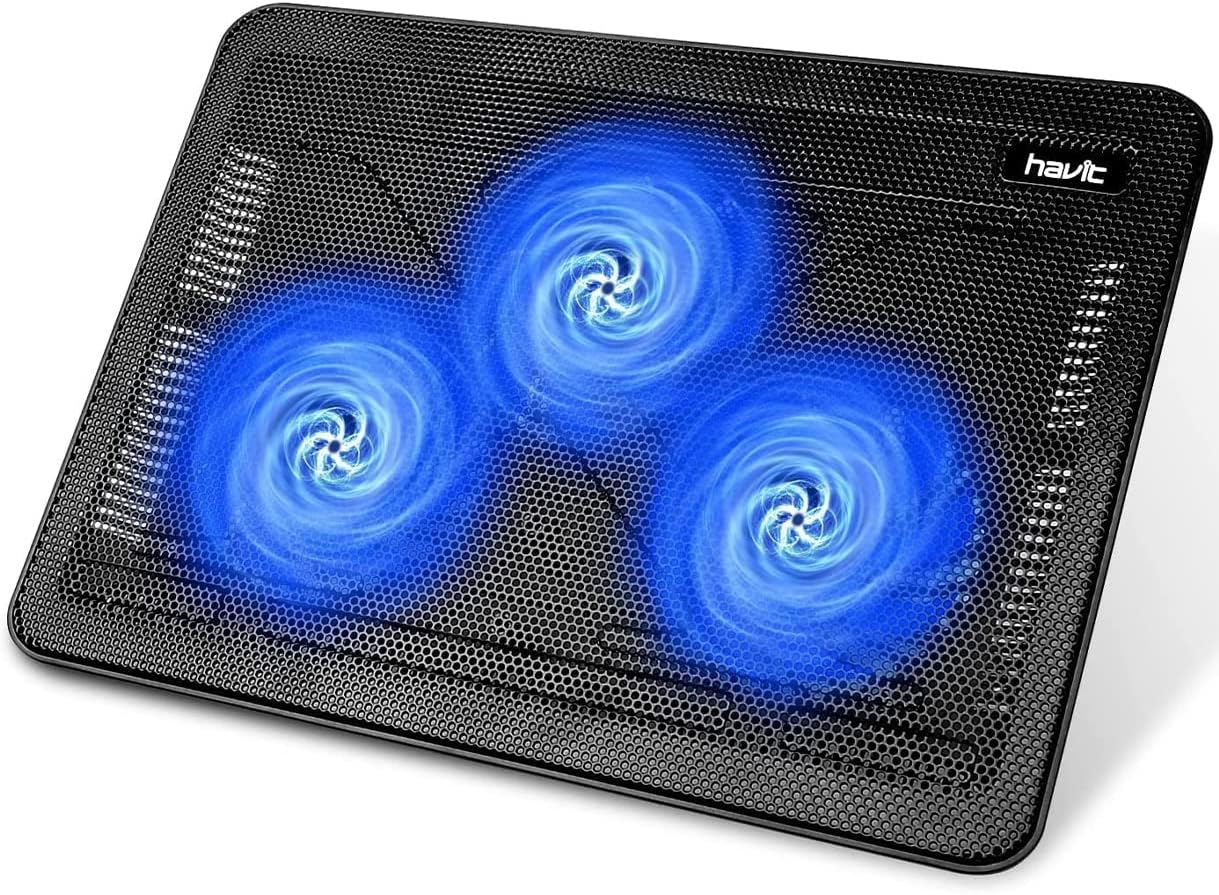
It would no longer fit into a 1U slot on a rack, but where I have it now, this won’t be a problem.