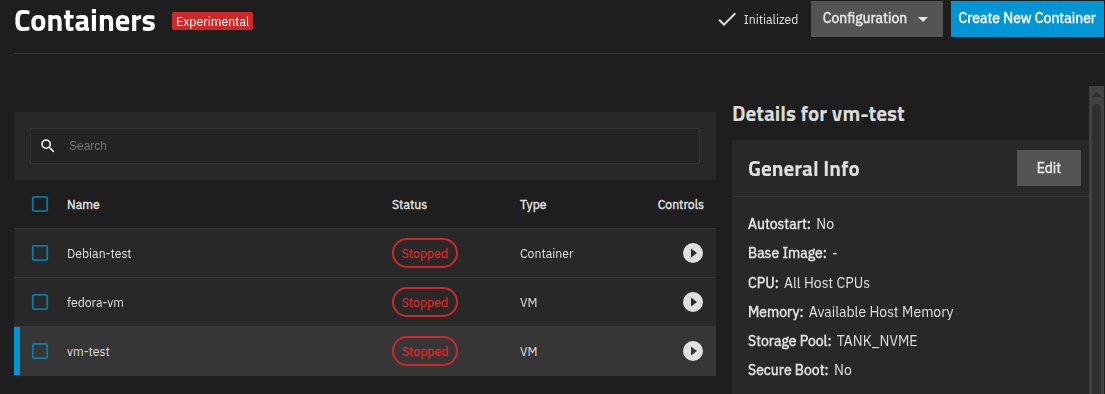
i have been running two truenas servers for quite some time, currently on 25.04.2 and they work great for data storage, which was the original premise.
i tried to use vm’s in the original jails, but didnt really like the way they worked. ie couldnt get windows and some other things to work the way i wanted, so i used another server/system for that. i have a need for just a few at a time, so was trying to avoid proxmox or xcp-ng as i just didnt need that level of complexity
but when truenas transitioned to incus, i tried again, and loved it. everything worked for me, including vm’s within vms which i used for debugging/testing various things.
so now they have transitioned back to libvirt, and i dont like it. the old ‘container’ vms that were created under incus continue to work so thats good, but i am having issues with some, not all, installs on the new virtual machines tab.
for example, i cant install truenas core; it stalls at the same place on two different servers. i CAN install freebsd so that isnt it. but they both installed fine on incus.
also have some issues with the spice display system - it keeps timing out; if it loses focus you have to refresh/relog into the page. a quick search tells me that is fairly common. the only compatible spice viewer for windows i could find was ‘remote viewer’ and it is terrible; doesnt even remember the last connections on my system (even though it says it has that feature.) And some versions of linux wont install properly, which i think is display related but not sure yet. i had a couple minor issues on incus, but nothing like this.
so im disappointed. i still like truenas for storage, but was very encouraged with incus, despite its problems. but this seems like a (necessary?) step back due to the enterprise issues of no upgrade path, so what to do?
could all this be operator error or just limitations in libvirt or the way it was implemented?
can they add some display device/connector for the VNC protocol?
any chance this will get better or should i just leave these alone and spin up a proxmox/xcp-ng server separately for the vms?
if the answer is wait until the fall, i can do that. it will be painful, but most of what i need is running in the incus containers - the only thing im lacking is the vm within vm for debugging things. and maybe they work on some items, just not the ones i have tried so far.
dont get me wrong, im not abandoning truenas for storage. but i thought it could do a lot more for me regarding vms.
last thing; the containers and apps work great, so theres that
My understanding is that both libvirt and Incus are using the same underlying system functionality, QEMU/KVM, but choosing different setup parameters for the VM. The libvirt approach is using settings from sometime ago, and hasn’t really been updated as time went on (with the exception of the recent add of SecureBoot/TPM options). Incus was an attempt to update that system, but all of the improvements meant that users had to either update or rebuild their VM – and as we all know, complaining about that was more preferable to many than doing the work for a jump into the future.
But, all the new functionality is there under the hood, now, it’s supposedly just a matter of TrueNAS exposing it via the UI, slowly and/or with enough options that legacy VM users don’t have a cow.
QEMU/KVM isn’t much my area of expertise, but running a Classic Virtualization VM and an Incus one on my 25.04.02 system will show some of the differences with this command: ps aux | grep qemu
along with reading the Incus config file /run/incus/*/qemu.conf
of the Incus VM
gets a bunch of different settings.
Piping these into AI, and asking for a summary of difference, I get the below output – which seems reasonable from what I experienced playing with two different VM approaches, especially the need for the virtio driver disk for Windows. Of course, some of the differences is because my Classic Virtualization VM was built on BIOS rather than UEFI.
I’d expect things like updates to a Q35 machine type, and a virtio device stack, would be the most important updates – but, of course, those are exactly the updates (hardware changes) that would make old VM installs not boot on a new system, or make new Windows installs require extra driver support, so navigating some user inertia will always be a challenge.
Emulates more legacy hardware (IDE, ISA, QXL, USB tablet)
Has a more monolithic PCI layout
Uses a manually specified CPU model (Haswell)
Lacks modularity and modern features like PCIe topology or paravirtualized config sharing
Key Differences and Observations
Machine Type: i440fx vs Q35
i440fx is a legacy machine type using older PCI (not PCIe), with IDE/SATA controllers and ISA bridges
Q35 supports modern PCIe devices, better hotplugging, and aligns more closely with real-world physical hardware. Verdict: i440fx is outdated for most modern OSes, while Q35 is preferred.
CPU Model: Fixed Haswell vs Host Passthrough
The TrueNAS libvirt VM explicitly specifies a Haswell-class CPU with added flags — conservative and less flexible.
Incus passes the host CPU model directly, enabling better performance, modern instructions, and alignment with actual hardware capabilities
Legacy Devices Used
The TrueNAS libvirt VM uses: IDE Disk:
Incus uses virtio-scsi, which is faster, more efficient, and optimized for virtualization. ISA Serial:
Incus uses virtio-serial, which is modern and flexible. QXL Graphics:
virtio-vga is more efficient and recommended with SPICE for modern guests. USB Tablet:
Required with legacy QXL video + PS/2 mouse for absolute pointer — unnecessary with newer input models. Verdict: TrueNAS VM uses older emulated hardware (ISA, IDE, QXL), Incus uses fully modern virtio stack.
PCI Layout: Flat vs Modular PCIe Tree
TrueNAS VM places all devices on pci.0:
Incus creates modular PCIe root ports (pcie.0 → pcieX), giving:
Hotplug support
Clear device segmentation
Realistic topology Verdict: Incus config is modular, hotplug-capable, and scalable. TrueNAS layout is flat, older-style.
Security & Sandboxing
Both VMs enable QEMU sandboxing:
TrueNAS sets:
elevateprivileges=deny,spawn=deny
Incus sets:
elevateprivileges=allow,spawn=allow
This means TrueNAS is slightly more restrictive, though both are secure. Verdict: Minor difference, but TrueNAS is slightly more sandboxed.
Storage Backend
TrueNAS uses: “-blockdev host_device … -device ide-hd” on a ZVOL.
Incus uses virtio-scsi-pci, which is:
Faster
Paravirtualized
More flexible for multiple disks Verdict: Incus wins with virtio-scsi, TrueNAS still uses IDE + AHCI emulation.
SPICE & Display
Both use SPICE:
TrueNAS exposes SPICE over TCP (less secure).
Incus uses Unix sockets, more secure by design. Verdict: Incus uses a safer default SPICE configuration.
Missing Modern Features in TrueNAS VM
Compared to Incus, this VM is missing: virtio-rng (random number generator) virtio-input (keyboard, tablet) vsock support (guest-host communication) config drive via 9p (for cloud-init or provisioning) UEFI boot (OVMF) — this VM is likely BIOS-based unless it was OVMF-enabled implicitly
Overall Verdict
Feature
TrueNAS VM
Incus VM
Machine type
pc-i440fx
q35
CPU model
Static (Haswell)
host passthrough
Storage bus
IDE/SATA
Virtio-SCSI
PCI topology
Flat
PCIe-root-port modular
Firmware
Likely BIOS
UEFI with OVMF
RNG, vsock, virtio input
Not present
Present
SPICE access
TCP
Unix socket
Display
QXL
virtio-vga
Config drive (9p)
Not present
Present
Conclusion
The TrueNAS libvirt VM is functional but dated in architecture:
It’s based on older machine types and device models
Lacks support for many modern, high-performance virtualization features
Reflects libvirt’s legacy compatibility-first defaults
The Incus VM is clearly more modern, minimal, modular, and optimized, especially for cloud-style workloads, automation, and extensibility.
BTW, Incus is still in the system, and – if you are willing to take your chances on what an unsupported approach may mean in the future, and not blame anyone about it – you can still create an Incus style VM from the CLI (use your appropriate pool name for the -s parameter; mine is TANK_NVME):
@Jeverett As you’re running pfsense as a VM, what did you select for the “Guest Operating System” ? IIRC any FreeBSD based OS will default to using machine type pc-i440fx. It doesn’t necessarily mean it can’t run with machine type q35. My example was a “linux VM”.


 Machine Type: i440fx vs Q35
 Verdict: i440fx is outdated for most modern OSes, while Q35 is preferred.
 CPU Model: Fixed Haswell vs Host Passthrough
 Legacy Devices Used
 IDE Disk:
 PCI Layout: Flat vs Modular PCIe Tree
 Security & Sandboxing
 Verdict: Minor difference, but TrueNAS is slightly more sandboxed.
 Storage Backend
 Missing Modern Features in TrueNAS VM
 virtio-rng (random number generator)
 Conclusion