Dear all, I am new here, my TrueNAS server has been preconfigured and my knowledge is limited. Even worse I need an answer really fast so maybe you can help me:
I have one pool and 5 datasets. Every dateset has the same size (50GB). Now I would need a sixth one. Coming from a Windows background I would just reduce the partition size (without losing data) and create an additional one.
I am well aware that this might be a very sophisitcated task but hopefully someone here will take care of me and tell me what’s possible and what’s not.
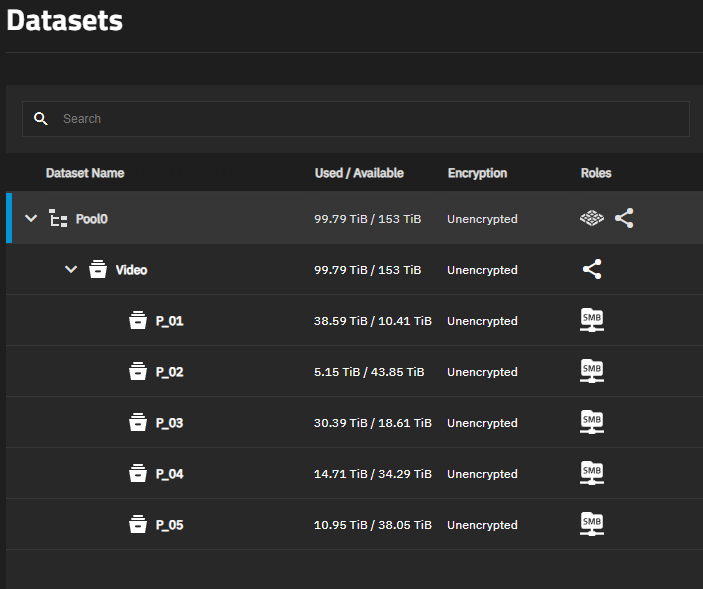
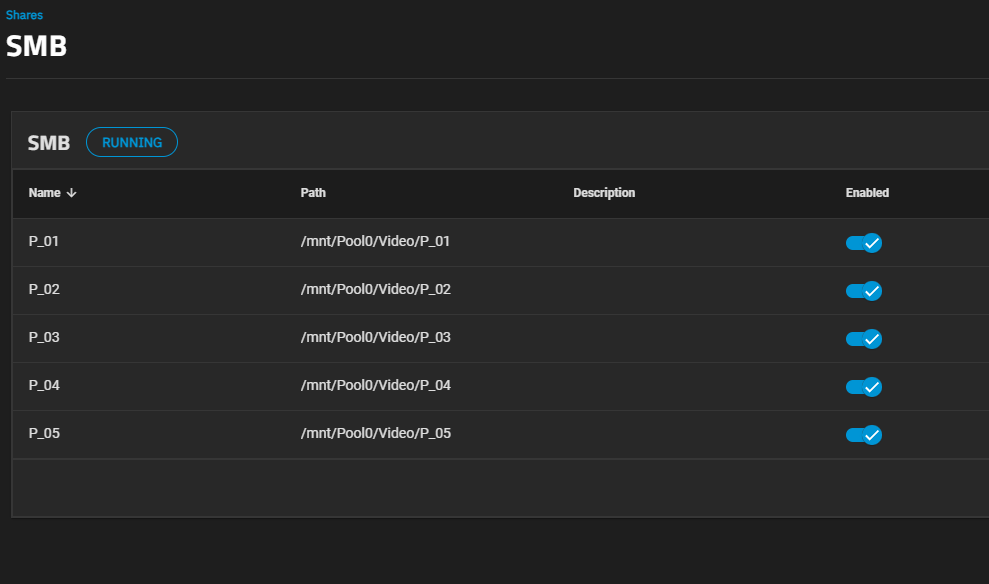
Here you see how everything is configured. Only one user has access to all 5 datasets. The datasets are mapped as network drives in Windows Explorer where the size is also shown.
Add the dataset and share. I think the GUI is just averaging available and used space across the datasets. It should go to aprox 41 TiB per dataset with 6
As long as there is free space in the pool each dataset will show the total free space as available. As space is used that number will also shrink for all of them.
That is not what is showing in the Datasets screenshot. Pool0 and Video show 153TiB available. Shared datasets seem to add up to 50Tib between Used and Available
Actually, reading the used and free space for the 5 Datasets, it does appear that each has a quota of 50TB. That kinda of over-subscribes the pool, which is only 153TB. It works, but could cause problems later.
To change, select the Dataset and use the “Space Management” Edit button.
During creation of the new, 6th Dataset, use the advanced options to select the Quota for the new dataset.