
Moderator note:
If this post is not in the correct section or needs adjustments to comply with the forum guidelines, please let me know and I will happily update it.
Hello everyone,
I’ve been working on a small project to improve thermal management in ZFS-based storage servers. I originally built it for my own TrueNAS system, and after running it for a while I thought it might be useful for others in the community.
Tired of your CPU sitting at 35°C while your HDDs quietly climb past safe temperatures during a ZFS scrub?
Most motherboards and NAS systems control fans based solely on CPU temperature.
But in a dedicated storage server, your CPU might be idling while your disk array is under heavy load.
The result: your drives heat up silently during scrubs, resilvers, or large transfers — potentially shortening their lifespan.
Introducing ZFS Guardian: a lightweight Docker-based tool designed to manage cooling based on what actually matters in a storage server — disk activity and disk temperatures.
Why is this different?
 Predictive Pre-cooling
Instead of waiting for disks to get hot, ZFS Guardian monitors real-time ZFS throughput (zpool iostat).
If it detects heavy transfers (>100MB/s), it ramps up the fans before the heat builds up.
 S.M.A.R.T. Integration
Reads real-time temperatures directly from HDDs, SSDs and NVMe devices.
 Hardware Safety Monitoring
Detects fan jams, abnormal temperature spikes (based on a 48h baseline), and “Ghost Disk” conditions.
 WebGUI Dashboard
Clean dark-mode interface with real-time charts (Chart.js) for temperatures, fan RPM and ZFS throughput.
 Fail-safe Design
Includes TOTP-based 2FA, session management, and a safety mode that locks fans to 80% if disk monitoring fails.
Screenshots / UI
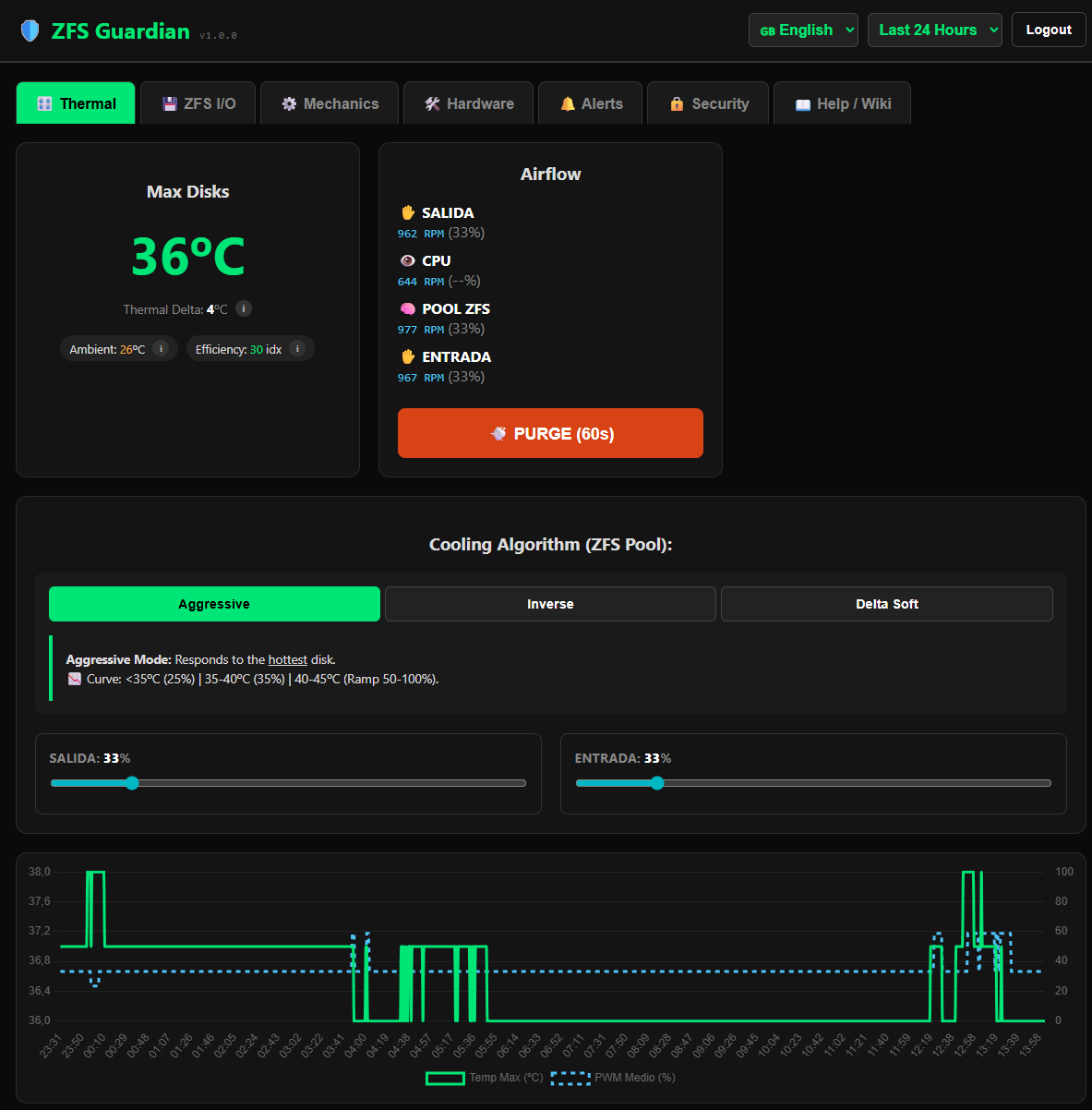
Quick Start (Docker Compose)
Requires privileged: true to access smartctl and hwmon for direct fan control.
services:
  zfs-guardian:
    image: ctagadev/zfs-guardian:latest
    container_name: zfs-guardian
    privileged: true
    restart: unless-stopped
    ports:
      - "48080:8000"
    volumes:
      - ./data:/app/data # Persistent storage for database and language files (create it in a dataset).
      - /dev/disk/by-id:/dev/disk/by-id:ro
      - /sys/class/hwmon:/sys/class/hwmon:rw
Get it now
Full documentation and source code:
 https://github.com/ctagadev/zfs-guardian
Includes full i18n support (English/Spanish templates included).
Keep those platters cool.
Feedback, suggestions and real-world testing are very welcome.
I’m especially interested in hearing how it behaves on different TrueNAS or ZFS setups.

 this is sure related to my motherboard