I see nothing suspicious in the SMART report.
If errors are still on the same drive slot, it may be an issue with the SATA cable, or a flaky power supply rail.
I see nothing suspicious in the SMART report.
If errors are still on the same drive slot, it may be an issue with the SATA cable, or a flaky power supply rail.
Is it me or does this not look great?
It’s mostly Seagate being Seagate and using some weird encodings for raw data, here and on error rates.
Yeah that makes senes. However, I’m confused now after I’ve taken out the SMR drive and I reinstalled all the drives. Now ada4 is degraded. I’m unsure why ada1 is fine now, but ada4 is degraded. It just confuses me. Like everytime I add a new or replacement drive and try to replace the degraded drive it’ll degrade one of the drives. It happens every time and it looks like with the exact same amount of errors. I’m just really confused what is going on here.
So am I… And if you have ruled out the obvious (bad drive, SMR), we have to consider the not-obvious and the hard-to-track-down (bad cable, flaky connector…).
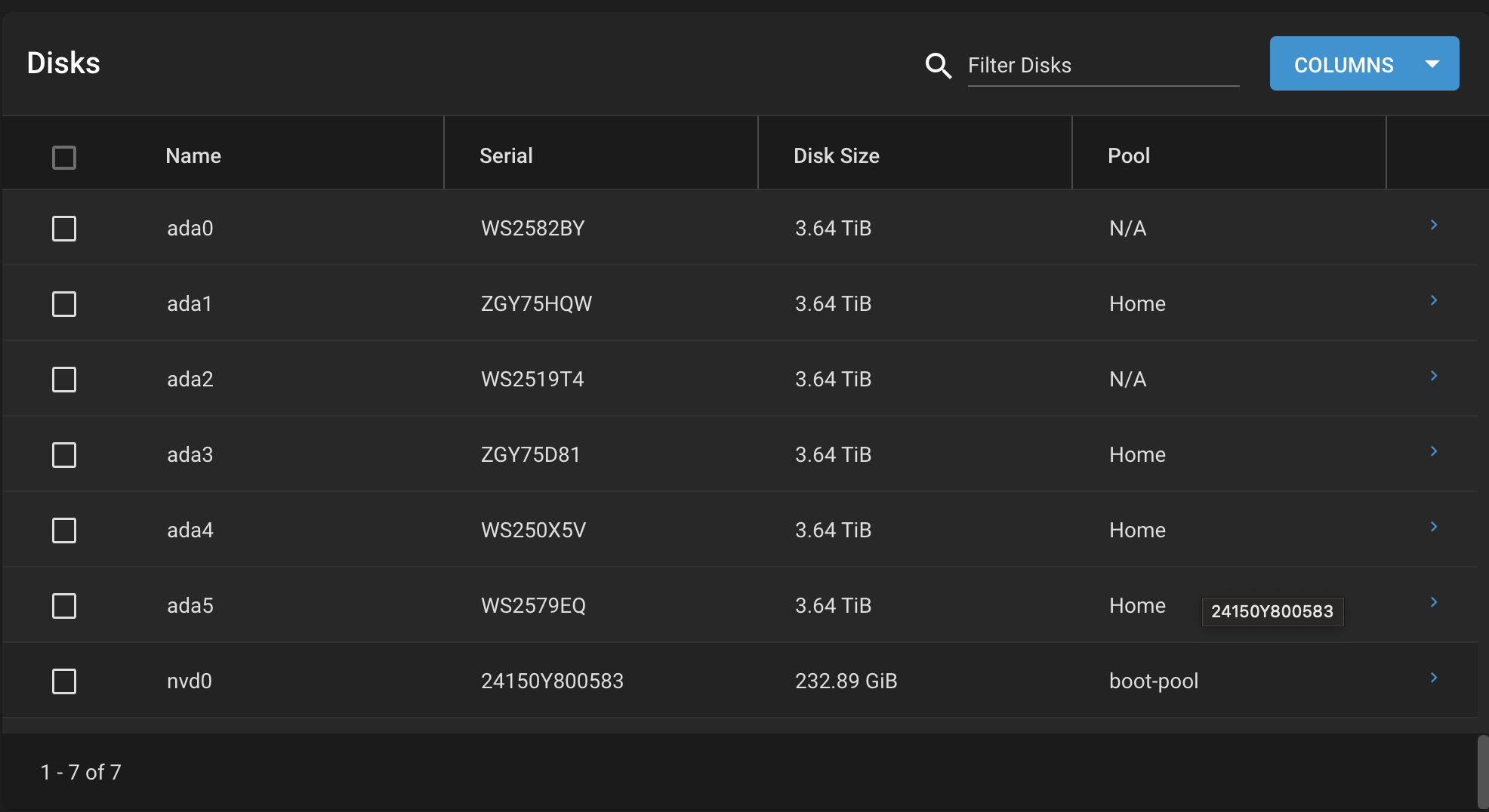
Okay, so my current plan is that I’m going to move around the drives and keep track of which sata’s they use. I will then see which drive “fails” if that drive is on the same SATA port/same cable I can then narrow it down to a cable or port issue.
Outside of that is there a chance that the software is messed up. I’m just curious why it’s the exact same amount of errors (6642) for each of the resilvers. I’m also totally fine with just copying everything from those drives onto separate drives and then resetting the whole system and dropping those files back onto it. Let me know what you think or if you have any more insight with any new updates.
Is there anything specific in this?
Like @etorix said seems like a weird way Seagate calculate a zero value so based on that the drive appears fine to me.
Okay that makes Sense. Is it possible it’s a software issue? Or do you think this is a hdd issue
Here’s some new updates. I tried running smart tests on each of the disks. These are the errors I came to this morning in TrueNas. Any help from anyone would be appreciated
I also just noticed this:
/dev/ada6: Unable to detect device type
Please specify device type with the -d option.
Use smartctl -h to get a usage summary
root@truenas[~]# zpool status -v
pool: Home
state: DEGRADED
status: One or more devices has experienced an error resulting in data
corruption. Applications may be affected.
action: Restore the file in question if possible. Otherwise restore the
entire pool from backup.
see: Message ID: ZFS-8000-8A — OpenZFS documentation
scan: resilvered 624G in 03:14:06 with 6642 errors on Thu Oct 3 03:24:08 2024
config:
    NAME                                            STATE     READ WRITE CKSUM
    Home                                            DEGRADED     0     0 0
      mirror-0                                      ONLINE       0     0 0
        gptid/4b677cd7-bb43-11ea-8fca-244bfe534b47  ONLINE       0     0 0
        gptid/4b7629ed-bb43-11ea-8fca-244bfe534b47  ONLINE       0     0 0
      mirror-1                                      DEGRADED     0     0 0
        gptid/82373172-8156-11ef-ac13-244bfe534b47  ONLINE       0     0 13.0K
        gptid/86a89aa1-8120-11ef-865a-244bfe534b47  DEGRADED     0     0 13.0K  too many errors
errors: Permanent errors have been detected in the following files:
<metadata>:<0x0>
pool: boot-pool
state: ONLINE
scan: scrub repaired 0B in 00:00:01 with 0 errors on Wed Oct 2 03:45:01 2024
config:
Specifically, the errors: Permanent errors have been detected in the following files:
:<0x0>
Unclear what this means. I’m considering nuking all the drives and then just restarting from scratch. Would that be advised or not?
smartctl -a /dev/ada3 will show that the drive is growing defects. Replacement time.
Uncorrectable error in ZFS metadata. Restoring from backup is THE failsafe way to correct it. (Some might be lucky and fix it by deleting the corresponding data, but there’s no clue what that could be here.)
I backed up all my data off the NAS. Do you think it’s a good idea to just like wipe my drives and start it all over from scratch? If so, how would I go about that to make sure all the data is permanently deleted off these drives. I will then remove ada3.
Probably a good idea. Just export the pool and you will get an option to wipe the drives and check it. Run some long SMART checks on your drives awards to make sure all drive are good before creating your new pool.