
Hi guy’s,
I seem to be having problems setting up a replication task in Truenas Scale Dragonfish.
So my setup has 1 Nvme slot, which populates a single Nvme drive containing the ix-applications folder. Off course this means no data protection on the hardware side so i wanted to create a periodic snapshot and a replication task.
(Which i previous have set up correctly in Bluefin without any issues. Even replicated from it without any issues, after the Nvme failed during an outage… UPS still needed.)
So after my upgrade from Bluefin to Dragonfish i had several copy’s of “ix-applications” datasets on my HDD pool as a backup. There were even old TruenasCore plugins/apps folders still present.
This, to be able to roll back in any case if an upgrade fails, but not having needed it in 4 years or so, i decided to clean up.
Since my current app’s were running fine on the Nvme side, i deleted all datasets on the HDD pool side containing the old ones.
Then i could do a “fresh” one from now on.
So far everything went great, but from now i personally find the process very confusing creating Replication Tasks.
Firstly, i had an error saying that the destination dataset was not empty, and it refused to continue.
Ok understandable, delete the destination dataset, create a fresh one and continued.
Then i created the task successfully through the basic wizard, and went to take a look:
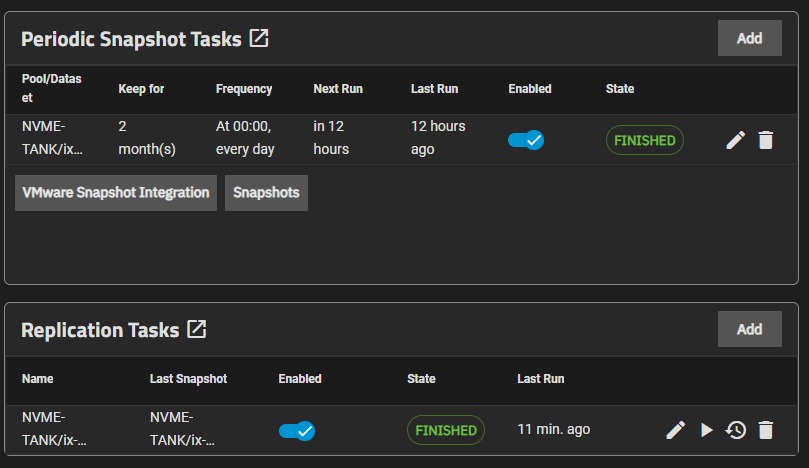
Great! Or so i thought… Went to doublecheck the datasets:
(NOTE: screenshot indicates 14.34Gib, this at that time was 1.30-ish Mib, this is a new screenshot but i’ll get to that one later)
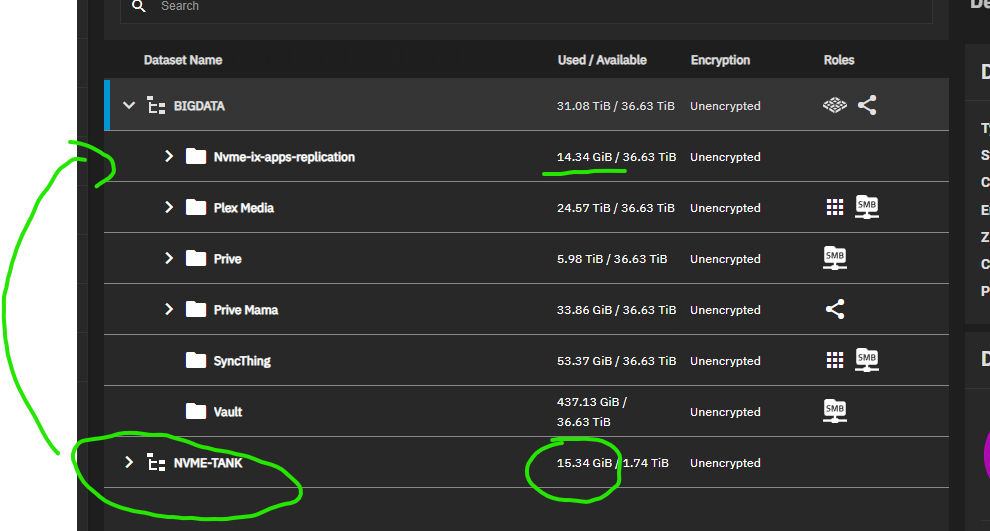
So when both task show as finished without errors, and the replication folder containing less than 2Mib, something is not in order… (Before my upgrade, it was worth north of 35Gib including 2 months of retention so i had a basic idea of how large it really should be.)
Checked the logs:
"No incremental base on dataset 'NVME-TANK/ix-applications/k3s/kubelet' and replication from scratch is not allowed"
Looked it up, and i had to set “replication from scratch” to on in the replication task according to many posts here.
I found this option using the advanced wizard, but also ran into many issues, for example:
[EFAULT] Target dataset 'BIGDATA/NVMe_Replication' does not have matching anapshots but has data (e.g. "backups') and replication from scratch is not allowed. Refusing to overwrite existing data.
Leading me to incorrect snapshots, no snapshot present, snapshots not in sync, … so snapshot related…
Tried different tutorials but always seem to run into the “replication from scratch” or something with the snapshots…
(Local replication tutorial, Snapshots, Truenas Furum, …)
Called it a day at that time because i was getting nowhere and frustrated…
Got up this morning, and decided to give it a new try with the basic wizard… (so NOT being able to tick a box ‘replication from scratch’!)
The process started, the replication dataset filled up to 14.34Gib, and was finished.
This is very confusing on why it ran, as i tried this in exactly the same way yesterday.
But also this:
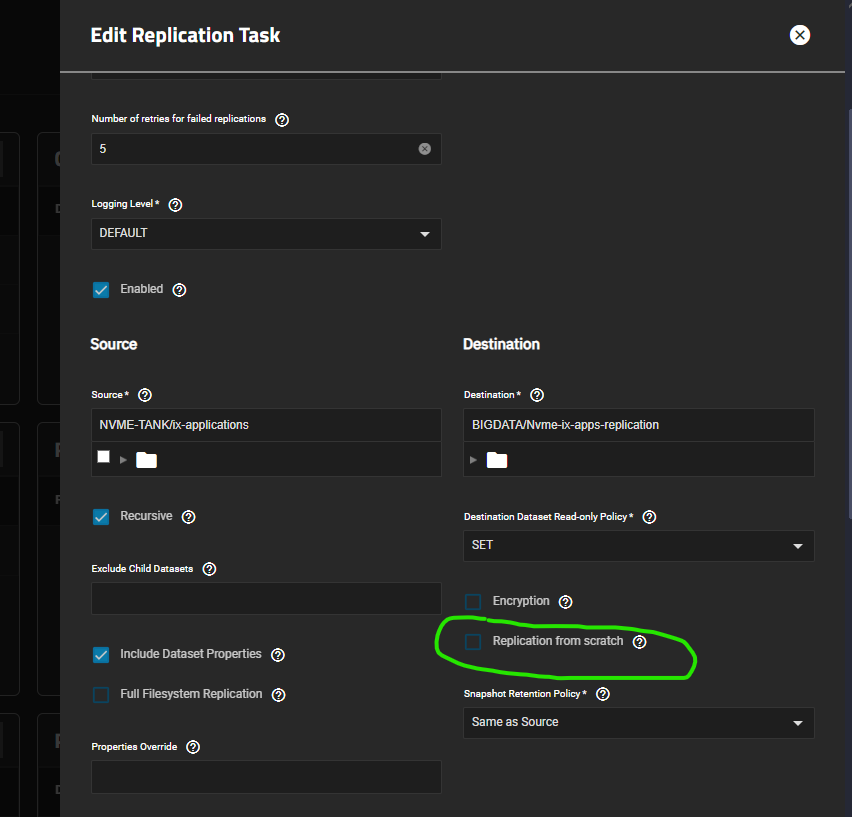
So now it doesn’t even have the ‘start from scratch’ box ticked either.
Nor did i got/had to set any of the scheduling through the basic wizard, this was automatically filled in in the advanced wizard in that dropdown:
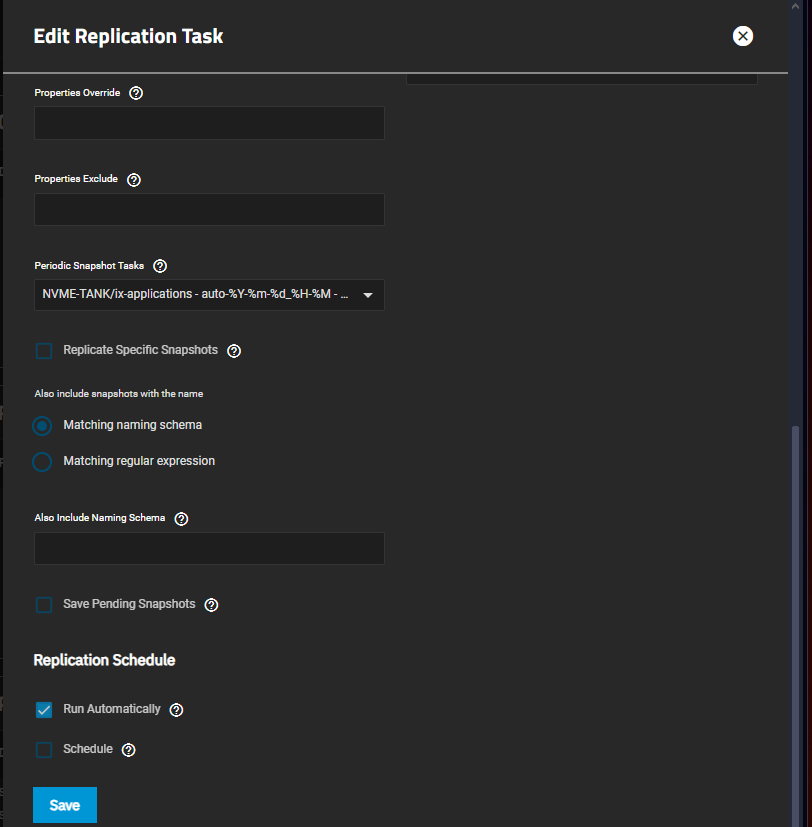
(when trying the advanced wizard from the start yesterday, i could not get snapshots/schedule working…)
Also note that the Replication Task does not show a “next run” for the task:
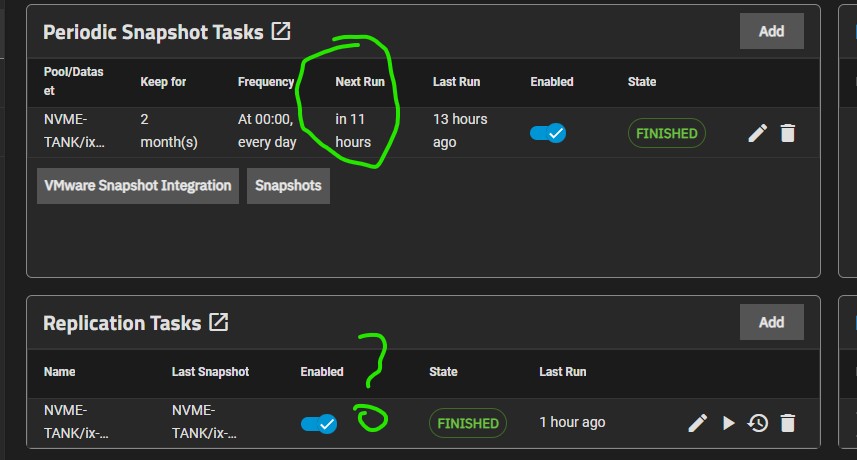
Anyway, it seems to work (once?), but i’ll only find out if i need it…
This is so confusing, and does not really give me trust in the use of the replication function.
My gut feeling says that there is definitely something wrong with my steps, but as i was able to get this running perfectly in Bluefin, this is very strange and very very confusing…
Perhaps you guy’s see the issue or my obvious mistake(s)?
Thank you!