Restore ZFS pool from existing setup

Hi Guys,

I had a ZFS (raid6 like setup) running. My Truenas machine died, but I installed new hardware and managed to bring the VM back up. The disks are 6 x 2TB WD Red SATA drives

The TrueNas VM didn’t do, nor did the disk - rather it was the CPU/Motherboard setup.

TrueNas has booted just fine and I can see the disks

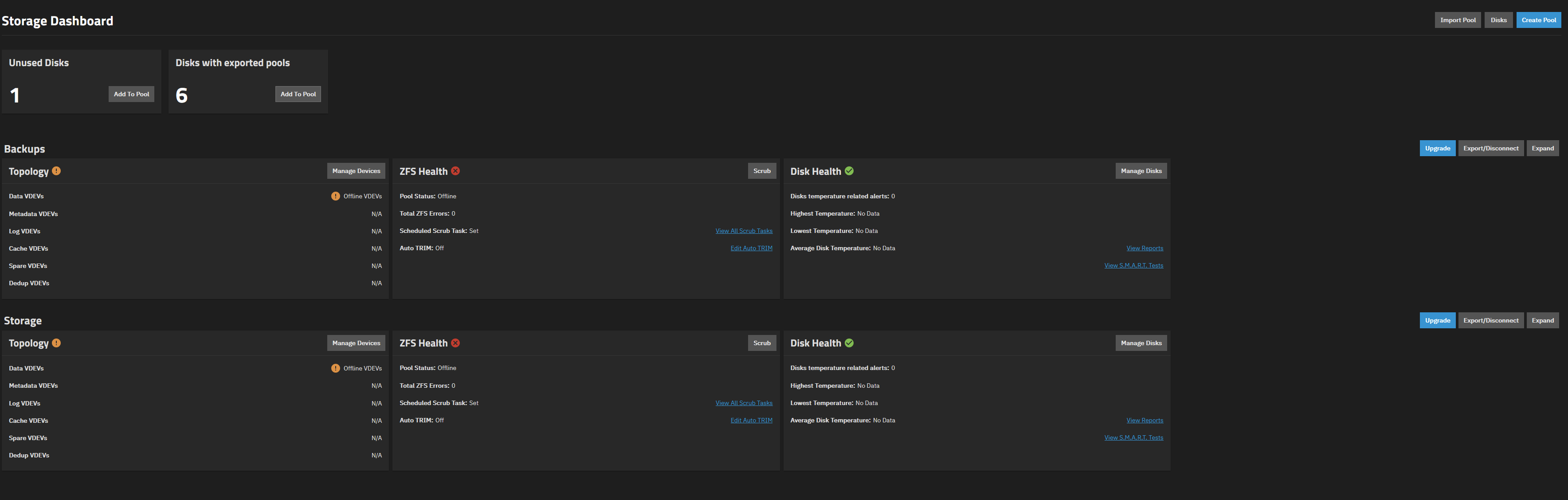
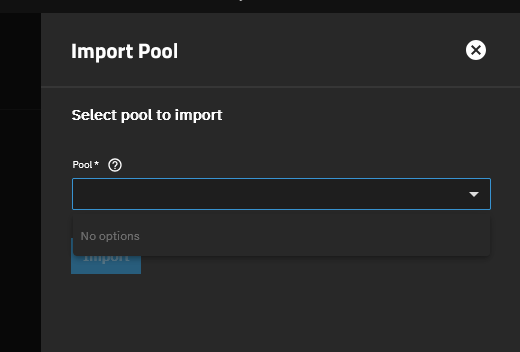
Many posts say do not create a new pool, rather Import your old one, but import for me is blank - there are no existing pools

My data is critical so I dont want to make the wrong click.

Can someone assist in restoring the pool/disks? The existing share information is already all there (cause the VM didnt die)

Hopefully this screenshot helps also

Thanks!

What does
zpool import show?

Thanks Farout, I must be doing something wrong :frowning:

it says unknown command when launching the shell from the GUI

Try
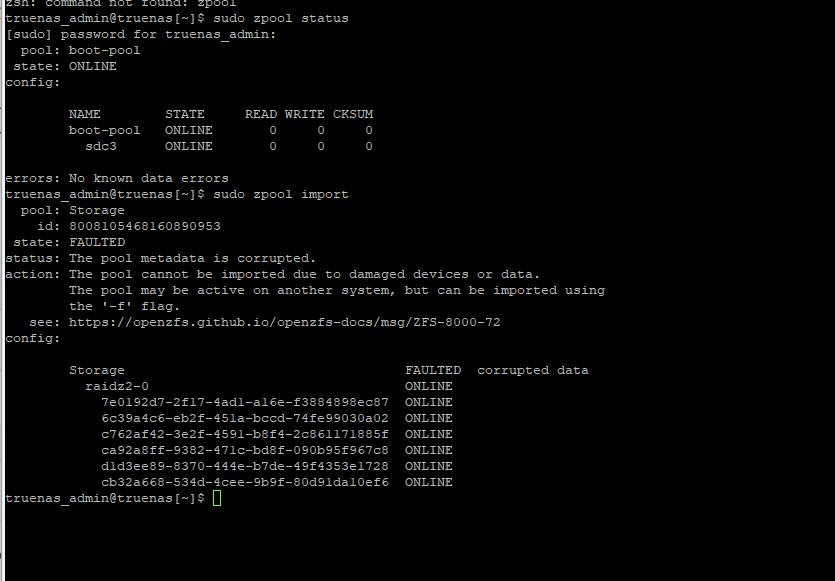
sudo zpool import

This help?

:thinking:

Whats up with the metadata pool ?
Are there discs missing ? Is this on proxmox ?

Pls give us all the details of your system.

1 Like

Its a VM running on Proxmox

I did setup a cache drive on 2 x 500GB disks, they are intact but I disconnected them as my new motherboard doesnt have enough sata ports.

They are 2 x 512GB Western Digital MSATA disks.

I have a SAS controller, could I perhaps connect them into that? It has sufficent ports. The msata disks are in 2.5” Sata enclosures.

Do I need them or can I import this pool? From memory is was an L2 ARC drive I was going to test.

System is AMD EPYC and runs proxmox and truenas (and other VMs)

6 x 2TB WD Reds in this ZFS pool (truenas)

2 x 1.92TB drives in ZFS mirror for my storage for the VMs

2 x 480GB drives in ZFS mirror for the operating system of Proxmox

My VM configuration for Truenas was to pass through the 2 x 500GB Msata disks and the 6 x 2TB WD disks. As the 500GB disks weren’t installed, I removed them from the VM conifguration of Truenas to get it to boot up.

Oh boy…

You cannot import the pool without the metadata vdev. Your data is lost without it.

If it was only a L2ARC cache set to metadata only, you can try to import the pool without it.

However it also seems that proxmox might have corrupted your pool.

How did you passtbrough the discs ?

Proxmox corrupted it? Not sure how that could be possible. Proxmox doesnt have anything to do with it?

Am I best to reinstall the disks and see what Truenas does?

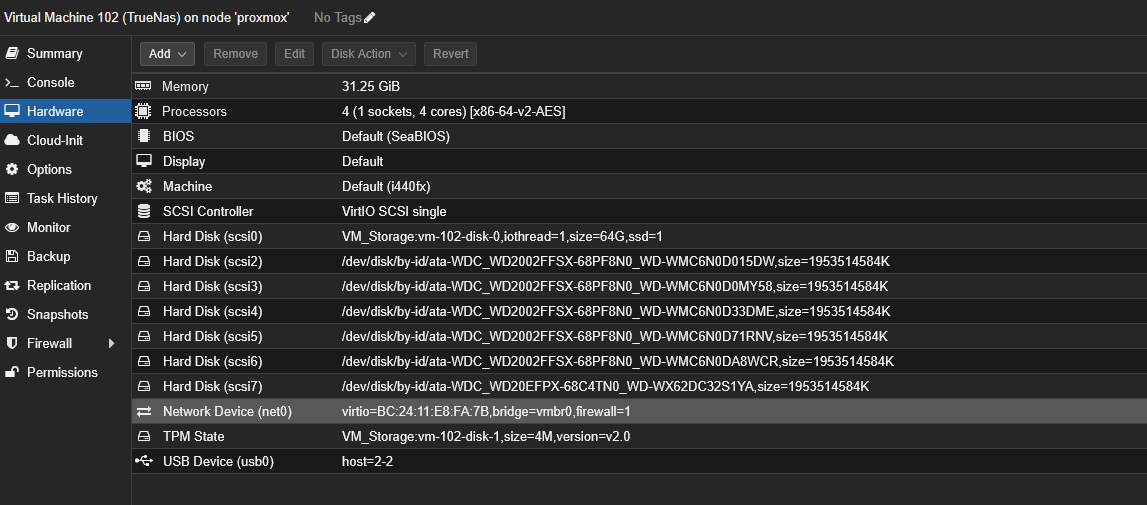
The disks were passed through using this screen:

You passed through individual discs instead of the controller. Thats a known receipe for data loss.

If proxmox sees the ZFS pool before the VM starts, it tries to import or even mount and write to it.

You need to connect the missing discs and hope for the best.

2 Likes

Oh man!!! please tell me this isnt so. Theres 20 years of photos there :frowning:

First connect all the discs back.
Do you have backups?

holy shit balls. Its all BACK :smiley: omfg! OK , taking many backups now. Thanks farout, I really appreciate your help! You saved me mate

1 Like

:hugs:

Once you have the backup, rebuild the VM with the passed through controller. If thats not possible because you have proxmox discs also on it, you have to passthrough a HBA in IT mode. Then for good measure blacklist the driver.

Still, Truenas as a VM in proxmox should not be used for important data. Maybe as a backup.

Also if its a L2ARC, i would remove it in Truenas.

4 Likes

Absolutely!

Few more questions to get my truenas setup health

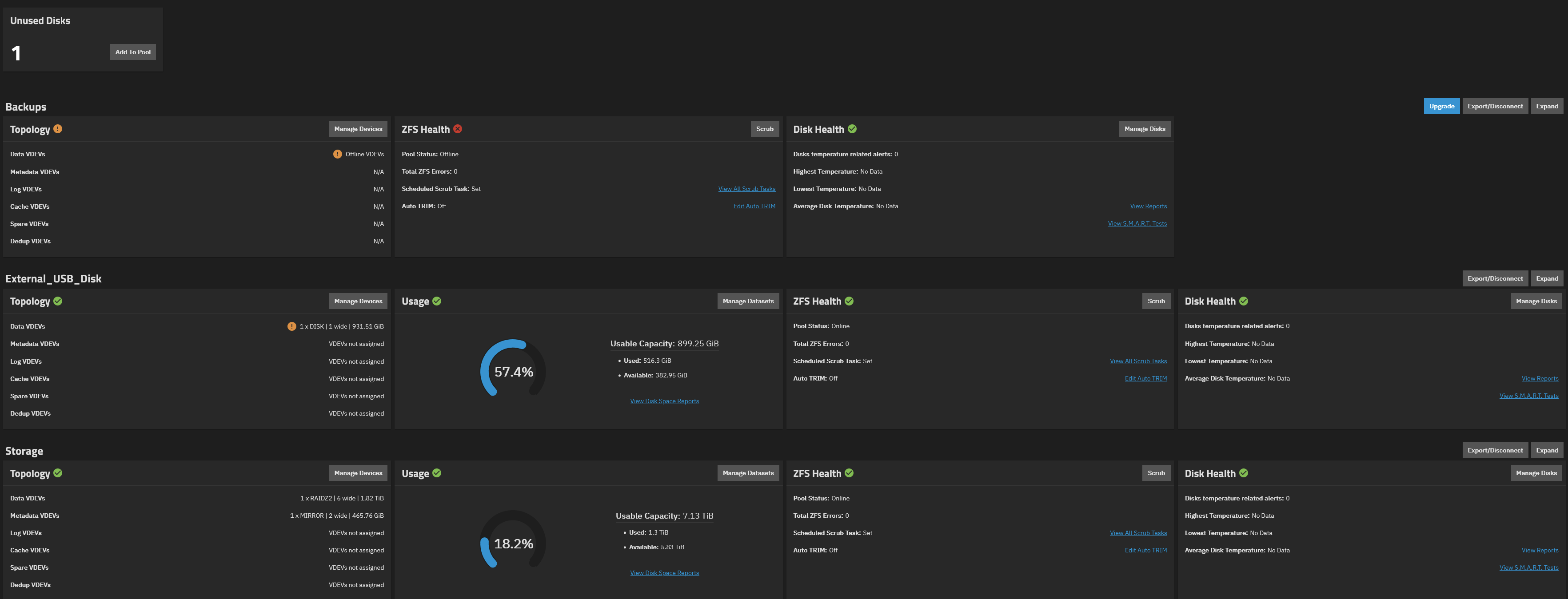
I see this, I’ve no idea what this disk is. Any thoughts?

Suspects its causing zfs to show errored. Not sure what this backup vdev offline is because either?

Maybe you get some info with

lsblk -bo NAME,MODEL,ROTA,PTTYPE,TYPE,START,SIZE,PARTTYPENAME,PARTUUID

But honestly I would just destroy and rebuild.

Also

zpool status -v

Yeah fair enough, ill take a few backups on various devices and destroy and start again!