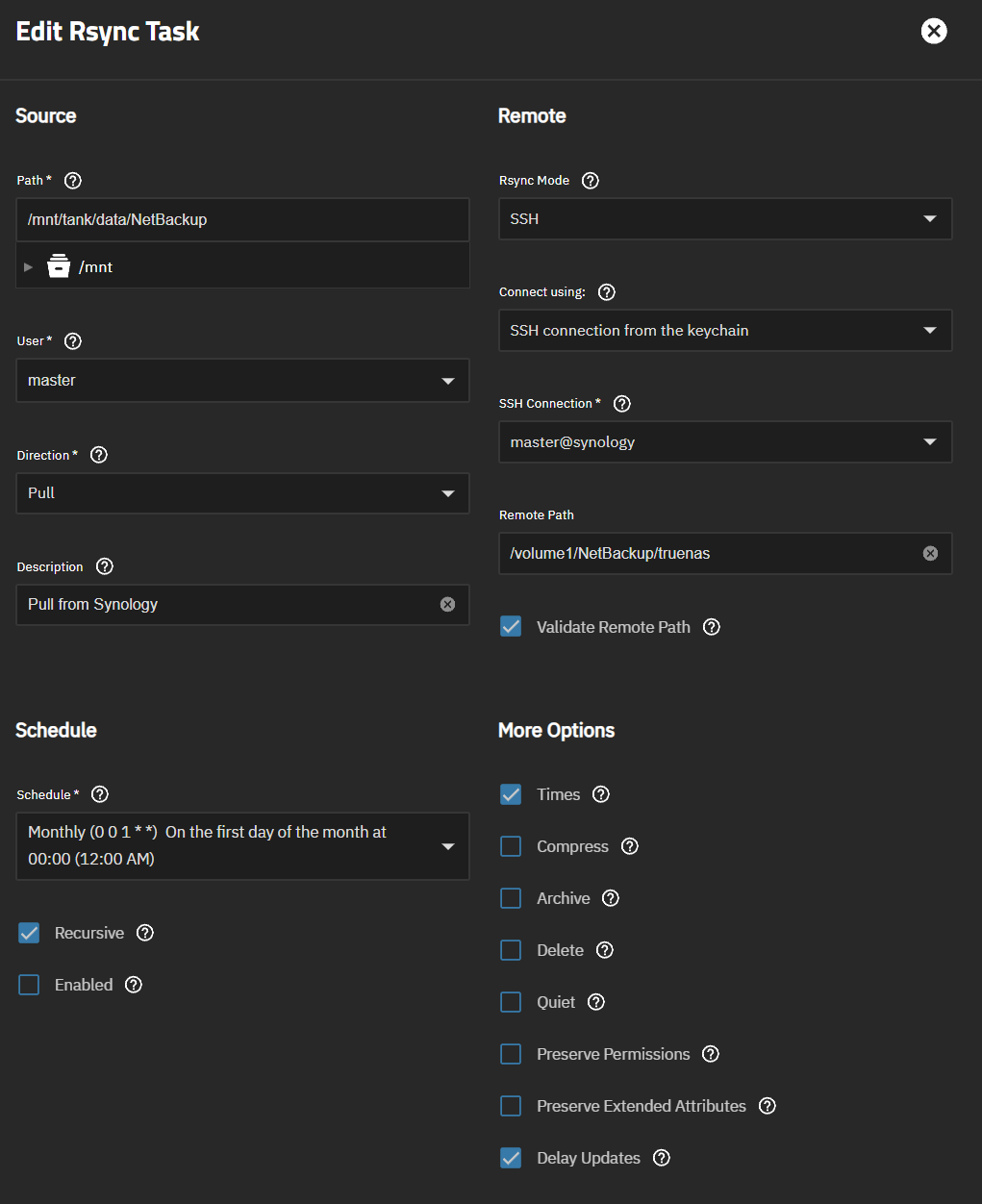
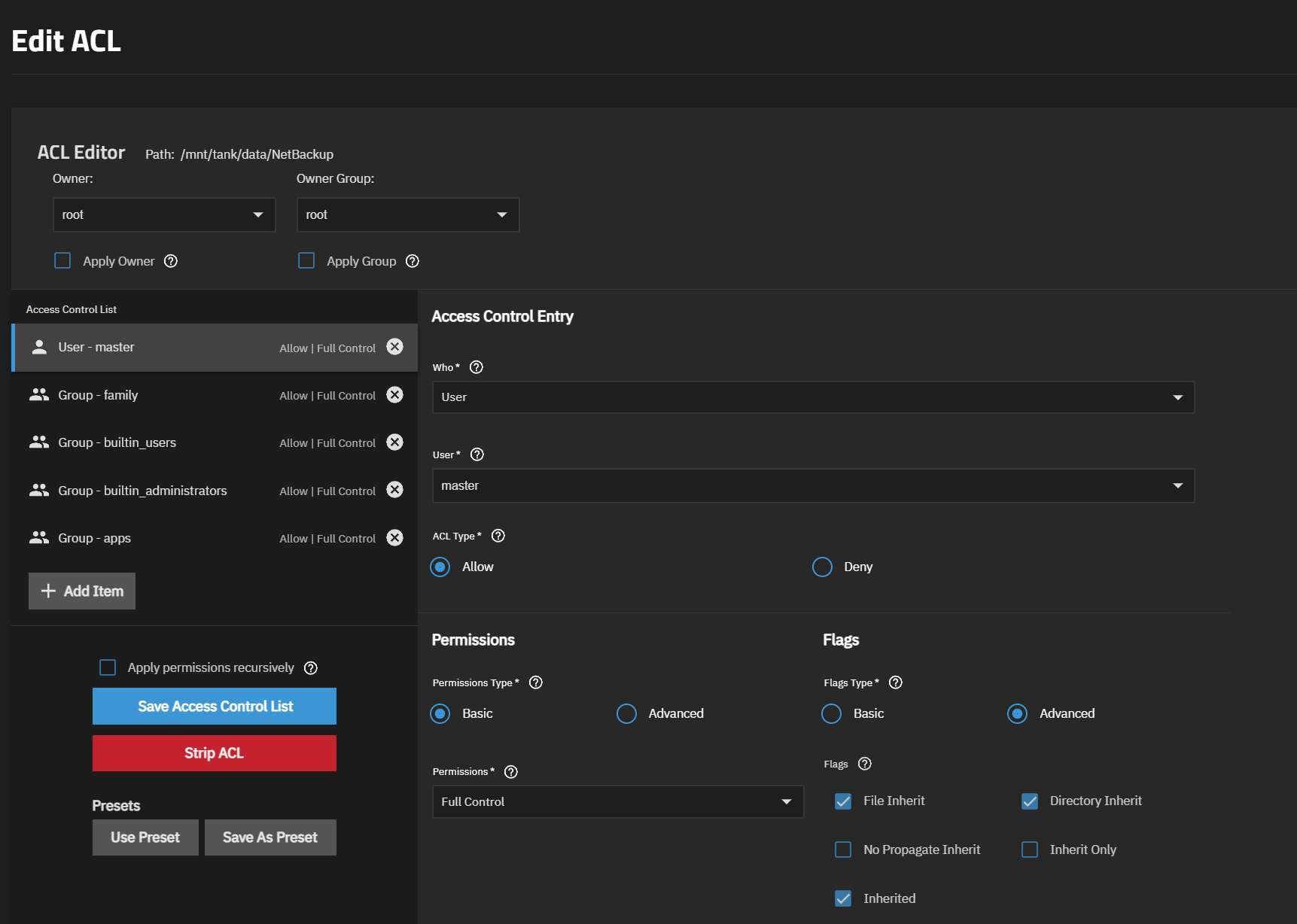
You look to be using NFSv4-style ACLs (instead of POSIX ACLs) on that dataset.
I believe rsync cannot interpret anything beyond the “owner” for NFSv4 ACLs, which in this case is root. Meanwhile the user running this process is the username master.
You could try setting the owner of the dataset’s root path ACL to master, and possibly not just apply this, but apply it recursively. The “Apply Owner” box needs to be checked when you click Save. Alternatively, you could try to run the task as root instead of master.
Another option is to start all over with POSIX ACLs, instead of NFSv4-style ACLs, which will strip the current ones and replace them with the simpler POSIX ones.
I’m not sure how comfortable you feel with starting all over with your dataset’s ACLs, which will affect all files and folders inside.
I would be ok starting over with POSIX ACLs, I was not even aware of the specific differences. My current permission structure isn’t overly complicated.
How do I start over however?
I did also just out of curiosity try it by changing the “Owner” to master and the “Group” to builtin_users as well and just like you said with changing the owner the rsync process ran and returned “SUCCESS”. So looks to me that RSYNC can really only read the “Owner”.
Or would it make sense to change User that runs the RSYNC process to root. I think I just had that set to master because that is the user I have on the Synology where I am pulling from however that has been configured and setup so not sure that the user I am using on Truenas for the RSYNC process needs to be the same name.
I don’t know why you think changing to posix ACLs will help with this. Changing file timestamps is a place where kernel checks whether the current credential is the file owner or root. Changing ACL type on existing data is something that should only be done as an absolute last recourse as it will potentially break access for everything using the data.
I see both of your point. In my home use case with not a very complicated permission structure changing owner and/or ACLs isn’t a huge deal and I can do it but I do understand that it could break a lot of things.
Either way this has helped me understand what I was missing and pointed me in the right direction and therefore was helping!