
A zpool clear removed all errors but scrubbing brought them back
storcli show all
typCLI Version = 007.1207.0000.0000 Sep 25, 2019
Operating system = FreeBSD 12.2-RELEASE-p12
Status Code = 0
Status = Success
Description = None

Number of Controllers = 0
Host Name =
Operating System  = FreeBSD 12.2-RELEASE-p12
StoreLib IT Version = 07.1300.0200.0000e or paste code here
sas3flash -list
Avago Technologies SAS3 Flash Utility
Version 16.00.00.00 (2017.05.02)
Copyright 2008-2017 Avago Technologies. All rights reserved.

        No Avago SAS adapters found! Limited Command Set Available!
        ERROR: Command Not allowed without an adapter!
        ERROR: Couldn't Create Command -list
        Exiting Program.
sas2flash -list
LSI Corporation SAS2 Flash Utility
Version 16.00.00.00 (2013.03.01)
Copyright (c) 2008-2013 LSI Corporation. All rights reserved

        Adapter Selected is a LSI SAS: SAS2008(B2)

        Controller Number              : 0
        Controller                     : SAS2008(B2)
        PCI Address                    : 00:02:00:00
        SAS Address                    : 5b8ca3a-0-f14f-9700
        NVDATA Version (Default)       : 14.01.00.08
        NVDATA Version (Persistent)    : 14.01.00.08
        Firmware Product ID            : 0x2213 (IT)
        Firmware Version               : 20.00.07.00
        NVDATA Vendor                  : LSI
        NVDATA Product ID              : SAS9211-8i
        BIOS Version                   : 07.39.02.00
        UEFI BSD Version               : 07.27.01.01
        FCODE Version                  : N/A
        Board Name                     : SAS9211-8i
        Board Assembly                 : ARTofSERVER
        Board Tracer Number            : 37N04GU

        Finished Processing Commands Successfully.
        Exiting SAS2Flash.
command not found: lsblk
What server is this? Is this still the first server?
Looks like TrueNAS Core because of ‘FreeBSD 12.2-RELEASE-p12’
sas2flash results look good and it looks like the card was purchased through ARTofSERVER from Board Assembly data
Yes this is still the first server. The server is a Poweredge r720xd.
I did zpool clear then i scrubbed the second server and all errors went away. Now its the first server giving giving me errors. This has got my anxiety level rising. I can’t wrap my head around why 3 disks are suddenly faulted and at the same time.
Can heat or something else be affecting the disk. Am having a hard time wrapping my head around this
It could be heat. We see a lot more heat problems with the HBA cards in non server systems since they don’t have as much air flow or users turn the fans speed down because of too much noise. It could also be failing backplane, etc.
Can you check that all the fans are working or if you are getting any reported issues in IDRAC?
You can try following the Drive Troubleshooting in the Resources thread by @joeschmuck It may help.
Do you think the drives are actually bad? I dont get spares till Wednesday. Thats why my stress level is high
What does your cooling solution look like?
Do you have strong airflow over the HBA?
Cooling is not the best. The a/c unit is not strong enough. I have a fan right beside the server. The second server seems to be way cooler than this one. When i swapped out a disk, i noticed the disk was warm
To add to what neo is saying, slap a fan directly onto the HBA if possible - strong airflow with poor ambient temp is still better than no airflow at 17*c ambient. HBA seem to get toasty & have no temperature reporting; so better safe than pregnant.
…unless you already have great airflow
I’ll see if i can add an extra fan. Am just nervous another disk is going to degrade
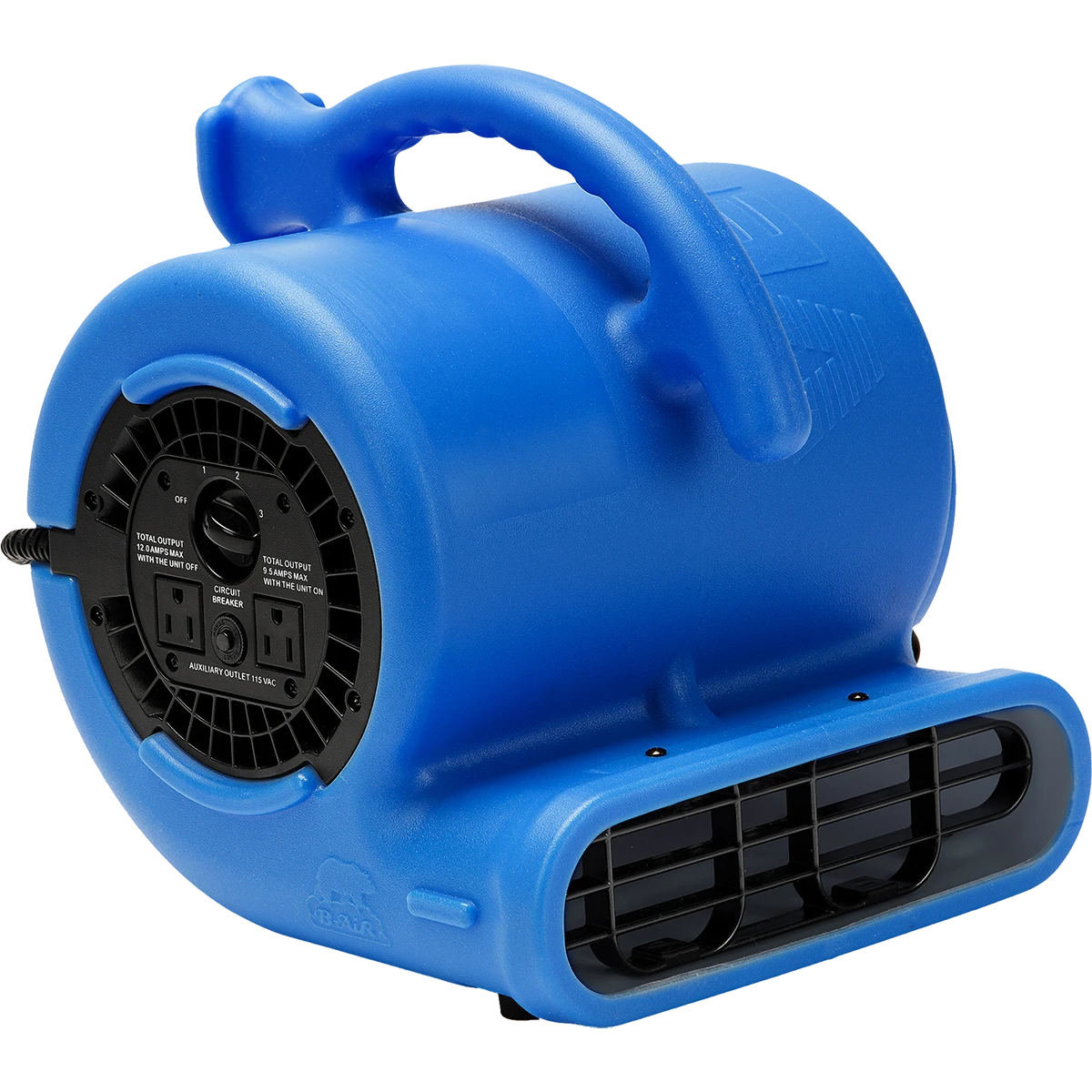
I have used a blower fan like this before just for temp use. Blowing in the intake or close to it. It looks like Reporting, Disk has a Temperature option so you can watch the history
4 Likes
That is something I’d expect to see from @winnielinnie on the meme thread.
This isn’t to say that I don’t love it!
2 Likes
Bonus points if you tie it to a rope and let it hang from your ceiling near your NAS server. Why waste precious floor space?
1 Like

i have placed a fan in front of the intake and the temperature has gone down by about 7C
1 Like
You will have to see if the server is stable. I am hoping the LSI HBA is still working properly and didn’t die of heat.
1 Like
i don’t think i have bad disks.
11.3T scanned at 2.03G/s, 1.26T issued at 233M/s, 33.4T total
108G resilvered, 3.78% done, 1 days 16:07:29 to go
config:
    NAME                                            STATE     READ WRITE CKSUM
    Tank1                                           DEGRADED     0     0     0
      raidz3-0                                      DEGRADED   115     0     0
        gptid/a980e29d-3d83-11ec-8aeb-246e962dd6b0  DEGRADED   117     0     0  too many errors
        gptid/aa322e75-3d83-11ec-8aeb-246e962dd6b0  FAULTED     97     0     0  too many errors
        gptid/7a7cb10b-6720-11ec-9fc6-246e962dd6b0  DEGRADED   102     0     0  too many errors
        gptid/ab23c2bf-3d83-11ec-8aeb-246e962dd6b0  DEGRADED    74     0     0  too many errors
        gptid/d6509876-6e57-11f0-a410-246e962dd6b0  ONLINE       0     0     0
        gptid/ad2f9f83-3d83-11ec-8aeb-246e962dd6b0  DEGRADED    95     0     0  too many errors
        gptid/ab8a7c8b-730b-11f0-a410-246e962dd6b0  ONLINE       0     0     0
        gptid/cb27aba0-730b-11f0-a410-246e962dd6b0  ONLINE       0     0     0  (resilvering)
        gptid/adcee7d1-3d83-11ec-8aeb-246e962dd6b0  DEGRADED    68     0     0  too many errors
        gptid/ad9e9258-3d83-11ec-8aeb-246e962dd6b0  FAULTED     66     0     0  too many errors
        gptid/addb8a6e-3d83-11ec-8aeb-246e962dd6b0  ONLINE       0     0     0
        gptid/fcf1f4f7-68dd-11f0-a3d1-246e962dd6b0  ONLINE       0     0     0
    cache
      gptid/ae4aff35-3d83-11ec-8aeb-246e962dd6b0    ONLINE       0     0     0
I replaced 2 disks marked as faulty with brand new disks and now i am getting this error. Something else is going on.
That looks to me like:
Power, Cabling, HBA (one of) has an issue.
Do you have a backup - as you have lost 2/3 parity drives
2 Likes