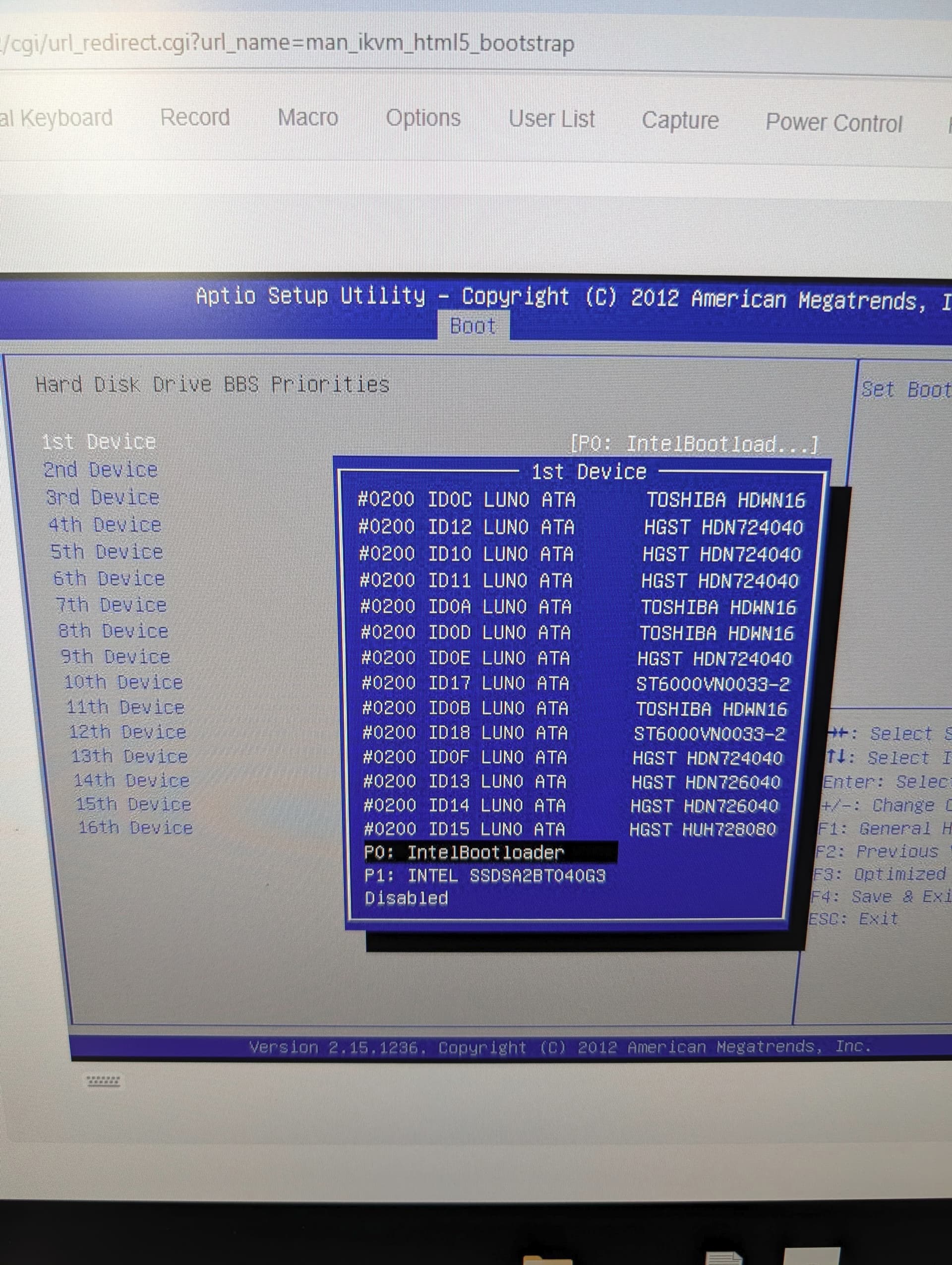
I’m running TrueNAS SCALE ElectricEel-24.10.2 on a **SuperMicro X10SLL-F board.
My system had been running fine until I got a notice that one of my mirrored Intel boot SSDs was degraded.
I figured I’d reseat the SATA connector on the bad SSD and see if that cleared it up, but it seems to have made things worse. Now when I reboot, I get:
“This is a NAS data disk and can not boot system. System halted.”
Both Intel SSDs still show up in BIOS under Hard Disk Drive BBS Priorities. I’ve tried setting each one (the “IntelBootloader” and “INTEL SSDSA2BW160G3…” entries) as the 1st boot device and also moved them to the top of the BBS list, but the system still won’t boot.
If I select one of them manually, I get a screen that says:
I don’t have a solution for you but I’m getting the same message after installing a new boot SSD drive and have been pulling my hair out trying to fix.
Do you have a different SSD to install TrueNAS on?
Mirrored boot-pool setups unfortunately do not provide any timesaving redundancy if the one that the boot loader is installed to happens to be the one that breaks.
If you end up reinstalling TrueNAS, be very careful not to select your data drives during install. Doing so will destroy your data.