i’ve recently purchased a small 5 inch HDMI LCD for my nas, intending to have some system statistics and info on it for easy debugging but mostly for style point.
THIS IS NOT A TUTORIAL, ATTEMPT AT YOUR OWN RISK
edit: sudo sh -c 'echo "test" > /dev/tty1'is what i should have done, and below was the original solution that past me had cooked up
after scouring the internet for answers (searching on google for a few times and give up) i resorted back to the tried and true method: throwing random (kind of) command and scripts at the problem, which proves to be fruitful, i would admit that the solution is kind of sketchy (insecure) and crude but:
go to credentials and enable password on the root account (dangerous)
set a VERY SECURE password for the root account
use the web shell (or other shell) and type
su
you should be on the root account
then
echo “test“ > /dev/tty1
the word test should appear on the monitor
_
profit?
roll your own script and make it look nice
im not a professional and there may be other better solutions out there, of which i will leave it as an assignment for the chat to discuss
Please be aware that you are likely to break something.
The fact that you thought you needed to set a password for the root account and then use su in the web shell to get a root session tells me, that you probably haven’t used linux a lot.
The part “throwing random (kind of) command and scripts at the problem” also isn’t very confidence-inspiring.
I really do not want to bash you or anything but if this NAS holds any valuable data please be very careful what you do on the CLI. You wouldn’t be the first nor the last to destroy lots of data that they valued surprisingly much by just pasting stuff they didn’t really understand there.
You do not need to set a root password to get a root shell - you can just use sudo from another account that has that enabled.
The web UI shell also isn’t the most comfortable way to use the CLI on TrueNAS - use SSH for that if you want to do more than run at most a few short commands. The web UI shell will reset when you leave the page.
Setting a root password also absolutely isn’t a dangerous thing in itself, but it can become one if you also enabled password root login via SSH for example.
The “files” under /dev/ttyN also aren’t representations of your monitors but rather Linux Virtual Terminals that you could normally switch between, e.g. by using Alt + Fn (n being a number, not meaning the “FN” key on some keyboards). Therefore I am quite surprised, that echoing test to /dev/tty1 gave you the described result.
TrueNAS is not meant to be used with multiple monitors. The physical console is basically only used for “emergency-ish” configuration if the webinterface and SSH become unreachable or unusable (maybe because the networking hardware changed or something like that).
I always get painfully reminded of that when I try to use my NAS’s BMC’s web KVM which won’t display anything as I haven’t yet found a way to reroute TrueNAS display output to my BMC’s VGA instead of the dedicated GPU that is installed for transcoding.
I would strongly suggest using a seperate SBC or maybe a VM with a passthrough GPU (although that also has it’s own challenges sometimes) if you want to display stats and info on the 5" LCD.
which is what compelled me to try elevating privileges, i fully acknowledge and announce the potential danger of this exercise, as any operation that is not intended by the developer also are, and yes, i am only a beginner when it comes to linux and want to share my experience, so thanks for replying to my first post.
as to how i get to tty1, typing dmsg and pressing tab shows:
Just to be sure: Did you get an access denied from sudo - like not being allowed to use sudo or from the echo command afterwards?
I suspect the first.
I also really don’t get what you mean here. Dmesg without further arguments shows you the kernel ring buffer’s contents. It prints them to stdout so pressing tab afterwards has nothing to do with the dmesg command before. If you meant entering dmesg without pressing enter and then using tab to autocomplete it - that should try to autocomplete dmesg options, not show any files.
Were you maybe in a directory that contained the files you mentioned? Their names suggest to me that you tried to manually install a matrox driver and xserver which are both things that you should very much not try on TrueNAS.
To understand linux privileges you should also understand Linux/Unix file permissions. This looks like a good primer there.
For Linux privileges this looks like a good first read to me.
A very very crude TL;DR: The root user can basically do anything. Other (normal) users can only access their own files. There are also groups of users which can have different permissions. Certain users may be able to execute commands as other users, typically as root, using sudo.
yes, this is my playground VM, everything is wrong here
thanks a lot
i should mention that there are only one monitor attached to the VM
i’ve heard that gpu that are in the “isolated GPU“ list tend to not have display output, and its usually the display output in assigned in the bios that get the output, also also i originally have a a380 on my real nas for transcoding but it never output video but work fine on my main rig, and a 2060 super is on my nas for now, im using a 3600X as my cpu which do not have integrated VGA so IDK, but i assume you would know way more that me.
as for SBC solutions, i think a rp2040 receiving serial data with a SPI LCD module would work well
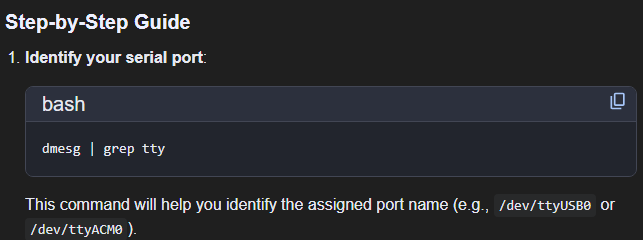
The setp-by-step guide screenshot looks very much like it was taken from an AI agent though - be very very careful when following AI advice regarding TrueNAS (I mean.. be very careful in general with that but especially here). Also the bot seems to be talking about serial which is not a display.
How exactly is this 5" HDMI monitor connected to the VM then? Is there a dedicated GPU passed through to it?
the display is directly plug into my “real” nas (which i did not play with … yet) and just out puting the normal Console Setup Menu
the one i am referring to is the VM virtual display on my VM, which is doing the funny
yes, it is google’s search ai
as to ai i personally have VERY strong opinion against using it in any real work, let alone critical production operations, but having fun and experimental stuff is fair game to me
i did ask it about serial stuff specificly, as to why serial, i just have the idea that console are all serial devices (right? i mean its just stdout buffer?) , honestly its just a shot in the dark
An actual serial port is very much different from a console. Most terminals are actually pseudo terminal (the ones called pts/N) - when you connect via SSH or open a terminal emulator you’re not connecting a new serial device.
Then a display is something entirely different from a serial device again.
i admit that i have quite abandoned this small project (at least for the moment), but maybe can be an additional ispiration point: GitHub - oxyde1989/tn-picopi-lcd: control a pico-pi with an lcd to display truenas system - pool - app info
I was also adjusting the function to render properly the data on a small lcd screen.
Also there high permission are needed (otherwhise you can’t grab data via midclt), but the script can be placed in a secured folder and run in cronjob
update:
thankyou @oxyde for his python script so i can do this curse thing on my NAS
still, warning, do not attempt, if you really want to do it, test it on a VM first, but there is no guarantee that it won’t cause data lost