There are some apps that just suddenly fail to Deploy

Problem: Some apps work, and others don’t.

Symptoms:

  • I had a few drives in my RAIDZ2 die, currently resilvering one of them.
  • TrueNAS states that Apps should not be affected. However:
    • Some apps run with no problem
    • SMB Share works. It’s slow, but I can get whatever files I look for
    • Some apps are stuck in deploying. (They used to spit out an error, now it won’t spit out any error)
  • Tailscale is one of the apps that’s broken, so I can’t retrieve my offsite backup

This is what my app pool looks like:

Please let me know what other info I might need to provide to help out with this.

Thanks!

Post the output of

zpool status -v please.

1 Like

Except for Transmission there are several apps that have been Stopped that need updating. Apps will not update unless they are running. This is a requirement not an option. Press start on the stopped apps. If things are stuck waiting for transmission to complete, then stop that app., Start and allow the update of the others, then go back and figure out the issue with Transmission.

for the stuck apps take a look in the app_lifecycle.log with

sudo cat /var/log/app_lifecycle.log
1 Like

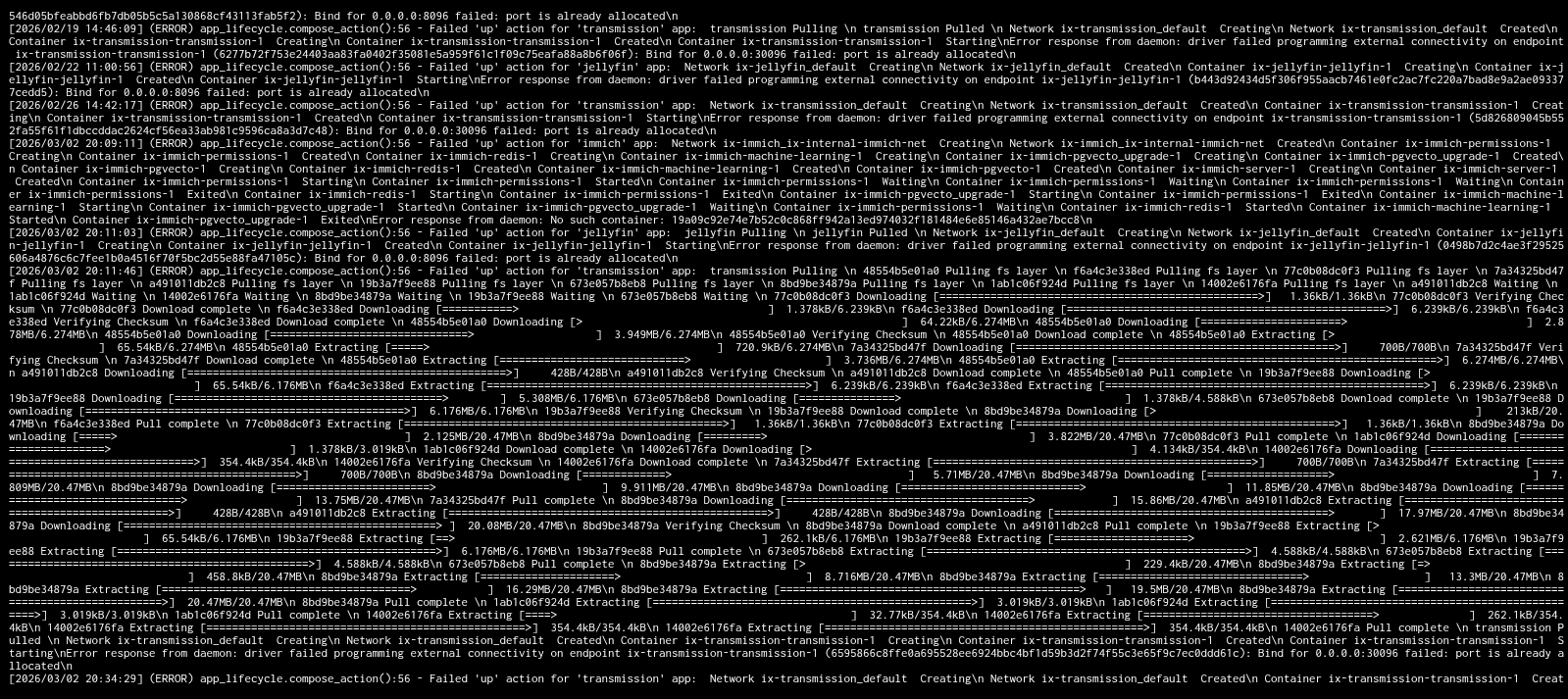
Here’s the output not sure what it means

It’s still in the process of resilvering, but here’s the output:

these apps have the same symptoms of Transmission, won’t deploy and used to spit out an error, but now doesn’t.

From what i can decipher from the logs, it may be that those apps are stuck in the background.
Jellyfin and Transmition say that the port they want to use is already in use
Immich fails beacuse it can’t see a container it needs

I’d propably stop all apps and then check from shell with

docker ps -a

if it would still list any running container. If it lists any running container even though you stopped them all from the gui the next step should be to find out how to kill those running container

Immich is working fine though> I’ve been actively using it recently.

Regarding Jellyfin and Transmission, can I just change the ports they use? if ever is there an easy way to do that?

If you edit the app you can change the ports under the networking tab.
Example picture from my peanut installation


Changing ports may result in unexpected connection issues though…

checked the docker ps -a command you shared it was empty. But when I booted the different apps I started getting this for transmission, tailscale and jellyfin

could you scroll down on that error and post the picture again? the actual error message is often the last line in that gibberisch output…

Just to be clear about this message: “Applications are unaffected” is a ZFS message, and it’s referring to anything that might be using data on the pool in question–it doesn’t, at least directly, have anything to do with “apps.” And “unaffected” means that they should be able to use the data as normal–there will be some loss of performance during resilvering.