
Its made it into the Release Notes already.
2 Likes
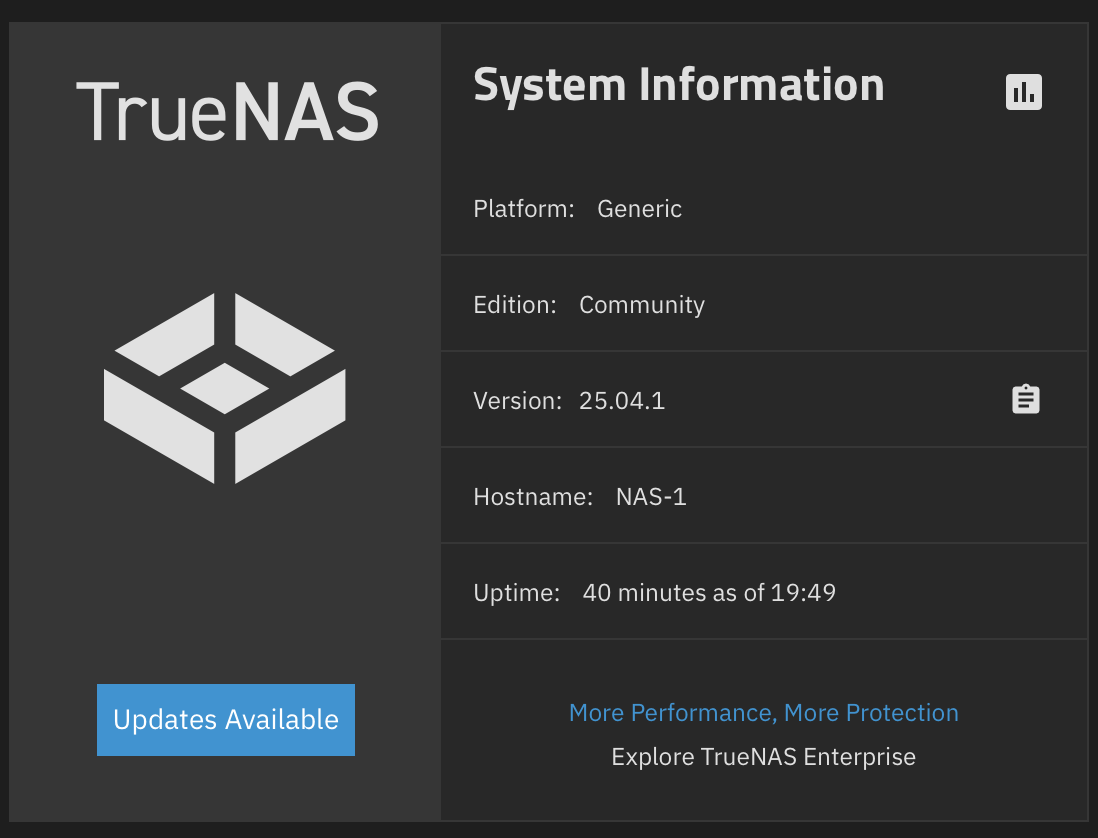
After following instructions in the Release notes?
Is it time to update from EE with my production W11 VM’s yet, or are we still waiting for goldeneye?
In a first, the release notes had a command-line fix for a technical issue I was experiencing, namely nVidia 1080 video card not detected in Plex .
2 Likes
Update to 25.04.1 went smoothly. But I had some alerts after rebooting.
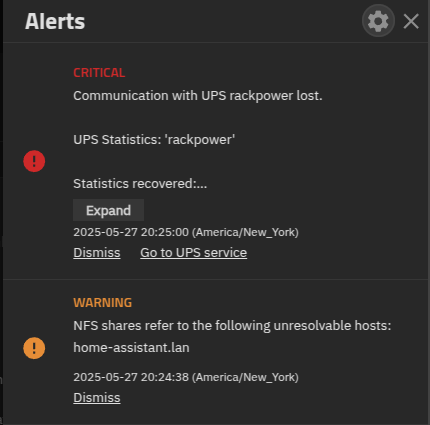
Both alerts cleared themselves after manually restarting each service.
I rebooted TrueNAS a second time, and both alerts came back again.
Seems odd to throw a critical alert that communication to the UPS was lost because of a reboot.
I don’t know why I’m getting the warning for the NFS share. home-assistant.lan is a resolvable host.
troy@truenas:~$ ping home-assistant.lan
PING home-assistant.lan (192.168.88.5) 56(84) bytes of data.
64 bytes from home-assistant.lan (192.168.88.5): icmp_seq=1 ttl=63 time=0.615 ms
64 bytes from home-assistant.lan (192.168.88.5): icmp_seq=2 ttl=63 time=0.749 ms
Again, after restarting the NFS service, the warning is cleared.
I also had an alert that some updates were available for my apps. Two were running, and one was stopped. When I updated them, the two running apps updated as expected, but the stopped app failed to update. I checked the jobs page and found the error for the app stating:
[EFAULT] In order to upgrade an app, it must not be in stopped state
But the app is already stopped. Oddly enough, I started the app and ran the update again; this time, it succeeded. It seems like there is some weird validation issue that won’t allow the app to update if it was manually stopped, but it works if the app is running and the update process stops the app.
I was also still showing updates available. (I updated to Fangtooth in RC1) I followed the instructions in the release notes to fix, but wanted to mention
midclt call systemdataset.config | jq ."path"
Returns the path "/var/db/system"
However, the full path to the file was actually:
"/var/db/system/update/update.sqsh"
It wasn’t difficult for me to figure out using tab completion, but it may be tricky for users unfamiliar with Linux and using the terminal. Any reason the release notes don’t just include the path to the file? I mean, I don’t see how it’s going to be a random path on different systems.
2 Likes
Thanks… we’ll try to verify and update the release notes.
2 Likes
Hold on – the .1 version has just been put in the oven and needs to bake 
We’ll provide an update after some adoption and testing.
1 Like
My understanding is that was the previous behavior as well. – I think it is due to a security concern. (assume I’m an AI responder)
2 Likes
Apps always do that, if there’s an update there’s an update whether it’s running or not. HOWEVER, dude didn’t read the warning properly, it worded strangely so maybe that’s why. It specifically says it can’t update an app that’s stopped. And it is stopped, so guess what, starting it will not leave it in a stopped state, and the update will commence. I think it’s a little goofy. I get why it has to be like this because the system has no idea why it’s stopped, it could be manually down for maintenance and an update could ruin it. However, how about taking another approach, like I dunno, waiting until it’s running to mention an update being available. Lie to us.
I did the update today also and it went ok I guess, not as well as prior updates. I have it running under proxmox, and it updated and…sat there. I could tell from the proxmox console it was dead in the water so I forced a reset and THEN it came up and ran normally (minus the silly hey an update is available bug). From now on I’m gonna play it safe, I still have a machine in the beta for goldeneye that refuses to boot and I need to put it on a crash cart and see what’s going on with it. Ate daily updates and did this once before, it’s like a 1 in 10 chance it’s gonna brick, but that’s why it’s a test box.
Please guys, make me feel some confidence before I take the leap from Core 13 to Scale on my main box. I plan on doing that in about 3 weeks.
More specifically - its a developer nightly that is pre-alpha. Its stil a couple of months from even alpha.
Worked fine for me, thanks.
BTW, I just wanted to mention for those Linux users like me that have relative little experience, that I had to go to a ROOT user (sudo su) first to complete the command “rm -f /var/db/system/update/update.sqsh”.
After running the command, it had deleted the file “update.sqsh” and the update button reverted to its correct state of “Check for Updates”
3 Likes
One would think that .1 being released means that it is “OUT”.
Describing it as “IN the oven” is an interesting way to turn the heat on users… 
1 Like
Haha, since EE Truenas has been very much “try at your own risk” I think.
Welp, running a project as open source has its own pros. 
Since much longer back than that–but I doubt many here remember the 9.2.1.x release cycle.
A release cycle which led to The-Number-After-Nine? 
2 Likes
Odd. I am seeing this and I upgraded from 24.10.2.2 to 25.04.1, so I never ran 25.04.0 on this system.
Specifically we have said that instances for VMs and LXC is experimental.
.0 was OK, but we found a number of issues.
.1 should be better, but until 10,000 users are using it, we don’t really know what issues remain.
The number of permutations of use-cases, hardware and user actions (& desires) is enormous… only large-scale testing finds all the issues.
We try very hard not to burn users… we recommend oven mitts wherever its still hot to touch.
4 Likes
It depends on your use-case.
We have very large production customers on the traditional storage protocols - NFSA/SMB, iSCSI
Docker has been generally stable… but missing the per APP IP addressing.
VMs and LXC is “experimental”… not widely deployed in production.
1 Like