
That’s a worthwhile idea to discuss…I’m certainly a fan of aging/wear indicators, just not a fan of forced replacements. After you have tested 25.10, can you submit a Feature request with any specifics you think might be needed.
1 Like
and i want to also celerbrate when little things are changed for the better too
THANKYOU for letting me paste into the shell without having to remeber a specific key combination depending if i am on my mac or windows machine!
I love these sorts of change as a PM as while small, all the small things add-up to signficant things…
1 Like
I was hoping these would enable vGPU on my T4, is vGPU still a thing we would have to enable with our own sys-ext packages?
Is this a known beta1 issue? seems the cert is ok and applied in general to the web interface - but not all parts of it!?
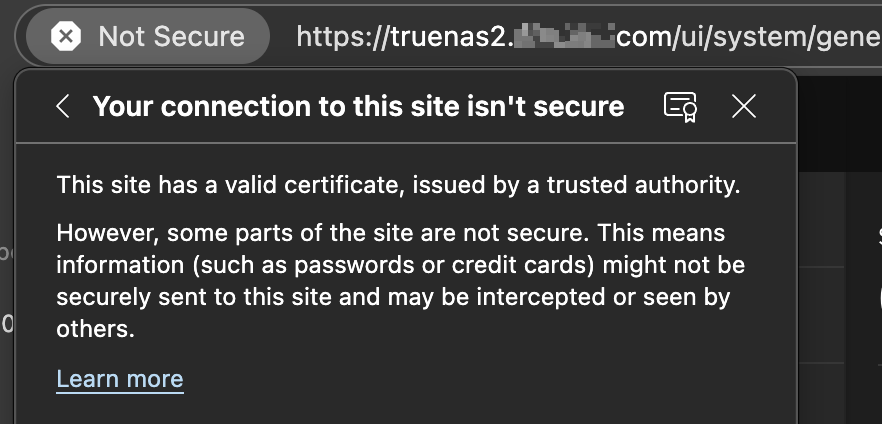
–edit-- it seems it could be caused by a reference to http://www.w3.org/2000/svg ?
root@pve1 10:49:18 ~ # curl -skL https://truenas2.mydomain.com/ui/ | grep -i "http://"

<svg fill="var(--fg1)" xmlns="http://www.w3.org/2000/svg" viewBox="0 0 62 49">


root@pve1 10:49:31 ~ # curl -sk https://truenas2.mydomain.com/manifest.json | grep -i "http://"


root@pve1 10:49:43 ~ # curl -skL https://truenas2.mydomain.com/ui/ \
  | grep -Eo '(http|https)://[^"'\'' ]+' \
  | sort -u

http://www.w3.org/2000/svg
Its a question for Nvidia… I don’t think we have the rights to enable??
Re: TrueNAS 25.10-BETA.1 is Now Available! - #22 by mavproductions
they said in the jira ticket that it was external to truenas. kinda weird that it doesn’t happen on non-beta though and like clockwork beta breaks it, fixes it sometimes, then breaks again. Some extra feedback from the backend triage team would’ve been nice before closing the ticket.
Not exactly an inspiring jira ticket for the official Goldeye release if I need to be cautious about something that isn’t a thing in the current stable release… 
fe07684b16b8 Downloading
net/http: request canceled while waiting for connection (Client.Timeout exceeded while awaiting headers)
...
 fe07684b16b8 Downloading
net/http: request canceled while waiting for connection (Client.Timeout exceeded while awaiting headers)
...
 b2126a886563 Retrying in 7 seconds
 b2126a886563 Retrying in 6 seconds
 b2126a886563 Retrying in 5 seconds
 b2126a886563 Retrying in 4 seconds
 b2126a886563 Retrying in 3 seconds
 b2126a886563 Retrying in 2 seconds
 b2126a886563 Retrying in 1 second
 269b81424b35 Downloading
 bba4ac8d95a1 Download complete
net/http: request canceled while waiting for connection (Client.Timeout exceeded while awaiting headers)
...
aiohttp.client_exceptions.ClientConnectorDNSError: Cannot connect to host registry-1.docker.io:443 ssl:default [Temporary failure in name resolution]
Should be stated still that I appreciate this project and the hard working people behind the scenes offering such an amazing NAS software for folks like us.
Please always copy the Jira ticket number… then TrueNAS staff can follow-up.
I’d certainly like to know what “external to TrueNAS” is causing the issue.
1 Like
So I upgraded my system to the 25.10 Beta version. I noticed that the server rebooted under a different local IP address so I had to access the Web UI differently.
I also get the following error: " Validation Error: [Errno 123] No medium found: ‘/dev/sde’ "
sde 000000002907 0 B N/A
Disk Type: SSD
Description:
Model: MassStorageClass
Transfer Mode: Auto
Rotation Rate (RPM):
HDD Standby: Always On
Adv. Power Management: Disabled
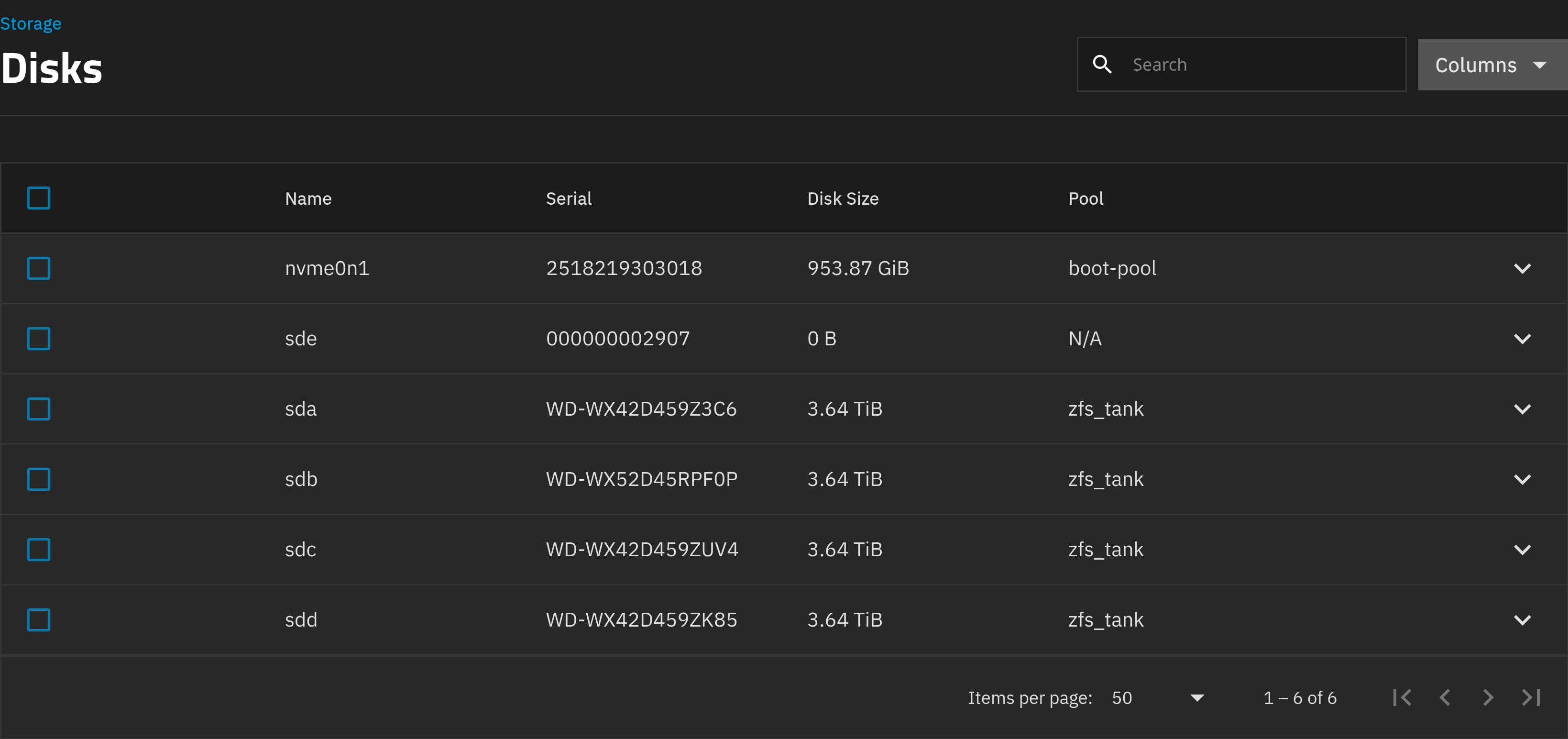
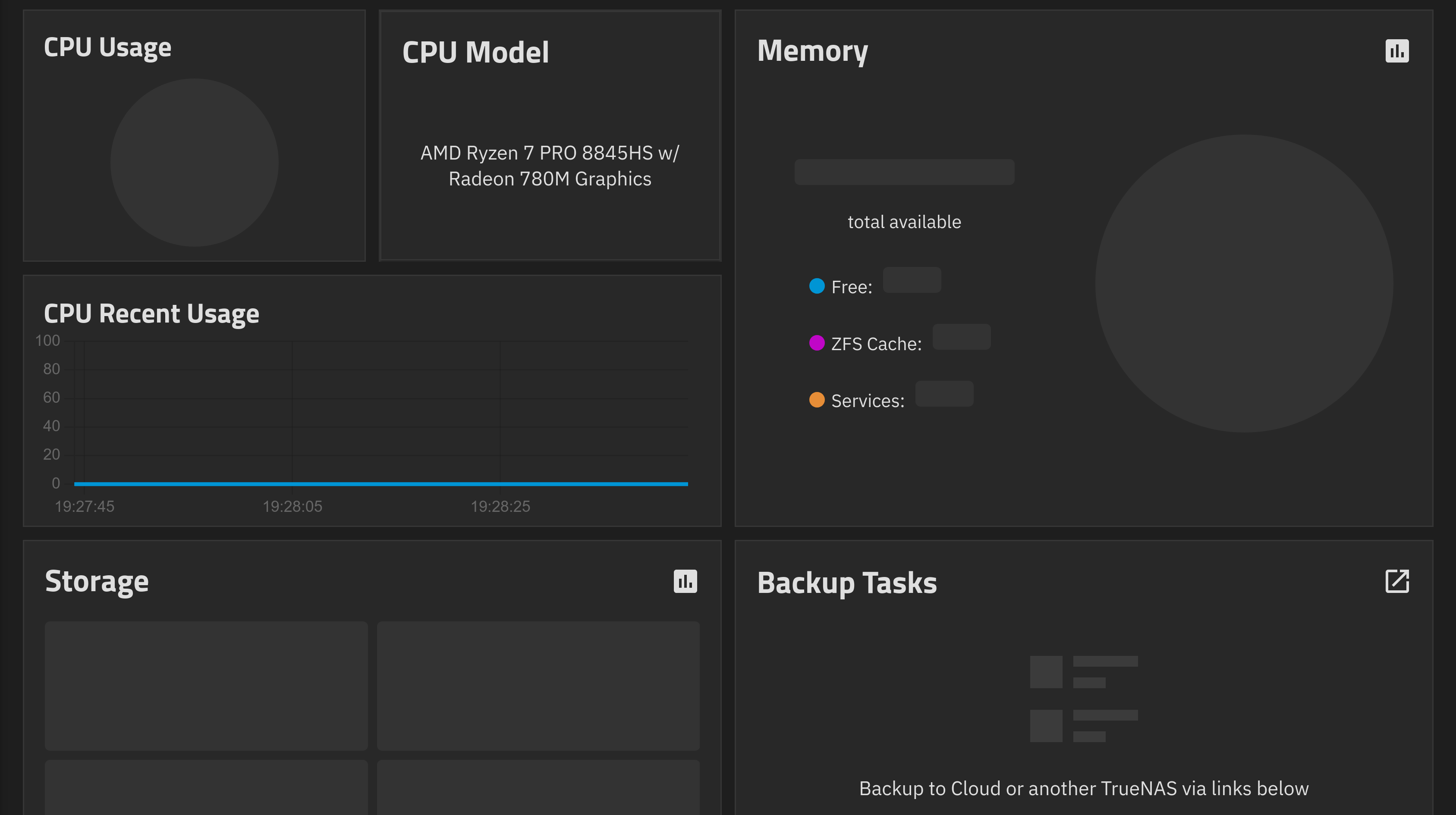
CPU, memory usage etc are also not visible …
A complete hardware listing could be helpful. How is the SSD attached?
I have a AOOSTAR WTR MAX AMD R7 PRO 8845HS 11 Bays Mini PC with 32GB RAM and an 1TB build-in SSD. The system reporting was functioning properly on 25.04.2.3
I downgraded to 25.04.3 using the boot environment
We understand this release intends to remove Certificate Authority (CA) screens and CA support.
Our deployment uses Syslog over TLS to send TrueNAS logs to a central server, validated against a trusted root CA chain. However, the Syslog TLS configuration still requires selecting a root CA. With CA support removed, Syslog over TLS appears to be broken/unusable.
We attempted to import a CA via midclt:
midclt call certificate.create '{ "name": "test-ca", "create_type": "CERTIFICATE_CREATE_IMPORTED", "certificate": "-----BEGIN CERTIFICATE-----\nPEM\n-----END CERTIFICATE-----\n","add_to_trusted_store": true }'
The import succeeds (the file appears at /etc/certificates/test-ca.crt), but the Syslog CA dropdown remains empty and no CA can be selected.
Question: Are we missing an alternative mechanism to register a trust anchor for Syslog TLS, or is this the intended behavior with CA screens removed (i.e., Syslog over TLS no longer supported)?
There are syslog changes planned for RC.1
https://ixsystems.atlassian.net/browse/NAS-137315
More full info here:
1 Like
I just noticed that the Certificate Authority screen will go away when this goes live.
I’m currently using the screen to import my internal Certificate Authority so that I can create containers with images from my own internal Docker Registry. Will this still be possible in the new release?
You can still add custom CA certificates to the trusted store on truenas.
2 Likes
I never have run apps/containers/jails/vms/lxcs/what-have-you on my TrueNAS systems, and I really don’t want to start. If Scrutiny is so great, it ought to be built into the system, and not pushed off onto us to have to install it, keep it up to date, have it break on updates to TrueNAS, etc…
i use the scrutiny app installed via truenas app docker. works fine for keeping track of smart data.
havent yet installed the beta, will try later once it’s more stable then i can see if it will be sufficient or not in this regard.
yes i also heard about that bug u mentioned.
but isn’t that for scrutiny flags? you can disable scrutiny flag and only rely on the standard smart flags. wouldn’t that bypass that bug?
I didn’t see anything in the docs that says i can disable a single flag on just specific drives, i would want that flag on drives that report that parameter correctly, if there is a way to configure that in scrutiny i am all ears! but we probably should save it for a different scrutiny related thread?
in scrutiny in settings for it, there is 2 smart features enabled by default.
scrutiny > settings > device threshold. It’s got scrutiny smart and regular smart both enabled as default. You can opt to DISABLE scrutiny smart.
If i am not mistaken there are some false smart due to that being enabled if not mistaken? it gets it’s data from backblaze and flags drives based from that or something?
so i thought that was what you were referring to earlier.
For myself i previously had an issue where scrutiny smart flagged drives, which were fine for regular smart. So my solution was to disable scrutiny smart, then it was fine. I trusted regular smart anyway.