Your signature is out of date or can’t be updated currently. Forum software problems.
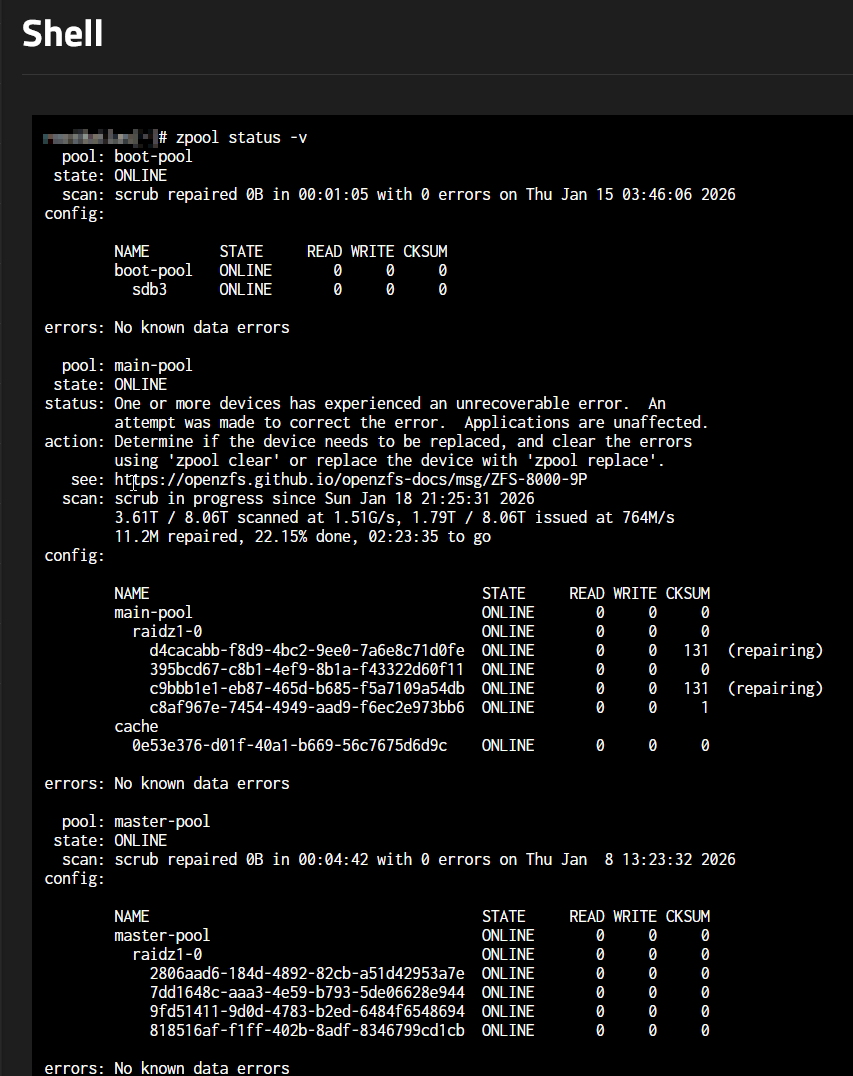
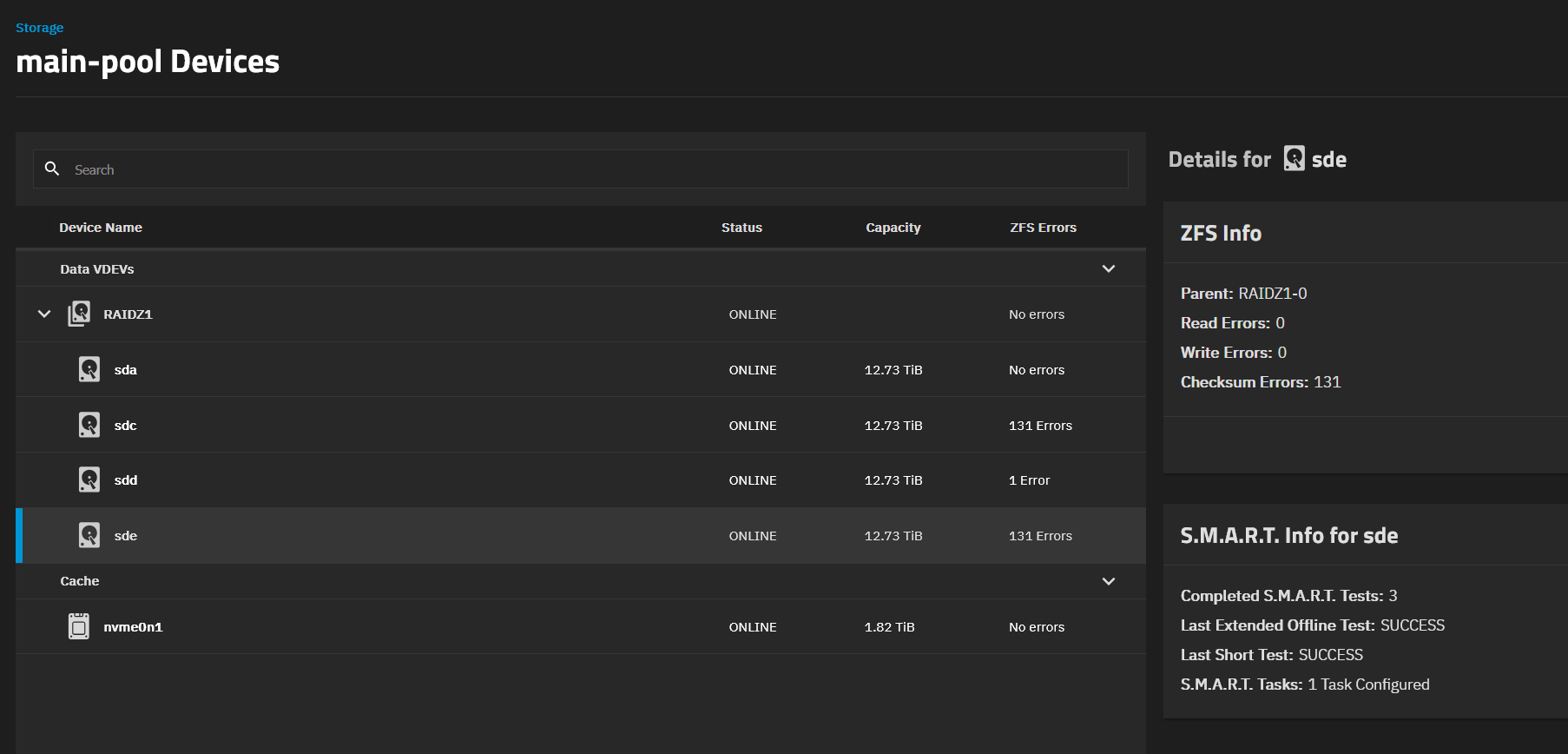
A bit odd to get errors and two or more drives as shown. Check drive models are CMR and not SMR types. Maybe check and reseat cabling on drives. Have you run SMART Long tests on your HD lately? Are the two drives with 131 cksum error on same power cable or anything shared?
Indeed, the drives share the power cable. I also found some info on the internet, that these issues might be caused by bad PSU.
I have performed LONG S.M.A.R.T tests on all of my drives, and they all have 0 issues. The other pool is attached via the ASUS Hyper M.2 x16 Gen 4, so it’s not using the power cables to get power, it’s getting the power via the motherboard. So that again speaks against the PSU problem (or does it?). That is why I suspect RAM, because as I know (or think to know) ZFS dumps the data from memory to the drives and that’s where checksum errors might come from.
You can try to pull up the SMART data with sudo smartctl -x $disk. Replace $disk with the disk name.
L2ARC isn’t critical to the pool so you can remove that from main-pool for now, if you wish. If you had errors on two pools, I don’t think the problem would have been the L2ARC, as it was only attached on the main-pool
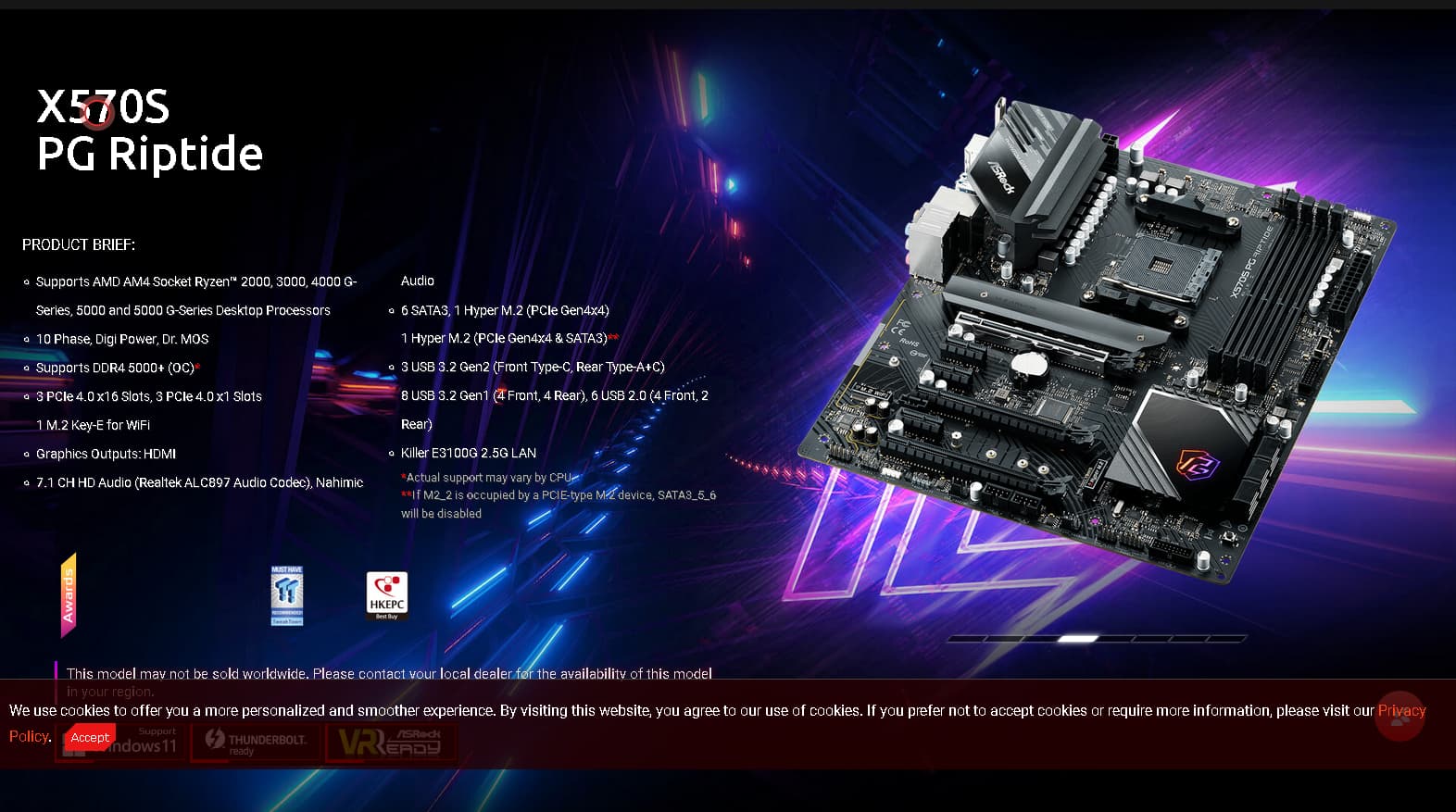
How are all the drives attached? Your ‘My NAS’ isn’t up to date from the screenshots you posted and I can’t tell by the ASROCK website what your motherboard acually supports for SATA connections with the footnotes on M2. Looking to see if you are using a HBA or a SATA card. HBA, probably okay but would want to check firmware and cooling air flow. SATA expansion card is probably not recomended. What is the boot device and how is it attached?
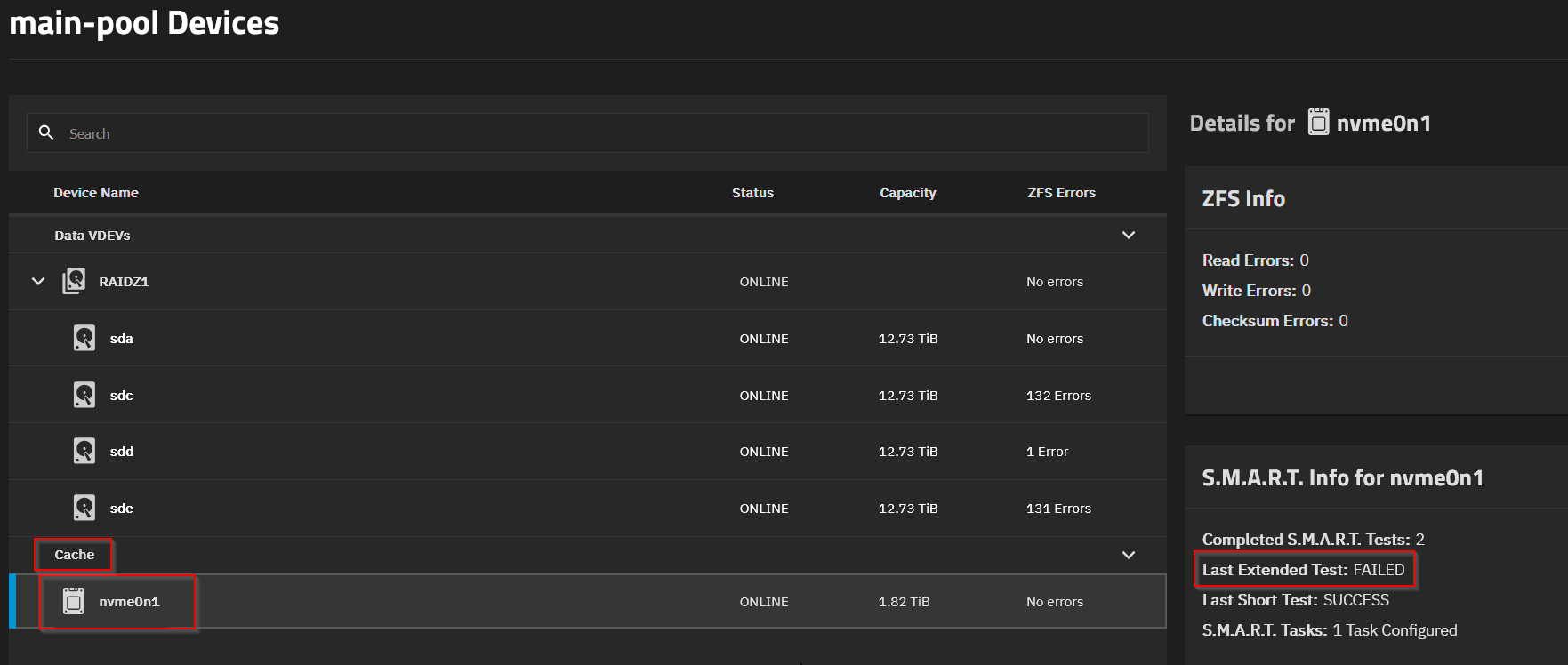
I removed the cache drive (Lexar EQ790 2TB SSD M.2) from the pool via the TrueNAS UI. It’s in a bad shape (S.M.A.R.T proves it) and needs replacement (only lasted 7 months…).
=== START OF SMART DATA SECTION ===
SMART overall-health self-assessment test result: PASSED
SMART/Health Information (NVMe Log 0x02)
Critical Warning: 0x00
Temperature: 39 Celsius
Available Spare: 100%
Available Spare Threshold: 10%
Percentage Used: 1%
Data Units Read: 19,440,950 [9.95 TB]
Data Units Written: 18,798,366 [9.62 TB]
Host Read Commands: 87,090,237
Host Write Commands: 79,113,328
Controller Busy Time: 311
Power Cycles: 8
Power On Hours: 5,253
Unsafe Shutdowns: 6
Media and Data Integrity Errors: 0
Error Information Log Entries: 0
Warning Comp. Temperature Time: 0
Critical Comp. Temperature Time: 0
Temperature Sensor 1: 39 Celsius
Temperature Sensor 2: 43 Celsius
Error Information (NVMe Log 0x01, 16 of 64 entries)
No Errors Logged
Num Test_Description Status Power_on_Hours Failing_LBA NSID Seg SCT Code
0 Extended Completed: failed segments 5253 - - 6 - -
1 Extended Completed: failed segments 5188 - - 6 - -
2 Short Completed without error 75 - - - - -
Could be that all this was caused by the faulty cache drive. I suspect some data was being written from one pool to the other, and while being read from the cache drive, the data got corrupted.
It “could” be however you will never really know for certain.
I would recommend a few things:
Memtest86+ for 5 complete test passes, or more.
Prime95 (or similar) for 4 hours, or more.
Scrub you pool. Ensure you do not have any corrupt files. Well if the file was corrupt when it was written, then you will not know until you access that data to see if it still works.
If a scrub has errors, replace the files listed then run a scrub again.
If the scrub shows no new file problems (should be no file problems if you replaced the corrupt files), run zpool clear.
Monitor your system.
I have found out that even NVMe drives can fail early. I had one which failed after a few days of use. It generated a “Media Error” alarm, even though all my data was perfectly fine. The manufacturer replaced it immediately and did not ask for the old one back. It wasn’t worth the effort for them, which means not cost effective. All the other NVMe drives I purchased have been going strong. I purchased 6 at the same time, big money drop for 4TB drives.
If data was corrupted on the cache drive and then read, it should have thrown a CKSUM or READ error on that device, so this isn’t likely. I’d be looking at your RAM, run memtest and consider setting it to JEDEC instead of XMP/EXPO timings.
I can’t say it was the disk. The disk is removed and I still get checksum errors on the drives. The drive itself that was supposed to be faulty is now showing no errors?
Error Information (NVMe Log 0x01, 16 of 64 entries)
No Errors Logged
Self-test Log (NVMe Log 0x06)
Self-test status: No self-test in progress
Num Test_Description Status Power_on_Hours Failing_LBA NSID Seg SCT Code
0 Extended Completed without error 5270 - - - - -
1 Extended Completed without error 5261 - - - - -
2 Extended Completed: failed segments 5253 - - 6 - -
3 Extended Completed: failed segments 5188 - - 6 - -
4 Short Completed without error 75 - - - - -
So I guess my first guess was still on point, it’s the RAM…
I will do a memtest tomorrow, meanwhile I’m doing a scrub again, because the pool is full of errors again…
For now, only one RAM stick failed. The other one passed the tests a few times.
The fun part is now sending the RAM back for RMA… They want the whole Kit to be shipped back. So that leaves me without the RAM. I’m sourcing now a single 8GB DDR4 stick, so that at least I can bridge the return time of the new RAM. Going from 32GB to 8GB.. yikes!
@winnielinnie is our self-elected Forum Jester (not to mention Encryption Expert).
In the time-honoured tradition of court jesters, his jokes are worth reading twice: One for laugh, and one for thought.