Started the scrub last night, logged in this morning and it says 1 day 10 hours remaining? Is that normal?
I’ll try and back up the data and order a WD Red. Can’t afford three so would it be ok to swap the 1TB WD out for a 2TB Disc and then do the others when I can?
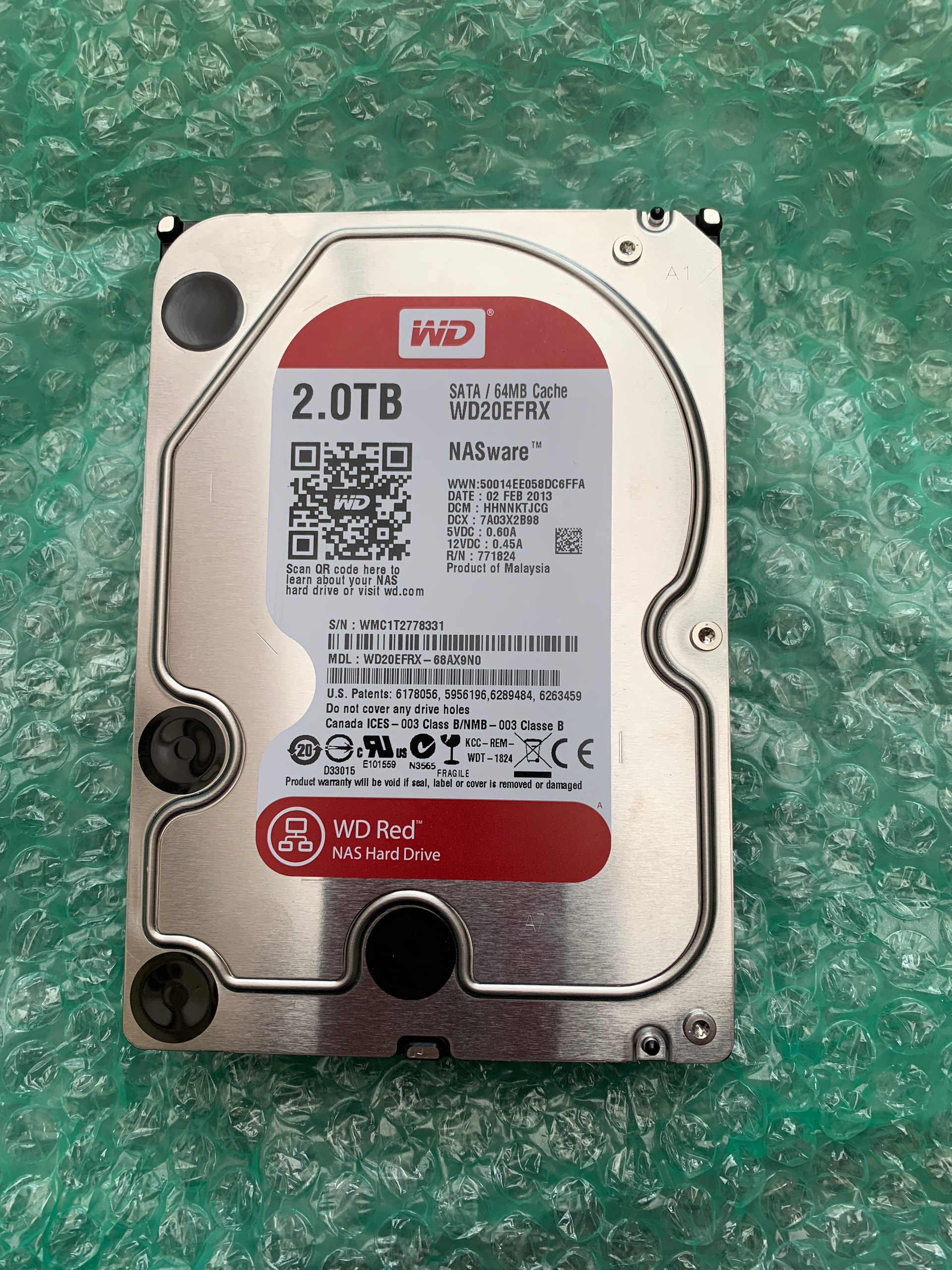
Order the WD Red. Just make sure that specific model is CMR. I think the scrub is having trouble as my 20TB drive takes about that long for a scrub. I would expect your system and a lot smaller size to be quicker. If you have a spare sata connection. You can power down, add the new drive to the computer while keeping your current drives attached. You power up and select the ‘bad’ drive, double check by the serial number to make sure you are replacing the correct drive, and follow the online documents for drive replacement. Keeping all the drives in use can make it a little bit safer to do the replace since you are set up with Raid-Z1.
If you notice errors on your system with the boot-pool or drive, you will have to plan for that too. If you have to stagger purchases, I would just power the system off and not use it until you are ready to replace all failing devices. Not sure if you just have a problem HD or HD and boot-device. Just going by the Alert errors you posted images of.
I think Coolblacks was just stating that holding in the power button to force a shutdown works for them. I wouldn’t worry about it.
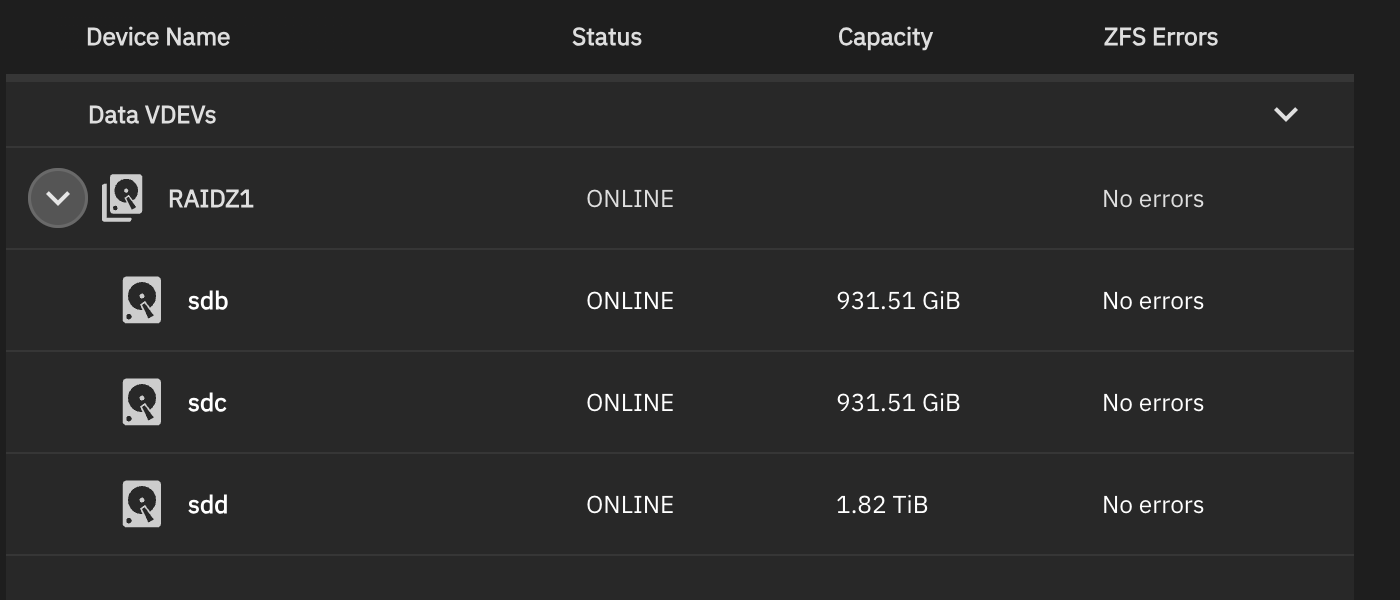
I think that would work. Only thing to mention (if I’m not wrong) is that if you replace the faulty 1 TB HDD with a 2 TB HDD, you won’t have more storage capacity as in the old setup, because a raidz1 vdev only has the capacity of the smallest drive involved. that means if you have a pool with a vdev consisting of 2x 1TB HDD’s and 1 x 2 TB HDD you still have a maximum storage capacity of 2 TB in raidz1. If you are going to change the other hdds in the nearer future this will change for the better. And i guess it wont be a problem, considering the little amount of capacity which is used by you at the moment.
I popped to Argos today and picked up a Western Digital Elements 4TB External HDD. Going to copy everything on the Server and all my other devices / old External HDDs laying around.
Next job sort out all the data on the 4TB drive (keep / delete).
Save up and rebuild the NAS, using WD CMR Reds.
To be honest, whilst walking the dog tonight I realised when I bought the Western Digital Greens, many, many years ago, when I first had the inkling to build a FreeNAS box. One died within a year and I could only get a Toshiba locally quickly (In Germany). It was only last year that I resurrected the NAS and bought a SuperMicro Motherboard and RAM etc. So it’s about time the drives got renewed, I was just flogging a dead horse TBH.
You could remove that bad drive from your VDEV and run the pool in a degraded state. Just know that any more drive failures in that pool means a lost pool. It would give you another copy of data while you work with the external drive copy though. Another option is to hit up friends and family up for any spare 1TB or larger hard drives and use that in the mean time as a replacement for the bad HD. I figure a healthy Raid-Z1 with consumer drives is better than nothing.
OK tonight I switched on the NAS to copy the remaining data onto a removeable HDD. I could not access the share in Finder but could log into the GUI.
According to the GUI started a resilver? Presumably trying to fix the data on the unreadable or damaged HDD?
I was going to ask how to stop it and remove the drive to prevent it doing this again, however, I just went back onto the GUI and the resilver had finished.
I ran zpool status -v and here is the output:
truenas_admin@truenas[~]$ sudo zpool status -v
[sudo] password for truenas_admin:
  pool: NAStorage
 state: DEGRADED
status: One or more devices are faulted in response to persistent errors.
        Sufficient replicas exist for the pool to continue functioning in a
        degraded state.
action: Replace the faulted device, or use 'zpool clear' to mark the device
        repaired.
  scan: resilvered 17.2M in 00:35:20 with 0 errors on Tue Feb  3 10:32:23 2026
config:

        NAME                                      STATE     READ WRITE CKSUM
        NAStorage                                 DEGRADED     0     0     0
          raidz1-0                                DEGRADED     0     0     0
            acf6f3ee-1b35-4937-84ae-ddde6ae32d29  ONLINE       0     0     0
            91982a55-003d-429a-b826-6c69b6b626fe  ONLINE       0     0     0
            530714ac-9045-4e49-9960-89440b4cfb87  FAULTED     24     0     1  too many errors

errors: No known data errors

  pool: boot-pool
 state: ONLINE
config:

        NAME        STATE     READ WRITE CKSUM
        boot-pool   ONLINE       0     0     0
          sda3      ONLINE       0     0     0

errors: No known data errors
I can see the drive that needs to be removed is:
530714ac-9045-4e49-9960-89440b4cfb87
I believe from the earlier comments in this thread this is device SDC, which us the WD-WMC1U6178752
Question is how do I identify this drive of the two WDs when I remove them? WIll WD-WMC1U6178752 be written on the outside of the drive?
I have a spare 1TB drive that I want to add to prevent any data loss, but not use the NAS until I can get some WD Reds, its only a stop gap.
Documents section. Change the version of TrueNAS if necessary. You go by the serial number on the disk. You should be able to match up the data in the gui or by running the following command. If you can physically add your replacement drive in and keep your current three data drives at the same time, do an in place replacement. That is leaving all current drives online status, physically adding your replacement, power back up and choosing to replace the bad one with the new, replacement. Four disks are online at a time. Best option.
If you can’t, you follow instructions for offlining and removing bad drive, installing replacement and then letting system resilver.
Write down your info with serial numbers and match it with the info you get from the GUI or command line.
Picked this up on eBay, used but advertised as removed to increase capacity and 100% good condition. Looks brand new TBH. Before I add it to my NAS I’d like to do a SMART test on it? Should I connect it to a spare SATA port and do the tests from within TrueNAS?
Iv’e had a look at the documentation that you linked for replacing drives, but I’m a little confused as to what steps I should take? The process seems to differ between Hot Spare and without a Hot Spare?
Do you have enough power and sata port to have 4 HDs in the server at the same time? It would be best to do an in place replacement of the ‘failing’ drive. You are powering down server, adding 4th drive to system and powering back up. You can let the system try to resilver the failing drive and also have it do a replace of the failing drive with the new, replacement drive.
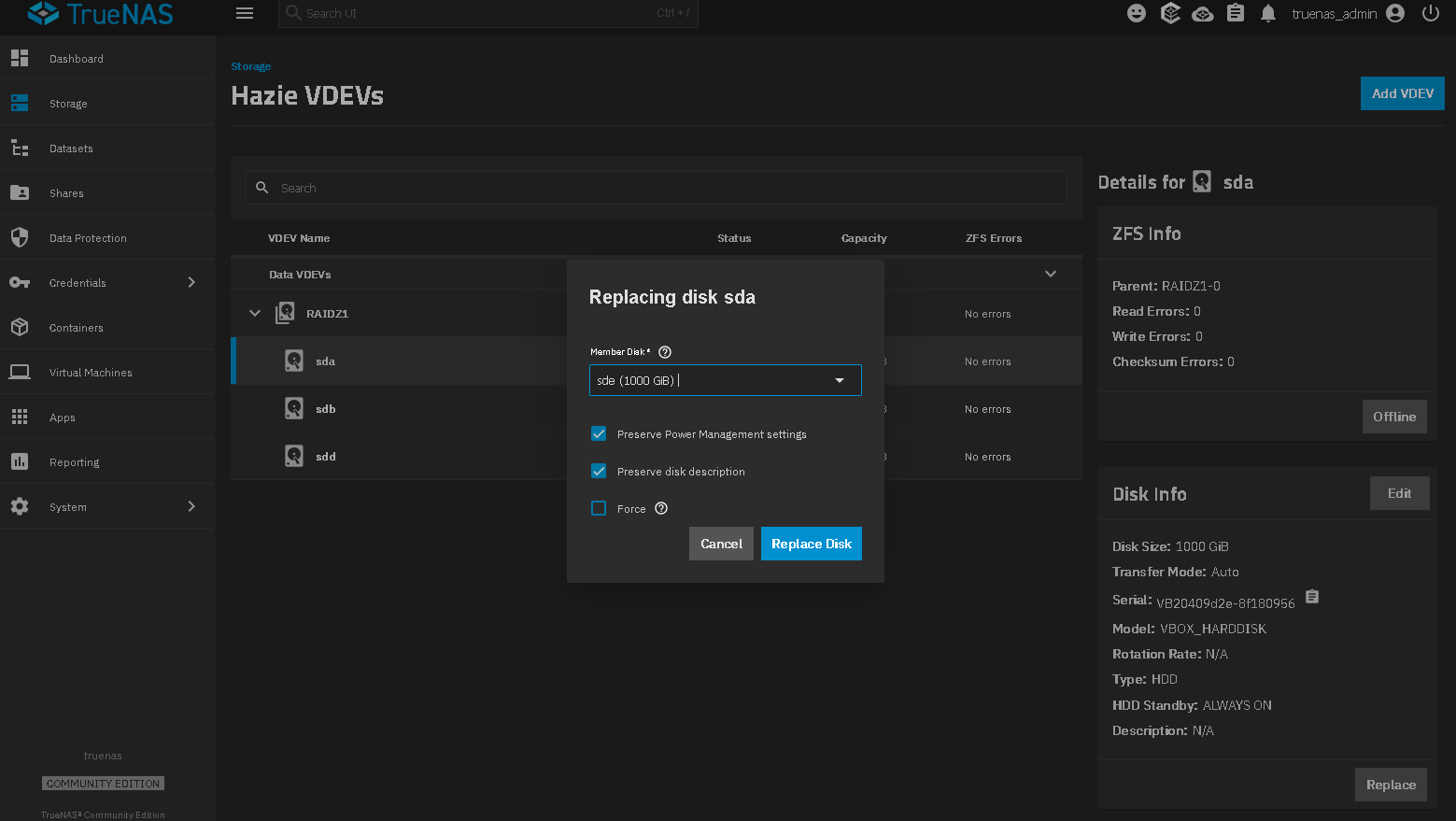
You are not adding the 4th drive to the VDEV. You are selecting the ‘failing’ drive and then selecting the new, unassigned drive as a replacement.
Showing a 3 wide Raid-Z1. Went to Storage, View VDEV, expanded view to see all drives, selected ‘bad’ drive and then Replace button on lower right. Selected 4th drive. This will do an in place, replacement if all the drives are online.
Thanks for the replies, I had to offline the failing drive as it kept attempting to resilver it? Anyway, I offlined it, shut down the server, removed the failing drive and attached the new drive. Rebooted found the failing drive was still showing in the pool and selected replace.
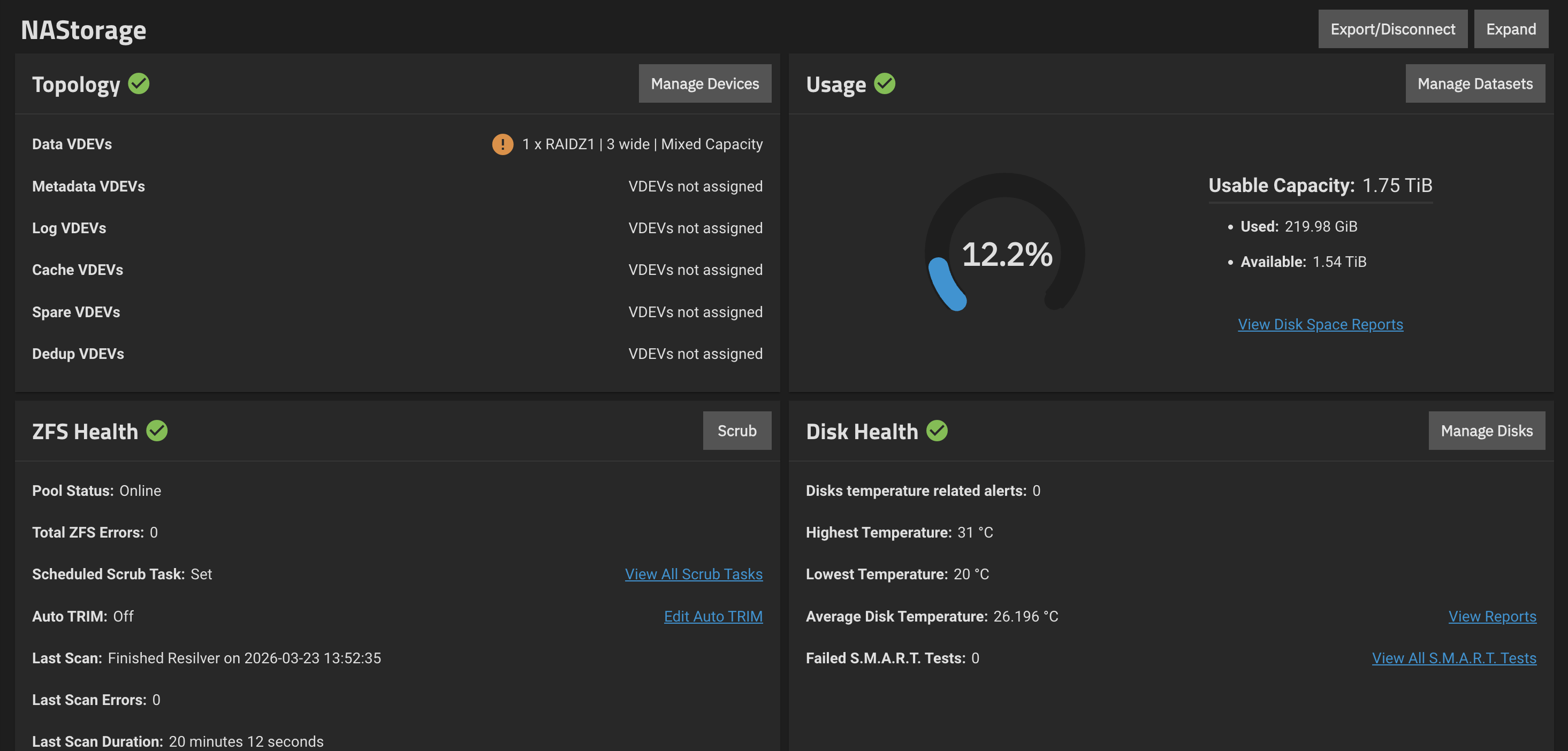
New drive resilvered quite quickly.
Before doing this I ran a short SMART test on the new drive and it showed no errors. I am now doing a long test.