My TrueNAS Scale Build has been working fine, I only use it maybe once or twice a week to access files. I am still in the process of tranferring data from old Macbook and Hard Drives.
Last night I switched in on and went back in the house to search for some old photos and videos for my kids, however I could not access the SMB share on my Mac.
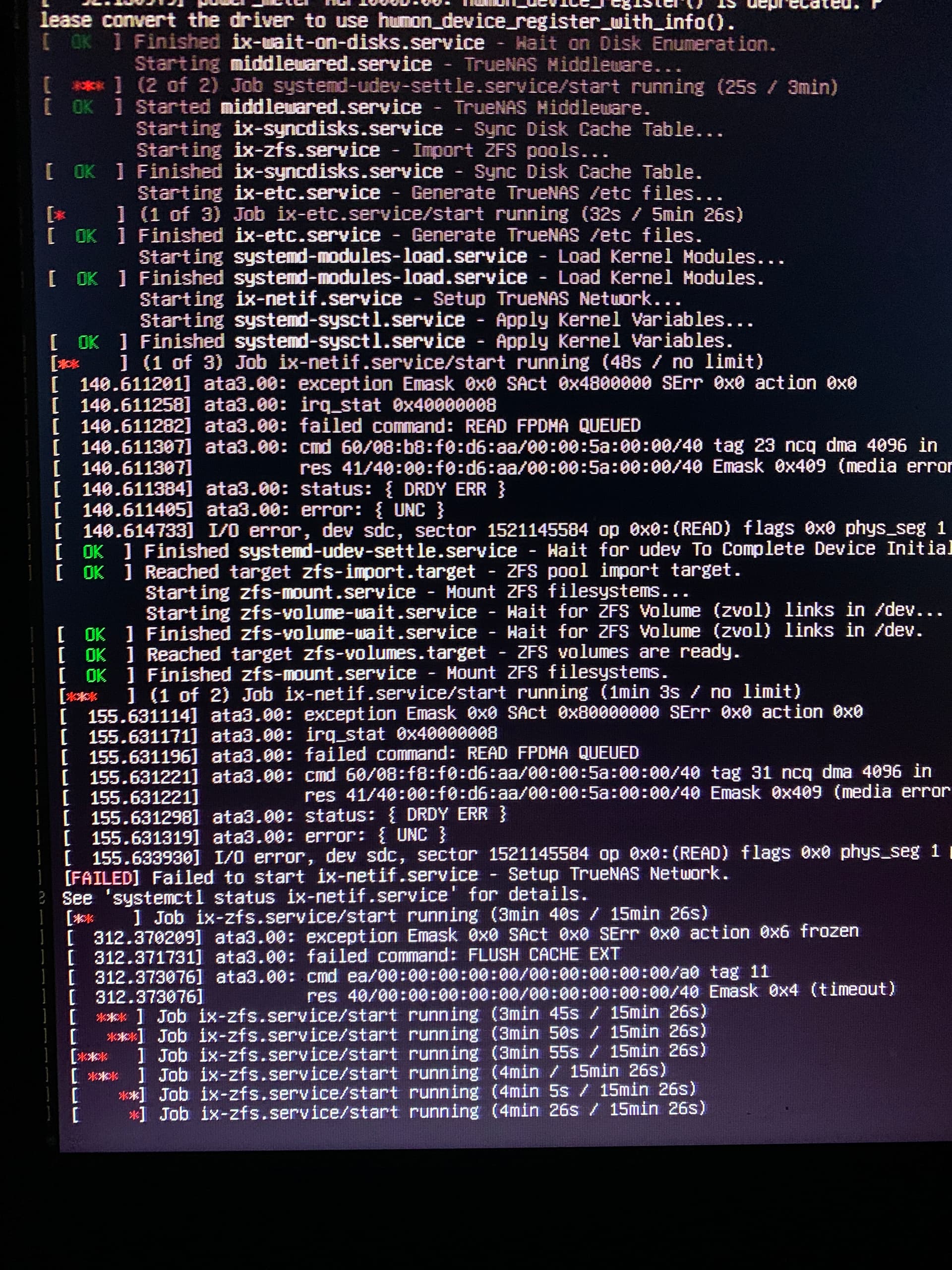
On going back into the workshop, I switched on the attached Monitor to check the progress and it appeared to be stuck at:
Above this were several errors which you can see in the attached image.
The only thing I can think that would have caused this, is that the last time it was used, in a rush, instead of shutting it down using the web console, it hit the power button on the case to invoke a hardware shutdown. I am guessing this may have corrupted something?
Being a complete amateur with this, I have no idea were to start diagnoseing the problem and fising this, so any help would be brilliant.
Depends on if you hit the power button or held it down.
If you just hit it it caused a proper shutdown via ACPI. If you held it down you powered the machine off hard which may have caused an issue.
Is sdc your boot drive? That could explain the issue. If it is just a data disk it should not stop truenas from booting. If you’re unsure maybe try booting a live linux or the TrueNAS installer which you should have ready at that point anyways to check.
Hey, I am new and might not be able to contribute much, but on the bootup pic as one of the errors it says “failed to start ix-netif.service - setup truenas setup, See ‘systemctl status ix-netif.service’ for details”. Is it possible that it is somehow unable to access the configuation files (e.g. for setup the network) on the boot pool? Do have a backup of the configuration file?
I will open up the case and reseat everything and retry. It sits in my non heated outdoor workshop and it’s been pretty cold last few weeks. The changes in temp can cause this IIRC.
The TrueNAS installer for example will give you a list of possible disks to install to when you hit “install”. If you don’t move cables around the order should stay the same. With a live linux you could also use smartctl to check the state of the disk.
If sdc is the boot drive and you have an configuration file backed up somewhere, you could restore the storage pool by installing true nas (live cd) to a new boot drive and importing the configuration file and mount the storage pools if i’m not mistaken.
When I built it I created a document containing some notes. All I have is the versions that I initially installed which I believe was TrueNAS SCALE 24.10.1
In that case you’ll probably have to create the config from those notes again. You could try to recover the freenas.db file from the disk if you boot another OS or attach it to another computer and import the pool though. If you’re lucky that file is still readable.