Trying to map NFS share on TrueNas from Windows 11

With the use of ChatGPT and so far after hours, no joy.

I can ping Truenas, I can trace, there is no firewall and I can see the mount

C:\Windows\System32>showmount -e 192.168.0.27
Exports list on 192.168.0.27:
/mnt/NAS/Movies                    192.168.0.0/24

I have a passwd and group file as below:

passwd file

kris:password:3000:3000:kris:/var/empty:/usr/bin/bash

group file

kris:x:3000:

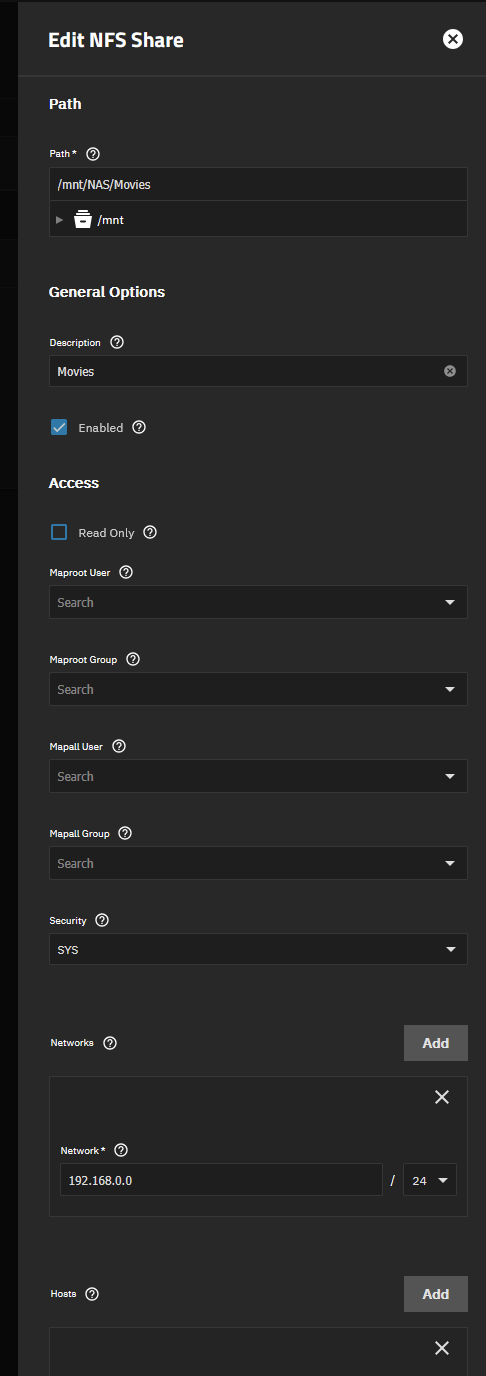
my share looks like this on truenas , my PC IP is 192.168.0.10

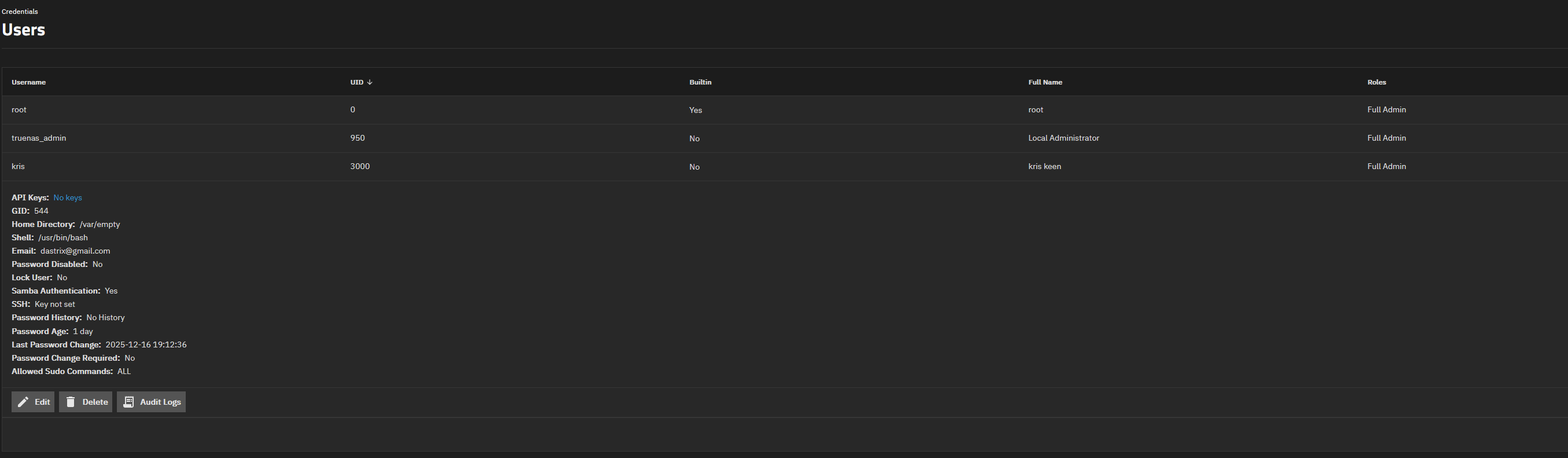
Here is my user config on truenas, windows also uses ‘kris’ as my username

Share works perfectly via SMB. Fails via NFS with

C:\Windows\System32>mount 192.168.0.27:/mnt/NAS/Movies F:
Network Error - 53

Type 'NET HELPMSG 53' for more information.


C:\Windows\System32>

I’m at a loss as to whats going on. Any suggestions?

Thanks!

Wouldn’t it be tremendously easier to just use the SMB server for Windows clients?

Its easier, but that’s not what i want.

Curiosity had me trying it on my own system, I used NFS for a Linux VM so just re-used that. Tried mounting it on my own Windows 11 machine and it surprisingly just fired up (I don’t do anything with whatever passwd and group files are mentioned there, afaik manually mucking with those makes funky things happen.

Only interesting thing I note is that files made from Windows are using an invalid UID

Which tells me it’s not authenticating as a user maybe? IDK I don’t really know how NFS works… Edit: A small amount of research indicates that yes, this is by design since Windows does not do UID mapping in NFSv3 unless you have configured some special sauce entries in LDAP to make it so.

I managed to get it to “Network error - 53” by disabling NFSv3, apparently the built-in NFS client on Windows seems to not know how to do NFSv4?

Hope any of this helps.

Network error 53 is where i get stuck too. I gave up. Shouldnt be rocket science

Yeah, I found the supposed benefits of NFS couldn’t sufficiently outweigh the compatibility levels of SMB wrt Windows despite the overhead.

In the end it’s usually best to just use the protocol the OS wants the most.

What exactly is this overhead. At the protocol level the clients open handles and do IO on them. There’s not a ton of difference between requirements for NFSv4 and SMB3 in this regard. There is mention in this thread of authentication with NFS. Unless you have a NFSv4 + KRB5, there is no NFS authentication. The client basically tells the server its uid + gid (e.g. no authentication / security here).

Ah yes. The internet. I stand corrected. :slight_smile:

1 Like