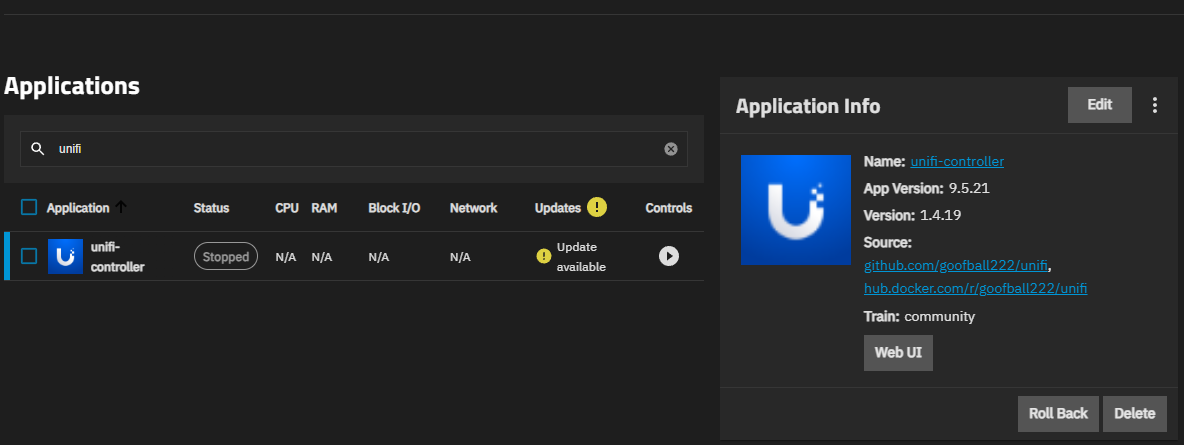
UniFi controller app stuck in update process from v1.4.19 > v2.0.1

I’m trying to upgrade the UniFi controller (v1.4.19 > v2.0.1) app from the GUI.

After I click upgrade, SCALE stops the app, and that’s it. Upgrade doesn’t happen.

All I can do is start the app and keep using the old version (v1.4.19).

How can I find out the reason? And how can I update the app successfully?

1 Like

Looks like I have to recreate the app to get the newest version, but there are still issues deploying it: v10.0.160-mongo8 not starting on TrueNAS 25.04.2.6 · Issue #158 · goofball222/unifi · GitHub

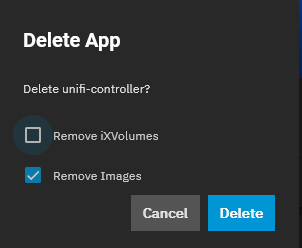
Yeah I had to delete it again & this time include the ‘ix-volume’ & then re-install. That cleared it up for me.

Thank for the response. Can you explained a bit more in detail?

  1. How do you migrate UniFi data to a new controller? Exported / Imported backup file under Controller > Settings > Backups?
  2. Where I can find and delete “ix-volume“?

Unifi Web GUI> Settings > System > Backups > Download

When you go to delete the app there is a brief pop-up with the option for check-off the volume; it is disabled by default

Uhh then I re-installed it, I think I had to stop/start it once to get it going, then since it is a fresh install, at some point early on the web-ui for UniFi app asks if you’re making a fresh install or if you got a config you want to upload, then you upload the config, wait a bit, maybe do a stop/start if it doesn’t work in a few minutes; success.

2 Likes

I had the same experience. Backed up and deleted old controller (including iXVolumes). Created the new one. In the setup process, choose “Restore from backup“, which got the app stuck in “deploying“ stage. Stop/start the app and get a new controller with old controller settings/history data.

2 Likes