Got my Beelink ME mini two days ago - and while waiting for the package I stumbled across this thres… Fantastic information in here…
I decided to not upt in the 6 starter disks I planned with… So went with 5 of them… 2TB Crrucial P3’s… Then one WD green 500GB in slot 4 - installed Truenas community/scale on that… I was originally thinking of going Truenas on the eMMc. Though about unplugging the wifi card (no use for it), but have not done so yet…
All 5 disks in one pool. 3 SMB shares on it… Moved all files from my old NAS over through SMB (took forever, as it is only 1Gb)… I have been running 32 hours now, preassuring this little guiy - reading through the somewshat better 2.5Gb network, saturating it without issues.
Also been running a couple of scripts locally to push the disks a little more (mix of random writes and large files)…
Could get the CPU to around 95% with the script… SMB only it was around 20%… Temps have been stable on CPU and disks around 44-48 degress C…
This morning I have run some shutdown tests. Did 10 of them now… No disconnects… So happy with that…
I will let the little guy run for a weeek under preassure… Then I will put both 2.5Gb network interfaces on and see if I can get them to work together, pushing it a little harder…
It was delivered with the M1V304 bios… No issues yet… I hate upgrading if something works, he he… But also something to look into…
I will update with some more info later this week…
Now that the system seems to be pretty stable after all if you stay within the power budget, I decided on this configuration for mine:
1x Transcend TS120GMTS820S in slot 4 for the OS
5x Crucial CT1000P3SSD8 in a RAIDZ1 for the pool
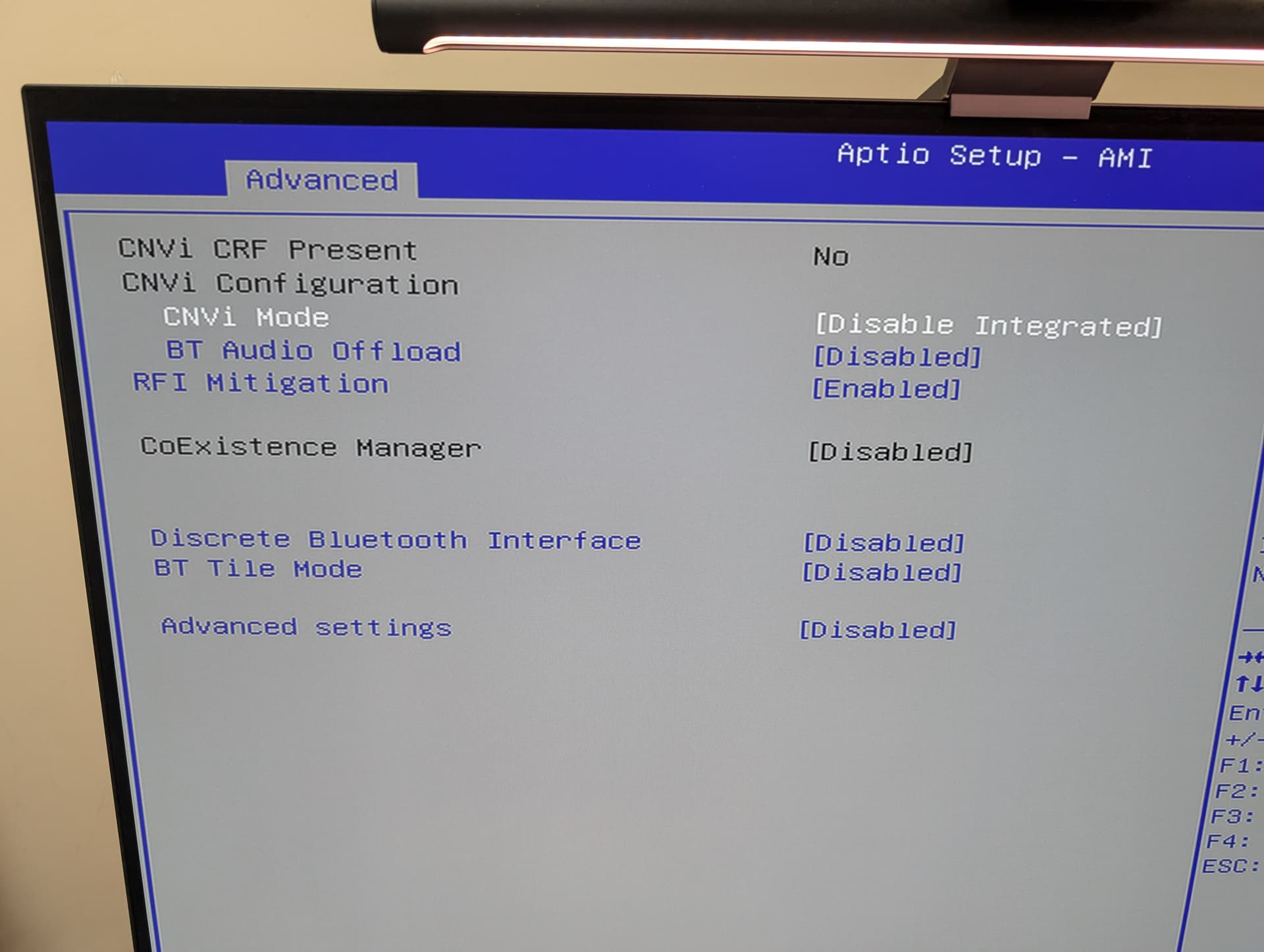
WiFi & Bluetooth removed
eMMC erased and disabled in the BIOS
LACP uplink and everything on VLANs on top of that
TN CORE and potentially zVault
Only thing - if you check the download site for the BIOS updates there are two files that hint at a 16 GB RAM version. Gnaaa …
But jails are low overhead, so …
And to close a PSA:
For automatic power on after power loss in the BIOS setup navigate to:
Chipset > PCH-IO Configuration > State After G3 - change to [S0 state]
PSA2:
The two Ethernet interfaces are each in their own IOMMU group. So you could pass one to a VM regardless of the host OS (Linux/FreeBSD), and use that as e.g. WAN for a dedicated firewall VM.
After reading this thread, I was scared and confused with my recent purchase.
To get out of the mess, I did some tests and now, I am back to relaxed by the data gathered which I share with you:
TrueNAS Performance Test on BeeLink ME Mini
The test should give some guidelines and hints only and is not intened to be complete or high tuned.
Test Setup
Beelink ME Mini with 12GB RAM with BIOS M1V305
6x Samsung 990 PRO SSD 2TB
Debian Trixie (13) on eMMC for having a second OS (incl WLAN)
TrueNas Community Edition 25.4.2.1
Installed on nvme03 (nvme slot 4)
Partitioned: OS 32GB, apps-pool 700GB, data-pool 1.05TB
big-pool: 5x SSD, draid1, 7.13TB
To measure the power, two mechanisms were used, the table shows the hardware version.
A bash script that uses energy_uJ data gathered by the OS where two measures need to be taken and some math applied, details on request. For an idle BeeLink ME Mini, the data is quite accurate but not when under load. In idle mode, the ME Mini uses about ~10W (!) with the setup described below.
A harware plug where the ME Mini is connected to. This data is accurate not only in idle but also in load mode.
Note that when under load, the fan was doing only a bit more work but still being very silent. I purchased special heatpads for the SSD’s with 13W/mk (usual it is 6W/mk) fearing that the system may overheat by the Samsung PRO SSD’s. I will install them when they arrive but it seems that this purchase was not necessary.
Transfer Test Without Network
This test measures the internal transfer rate only without any network IO.
First change to the pool you want to test such as cd /mnt/big-pool
Then run the test, change bs and readwrite accordingly:
It seems a hardware plug is not reliable for me. I swapped out all ssd’s for different ones, but in the end it all posted 39Watt max.
1st Situation: 5x Integral M3 Plus 2TB + 1x 500GB Crucial P5 Plus (DRAM!)
2nd Situation: 5x Samsung 990 Evo Plus 2TB + 1x 256GB SN720 from a HP
1st Situation caused missing nvme’s ( multiple errors, like disc 1 or 3 or 4 removed )
2nd Situation: Works fine for now. So it seems not to be Watts used, but spikes.
I do not know what all this means though
“Then run the test, change bs and readwrite accordingly:”
Am I reading this correct that you are using 6 x 2 TB 990 Pros with a standard install of TrueNAS CE without any problems?
I have my ME Mini standing empty on the shelf. Because all of these problems people are having I haven’t bought any NVMEs yet. And the 2 TB 990 Pro is currently on sale here for around €130 each.
I posed about my issues with the ME Mini and that I would reach out to Bee-Link support.
They keep trying to say to install Truenas on the drive in slot 4 and REMOVE 1-2 drives. They didn’t say it, but they are eluding to a power restriction. I’ve told them that this solution is not acceptable as that limits the reason I bought the ME Mini in the first place.
They said they may have a bios update to fix the issues at some point. They have offered to replace the unit, but that won’t do anything.
I very dissatisfied with the ME Mini. I’m creating some social media content and I will re-test and have a video out warning people of the limitations of the unit.
I’ve decided to go with the Asustore Flashstor. I got one brand new off Ebay with a memory upgrade for $429 plus tax. I can run Truenas or Open Media Vault. This also be part of my upcoming NAS series.
I only can tell what my measurements returned.
If you search for “techpowerup samsung-990-pro-2-tb” you will get a set of comparisons of different nvme’s and their power consumtion. My results matches the data. Note that the max draw is 5.4W x 6 = 32.4W which is inline with my reported 36W as the ME Mini needs some power too.
I have crucial p310 4tb x 6 drives in raid z1 configuration. I have faces issues with truenas scale but after switching to truenas core there are no issues. So the issue might not be the powersupply. Atleast not all of it.
I installed Core with no problems with the M.2 dropout. That was a while ago. I was told the m.2 dropout problem is in the debian kernel and it wont be fixed until they fix the kernel. I was wondering where we are in that regard? I like core because it is very solid, but I would prefer CE because its newer.
Edit: I originally had proxmox running underneath, but pulled it and installed CORE on bare metal. Using 5 kingston 1TB and one 0.5 TB stick in the #4 slot.
6 x 4.6W = would be a max of 27.6W used by drives.
There was also mention above about the 3.3V rail, my BIOS also reports this as an alarming “4.153V”.
However, probing the unit directly gives me 3.26V, which is at least within spec.
You can test your own, the 3.3V rail is PIN 2 on the M.2 slot, luckily this is the side of the slot facing out, the very left pin (it’s actually marked on the PCB).
Please note that I cannot vouch for the power quality on this rail, I only have a simple multimeter, and this measurement was taken with 6 drives installed and the unit in BIOS (no drive activity).
Hi, I am using a ME Mini for a few weeks and will contribute my 2 cents
Running
TrueNAS Scale 25.04.2.3
6 x 4TB Lexar NM790
RAIDZ1 with almost 18 TB available (LZ4 and AES-256-GCM encryption on all datasets)
No WiFi Card
Both NICs in use (one connected directly to my Proxmox Server, the other one to my router)
No VMs or containers running (for now)
No tunables modified
Original BIOS (301 or something like that)
I have been running this configuration pretty stable for almost 3 weeks now
Few Linux machines accessing a Datasets via NFS
Windows machines accessing the same Datasets via SMB
Nightly Proxmox backups via NFS to another Dataset
I offloaded almost 4 TB of data from my machine to the NAS via 2.5GB ethernet overnight without any issue (mixed files so mixed speed)
However, the other day I noticed after waking up, that my NAS was turned off (and only the NAS, so it was not a power outage), after turning it on again and going into the WebUI, I noticed that a Scrub job was running, pegging all cores to 100 %, it got to almost 80 % of the Scrub (about 30 minutes I think) and the machine turned off again (I’m not sure about temperatures, I was not actively monitoring it), so it seems that the Scrub job was too much for the PSU (after all PROCHOT is disabled at BIOS level so I won’t be the CPU overheating)
I am not sure if the PSU is thermally connected to the heatsink
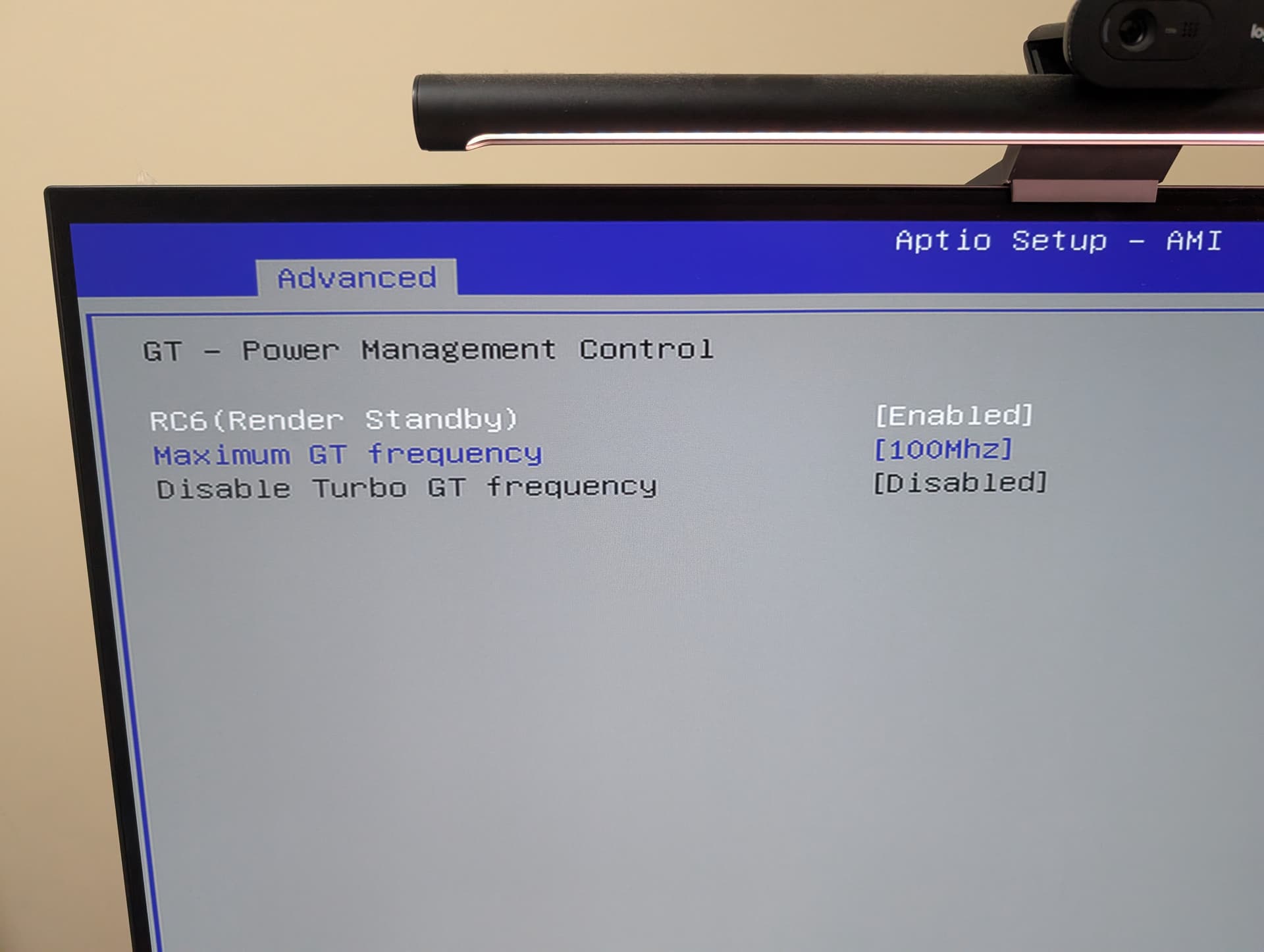
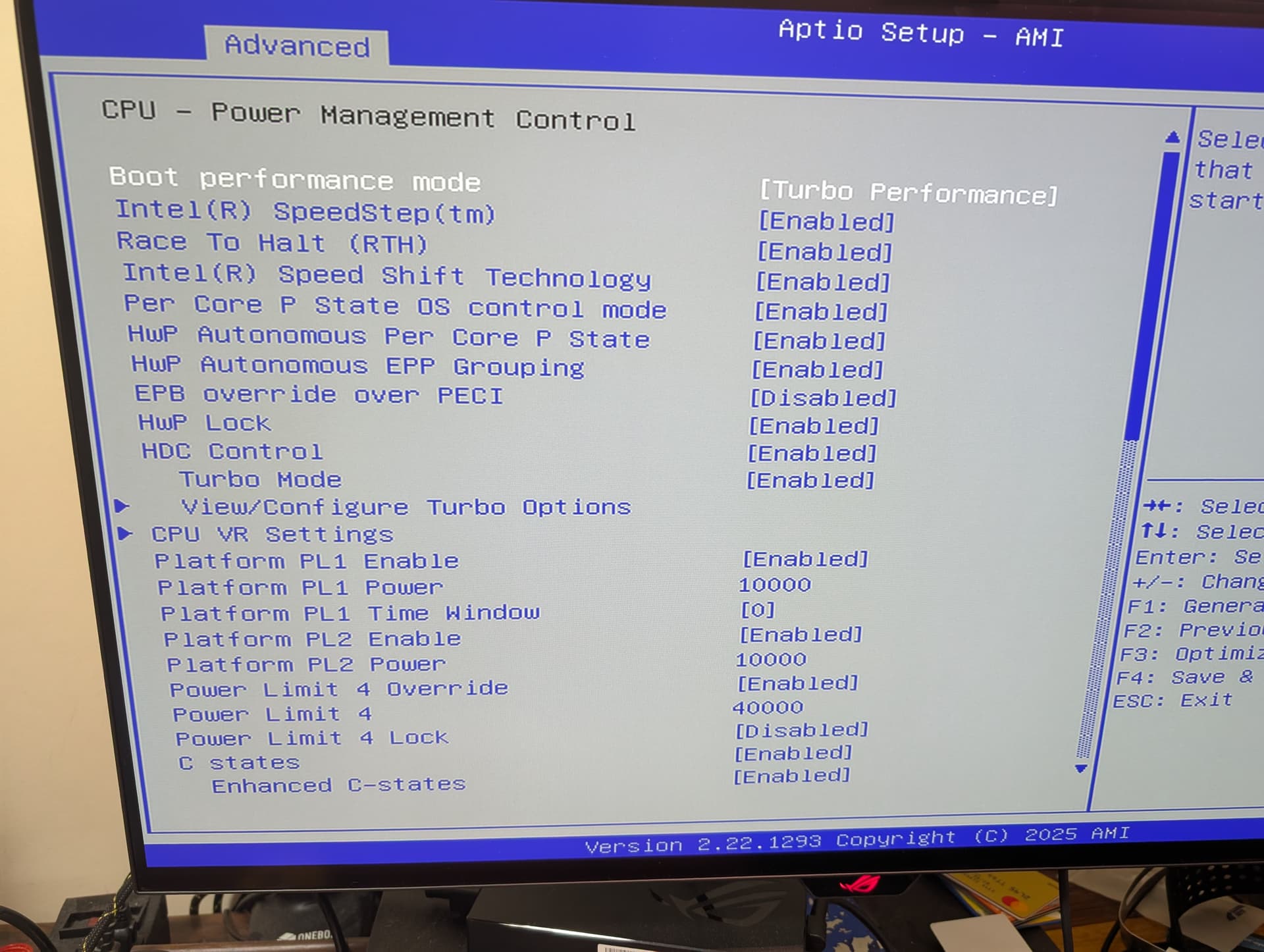
What I did to “”“fix”“” the issue is disable VT-d (some people say that cause instability) and limit the CPU power to 10 watts, buuuuut, I maybe touched too much in the BIOS and now the CPU won’t clock higher that 800 Mhz (I recall modifying some Turbo parameters too) , so I will work a little bit more on that and report back, the Scrub did run entirely without any issue tho
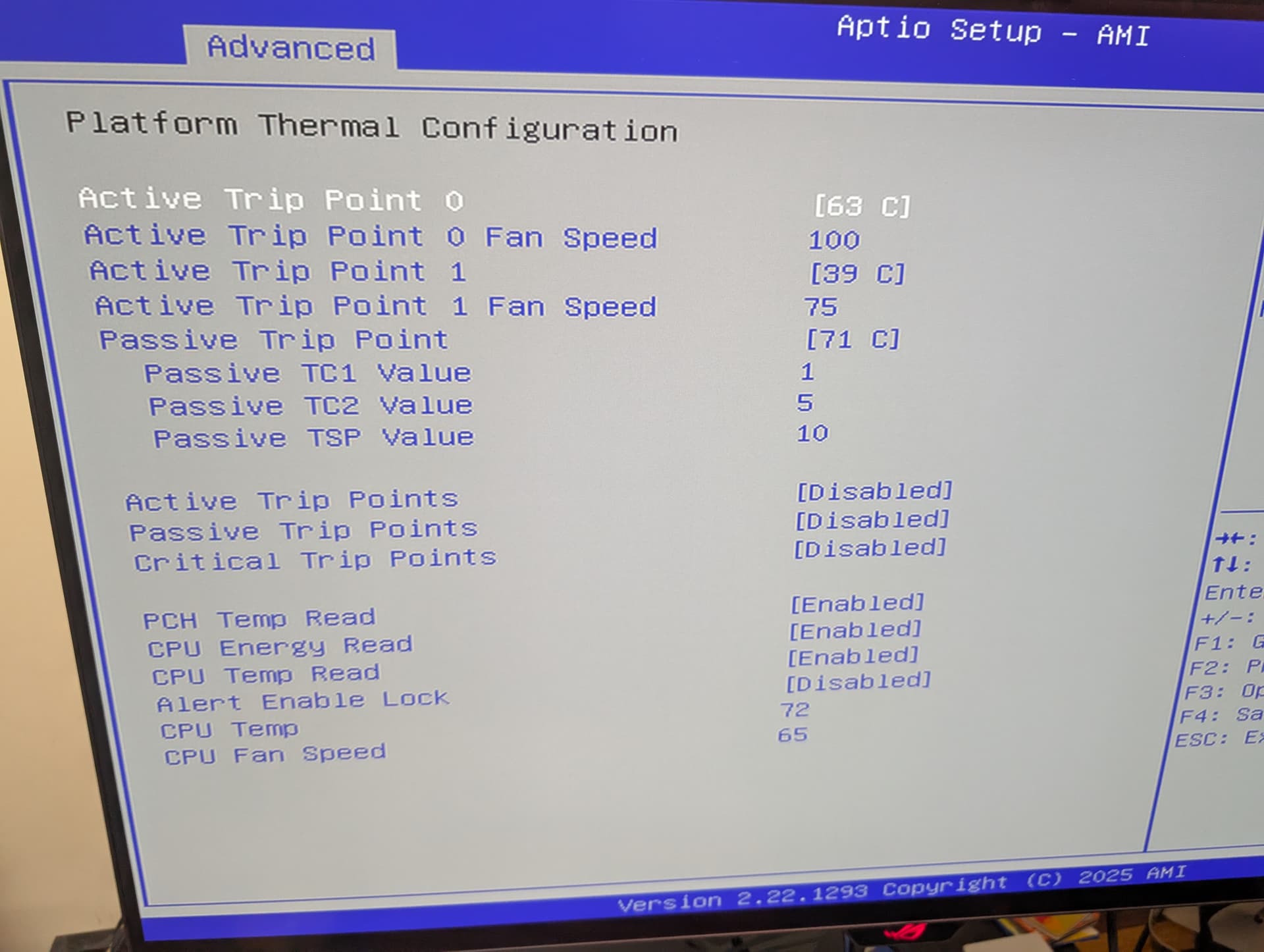
Maybe a more aggressive fan curve could indirectly cool down the PSU and fix the issues?
Did anybody upgraded the BIOS to the latest version and got something fixed?
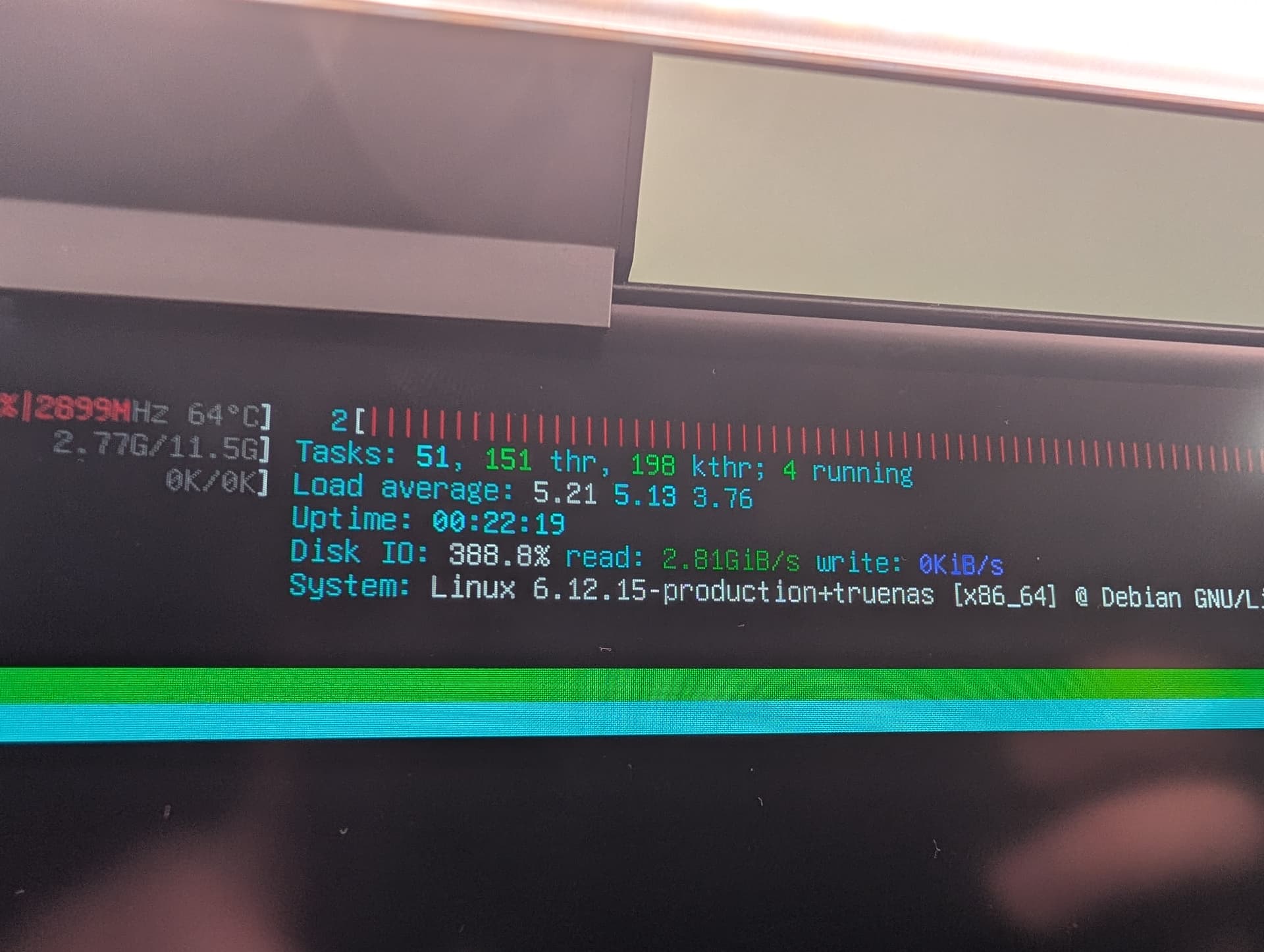
After those changes the Scrub finished in 25 minutes for almost 4TB of mixed data, the CPU was at 2.9Ghz for all the process and the fan did spin up a little for 30 seconds at a time, the temperature stable at 65 C for the CPU and around 55 C for all six NVMe drives