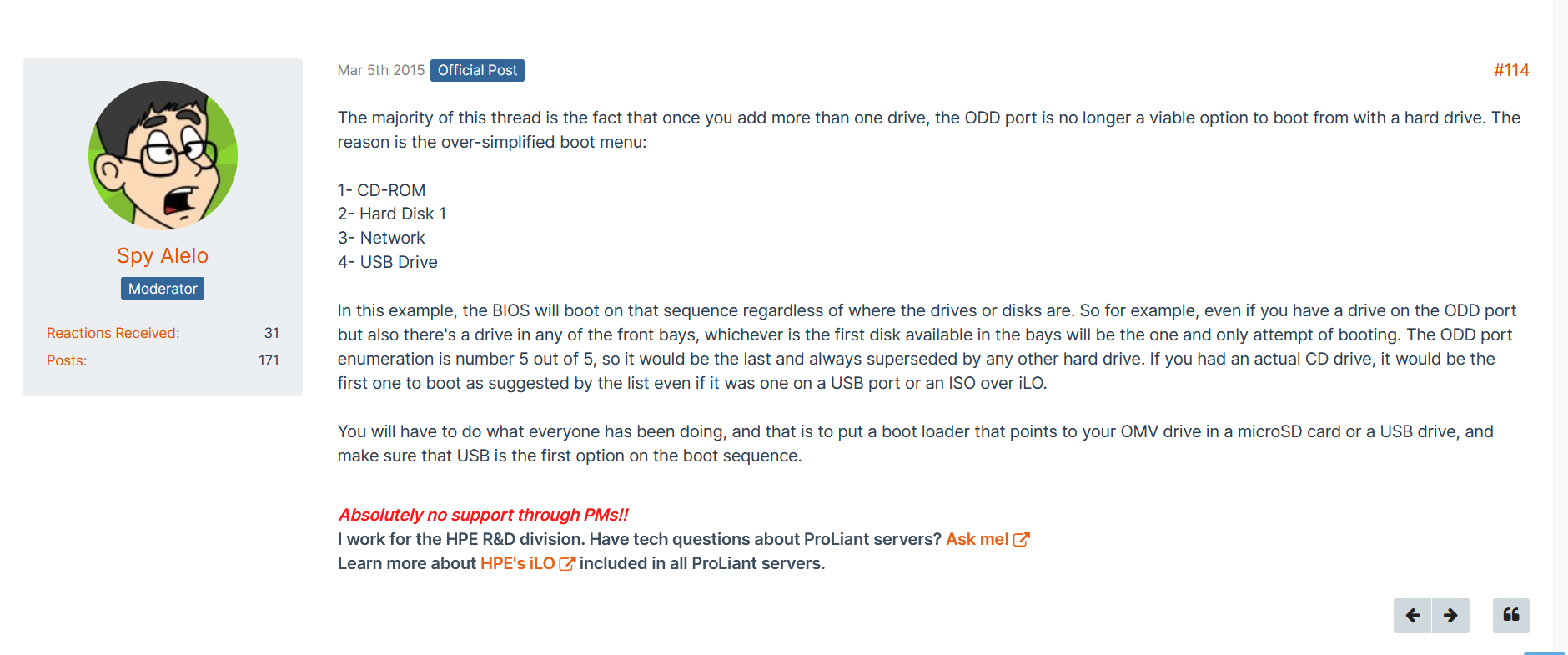
Why would they limit the boot device if you select a different SATA mode wtf.
That would probably be a very bad idea with ZFS.
That would probably be a very bad idea with ZFS.
but could it be the root of the problem?
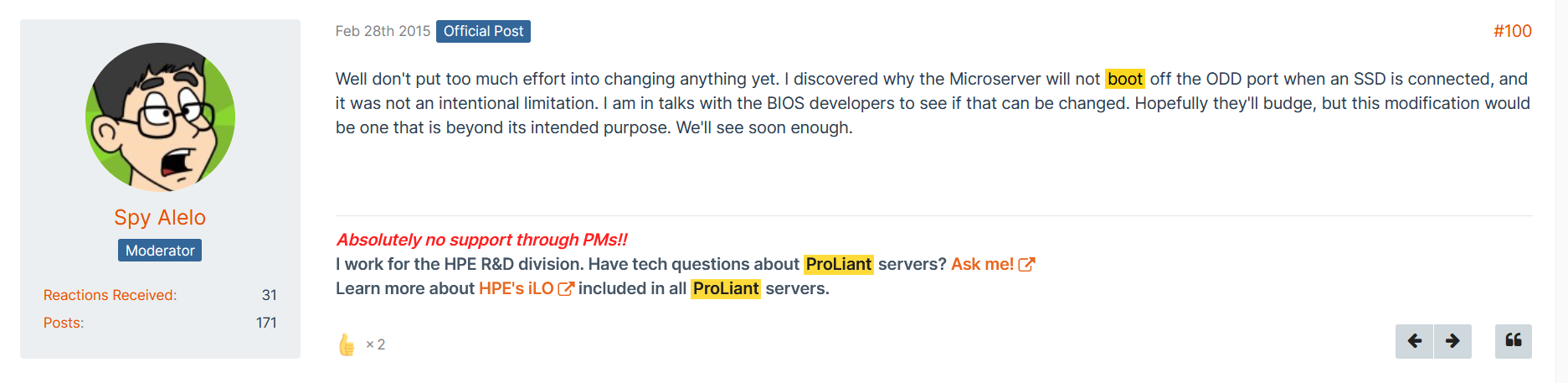
There is more or less a whole thread about it another forum. There is a guy who works for HP, apparently it is an unintentional limitation.
That is extremely weird.
Does this then also disable USB and network boot?
Just now saw your second screenshot. So at least there’s a workaround. Still sucks.
I honestly don’t know but I wouldn’t be surprised.
One person here even did not trust the controller in AHCI mode and put in an HBA, but given how small the case is, that must lead to some heat issues.
But I always used the first method and never had any problems at all with the controller in AHCI.
Yeah, it does!
There is a third method, as the workaround relies on the Gen8 to boot from USB/SDCARD, you could also put the OS on a SSD connected via USB, there is an USB port inside.
I think it is USB3, but not sure. if not, there is a question if it supplies enough power, however. Running it 24/7 out of spec might lead to a problems later on.
In the freenas days, where it was viable to boot from usb sticks, this was the simple/natural solution.
Going back to the disk problem, based on the SMART output and my limited knowledge, I would guess it is as simple as a bad sector. It happens, even on brand new disks. That is why hard disk drives always come with spare sectors.
SATA’s method to force a spare out of a bad sector, is to write to it. That is a reasonable method, less complicated than SAS. Perfect for desktop usage. So you can use a single pass of badblocks or other full disk write program to cause the bad sector(s) to be spared out.
Now if that does not help, time to RMA the disk.
This part bothers me a tiny bit.
Your error occurred at hour 2 of the drive operation.
You have two options here:
My advice, run badblocks so you know there is no problem with the drive. Backup all your data and run badblocks on all your drives, you can do them all at once if you desire, you need to use tmux but it is easy. badblocks is destructive, it will destroy any data on your drives.
I missed that.
Wonder if this is a new method to scam buyers, by flooding the market with fake WD Red Pro drives, that are really those WD Red SMR drives. The scammer over-writes the identification for the SMR drive with CMR identification.
I mean their are likely 10,000s, (if not much, much more), of returned, useless WD Red SMR drives out in the world. We have seen what scammers have done with some Seagate drives.
Of course, I could be seeing conspiracies everywhere and my paranoia could be working overtime. On the other hand, THEIR ARE SCAMMERS and big money to be made.
Just to state something that may not be obvious - please make sure to not run badblocks on any drive connected to a pool with data that you wish to keep.
I personally don’t even enjoy running badblocks on any system with data that I care about.
Once again - make sure drive is not actively part of a pool before you run badblocks.
Or, hear me out, this is a brand new drive, can you not just RMA it at the store? Forget testing anything further?
There are very few ways a person can test if the drive is actually SMR or not, one is the write of random data to see if it slows down the writing speed, but this would need to be aimed at the specific drive. I would not recommend doing this until after the drive was replaced, then have the drive on it’s own and test it.
What I’d try to do:
single_pool.cd /mnt/single_poolfio --name TEST --eta-newline=5s --filename=fio-tempfile.dat --rw=randwrite --size=500g --blocksize=10m --ioengine=libaio --iodepth=1 --direct=1 --numjobs=1 --runtime=3600 --group_reporting would probably do it. You are looking specifically at the values [w=???] and this will change a little from time to time, and you might see a drastic drop in one iteration, that is fine. You are looking for an average speed. You are also looking for a sustained drop in speed.Example: You start at [w=175MiB/s] and it fluctuates a little however the reports are generally in a similar range. Now 5 minutes later (for example and could be a lot longer) the values change to [w=20MiB/s] (could be near zero) and the keep coming out very slow compared to the beginning of the test. This would be an indication of an SMR drive.
These commands are…
(SCALE): fio --name TEST --eta-newline=5s --filename=fio-tempfile.dat --rw=randwrite --size=500g --blocksize=10m --ioengine=libaio --iodepth=1 --direct=1 --numjobs=1 --runtime=3600 --group_reporting
(CORE) fio --name TEST --eta-newline=5s --filename=fio-tempfile.dat --rw=randwrite --size=500g --blocksize=10m --ioengine=posixaio --iodepth=1 --direct=1 --numjobs=1 --runtime=3600 --group_reporting
If you end up running this, I’d like to hear the results.
There are scammers out there, but I have to ask: Where’s the “big money” to be made by scamming 4 TB drives?
Operating costs at the reconditioning facility should be the same irrespective of capacity, so your “business” will have much better margins selling 16 TB+ drives than 4 TB drives.