Hello everyone,
I’ve got a realtek 8127 10g network card whose drivers are not in TrueNAS (yet, they’ll be there in TrueNAS 26). I followed this guide to get the drivers working on 25.10.1 and everything works… most of the times.
Sometimes at boot Apps wont start with this message:
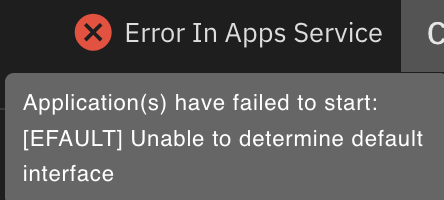
Application(s) have failed to start: [EFAULT] Unable to determine default interface
Even if all the network interfaces are correctly up and running.
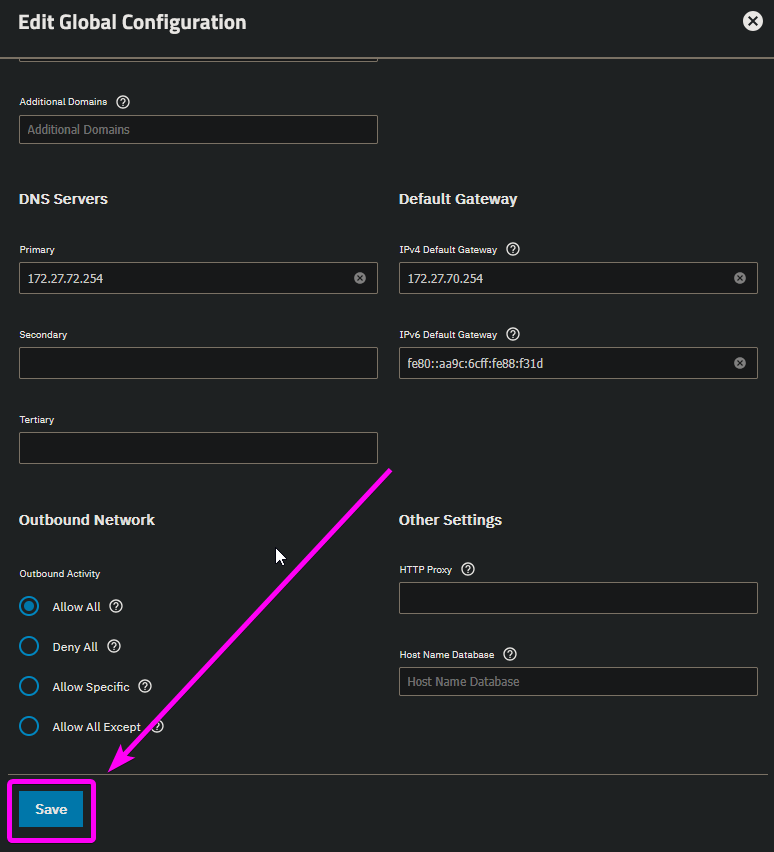
It eventually gets fixed by removing IPv6 from the network interface,

rebooting, re-enabling IPV6 and rebooting again (yeah, I know, it’s that weird).
Funnily enough when doing that I get a message that the default gateway is not reachable, even if it obviously is.

The full trace message, if anybody is curious, is
Error Name: EFAULT
Error Code: 14
Reason: [EFAULT] ‘172.27.70.254’ is not reachable from any interface on the system.
Error Class: CallError
Trace: Traceback (most recent call last):
File “/usr/lib/python3/dist-packages/middlewared/api/base/server/ws_handler/rpc.py”, line 360, in process_method_call
result = await method.call(app, id_, params)
^^^^^^^^^^^^^^^^^^^^^^^^^^^^^^^^^^^
File “/usr/lib/python3/dist-packages/middlewared/api/base/server/method.py”, line 57, in call
result = await self.middleware.call_with_audit(self.name, self.serviceobj, methodobj, params, app,
^^^^^^^^^^^^^^^^^^^^^^^^^^^^^^^^^^^^^^^^^^^^^^^^^^^^^^^^^^^^^^^^^^^^^^^^^^^^^^^^^^^^^^^^^
File “/usr/lib/python3/dist-packages/middlewared/main.py”, line 954, in call_with_audit
result = await self._call(method, serviceobj, methodobj, params, app=app,
^^^^^^^^^^^^^^^^^^^^^^^^^^^^^^^^^^^^^^^^^^^^^^^^^^^^^^^^^^^^^^^^
File “/usr/lib/python3/dist-packages/middlewared/main.py”, line 771, in _call
return await methodobj(*prepared_call.args)
^^^^^^^^^^^^^^^^^^^^^^^^^^^^^^^^^^^^
File “/usr/lib/python3/dist-packages/middlewared/api/base/decorator.py”, line 108, in wrapped
result = await func(*args)
^^^^^^^^^^^^^^^^^
File “/usr/lib/python3/dist-packages/middlewared/plugins/network.py”, line 482, in save_network_config
raise CallError(f’{str(gw)!r} is not reachable from any interface on the system.')
middlewared.service_exception.CallError: [EFAULT] ‘172.27.70.254’ is not reachable from any interface on the system.
It’s not a FreeNAS bug per se, as I am sure that loading the drivers with a pre-int script (or post-int, it does not make a difference) screws something up. Even if it was, it’s probably not worth fixing it as it will probably work with version 26 soon.
What I am asking is if anybody knows a way to restore the Apps functionality without this very cumbersome double-reboot process. Maybe some CLI commands that I can automate?
I’ve tried restarting middlewared, containerd and docker to no avail.
I appreciate any help with this and while I fully understand that it’s not a TrueNAS issue, I’d love to find a workaround for a few months, until I can jump on version 26 train.
Thanks!!