I have encountered a strange – and critical – issue, and hope someone can assist.
Long story short … I am skipping all the explanations of why I followed the steps ending in the resultant symptoms and the problem, as well as skipping the steps and the frustrations that led me to narrowing the issue down to the essentials.
I had a new 10TB WesternDigital 3.5" Red Plus HDD. I attached it to a MiniPC running TrueNAS 25.04.2.6 (with limited SATA ports) via USB using an external adapter. I created a Pool, together with 2 Datasets – unencrypted. Then created SMB shares for the Datasets, and used both ‘rsync’ from another older stable TrueNAS-13.0-U5.3, and also manually copied – via Windows 11 File Explorer – a bunch of files and folders to the disk.
But when I connect this disk on a different TrueNAS server (also running 25.04.2.6) using SATA ===> *** PROBLEM ***
Using SATA the TN server does not see the ZFS Pool, so I can not import it. The command ‘sudo lsblk’ shows only the basic device (“/dev/sda”) without the primary partition (“/dev/sda1”). The most interesting output is from ‘sudo fdisk -l /dev/sda’. I have attached the PNG screenshot of the output. Doing all three of these things (“Import Pool”, “lsblk” and “fdisk -l”) on either of the two TN25.04.2.6 servers using USB results in no issues.
I have moved back and forth between SATA and USB several times, and used USB successfully with this disk on at least 2 different TN servers.
What causes the problem when creating the Pool via USB ?
What is the FIX to recover my data and make it usable via SATA ?
A long time ago I had an external Seagate HDD. The drive croaked on me. I took it out of the case to see if I could recover the data directly using SATA. I kept the adapter.
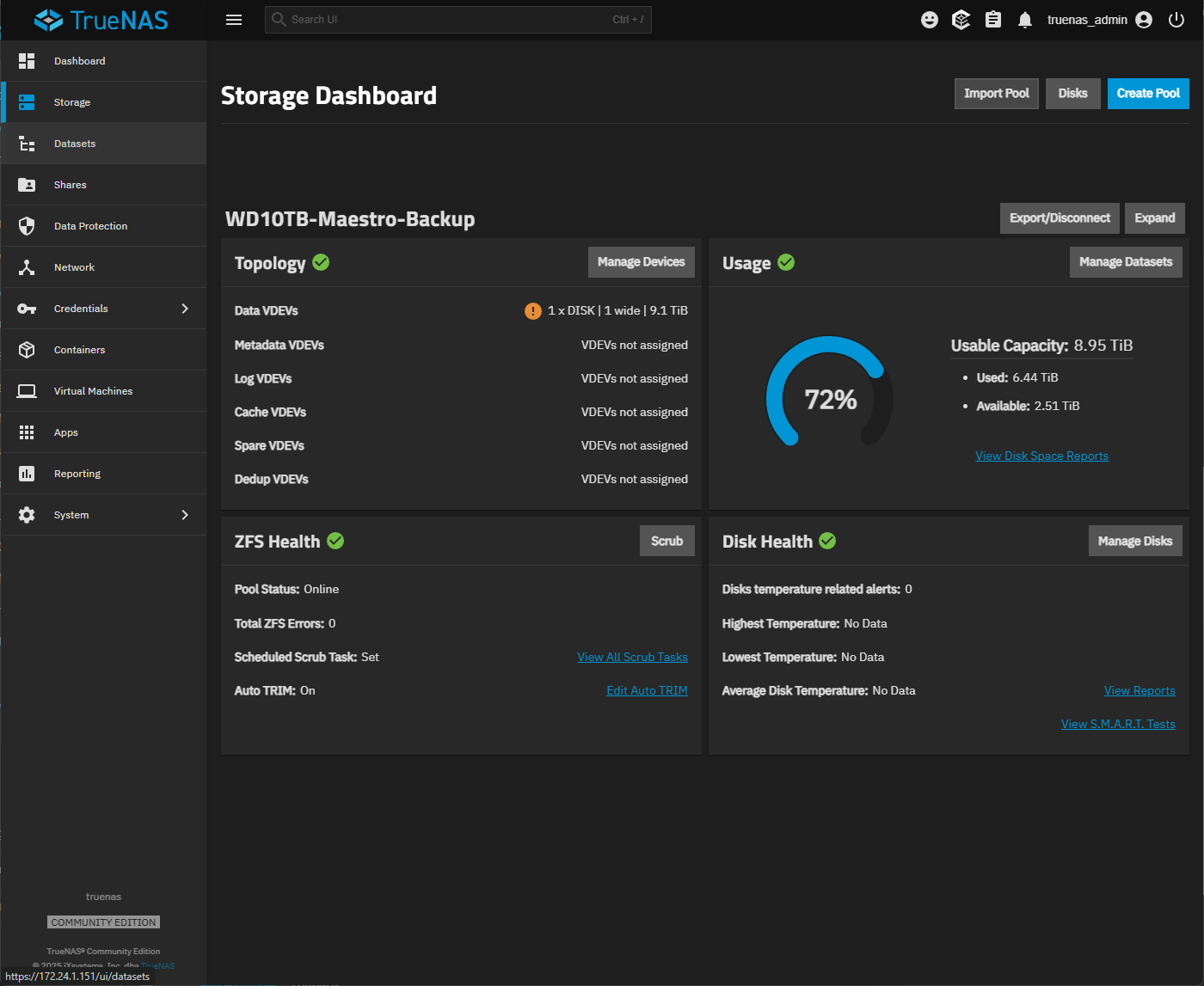
So … I guess it’s an old Seagate product. Has worked well for me on many different drives, including the 10TB WD Red Plus. It shows as 9.1TB using ‘lsblk’. In TrueNAS – when attached with USB – it shows a 8.95TiB “Usable Capacity”.
I used the ‘dmesg’ command to find the USB adapter. I pruned the around 1,000 lines down to what I think is the pertinent section using ‘dmesg -T | head -820 | tail -30 | cut -c1-120’.
My guess is that the Seagate USB adapter is doing something. Like making a 512 Byte sector drives appear as 4096, so as to allow larger partitions. Though that does not make complete sense…
How about the output of the following command?
zdb -l /dev/sdb1
Replace “sdb1” with the appropriate drive if not “sdb1”.
If there is a problem with the partition, then the output may show up like below. I’ve used the whole disk to show what errors could be shown.
Some pretty old USB adapters had limitations on max hdd size, plus remember a Seagate USB adapter (extracted from an external USB drive), that would create the partitions different than expected (an extra partition? can’t remember).
Your USB adapter reports 4096/4096 bytes per sector, and SATA reports 512/4096. The partition table stores coordinates in units of sectors. Thus, the partition table created when on USB becomes invalid when used on SATA (reverse is also true).
The best solution I can suggest is to backup, recreate the pool on SATA and restore from backup. Maybe someone knows how to force 4096 bytes per sector on SATA, but I don’t.
One more reason to discourage USB attach data disks: USB controllers that do strange things for access. (I am not saying their is no use for USB drives with TrueNAS, but, if you are unlucky then things like this can happen.)
Thank you to everyone with their helpful advice. And a special THANKS to Arwen !
Yes, I realize I may have made a mistake using a very old Seagate USB Bridge … and I could leave it at that and take the blame, and be done with it.
But the crazy part/parts is/are …
a) I am lucky I decided to further investigate after finding a bad partition table when connecting to SATA. I could have given up right there. Someone else migh trun into this problem
b) So, when ‘testdisk’ reported chaos, I decided not to write to the disk to “correct “ anything. Instead I re-connected it to USB and found an (apparently) intact ZVOL.
c) This disk, connected to USB, was used to backup an old TrueNAS 13 server in preparation for the transition to TN25 or TN26. I spent many hours this weekend verifying – via the same Seagate USB Bridge on a new TN26 server – that the 6+TB data on it was still “intact” … by ‘cmp’ to the old server. So, even though the Seagate USB bridge created an APPARENTLY bad partition table and caused whatever else issues … at least when seen from SATA … yes, the data was all there and uncorrupted
I also had to spend a lot of time ensuring that data I had purged from the old TN13 server for capacity reasons after the USB backup was safely moved elsewhere. It turned out the majority of the 6+TB data on the USB disk was still on the old TN13 server.
So, after all that work I wiped the 10TB disk, attached it to SATA and started from scratch on the new TN26 server. I am redoing the backup to it now as I write this from the old TN13 server. Then restore the temporarily rescued data … It will take some time
I hope no one else every hits this “bump” in the road. And I would encourage the developers to think about USB HDDs used for backup purposes. Those external drives are a very popular option.