
I have a Mini X+ with a single pool, 5 wide with 12Tib drives. The Mini X+ is used for a replication backup from a Mini R (7 wide, 12Tib drives). To increase capacity in the Mini X+ should I try eSATA, USB or a new case. The Mini is at 92.3%
Why not try larger drives? Replace one at a time and once the vdev is complete you should see your extra space.
If you migrate all the hardware out of your Mini, you’ll probably void the warranty (if you still have one in place), so keep that in mind. It may be better to replace the drives one-by-one with higher capacity drives or replace the whole system.
I would definitely NOT recommend adding drives via eSATA or USB. I also would not recommend just deleting some stuff, but I suppose that’s an option too…
Just like Johnny had suggested, may have to budget for drives (this is a hobby/homelab). My Mini X+ is now 4 1/2 years old. These Mini’s are used for Jellyfin video files. Thanks for the reply!
Thanks for the reply! I guess bigger drives may be the only option.
There are other options.
You can use a PCIe LSI HBA with external SAS connections and an external SAS enclosure. This enclosure for example:
Just don’t buy a RAID controller. The enclosure is a real, JBOD, (just a bunch of disks).
Sorry it took me a while to respond. I was looking at the website you linked, they have a “kit” that contains the enclosure, card and cable, and place the card in hba mode?
https://www.highpoint-tech.com/product-page/rocketstor-6434ts
Or do I need to obtain the parts separately? I’m not sure which hba card to buy.
I think this way would be cheaper than buying 3 larger retail drives (raidz1).
No, the card RR3742A is not one that can be (easily) put into HBA mode.
Ok, thanks, I will keep searching for a card.
Could you (or ixsystems) recommend a hba that would work with the Mini? I have a new JBOD enclosure but after researching hba’s i’m just not sure what to get. My Mini X+ is four years old.
TrueNAS shows the Mini X+ and the Mini R as having 1 x PCI Express 3.0 x 4.
I glanced at the specs for a Broadcom / LSI 9300 8e and it said X8 Lane Pci Express 3.0. I will leave the comments to others as to if it will work and just be slower, etc.
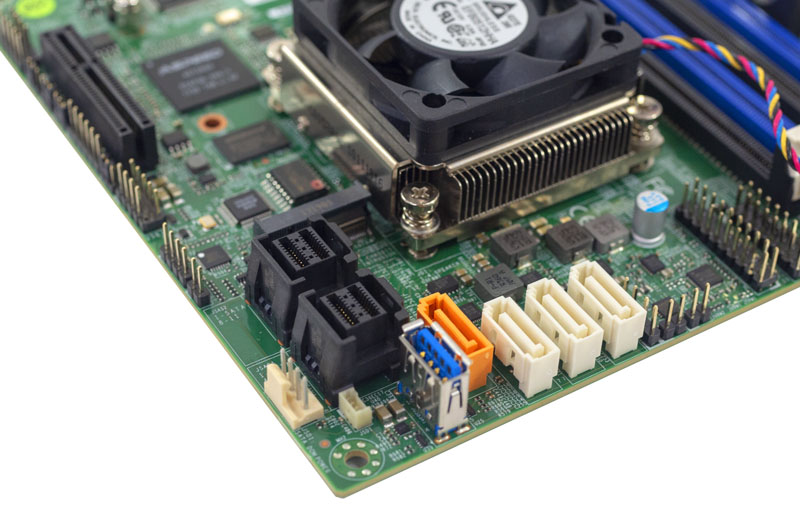
@SmallBarky @Farout Thanks guys for the reply and info. I’m going to give the LSI 9300 8e a try. New ones on Amazon seem inexpensive.
We forgot to mention the HBA cards like good airflow and cooling. I see 150-200 linear feet per minute in their documents. You may need to have a fan blowing over the heat sink.
Will see how that goes. The Mini X+ is really tight quarters, I may have to leave the access panel off…
I’m finally getting back to this project now that I have the parts. I don’t see the the Mini X+ is seeing the LSI 9300 8e, is there some I need to do to get the system to recognize the hba card? 25.10.1 - Goldeye
Edited to Preformatted Text
`root@pepper[~]# lspci`
`00:00.0 Host bridge: Intel Corporation Atom Processor C3000 Series System Agent (rev 11)`
`00:04.0 Host bridge: Intel Corporation Atom Processor C3000 Series Error Registers (rev 11)`
`00:05.0 Generic system peripheral [0807]: Intel Corporation Atom Processor C3000 Series Root Complex Event Collector (rev 11)`
`00:06.0 PCI bridge: Intel Corporation Atom Processor C3000 Series Integrated QAT Root Port (rev 11)`
`00:09.0 PCI bridge: Intel Corporation Atom Processor C3000 Series PCI Express Root Port #0 (rev 11)`
`00:10.0 PCI bridge: Intel Corporation Atom Processor C3000 Series PCI Express Root Port #6 (rev 11)`
`00:11.0 PCI bridge: Intel Corporation Atom Processor C3000 Series PCI Express Root Port #7 (rev 11)`
`00:12.0 System peripheral: Intel Corporation Atom Processor C3000 Series SMBus Contoller - Host (rev 11)`
`00:13.0 SATA controller: Intel Corporation Atom Processor C3000 Series SATA Controller 0 (rev 11)`
`00:14.0 SATA controller: Intel Corporation Atom Processor C3000 Series SATA Controller 1 (rev 11)`
`00:15.0 USB controller: Intel Corporation Atom Processor C3000 Series USB 3.0 xHCI Controller (rev 11)`
`00:16.0 PCI bridge: Intel Corporation Atom Processor C3000 Series Integrated LAN Root Port #0 (rev 11)`
`00:18.0 Communication controller: Intel Corporation Atom Processor C3000 Series ME HECI 1 (rev 11)`
`00:1f.0 ISA bridge: Intel Corporation Atom Processor C3000 Series LPC or eSPI (rev 11)`
`00:1f.2 Memory controller: Intel Corporation Atom Processor C3000 Series Power Management Controller (rev 11)`
`00:1f.4 SMBus: Intel Corporation Atom Processor C3000 Series SMBus controller (rev 11)`
`00:1f.5 Serial bus controller: Intel Corporation Atom Processor C3000 Series SPI Controller (rev 11)`
`01:00.0 Co-processor: Intel Corporation Atom Processor C3000 Series QuickAssist Technology (rev 11)`
`02:00.0 Serial Attached SCSI controller: Broadcom / LSI SAS3008 PCI-Express Fusion-MPT SAS-3 (rev 02)`
`03:00.0 Non-Volatile memory controller: Sandisk Corp WD Blue SN570 NVMe SSD 1TB`
`04:00.0 PCI bridge: ASPEED Technology, Inc. AST1150 PCI-to-PCI Bridge (rev 03)`
`05:00.0 VGA compatible controller: ASPEED Technology, Inc. ASPEED Graphics Family (rev 30)`
`06:00.0 Ethernet controller: Intel Corporation Ethernet Connection X553/X557-AT 10GBASE-T (rev 11)`
`06:00.1 Ethernet controller: Intel Corporation Ethernet Connection X553/X557-AT 10GBASE-T (rev 11)`
`root@pepper[~]#`
I’m finally getting back to this project now that I have the parts. I don’t see the the Mini X+ is seeing the LSI 9300 8e, is there some I need to do to get the system to recognize the hba card? 25.10.1 - Goldeye
Edited to Preformatted Text
`root@pepper[~]# lspci`
`00:00.0 Host bridge: Intel Corporation Atom Processor C3000 Series System Agent (rev 11)`
`00:04.0 Host bridge: Intel Corporation Atom Processor C3000 Series Error Registers (rev 11)`
`00:05.0 Generic system peripheral [0807]: Intel Corporation Atom Processor C3000 Series Root Complex Event Collector (rev 11)`
`00:06.0 PCI bridge: Intel Corporation Atom Processor C3000 Series Integrated QAT Root Port (rev 11)`
`00:09.0 PCI bridge: Intel Corporation Atom Processor C3000 Series PCI Express Root Port #0 (rev 11)`
`00:10.0 PCI bridge: Intel Corporation Atom Processor C3000 Series PCI Express Root Port #6 (rev 11)`
`00:11.0 PCI bridge: Intel Corporation Atom Processor C3000 Series PCI Express Root Port #7 (rev 11)`
`00:12.0 System peripheral: Intel Corporation Atom Processor C3000 Series SMBus Contoller - Host (rev 11)`
`00:13.0 SATA controller: Intel Corporation Atom Processor C3000 Series SATA Controller 0 (rev 11)`
`00:14.0 SATA controller: Intel Corporation Atom Processor C3000 Series SATA Controller 1 (rev 11)`
`00:15.0 USB controller: Intel Corporation Atom Processor C3000 Series USB 3.0 xHCI Controller (rev 11)`
`00:16.0 PCI bridge: Intel Corporation Atom Processor C3000 Series Integrated LAN Root Port #0 (rev 11)`
`00:18.0 Communication controller: Intel Corporation Atom Processor C3000 Series ME HECI 1 (rev 11)`
`00:1f.0 ISA bridge: Intel Corporation Atom Processor C3000 Series LPC or eSPI (rev 11)`
`00:1f.2 Memory controller: Intel Corporation Atom Processor C3000 Series Power Management Controller (rev 11)`
`00:1f.4 SMBus: Intel Corporation Atom Processor C3000 Series SMBus controller (rev 11)`
`00:1f.5 Serial bus controller: Intel Corporation Atom Processor C3000 Series SPI Controller (rev 11)`
`01:00.0 Co-processor: Intel Corporation Atom Processor C3000 Series QuickAssist Technology (rev 11)`
`02:00.0 Serial Attached SCSI controller: Broadcom / LSI SAS3008 PCI-Express Fusion-MPT SAS-3 (rev 02)`
`03:00.0 Non-Volatile memory controller: Sandisk Corp WD Blue SN570 NVMe SSD 1TB`
`04:00.0 PCI bridge: ASPEED Technology, Inc. AST1150 PCI-to-PCI Bridge (rev 03)`
`05:00.0 VGA compatible controller: ASPEED Technology, Inc. ASPEED Graphics Family (rev 30)`
`06:00.0 Ethernet controller: Intel Corporation Ethernet Connection X553/X557-AT 10GBASE-T (rev 11)`
`06:00.1 Ethernet controller: Intel Corporation Ethernet Connection X553/X557-AT 10GBASE-T (rev 11)`
`root@pepper[~]#`
root@pepper[~]# sas2flash
LSI Corporation SAS2 Flash Utility
Version 20.00.00.00 (2014.09.18)
Copyright (c) 2008-2014 LSI Corporation. All rights reserved
    No LSI SAS adapters found! Limited Command Set Available!
    Finished Processing Commands Successfully.
    Exiting SAS2Flash.
root@pepper[~]#
I used the command just to see if it found the card, no go. Do I need drivers?
Try sudo sas3flash -list for the 9300 series
This is the 9300
root@pepper[~]# sudo sas3flash -list
Avago Technologies SAS3 Flash Utility
Version 16.00.00.00 (2017.05.02)
Copyright 2008-2017 Avago Technologies. All rights reserved.
    Adapter Selected is a Avago SAS: SAS3008(C0)

    Controller Number              : 0
    Controller                     : SAS3008(C0)
    PCI Address                    : 00:02:00:00
    SAS Address                    : 500605b-0-0a32-1240
    NVDATA Version (Default)       : 07.01.00.08
    NVDATA Version (Persistent)    : 07.01.00.08
    Firmware Product ID            : 0x2221 (IT)
    Firmware Version               : 07.10.11.00
    NVDATA Vendor                  : LSI
    NVDATA Product ID              : SAS9300-8e
    BIOS Version                   : 08.15.00.00
    UEFI BSD Version               : 06.00.00.00
    FCODE Version                  : N/A
    Board Name                     : SAS9300-8e
    Board Assembly                 : H3-25460-02H
    Board Tracer Number            : SV51216192

    Finished Processing Commands Successfully.
    Exiting SAS3Flash.
root@pepper[~]#
I guess the sas3008 was throwing me off, looking down the list thats the 9300.
So this card can’t find the JBOD, a Highpoint RocketStor 6434S
- 1x 4-Bay JBOD Tower Storage Enclosure