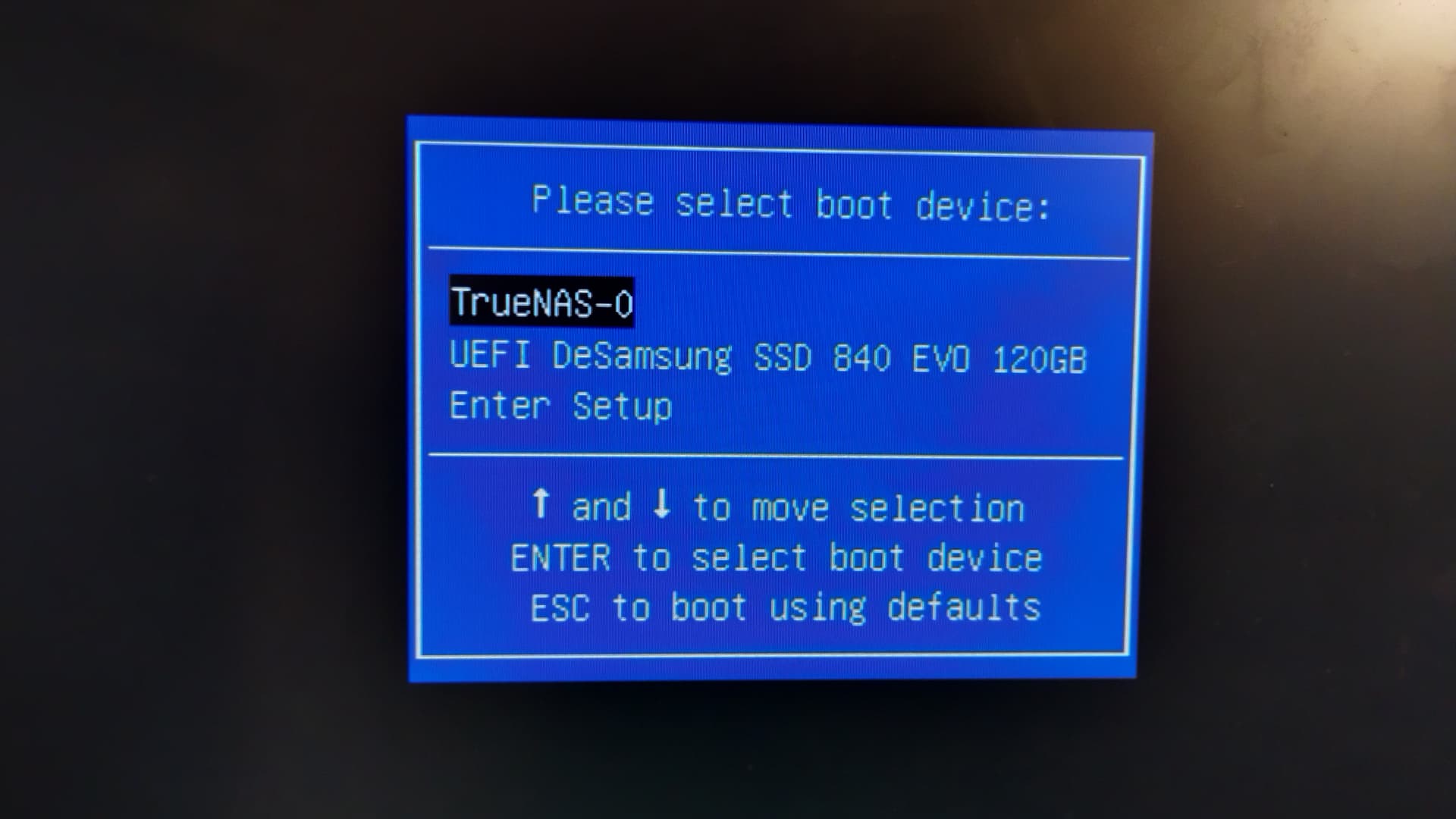
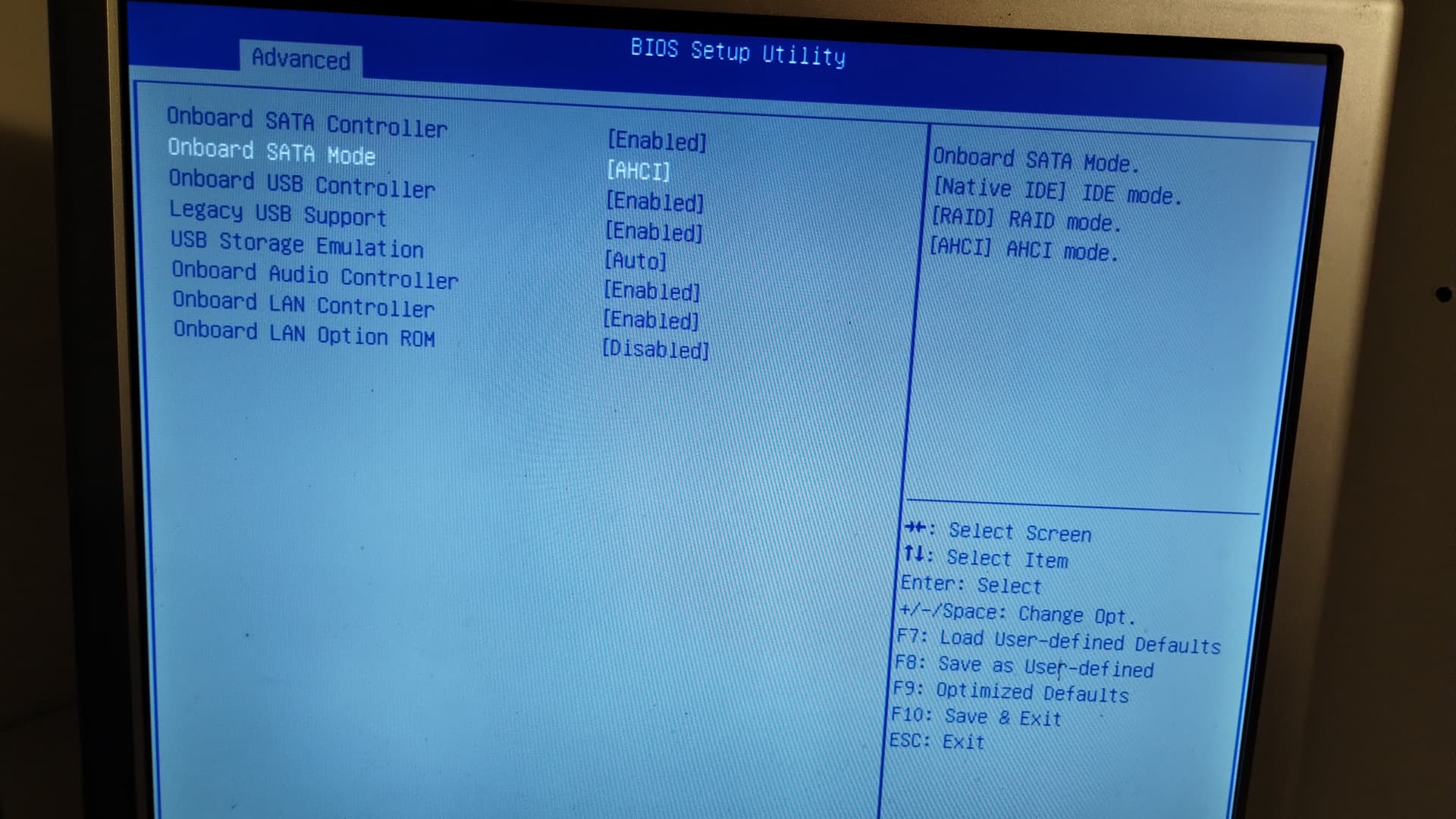
CORE user for along time, this system worked fine until my attempts to upgrade to SCALE.
After burning an iso of 25.10.01 and successfully installing SCALE from USB, I select ‘reboot’ from the install screen, remove the USB drive and system tries to boot from the SSD. It doesn’t find a bootable drive. Checked setup, and have selected both TrueNAS 0 and the ssd as boot devices, but no success.
I get confirmation of the install, and have created the new password, and it gives me the menu/screen to select reboot, so I think I’ve installed it correctly. Just will not boot.
System has a Samsung SSD as system drive, 4 HDDs. Above are the screens from the setup screens. Think I might install to another USB for boot device to see if that works, to help isolate the problem.
It would help if you will post your complete system configuration. Without it, one cannot really offer useful advice.
When you installed Scale to your boot device, did you request UEFI or legacy boot? The boot mode has to match the setting in your bios. Also, verify that you actually see the device you are booting from and that it is a bootable device.
System:
TrueNAS 25.04.2.6 | Supermicro X9SCM-F | Xeon E3-1240V2
32GB ECC RAM | PNY 120GB SSD for boot
3 WD Red 4TB + 1 HGST Deskstar NAS 4TB in RaidZ2
Toshiba 128GB M.2 SSD
I get a confirmation screen showing that install on sda (correct SSD drive) was successful. I select that drive from the boot menu as well.
I don’t recall being given the option to choose UEFI or legacy boot. BIOS screen does have an option for Legacy USB support [Enabled] and USB Storage Emulation [Auto].
When attempting reboot I see “TrueNAS -0” and “UEFI DeSamsung SSD 840 EVO 120GB” as options. Choosing either one does not boot.
Found the iso download for CORE 13.0-U6. Did a clean install and it refuses to boot, too. Tried both UEFI and legacy options, and also tried a new system disk. I’m sure it’s something dumb, but I’m out of ideas.
The install for 25.10.0.1 and 25.04.2.6 do not give me that choice. The install for 13.0-u6 does. I’ve tried installing 13.0-U6 on a different system drive and tried both options. UEFI seems to be working so far. Installer is still running.
I’m confused why UEFI runs on 13 but apparently not on 25…even when my PC’s BIOS version supposedly doesn’t support UEFI. (It was originally a Win 7 machine…)
Once the 13 install completes, I think I’m going to try to re-install 25 on the other system disk and see what happens.
You could also try to go the sidegrade via webui way, but you’d need to do it in steps.
If you want to try it you should go from core 13.0-U6.8 to 24.04.2.5 then 24.10.2.4 then 25.04.2.6 and lastly to 25.10.0.1
I’ve successfully gone back to 13 on a second system disk and have access to my files. Looks like I need to do some more research and digging to figure out how to get to 25.
I’m still not quite sure what I did to fix it, but I’ll get to 25 eventually. Thanks to all for their help and guidance so far!
I’ll keep this thread updated so others with similar issues may be helped.
More info. I attempted a reinstall of 24.04.2.5 on a different, tested good, completely wiped SSD. No success. Then tried to install 24 on a USB flash drive. Also, no success. Just would not recognize a bootable device.
I then wiped the original SSD and reinstalled 13 on it. I selected “Boot from UEFI” on the install menu, and it boots fine.
I did some research and apparently my PC’s BIOS did not include UEFI support (it was a Win 7 machine.) There seems to have been a BIOS update for UEFI the machine if it shipped with Win 8, but not for Win 7 upgrades. Wiim’s BIOS site has an indication of the Win 8 BIOS file, but I can’t seem to download it. Does anyone have another possible source for the BIOS update? Thought I might try that to see if it might work.
Other than that, I guess I’ll run 13/CORE until I find another Mobo and processor combo to upgrade.
The DX4860 is a very old machine and old machines can be rather fussy when it comes to the boot loader (the first program that runs when a computer with a Linux-based operating system starts up.) Getting the right combination of bios settings can be challenging.
If you’ve been able to get Core running OK then you might consider doing an update from Core to Scale - either through the update trains or via a manual update. Both of these options can be run through the GUI and there is documentation available to help guide you through the process. If it were me, I’d give it a shot but 1) make certain you have a backup of your important data, and 2) make certain you have a backup of your important data.
System:
TrueNAS 25.04.2.6 | Supermicro X9SCM-F | Xeon E3-1240V2
32GB ECC RAM | PNY 120GB SSD for boot
3 WD Red 4TB + 1 HGST Deskstar NAS 4TB in RaidZ2
Toshiba 128GB M.2 SSD
Thanks. I have a couple of Synology NAS devices that I use for additional copies of anything important. I actually came to TrueNAS from Windows Home Server V1, looking for a simple solution and using ‘extra’ gear I had already. This Gateway DX4860 was one I had and it had several SATA ports on the mobo, so no expander cards needed. (I’ve had issues with those in the past…) Also has a tower case that could take a large power supply and enough room to mount 4 HDDs and an SSD system drive. Plus lots of USB and flash plugs.
Since it looks like the issue is UEFI support with SCALE, I think I’ll look into a newer mobo and processor that might bolt into the case and let me use most of the physical stuff already there.
Dumb question, though…if I transfer my data drives into a new mobo install, will TN recognize them or is data at risk?
Data will not be at risk. Newer versions of ZFS will mount older versions of ZFS. Just don’t update the ZFS flags on a newer install until you are comfortable that all is running smoothly.
The gotcha I ran into was that the ownership/permissions of my data files had to be updated - mostly because I had done a poor job of setting up my original Core system many years ago. My data was never actually at risk, but it took me several days to sort out the permissions issues.
System:
TrueNAS 25.04.2.6 | Supermicro X9SCM-F | Xeon E3-1240V2
32GB ECC RAM | PNY 120GB SSD for boot
3 WD Red 4TB + 1 HGST Deskstar NAS 4TB in RaidZ2
Toshiba 128GB M.2 SSD