Another update profile "early adopter without Betas and RCs"

Problem/Justification
There are probably more users like me that fall into a profile something inbetween real early adopter and general. I like using something newer than the current general version but not the earliest beta on my productive system.

Impact

Less disappointments when clicking the update available button and all you get is a beta version.

User Story
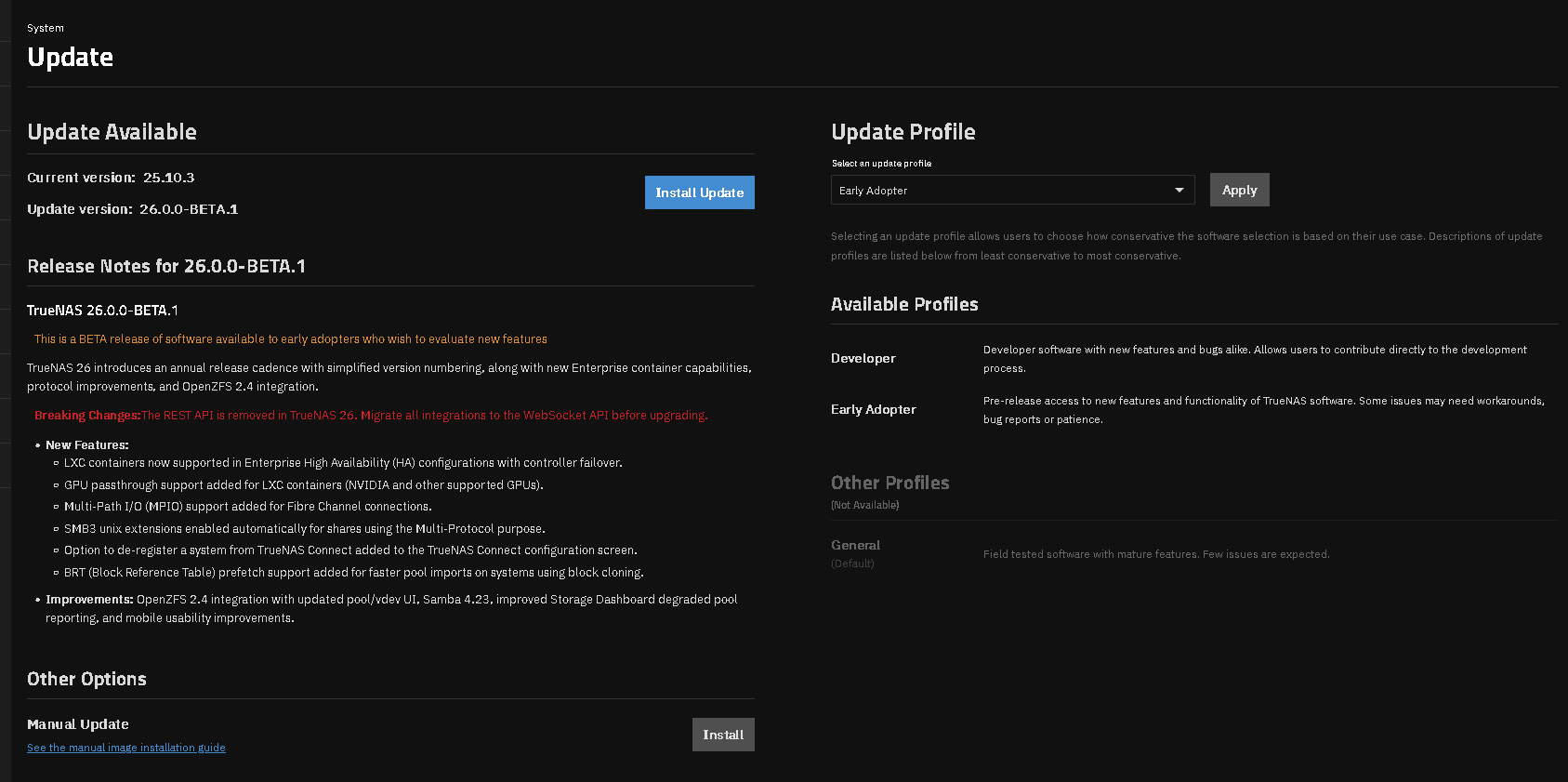
Switching to the profile early adopter without betas and RCs only offers you the current release. So when you’re currently on 25.10.3 there’s no update available.

4 Likes

If your are not particularly willing to deal with issues and file bug reports, I’m unsure about the usefulness of this “early but no beta/RC” profile, both for iX and for your very own sake.
But if you do see a point in being on the latest non-beta release, surely it is not too much to trigger the update manually, is it?

2 Likes

Still the early adopter train will show an available update to the beta in the GUI. I would say a dedicated beta train would make sense. That way ppl who want to try beta versions can select it and get notified if a new beta release is available, but early adopter that want to use the last non-beta release don’t get the notification in the GUI that a beta is available

3 Likes

The current interface gives a warning on the Beta version update when on EA and 25.10.3. I think it is more of an issue of just not clicking Update. If 25.10.3 is real stable, it may go GA in a few weeks. TrueNAS has going to the yearly release model so you shouldn’t see as many Betas & RCs as before.

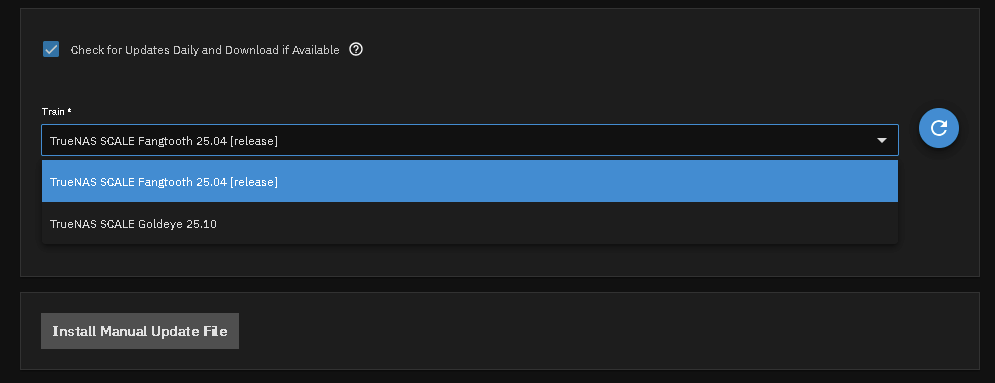
It looks like you are asking for something like the previous Trains (25.04.2.6 screenshot) where it put you on a certain release version. 25.04 or 25.10 in this image. The change happened to the current version because a bunch jumped from 25.04 to 25.10 and got stuck on the EA trains

1 Like

I fully agree with the problem described here, and I’d like to propose a more structured solution.

The root cause is that the current Early Adopter profile is defined as providing “pre-release access,” which means BETA and RC versions are included by design. This conflicts with what “Early Adopter” intuitively means — someone who adopts a released product early, not someone who tests pre-release software.
My proposal is to introduce a new profile tier between Early Adopter and Developer, something like “Tester”, and restructure the hierarchy as follows:

Developer — Nightly builds
Tester — BETA and RC releases (with the expectation of filing bug reports on Jira when issues are found)
Early Adopter — Official releases (Maintenance/Release), delivered before General promotion
General — Official releases after iXsystems confirms stability

Under this model, Early Adopter would no longer receive pre-release software. BETA and RC versions would belong exclusively to the Tester tier, where users understand they are expected to contribute feedback.
The recent situation where 26-BETA.1 appeared in the Early Adopter slot while 25.10.3 (a proper Maintenance release) had no profile to belong to is a direct consequence of this design flaw. It was corrected as a bug fix, but the underlying issue remains.

Additionally, I’d suggest a “Schedule to General” option: when a user is on Early Adopter and the current version has not yet been promoted to General, they should be able to set a flag that automatically switches their profile to General once iXsystems promotes that version. This would prevent users from unintentionally remaining on Early Adopter when they originally intended to be General users.

1 Like

All users that went from 25.10.x to the 26 Beta ignored the warning, see screenshot above, and confirmed to update their system. Users that want the stability and very minor Bug reporting, should stick with the General train. Versions are listed on the Software Status page. If you are on 25.10.2 through 25.10.3, you can go to the boot menu, select the 25.10.1 version, make it active, reboot and then go to the Update section and change the train to General. You will not see any more updates until the next version hits General status.

1 Like

Betas and RCs should be in the “Developer” profile. This seems obvious, but…

5 Likes

It’s probably the way I see releases. As we’re talking about a homelab enviroment for the community edition there’s probably a big difference to that “never touch a running system” GA in an enterprise enviroment. Also I have two systems. The main system runs other rather essential services besides storage in containers or on VMs.

In a homelab I see three profiles for software.

Latest current: This would be 25.10.3 right now. Especially since it’s a point release bugs should always be less than in previous 25.10s. (I think iXsystems does a great job regarding this since I’ve never had a real problem after updating to the latest point release.) Does also get the earliest release without a point if the RC behaved well on the second system.

Beta: This is good for the backup system which does backups of the snapshots from the first system. Not essentially necessary for the rest of my network at home. This is the machine on which I happily try Betas and RCs for reporting bugs I notice breaking things for me.

Developer: Nightlies for developers.

First, of course, TrueNAS CE has broader use than in a homelab. But more importantly, these proposed profiles make sense if and only if you assume that “latest current” can reasonably be expected to be stable, and that just isn’t the case, and hasn’t been for a very long time. The chances are better once you’re at .2 or .3, but “latest current” would also include .0.

1 Like

Is there a way to fully disable the Beta updates? My problem right now is that the Alert System sends me notification (because of an available update). And the available update is a Beta of 26 that I don’t want.

1 Like

If you’re currently on 25.10.3, you’ll need to wait for that version to be promoted to General. Then you can go to the updates screen and change your Update Profile to General and you won’t receive any update notifications until another 25.10 point release or the 26 versions reach General.

This was my understanding as well. I wonder what Developer profile is… a version of Beta 26 not out yet, which will be proposed to Early Adopters once it is available at the same time as developers instead ? In this situation, Developer Profile makes no sense.

1 Like

Early Adopters have the option of updating to the Beta of TrueNAS 26.

Developer train is for the Nightly builds. That train will show all update options. TrueNAS 26 & 27 at this time.

Thank you for clarifying iXsystems’ perspective. That said, I must express deep concern about the implications of the current stance, and I’d like to address several points directly.

1. The “Update Available” Notification Must Have Meaning

If users are expected to not rely on UI notifications and judge stability for themselves, then the “Update Available” alert on the dashboard becomes functionally meaningless. A notification should be a proactive recommendation based on a verified release track — not a prompt that requires independent research before acting on it. Telling users to exercise their own judgment rather than fixing what the notification conveys creates a “cry wolf” scenario, where critical security or stability updates may eventually be ignored because the user no longer trusts the notification’s intent.

2. Not All Users on Early Adopter Actively Chose It

It is also worth noting that not all users on Early Adopter selected that profile deliberately. A user who installs TrueNAS or performs an update during a window when General is not yet available has no meaningful alternative — Early Adopter is the only option that delivers current releases. These users did not opt into pre-release exposure; they were placed there by circumstance. Telling them to simply switch to General ignores that General may not have existed as a viable choice at the time they made their decision.

3. “Pre-release Access” Is Too Ambiguous

The Software Status page uses the term “Pre-release access” to describe the Early Adopter profile, but this is too broad and inaccurate. The term “pre-release” should not be applied to versions like 25.10.3, which is a fully released version — it has shipped, it has a version number, and it is in active use. The fact that it has not yet been promoted to General does not make it pre-release; it makes it a released version pending General qualification. Using “pre-release access” as a catch-all conflates two fundamentally different categories: software that has not yet been released, and software that has been released but not yet broadly recommended. Beta and RC versions belong to the former; 25.10.3 belongs to the latter. The distinction matters, and the documentation should reflect it.

4. Update Profile Should Govern Future Policy, Not Just Present State

There is a deeper design expectation that I believe is currently unmet: the Update Profile should define an ongoing update policy, not merely reflect what is visible at the moment of switching.

Consider a concrete scenario. A user is on 25.10.3 and changes their profile from Early Adopter to General. The expected behavior should be:

  • If 25.10.3.1 is released — likely before 25.10.3 itself reaches General promotion, which may well be the reason such a point release exists — it is applied, as it represents a correction within the same released version and is consistent with a conservative update policy.

  • If 25.10.3 is subsequently promoted to General status, and 25.10.4 is then released, the user should not be immediately offered 25.10.4 — because 25.10.4 has not yet reached General, and the user’s profile commitment is to General-tier stability.

In other words, the profile change should express the user’s intent going forward: “I want to stay on versions that have been validated to General standard.” It should not be interpreted as merely a filter on what is currently displayed. If the profile cannot make and honor that commitment, it is not functioning as a policy tool — it is functioning as a view toggle.

A Concrete Path Forward

To make the Update Profile system a tool for informed risk management rather than a mechanism for shifting quality assurance onto end-users, I’d propose restructuring the profiles as follows:

  • Developer — Nightly builds, for active development and deep testing

  • Tester — Beta and RC releases, for users who explicitly want to participate in the pre-release cycle and are prepared to file bug reports

  • Early Adopter — Official releases (Maintenance/Release) delivered before General promotion; no pre-release software

  • General — Official releases after iXsystems has confirmed stability; dashboard notification is a fully verified recommendation

Under this model, the Update Profile becomes a meaningful signal rather than a source of ambiguity. The goal is not to add burden to iXsystems, but to ensure that the system’s own features — notifications, profile labels, documentation — accurately represent the commitment they imply.

4 Likes

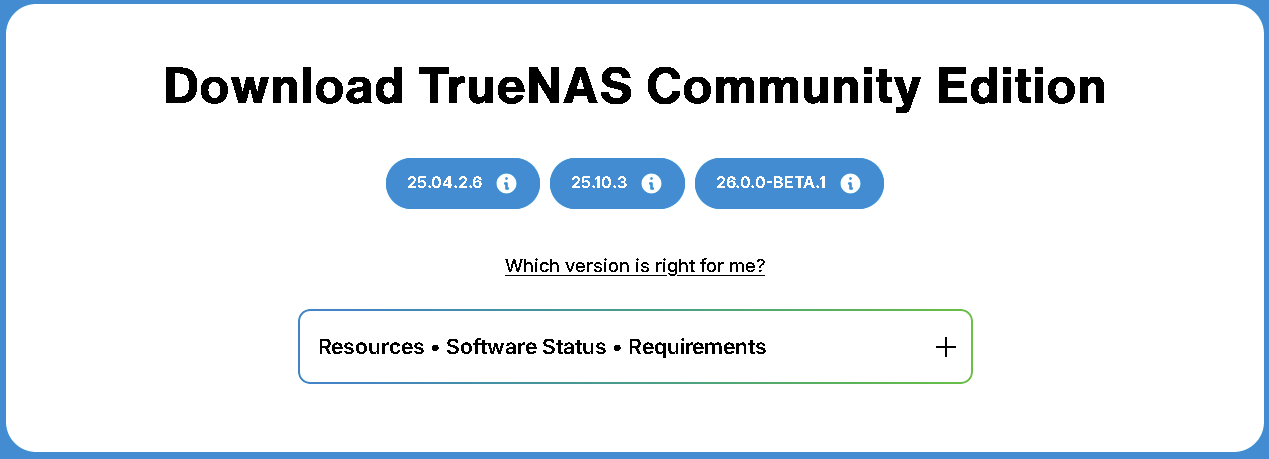
You start with a brand new system and go to download TrueNAS Community Edition. Your shown the screenshot below? What version to choose? What version is right for me?

Maybe TrueNAS shouldn’t show 25.10.3 but the current GA version of 25.10.1. BETA or RC in the name should be pretty obvious. I just checked and a new install of 25.10.1 is GA train by default. No Updates available shown for that train.

Users could then choose to switch Trains to EA if they wanted a later version of the choice of BETA and RC versions.

I understand that the users that installed 25.10.0 and a bit later were stuck on EA the whole time but they also, voluntarily, updated to or installed an Early Adopter version of TrueNAS. It was a bit confusing for user to know when and how to switch from EA to GA since 25.10 was the first TrueNAS version to have those train options available.

TrueNAS has gone to a planned, yearly release. I don’t see that many users getting bogged up by sticking to GA if they want stability and very minimal updates, EA if they wish to run closer to the latest and greatest release and get the option of installing BETA and RC. Developer is just for those who are willing to test out real early features and the Nightlies.

Thank you. This accurately reflects my perspective and represents a much more rigorous approach than adhering to an incorrect definition for the sake of convenience.

I wouldn’t mind running beta on my test box, but not my main 3 boxes.
When i was younger i jumped on every beta i could. Middle age not so much. Now 62 and I like stability on my nas so that it just works.

1 Like

25.04 didn’t have these trains, that’s why some people ended up on Early Adopter. Now that 25.10.3 is General, move to that, switch the slider to General, and never see an EA release in a pop up again.

The beta releases say BETA in capital letters, thrice, then they have red warning text. It’s not like a user needs “independent research” to know that’s not stable.

The regular EA releases don’t have such warnings and are still EA. Choose General if you want stability. Choose EA if you like reporting bugs and trying new features.

I’m not opposed to a fourth option as such - I also think its use is extremely marginal. An unstable system, but only a little unstable? Not as unstable as BETA? You can have that now, just don’t install the thing that shouts BETA. EA means that yes you’re experimenting, and getting notifications for even more wildly unstable software that’s clearly labeled as such is part of that.

A stable system, which only notifies when there is another stable release? Only actionable updates? You have that now, choose General.

The proposed fourth option is not an actionable, stable thing that doesn’t need research. A 26.2 EA could have worse bugs than a 26.1 EA, who knows. It’d behave the same as current EA, with users needing to do their own research before upgrading, just that it wouldn’t show BETA.

25.04 didn’t have these options at all. Which is how users ended up on 25.10 without reading the Status page, and found themselves on an EA release. A bit painful, but resolvable now that 25.10.3 is in General.

The examples of 25.10.3.1 and 25.10.4: Those are Schrodinger’s bugfest until they are General. You can’t move to those and expect stability. It’d need digging and research, maybe a spirited test with the intent to roll back, before you can say they’re OK.

So in that way I am wondering, user behavior being what it is, whether that kind of fourth option might not be actively harmful after all. “I upgraded to 25.10.4 and it deleted my VMs” - that could happen, until it’s declared safe to go to. Users might have some kind of expectation of stability from this 4th option, and no such expectation can be had.

We’ve had a good General for all of 2 days. Use it for a while before saying it’s not good enough to have it available.

Test systems, play systems: EA, deal with BETA notifications.

Production systems: General, all update notifications are actionable.

1 Like

“Early Adopter” should mean “Fastest to use the PRODUCT,” not “Mandatory Beta Tester.”

Please remove Pre-release access from the Early Adopter profile so we can focus on validation, not on sorting through noise. Both General and Early Adopter profiles should target only Released versions.

The very purpose of an “Update Profile” should be to save an administrator’s time by pre-filtering versions. If I have to manually check every notification to see if it’s a BETA, an RC, or a Released version, the Profile isn’t doing its job.

If the definition and behavior are corrected, there is no need to implement this as a “new feature.”

2 Likes

I fully agree with this. I too am annoyed at seeing the update available button only to see a beta get dropped. Then in the middle of it all, I noticed an actual maintenance update drop. If I hadn’t noticed by chance, I’d still be running on the previous version today. I like to early adopt new releases, but I in no way want to beta test the software.