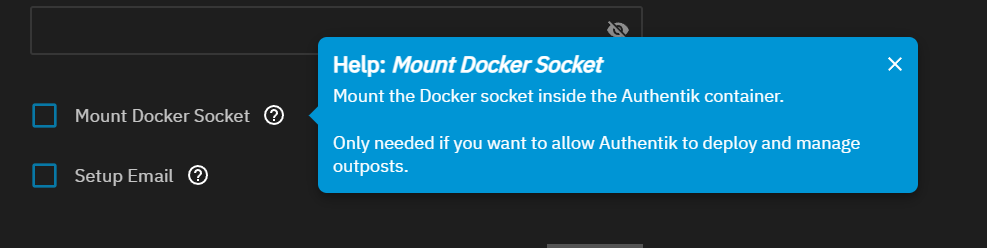
Hi All, I’ve been trying to deploy an LDAP Outpost in Authentik, I have the “Mount Docker Socket” ticked in the settings that I believe allows this to work.
From everything I can find, Authentik should start up a new container that runs the Outpost and open up the ports as required.
None of that seems to happen though, Authentik thinks it’s deployed the Outpost, but in TrueNAS, no extra containers have started, no extra ports have opened up.
Earlier this year, I tested an RAC Outpost and I don’t have any evidence, so going off memory, but I’m sure it did start an extra container and opened up an extra port.
Has something changed? Or has anyone got any experience here deploying Outposts in Authentik?
did you find a resolution to this? I’m trying to create an LDAP outpost per instructions on GitHub by ad3m3r5 (jellyfin-ldap-authentik.md), but the outpost will not create a new container in TrueNAS and keeps saying “Not available” for health and version.
Honestly, mine just started working on its own, LDAP Outpost just works now. I use it to sync users to my UniFi Gateway for authentication.
Whenever Authentik updates, it can take up-to 30 minutes for the Outpost to update and start, but it does seem to always come back.
Edit: Also might be worth checking that the Users “apps” and “netdata” have full access to your Authentik datasets. I didn’t give netdata full access early on and found Authentik would just break all the time.
Is anyone else running into this issue? I have the docker socket mounted and authentik even shows the connection to docker network in the admin portal as good. but when I try to deploy the outpost, it just shows as Health and Version Not Available and i dont see any new containers or apps in TrueNAS.
I also had this issue, but I already had the Mount Docker Socket option checked, and the container was **still not being created.
The solution**: Delete the outpost in Authentik, create a new one. While creating it, make sure that the local docker socket is selected in the “Integration” dropdown menu.
I did not look through the Authentik logs, but I believe this might be a bug with Authentik not creating the container, if the docker socket Integration was selected after the provider was created.
I passed though this issue. I thought I needed LDAP, but Authentik MFA and LDAP is a tough combination to emulsify properly. I don’t recall all the details, but yes, you needed “mount docker socket” option. I then setup the outpost as a second, custom app using these YAML. This got the outpost working right. Two issues though. You have to keep an eye on the versioning of the two different containers. Since they are being updated through two different methods, they can get out of sync, and occasionally the primary container will not support the outdated outpost. The second issue I had is in the end, I was not able to get MFA and LDAP working together properly. I chose to jettison the LDAP.