valtam
August 2, 2025, 1:16am
1
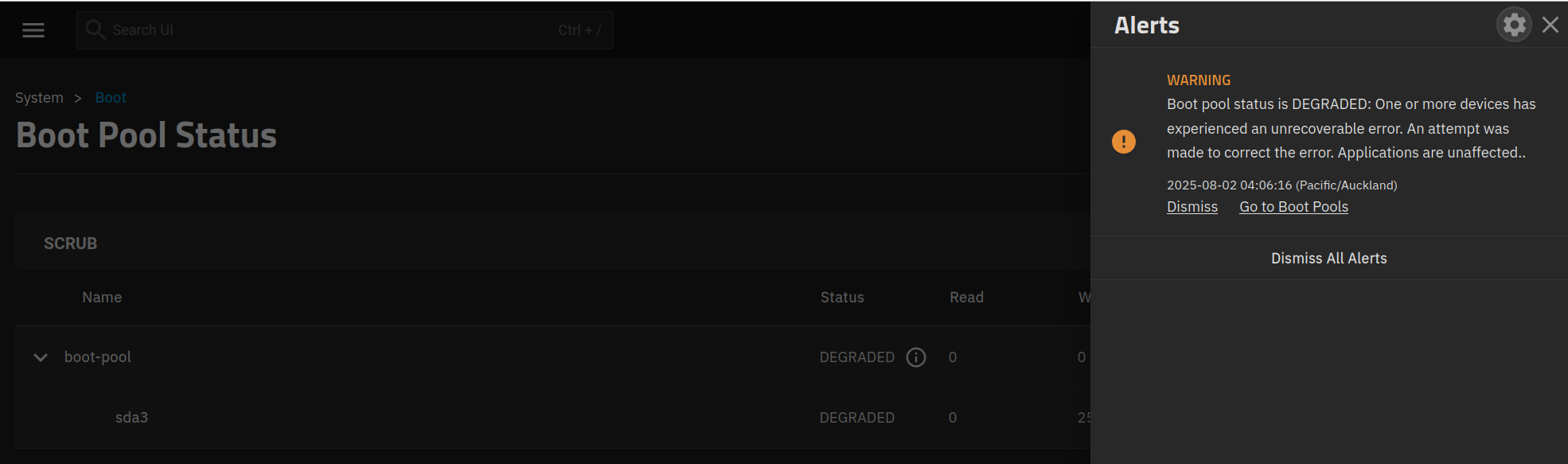
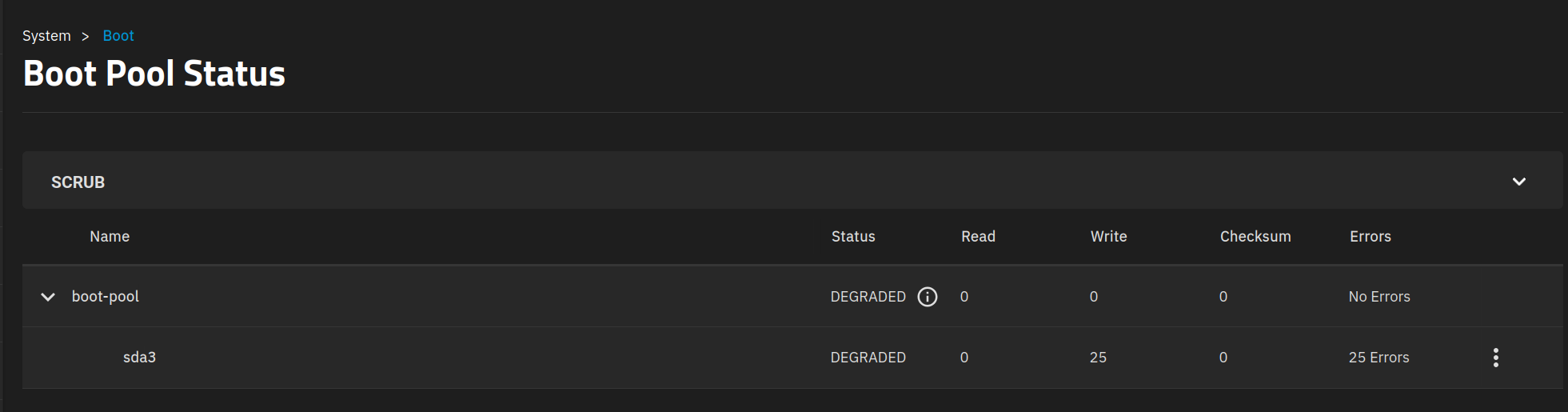
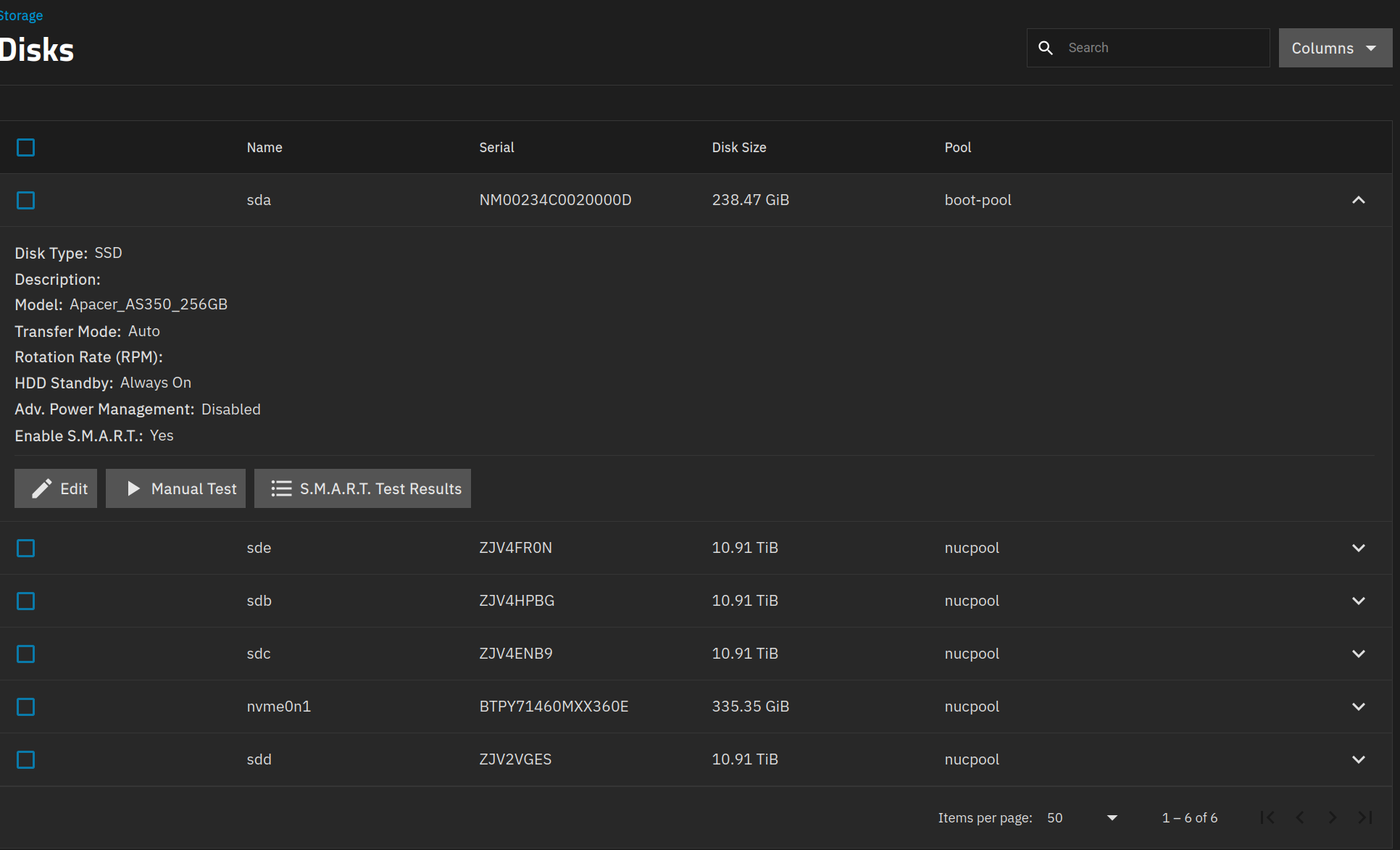
Woke up to an alert this morning. Here are a couple of screenshots. Currently running and waiting for a short SMART test on SDA to finish. TrueNAS 25.04.2
Does this appear to be a situation that needs fixing, if so, would someone be so kind as to advise on the right solution? Thank you community
I’d make a backup of the config file to another system; that way if the boot pool does die, you can do a quick reinstall and reimport.
Any details on the boot drive & how it is connected to system? You running tn virtualized or no?
After results of smart tests & additional details would be easier to advise more, but I’d carry a replacement boot drive.
If you have a Current backup of the configuration, I would run the SMART Long test since its a ssd and the size. It shouldn’t take too long. Review the results in GUI or the Shell / Console.
sudo smartctl -a /dev/sda
valtam
August 2, 2025, 10:22am
4
admin@truenas:~$ sudo smartctl -a /dev/sda
smartctl 7.4 2023-08-01 r5530 [x86_64-linux-6.12.15-production+truenas] (local build)
Copyright (C) 2002-23, Bruce Allen, Christian Franke, www.smartmontools.org

=== START OF INFORMATION SECTION ===
Model Family:     Apacer AS340/350 SSDs
Device Model:     Apacer AS350 256GB
Serial Number:    NM00234C0020000D
Firmware Version: V1028B0
User Capacity:    256,060,514,304 bytes [256 GB]
Sector Size:      512 bytes logical/physical
Rotation Rate:    Solid State Device
Form Factor:      2.5 inches
TRIM Command:     Available
Device is:        In smartctl database 7.3/5528
ATA Version is:   ACS-4 (minor revision not indicated)
SATA Version is:  SATA 3.2, 6.0 Gb/s (current: 6.0 Gb/s)
Local Time is:    Sat Aug  2 22:21:33 2025 NZST
SMART support is: Available - device has SMART capability.
SMART support is: Enabled

=== START OF READ SMART DATA SECTION ===
SMART overall-health self-assessment test result: PASSED

General SMART Values:
Offline data collection status:  (0x03) Offline data collection activity
                                        is in progress.
                                        Auto Offline Data Collection: Disabled.
Self-test execution status:      (  20) The self-test routine was aborted by
                                        the host.
Total time to complete Offline
data collection:                (  120) seconds.
Offline data collection
capabilities:                    (0x11) SMART execute Offline immediate.
                                        No Auto Offline data collection support.
                                        Suspend Offline collection upon new
                                        command.
                                        No Offline surface scan supported.
                                        Self-test supported.
                                        No Conveyance Self-test supported.
                                        No Selective Self-test supported.
SMART capabilities:            (0x0002) Does not save SMART data before
                                        entering power-saving mode.
                                        Supports SMART auto save timer.
Error logging capability:        (0x01) Error logging supported.
                                        General Purpose Logging supported.
Short self-test routine
recommended polling time:        (   2) minutes.
Extended self-test routine
recommended polling time:        (  10) minutes.
SCT capabilities:              (0x0001) SCT Status supported.

SMART Attributes Data Structure revision number: 1
Vendor Specific SMART Attributes with Thresholds:
ID# ATTRIBUTE_NAME          FLAG     VALUE WORST THRESH TYPE      UPDATED  WHEN_FAILED RAW_VALUE
  1 Raw_Read_Error_Rate     0x0032   100   100   050    Old_age   Always       -       0
  5 Reallocated_Sector_Ct   0x0032   100   100   050    Old_age   Always       -       0
  9 Power_On_Hours          0x0032   100   100   050    Old_age   Always       -       8397
 12 Power_Cycle_Count       0x0032   100   100   050    Old_age   Always       -       47
160 Unknown_Attribute       0x0032   100   100   050    Old_age   Always       -       0
161 Unknown_Attribute       0x0033   100   100   050    Pre-fail  Always       -       100
163 Max_Erase_Count         0x0032   100   100   050    Old_age   Always       -       4
164 Average_Erase_Count     0x0032   100   100   050    Old_age   Always       -       15428
165 Unknown_Attribute       0x0032   100   100   050    Old_age   Always       -       82
166 Later_Bad_Block_Count   0x0032   100   100   050    Old_age   Always       -       5
167 SSD_Protect_Mode        0x0032   100   100   050    Old_age   Always       -       30
168 SATA_PHY_Error_Count    0x0032   100   100   050    Old_age   Always       -       5050
169 Unknown_Attribute       0x0032   100   100   050    Old_age   Always       -       100
175 Bad_Cluster_Table_Count 0x0032   100   100   050    Old_age   Always       -       0
176 Erase_Fail_Count_Chip   0x0032   100   100   050    Old_age   Always       -       0
177 Wear_Leveling_Count     0x0032   100   100   050    Old_age   Always       -       0
178 Used_Rsvd_Blk_Cnt_Chip  0x0032   100   100   050    Old_age   Always       -       0
181 Program_Fail_Cnt_Total  0x0032   100   100   050    Old_age   Always       -       0
182 Erase_Fail_Count_Total  0x0032   100   100   050    Old_age   Always       -       0
192 Unexpect_Power_Loss_Ct  0x0032   100   100   050    Old_age   Always       -       18
194 Temperature_Celsius     0x0022   100   100   050    Old_age   Always       -       40
195 Hardware_ECC_Recovered  0x0032   100   100   050    Old_age   Always       -       545110
196 Reallocated_Event_Count 0x0032   100   100   050    Old_age   Always       -       0
197 Current_Pending_Sector  0x0032   100   100   050    Old_age   Always       -       0
198 Offline_Uncorrectable   0x0032   100   100   050    Old_age   Always       -       0
199 UDMA_CRC_Error_Count    0x0032   100   100   050    Old_age   Always       -       0
232 Available_Reservd_Space 0x0032   100   100   050    Old_age   Always       -       100
241 Total_LBAs_Written      0x0030   100   100   050    Old_age   Offline      -       84912
242 Total_LBAs_Read         0x0030   100   100   050    Old_age   Offline      -       86613
245 Unknown_Attribute       0x0032   100   100   050    Old_age   Always       -       218460

SMART Error Log Version: 1
No Errors Logged

SMART Self-test log structure revision number 1
Num  Test_Description    Status                  Remaining  LifeTime(hours)  LBA_of_first_error
# 1  Short offline       Aborted by host               40%      8390         -
# 2  Short offline       Interrupted (host reset)      40%      8387         -
# 3  Short offline       Interrupted (host reset)      90%      8379         -
# 4  Short offline       Completed without error       00%      7666         -
# 5  Short offline       Completed without error       00%      6949         -
# 6  Short offline       Completed without error       00%       129         -

Selective Self-tests/Logging not supported

The above only provides legacy SMART information - try 'smartctl -x' for more
valtam
August 2, 2025, 10:24am
5
When I back up the config, will that restore all my Apps, Containers (Instances) when I go to use it?
In short - yes.
The existence of the apps and instances will be saved in the config, yes.
I am not used to that 168 row, but it does suggest something linked to a cable/connector.
Short tests are super quick, typically just 2 minutes, so I am surprised to see so many incomplete ones in short order. Are you intentionally starting short tests and then rebooting/shutting down?
My magic 8-ball tells me your boot drive is dying.
Also, if you don’t mind me asking, what is the purpose of the nvme in the “nucpool”? There’s a fair chance you’re not seeing any benefit from having it. At worst you put your data at risk by adding it, depending on it’s purpose of course.
valtam
August 2, 2025, 10:54am
8
I think it may be a cable too from what I’ve been reading, I’ll check that out straight away. I haven’t interrupted any of the SMART tests purposely, they are scheduled to run automatically, but there have been a couple of power outages. NVME = cache. I ran a short test but it was nowhere near short, and the long test I’m running now is still going.
valtam
August 4, 2025, 4:31am
9
Culprit was a dodgy SATA cable, replaced with a new one. SSD has 100% health according to Hard Disk Sentinel. Thanks everyone for your help