so, first, a really good job has been done to lock down TrueNAS and not allowing modifications to system path, kudos on that!
Unfortunately, that prevents me from using TrueNAS as Borg repository.
I was using “developer mode” to install borg on TrueNAS, and that is as simple as it can possibly be - enable dev mode, install borg with apt and voilá!
Now I’d wish for a cleaner solution that also is persistent across upgrades, avoiding developer mode (because it is not supported!).
Borgmatic on client system expects “borg” binary to be in the PATH, but PATH variable cannot be changed for non-interactive shell.
In other words, this command works (with standalone borg binary downloaded from internet, not installed via apt)
How did you managed to access the datasets from TrueNAS?
I try to set up the BorgBackup Web UI (https://www.borgbackupserver.com)
The BorgBackupServer GUI is running (Docker Compose)
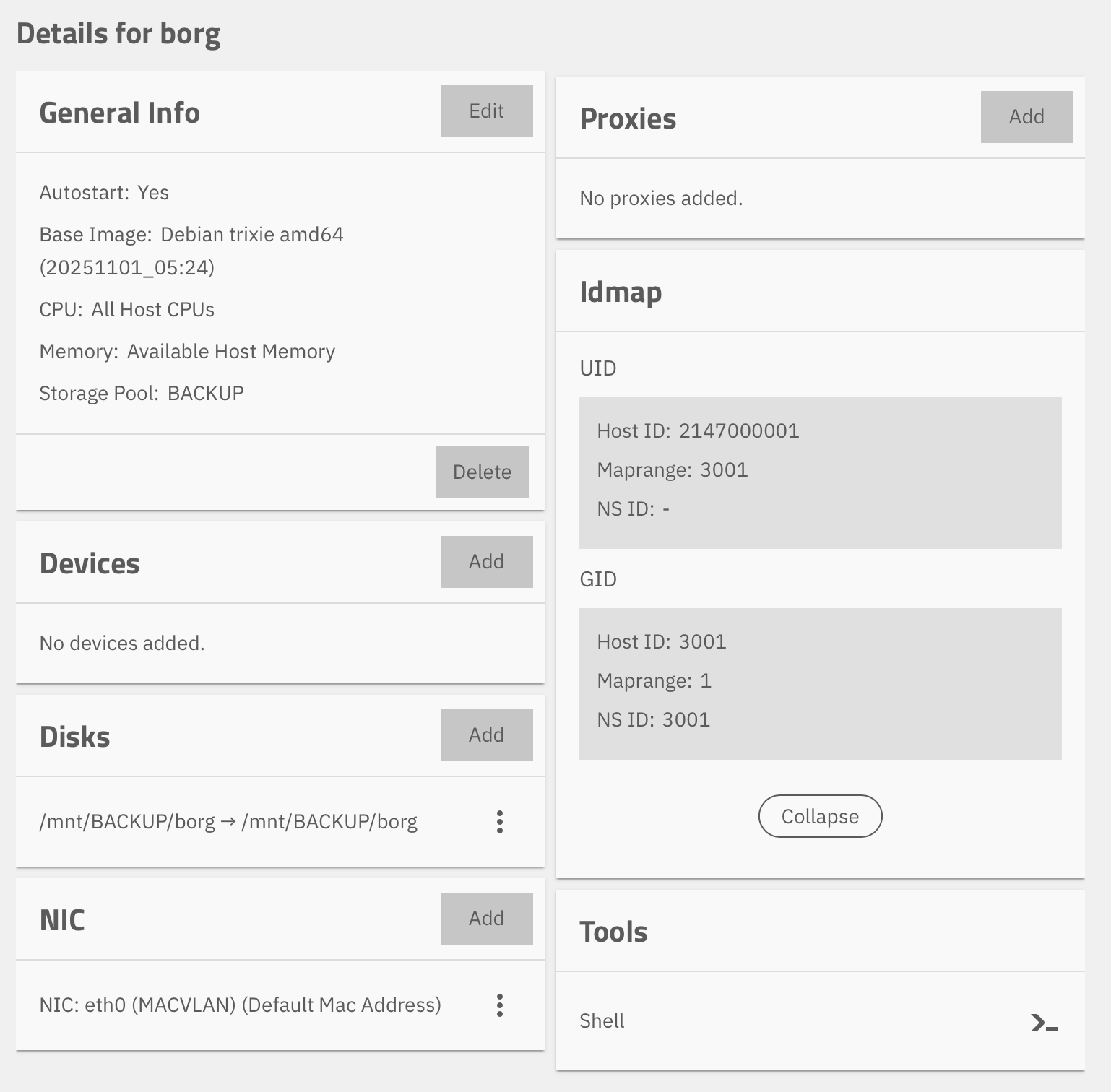
I set up a LXC with the borg and the bbs-agent.
I mounted a pool from TrueNAS under /mnt/pool
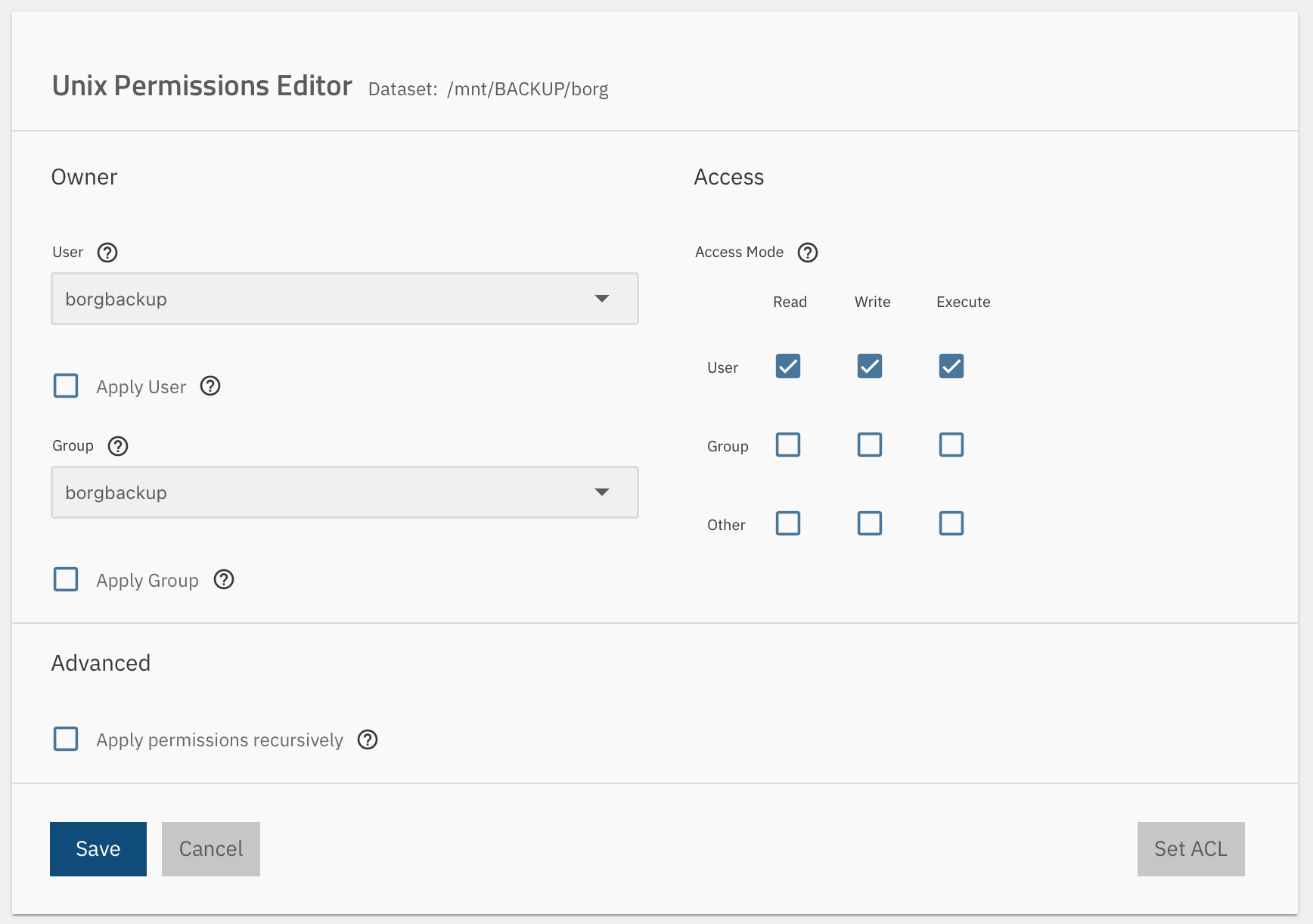
All folders have the user nobody and the group nogroup
and I can’t access nothing with bbs.
try to add the truenas_container_unpriv_root user to the acl list of your dataset.
That buildin truenas user gets mapped to the root user inside the lxc
# Borg Backup Server — Docker Compose
#
# Quick start:
#   1. Copy .env.example to .env and edit it:
#        cp .env.example .env
#   2. Set APP_URL to this machine's hostname or IP (required for agents to connect)
#   3. Start the container:
#        docker compose up -d
#   4. View admin credentials:
#        docker compose logs bbs
#
# All data (database, repositories, SSH keys) is stored in the bbs-data volume.

services:
  bbs:
    image: marcpope/borgbackupserver:latest
    # build: .    # uncomment to build locally instead of pulling from Docker Hub
    container_name: bbs
    ports:
      - ${WEB_PORT:-8080}:80 # Web UI
      - ${SSH_PORT:-2222}:22 # SSH for borg agent connections
    environment:
      - APP_URL=${APP_URL:-http://localhost:8080}
      - SSH_PORT=${SSH_PORT:-2222}
      # Map the app user (www-data) to your host user's UID/GID. Fixes permission
      # issues with bind mounts, especially on btrfs filesystems (e.g. Synology).
      # Changing these after first run triggers an automatic ownership migration.
      # Find your values with: id -u && id -g
      # - PUID=${PUID:-33}
      # - PGID=${PGID:-33}
      # Advanced: remap MariaDB / ClickHouse UIDs too (see .env.example)
      # - MYSQL_PUID=${MYSQL_PUID:-100}
      # - MYSQL_PGID=${MYSQL_PGID:-100}
      # - CH_PUID=${CH_PUID:-999}
      # - CH_PGID=${CH_PGID:-999}
      # Admin password — only used on first run. Omit to auto-generate (shown in logs).
      # - ADMIN_PASS=${ADMIN_PASS}
    volumes:
      - bbs-data:/var/bbs
      # To store backups on a specific disk or path instead of Docker's internal storage,
      # replace the line above with a bind mount:
      # - /mnt/backups:/var/bbs
    restart: unless-stopped
volumes:
  bbs-data: null # Remove this 'volumes' section entirely if using a bind mount above
networks: {}
And to access the file on my TrueNAS I also set up the bbs_agent with docker compose.
Here is my
compose.yaml
services:
  bbs-agent:
    image: marcpope/borgbackupserver-agent:latest
    container_name: bbs-agent
    hostname: truenas-home # shown in the BBS UI; set whatever you want
    restart: unless-stopped
    environment:
      BBS_SERVER: ${BBS_SERVER_URL}
      BBS_API_KEY: ${BBS_API_KEY}
    volumes:
      # Persist the SSH key the server issues on first registration.
      # Borg's cache and config also live under this volume, so incremental
      # backups stay fast across container restarts and recreates.
      - ./bbs-agent-config:/etc/bbs-agent
      # Bind-mount the paths you want to back up at the SAME path inside
      # the container. Backup plans in BBS reference these host paths.
      - /mnt/diskpool-1:/mnt/diskpool-1:ro
      - /mnt/diskpool-2:/mnt/diskpool-2:ro
      # Optional: a writable restore target.
      - ./restore:/mnt/restore
    networks:
      - reverse-proxy
volumes:
  bbs-agent-config: null
networks:
  reverse-proxy:
    external: true