CAM/SCSI Errors, JBOD Cabling, and Stability Concerns
Hi all,
I’m working through recurring instability (CAM errors, checksum errors under load) on a large pool and want to confirm if my cabling layout is the root issue.
Hardware
- Host HBA: Broadcom MegaRAID 9480-8i8e
- JBOD #1: Supermicro 846BE1C-R1K03JBOD
- JBOD #2: Supermicro 946SE1C-R1K66JBOD
- TrueNAS: 12.0-U7
Issue
Pool imports (after many errors while syncing), all disks enumerate, but under heavy reads/writes:
- CAM status errors appear
- Checksum errors rise
- Scrubs “heal” the errors, but they reoccur on the next I/O burst
Vendor Recommendation
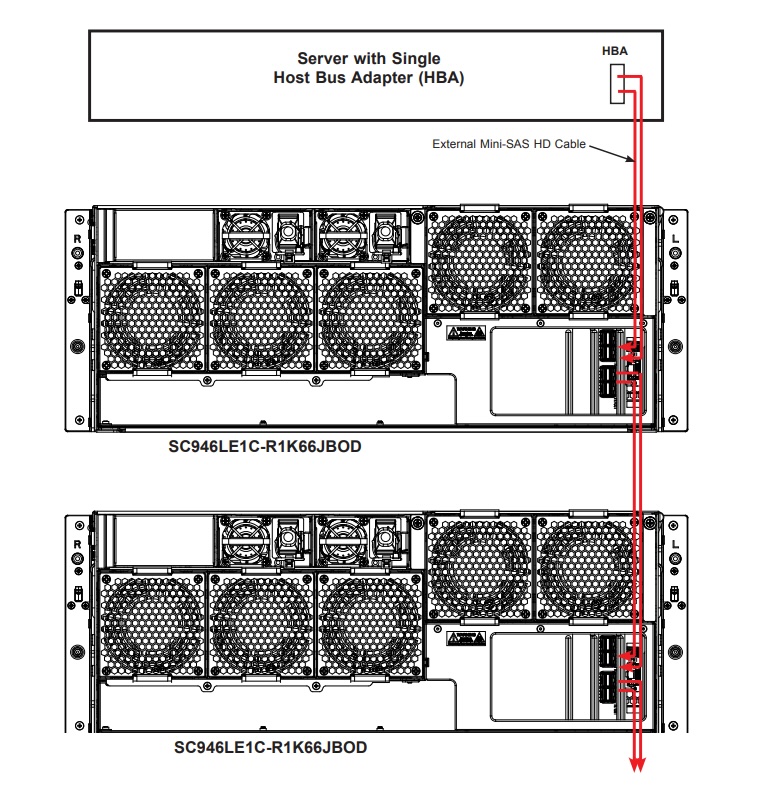
Support told me the intended layout is:
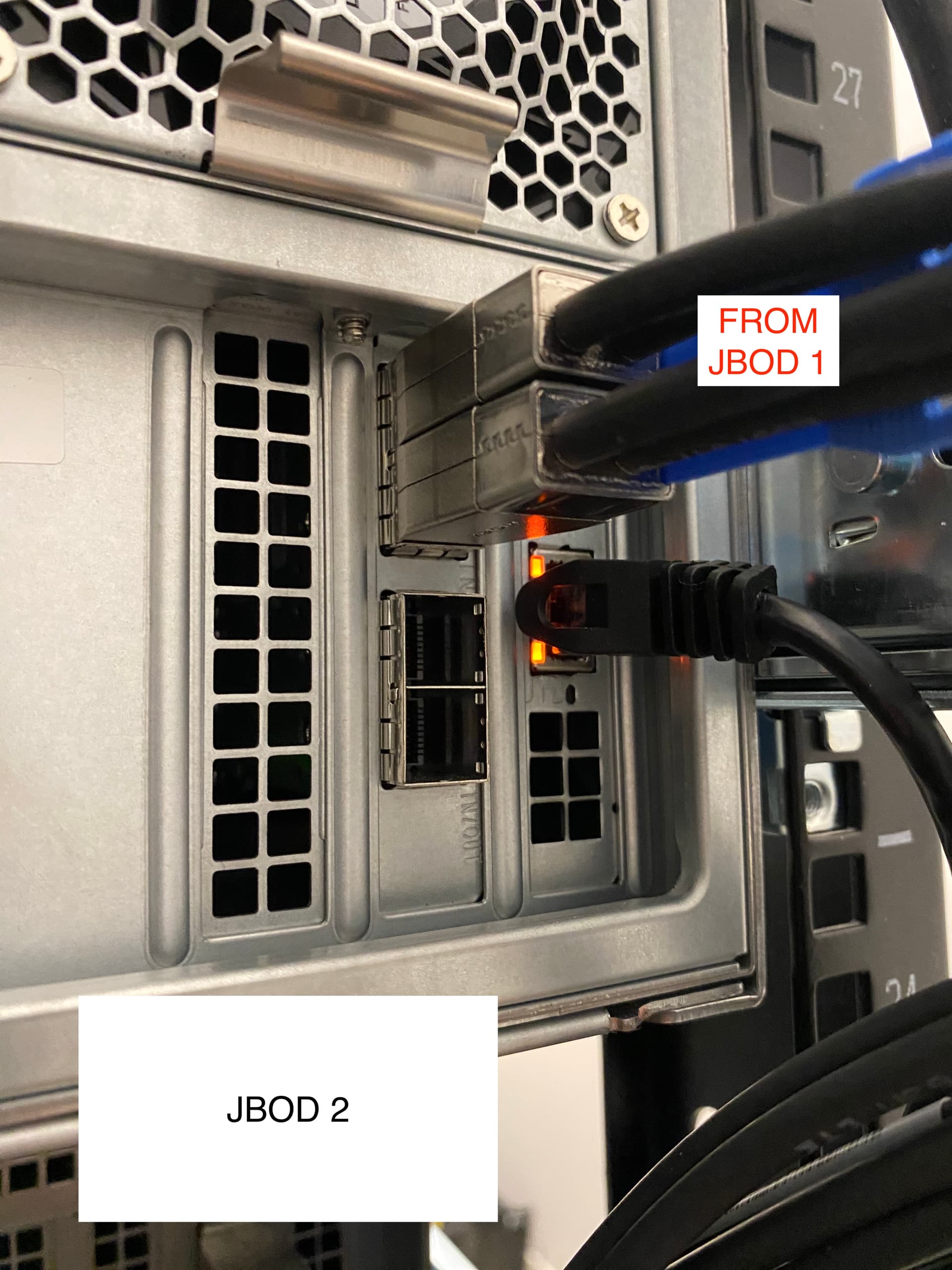
- Host → JBOD1 TOP (IN)
- JBOD1 BOTTOM (OUT) → JBOD2 TOP (IN)
The Question
- Is my current setup (host on bottom, JBOD2 on top) the cause of these pathing issues?
- Does the expander truly require host on the labeled IN row and expansion on IN/OUT, or are the ports fully symmetric?
- If I shut down, recable as per vendor instructions, and reboot, should TrueNAS/ZFS see all disks normally (since drives are tracked by gptid/GUID)?
Plan if change is needed
- Export pool (
zpool export Archive) for safety - Shutdown host → JBOD2 → JBOD1
- Re-cable: Host → JBOD1 TOP (IN), JBOD1 BOTTOM (IN/OUT) → JBOD2 (IN)
- Power up in order: JBOD1 → JBOD2 → Host
- Import pool (should happen automatically), verify
zpool status
Does this plan follow the correct sequence?
Would appreciate confirmation from others running similar Supermicro JBOD stacks.
Thanks!