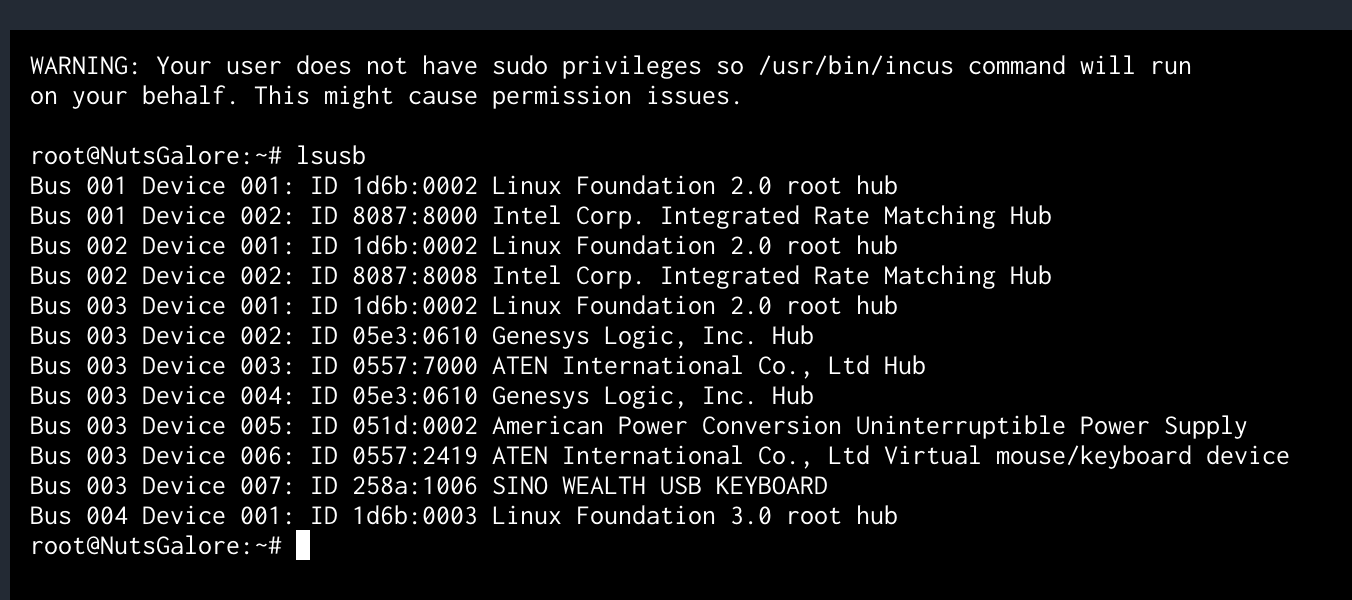
So I had a go at Containers today, started setting up a copy of Trixie. I am attempting to run NUT 2.8.4 in a LXC because it’ll be a while before 2.8.3 will become available in TrueNAS and I’d like my Ecoflow Delta 3 Plus to become the new UPS for the NAS. So, the current plan is to run 2.8.4 in a LXC and then poll the NUT in the LXC with the TrueNAS Nut (i.e. LXC NUT becomes the master, and the TrueNAS NUT becomes the remote).
If I am understanding things correctly, the LXC should only “see” devices that have been explicitly “connected” to it via the TrueNAS Container WebGUI pane. For whatever reason, my NUT shell can see all attached USB devices. Is that intentional?
Does that make sense? I thought the whole point of these LXC containers was that like jails they only get access to the resources you explicitly give them access to?
Oh, and for anyone following in my footsteps, the Ecoflow Delta 3 Plus only communicates from the USB-C HID port (all the way on the left). All other USB ports on the Ecoflow Delta 3 Plus do not communicate / connect to USB.
Submitted a bug report just in case this is the giant security hole that it could be. I.e. what would prevent a container from keylogging every single keyboard attached to a NAS?
For those of us without a Jira account, here is the response:
This is not something we’re going to investigate fixing. The underlying framework used in 25.10 for lxc containers is being removed in 26.04 (should be a relatively seamless migration).
@stux and @HoneyBadger, are all USB devices addressable without restrictions from any LXC container in 25.10.0.1? If so, should ixsystems perhaps consider adding a warning to the container setup page besides “experimental”?
As in,
LXC containers are going to undergo another set of framework changes, with a relatively painless migration path planned.
Regardless of GUI settings, LXC containers offer unfettered access to the USB bus. This may be a serious security issue, deploy LXC containers accordingly.
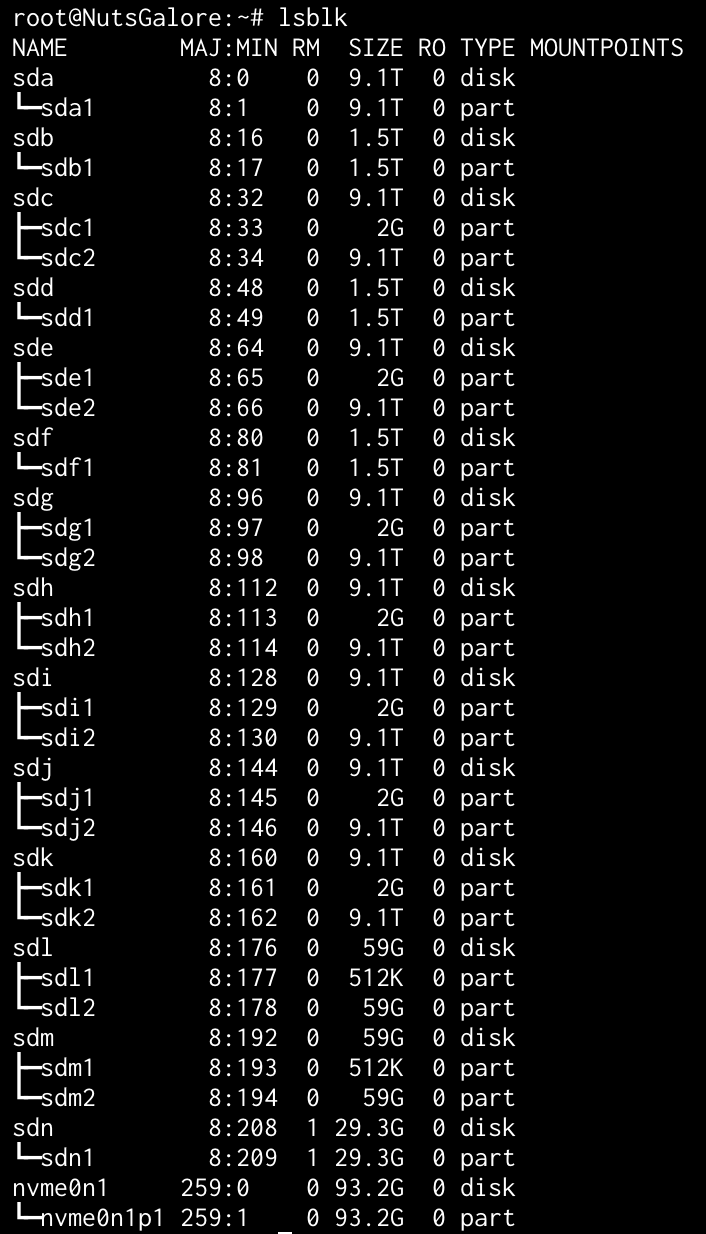
Why can a container that has not been explicitly granted access to the NAS drives run lsblk and show every drive in the system? This seems less and less like a jail and more like a glass-walled sandbox. Or is it because the container user (root) is the same login as the system (also root) and hence enjoys root privileges even if it’s running inside a so-called jail?
It shouldn’t be this because the container root and the system root have different UIDs (unless you manually mapped the system root to the container root, which you shouldn’t do).