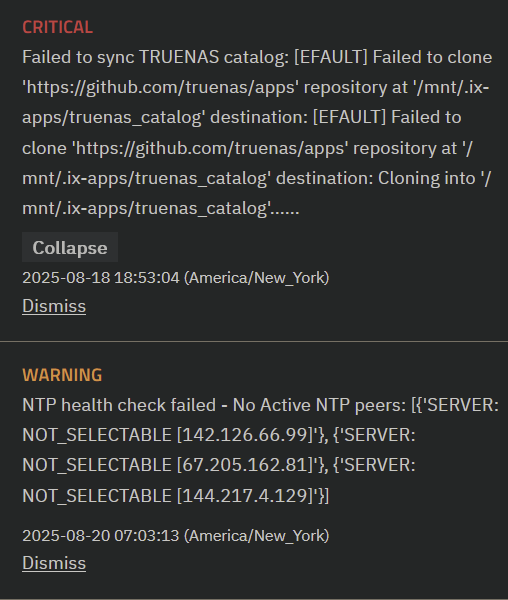
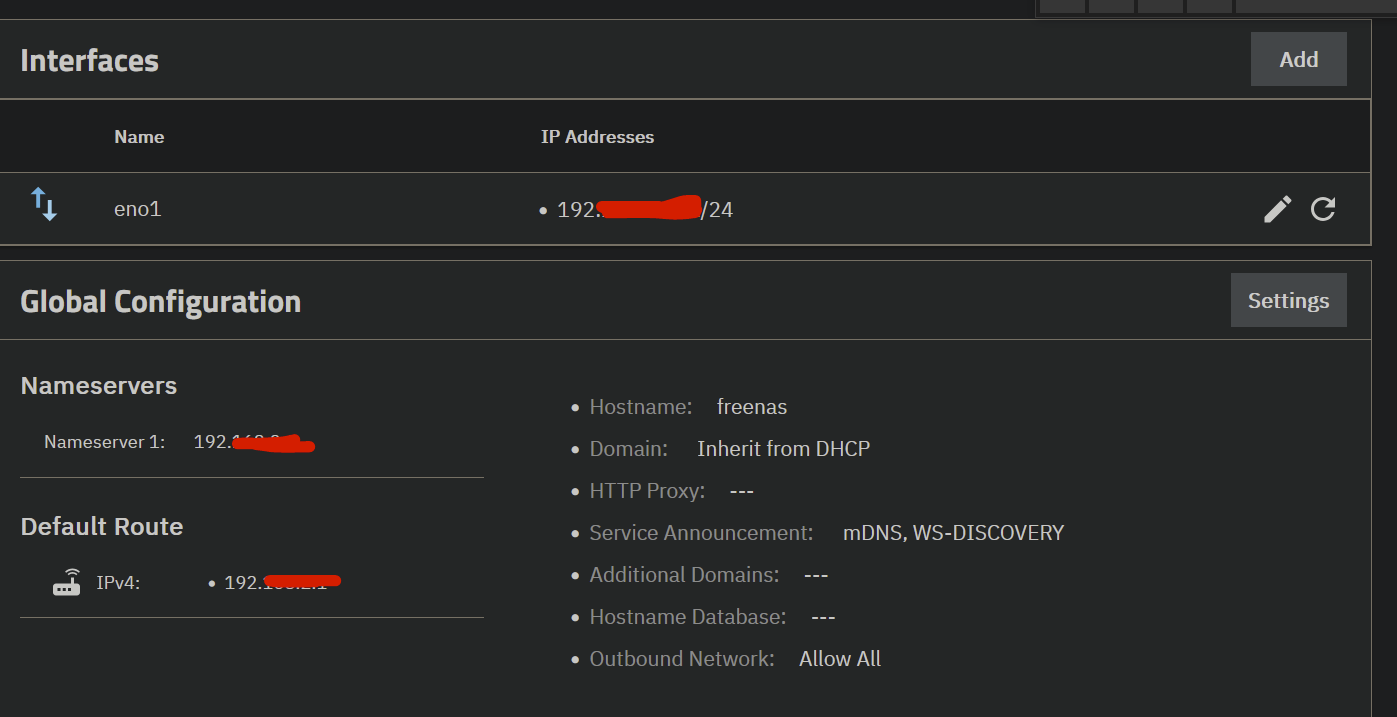
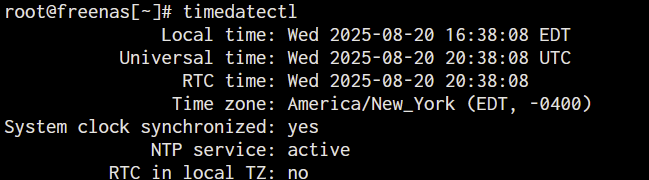
Changing the DNS to 1.1.1.1 both in modem and TrueNAS and still the same error:
Error: Traceback (most recent call last):
File “/usr/lib/python3/dist-packages/aiohttp/connector.py”, line 1317, in _create_direct_connection
hosts = await self._resolve_host(host, port, traces=traces)
^^^^^^^^^^^^^^^^^^^^^^^^^^^^^^^^^^^^^^^^^^^^^^^^^^^
File “/usr/lib/python3/dist-packages/aiohttp/connector.py”, line 971, in _resolve_host
return await asyncio.shield(resolved_host_task)
^^^^^^^^^^^^^^^^^^^^^^^^^^^^^^^^^^^^^^^^
File “/usr/lib/python3/dist-packages/aiohttp/connector.py”, line 1002, in _resolve_host_with_throttle
addrs = await self._resolver.resolve(host, port, family=self._family)
^^^^^^^^^^^^^^^^^^^^^^^^^^^^^^^^^^^^^^^^^^^^^^^^^^^^^^^^^^^^^
File “/usr/lib/python3/dist-packages/aiohttp/resolver.py”, line 38, in resolve
infos = await self._loop.getaddrinfo(
^^^^^^^^^^^^^^^^^^^^^^^^^^^^^
File “/usr/lib/python3.11/asyncio/base_events.py”, line 868, in getaddrinfo
return await self.run_in_executor(
^^^^^^^^^^^^^^^^^^^^^^^^^^^
File “/usr/lib/python3.11/concurrent/futures/thread.py”, line 58, in run
result = self.fn(*self.args, **self.kwargs)
^^^^^^^^^^^^^^^^^^^^^^^^^^^^^^^^^^
File “/usr/lib/python3.11/socket.py”, line 962, in getaddrinfo
for res in _socket.getaddrinfo(host, port, family, type, proto, flags):
^^^^^^^^^^^^^^^^^^^^^^^^^^^^^^^^^^^^^^^^^^^^^^^^^^^^^^^^^^^
socket.gaierror: [Errno -3] Temporary failure in name resolution
The above exception was the direct cause of the following exception:
Traceback (most recent call last):
File “/usr/lib/python3/dist-packages/middlewared/api/base/server/ws_handler/rpc.py”, line 323, in process_method_call
result = await method.call(app, params)
^^^^^^^^^^^^^^^^^^^^^^^^^^^^^^
File “/usr/lib/python3/dist-packages/middlewared/api/base/server/method.py”, line 52, in call
result = await self.middleware.call_with_audit(self.name, self.serviceobj, methodobj, params, app)
^^^^^^^^^^^^^^^^^^^^^^^^^^^^^^^^^^^^^^^^^^^^^^^^^^^^^^^^^^^^^^^^^^^^^^^^^^^^^^^^^^^^^^^^^
File “/usr/lib/python3/dist-packages/middlewared/main.py”, line 911, in call_with_audit
result = await self._call(method, serviceobj, methodobj, params, app=app,
^^^^^^^^^^^^^^^^^^^^^^^^^^^^^^^^^^^^^^^^^^^^^^^^^^^^^^^^^^^^^^^^
File “/usr/lib/python3/dist-packages/middlewared/main.py”, line 731, in _call
return await self.run_in_executor(prepared_call.executor, methodobj, *prepared_call.args)
^^^^^^^^^^^^^^^^^^^^^^^^^^^^^^^^^^^^^^^^^^^^^^^^^^^^^^^^^^^^^^^^^^^^^^^^^^^^^^^^^^
File “/usr/lib/python3/dist-packages/middlewared/main.py”, line 624, in run_in_executor
return await loop.run_in_executor(pool, functools.partial(method, *args, **kwargs))
^^^^^^^^^^^^^^^^^^^^^^^^^^^^^^^^^^^^^^^^^^^^^^^^^^^^^^^^^^^^^^^^^^^^^^^^^^^^
File “/usr/lib/python3.11/concurrent/futures/thread.py”, line 58, in run
result = self.fn(*self.args, **self.kwargs)
^^^^^^^^^^^^^^^^^^^^^^^^^^^^^^^^^^
File “/usr/lib/python3/dist-packages/middlewared/schema/processor.py”, line 178, in nf
return func(*args, **kwargs)
^^^^^^^^^^^^^^^^^^^^^
File “/usr/lib/python3/dist-packages/middlewared/plugins/update.py”, line 105, in get_trains
trains_data = self.middleware.call_sync(‘update.get_trains_data’)
^^^^^^^^^^^^^^^^^^^^^^^^^^^^^^^^^^^^^^^^^^^^^^^^^^^
File “/usr/lib/python3/dist-packages/middlewared/main.py”, line 1030, in call_sync
return self.run_coroutine(methodobj(*prepared_call.args))
^^^^^^^^^^^^^^^^^^^^^^^^^^^^^^^^^^^^^^^^^^^^^^^^^^
File “/usr/lib/python3/dist-packages/middlewared/main.py”, line 1070, in run_coroutine
return fut.result()
^^^^^^^^^^^^
File “/usr/lib/python3.11/concurrent/futures/_base.py”, line 449, in result
return self.__get_result()
^^^^^^^^^^^^^^^^^^^
File “/usr/lib/python3.11/concurrent/futures/_base.py”, line 401, in _get_result
raise self.exception
File "/usr/lib/python3/dist-packages/middlewared/plugins/update/trains.py", line 63, in get_trains_data
**(await self.fetch(f"{self.update_srv}/trains.json"))
^^^^^^^^^^^^^^^^^^^^^^^^^^^^^^^^^^^^^^^^^^^^^^^^^^
File "/usr/lib/python3/dist-packages/middlewared/plugins/update/trains.py", line 25, in fetch
async with client.get(url) as resp:
File “/usr/lib/python3/dist-packages/aiohttp/client.py”, line 1359, in aenter
self._resp: _RetType = await self._coro
^^^^^^^^^^^^^^^^
File “/usr/lib/python3/dist-packages/aiohttp/client.py”, line 663, in _request
conn = await self._connector.connect(
^^^^^^^^^^^^^^^^^^^^^^^^^^^^^^
File “/usr/lib/python3/dist-packages/aiohttp/connector.py”, line 563, in connect
proto = await self._create_connection(req, traces, timeout)
^^^^^^^^^^^^^^^^^^^^^^^^^^^^^^^^^^^^^^^^^^^^^^^^^^^
File “/usr/lib/python3/dist-packages/aiohttp/connector.py”, line 1032, in _create_connection
_, proto = await self._create_direct_connection(req, traces, timeout)
^^^^^^^^^^^^^^^^^^^^^^^^^^^^^^^^^^^^^^^^^^^^^^^^^^^^^^^^^^
File “/usr/lib/python3/dist-packages/aiohttp/connector.py”, line 1323, in _create_direct_connection
raise ClientConnectorDNSError(req.connection_key, exc) from exc
aiohttp.client_exceptions.ClientConnectorDNSError: Cannot connect to host update.ixsystems.com:443 ssl:default [Temporary failure in name resolution]
Tried ifconfig -a and see extra networks. Is this normal?
br-be1c5cb80083: flags=4163<UP,BROADCAST,RUNNING,MULTICAST> mtu 1500
inet 172.16.1.1 netmask 255.255.255.0 broadcast 172.16.1.255
inet6 fdd0:0:0:1::1 prefixlen 64 scopeid 0x0
inet6 fe80::42:30ff:fe11:ae67 prefixlen 64 scopeid 0x20
ether 02:42:30:11:ae:67 txqueuelen 0 (Ethernet)
RX packets 54 bytes 4314 (4.2 KiB)
RX errors 0 dropped 0 overruns 0 frame 0
TX packets 106 bytes 169712 (165.7 KiB)
TX errors 0 dropped 2 overruns 0 carrier 0 collisions 0
docker0: flags=4099<UP,BROADCAST,MULTICAST> mtu 1500
inet 172.16.0.1 netmask 255.255.255.0 broadcast 172.16.0.255
inet6 fdd0::1 prefixlen 64 scopeid 0x0
ether 02:42:f1:e7:c0:5f txqueuelen 0 (Ethernet)
RX packets 0 bytes 0 (0.0 B)
RX errors 0 dropped 0 overruns 0 frame 0
TX packets 0 bytes 0 (0.0 B)
TX errors 0 dropped 6 overruns 0 carrier 0 collisions 0
eno1: flags=4163<UP,BROADCAST,RUNNING,MULTICAST> mtu 1500
inet 192.168.2.201 netmask 255.255.255.0 broadcast 192.168.2.255
inet6 fe80::1a03:73ff:fec4:843e prefixlen 64 scopeid 0x20
ether 18:03:73:c4:84:3e txqueuelen 1000 (Ethernet)
RX packets 216652 bytes 252629603 (240.9 MiB)
RX errors 0 dropped 0 overruns 0 frame 0
TX packets 45430 bytes 19681093 (18.7 MiB)
TX errors 0 dropped 0 overruns 0 carrier 0 collisions 0
device interrupt 20 memory 0xdcb00000-dcb20000
lo: flags=73<UP,LOOPBACK,RUNNING> mtu 65536
inet 127.0.0.1 netmask 255.0.0.0
inet6 ::1 prefixlen 128 scopeid 0x10
loop txqueuelen 1000 (Local Loopback)
RX packets 165999 bytes 28036011 (26.7 MiB)
RX errors 0 dropped 0 overruns 0 frame 0
TX packets 165999 bytes 28036011 (26.7 MiB)
TX errors 0 dropped 0 overruns 0 carrier 0 collisions 0
vethdb878dc: flags=4163<UP,BROADCAST,RUNNING,MULTICAST> mtu 1500
inet6 fe80::dc5a:3fff:fe97:edd3 prefixlen 64 scopeid 0x20
ether de:5a:3f:97:ed:d3 txqueuelen 0 (Ethernet)
RX packets 54 bytes 5070 (4.9 KiB)
RX errors 0 dropped 0 overruns 0 frame 0
TX packets 146 bytes 179956 (175.7 KiB)
TX errors 0 dropped 0 overruns 0 carrier 0 collisions 0