Emby config file on TrueNAS Scale

I have installed emby server but as I forgot my password, I get this after using the ‘forgot password’

The following file has been created on your server and contains instructions on how to proceed:

/config/passwordreset.txt.

Can someone please tell me how to get to it, as I have no idea how to

That depends on what option you chose for the config storage: Hostpath or iXVolume.
If you chose iXVolume then the emby config folder is stored in a hidden dataset called .ix-apps which is located on the apps pool you chose when you first opened the apps page.
If you chose hostpath its located in the dataset you chose for your config folder.

We need a bit more information on the setup to give accurate advice…

I chose: Hostpath, and there is no config folder in the dataset. Should I have created the emby dataset then.

I didn’t enter any Additional Environment Variables, should I have done, if so what.

Thanks

you can also use the container shell to navigate to the folder and try to open that file

Sorry, but what container shell?? Is that somewhere in the emby settings page

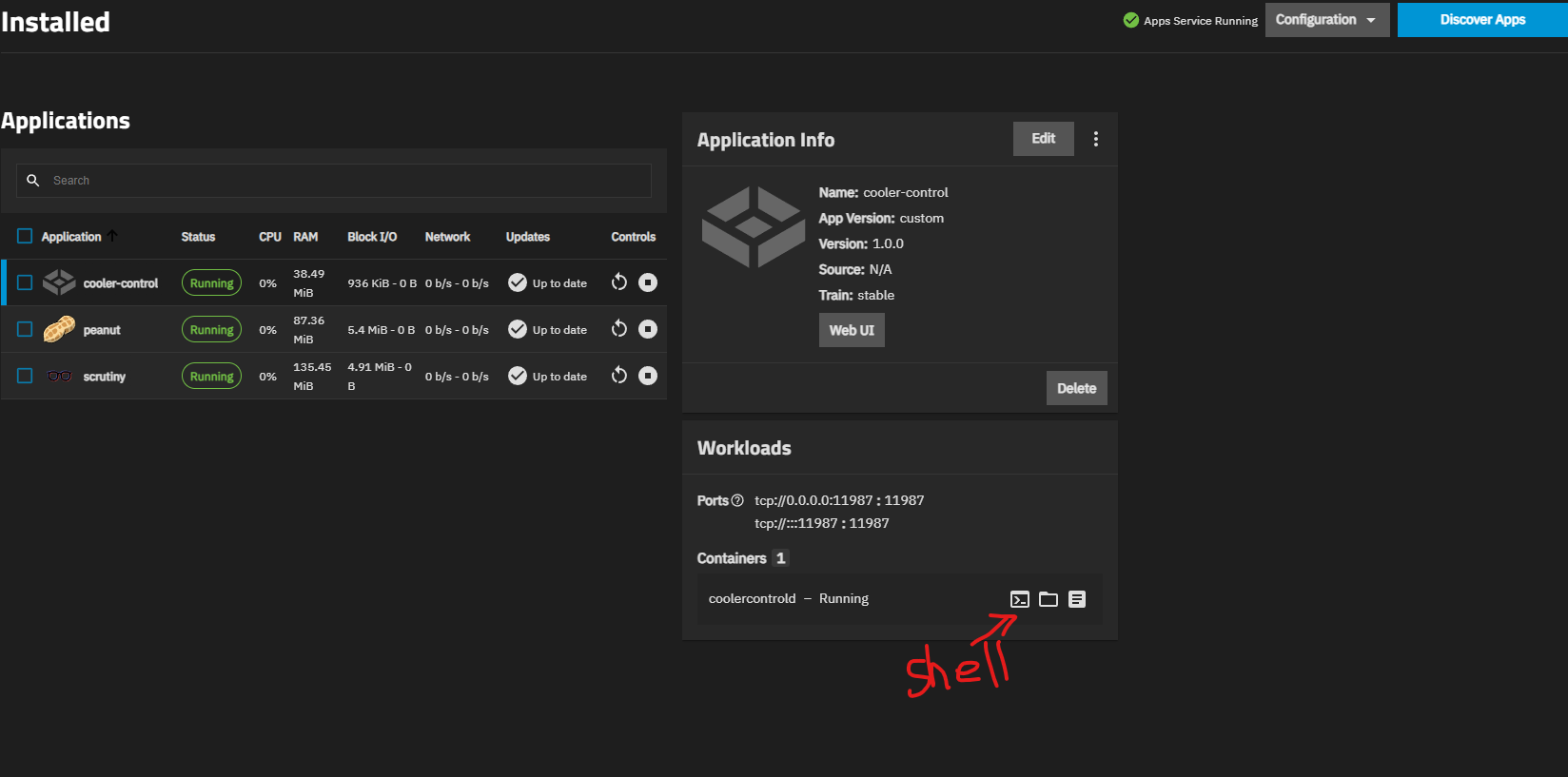
No its not an emby setting. When you’re on the apps page in the truenas gui you can “enter” any container via a buildin shell, see:

I have a different page to you when I am in the apps page:

Ok I figured out where the shell icon is, so what do I enter in the shell

Those Menu tiles on the right should appear if you click on e.g. emby or plex, at least they do for my apps… The screen should be the same for 25.04 and 25.10

Ok, I think I’m getting somewhere now.

I’ve gone into the shell and then into the config folder. there is a password.txt file I want to look at, but how because what I use in linux doesn’t work in truenas.

Thanks

Which text editor did you try? Most app image don’t have nano included, but you may be lucky with vi

So far I’ve tried nano, and gedit,but yes vi works thanks, and I can read the file now.