Hi,
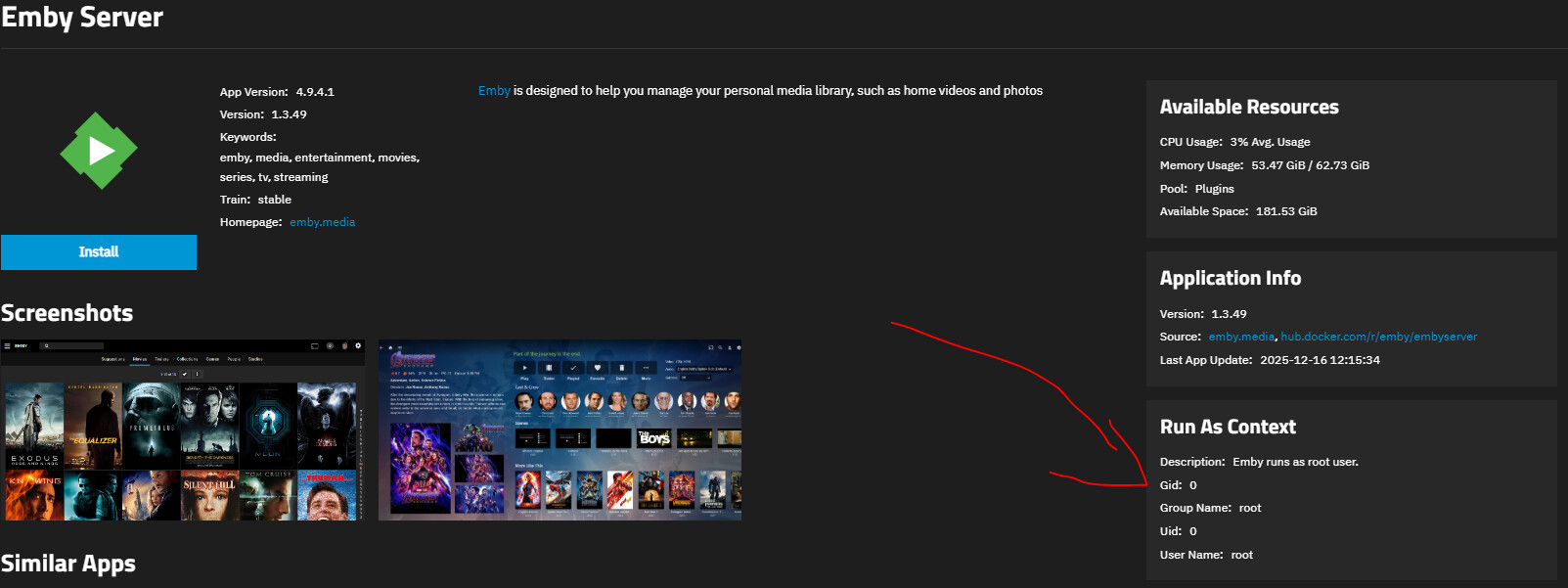
I’m migrating my emby setup from a TrueNAS core installation to the TrueNAS scale.
My current version is 25.04.2.4
It was quite hard but in the end, I’m running the docker container with emby successfully.
The only issue is with video play, because when I start it’s not able.
I did some test & try but the main issue seems to be with mount points.
I added the storage and tried different mount points.
Host Path: /mnt/SCALE-POOL-01/multimedia/films
Mount Path: /mnt/films
I can see the files and explore them with
docker exec -it ix-emby-emby-1 ls -la /mnt/
total 34
drwxr-xr-x 4 root root 4 Jan 13 19:19 .
drwxr-xr-x 1 root root 7 Jan 13 19:19 ..
drwxrwx–x 267 2999 3002 268 Aug 30 17:32 films
drwxrwx–x 23 2999 3002 23 Aug 31 10:22 mntserietv
but in the logs there are errors like
2026-01-13 19:25:24.395 Error DynamicHlsService-0HNIIQ187DU80:0000001C: Error processing request*** Error Report ***Version: 4.9.4.1Command line: /system/EmbyServer.dll -programdata /config -ffdetect /bin/ffdetect -ffmpeg /bin/ffmpeg -ffprobe /bin/ffprobe -restartexitcode 3Operating system: Linux version 6.12.15-production+truenas (root@tnsbuilds01.tn.ixsystems.net) (gcc (Debian 12.2.0-14) 12.2.0, GNU ld (GNU Binutils for Debian) 2.40) #1OS/Process: x64/x64Framework: .NET 8.0.22Runtime: system/System.Private.CoreLib.dllProcessor count: 2Data path: /configApplication path: /systemEmby.Server.MediaEncoding.Unified.Ffmpeg.FfRunException: Emby.Server.MediaEncoding.Unified.Ffmpeg.FfRunException: Error starting ffmpeg-loglevel +timing -y -print_graphs_file “/config/logs/ffmpeg-transcode-577fc0e9-b30d-46aa-8b23-b95b84b0e39f_1graph.txt” -copyts -start_at_zero -f matroska,webm -c:v:0 h264 -noautorotate -i “/mnt/FILM - 2012/FILM.mkv” -map 0:0 -map 0:1 -sn -c:v:0 libx264 -g:v:0 72 -maxrate:v:0 6616000 -bufsize:v:0 13232000 -sc_threshold:v:0 0 -keyint_min:v:0 72 -r:v:0 23.976024627685547 -pix_fmt:v:0 yuv420p -preset:v:0 veryfast -profile:v:0 high -x264opts:v:0 “subme=0:me_range=4:rc_lookahead=10:partitions=none” -crf:v:0 23 -c:a:0 libmp3lame -ab:a:0 192000 -ac:a:0 2 -metadata:s:a:0 language=ita -filter:a:0 “volume=2” -disposition:a:0 default -max_delay 5000000 -avoid_negative_ts disabled -f segment -map_metadata -1 -map_chapters -1 -segment_format mpegts -segment_list “/config/transcoding-temp/EB1695/EB1695.m3u8” -segment_list_type m3u8 -segment_time 00:00:03.000 -segment_start_number 0 -individual_header_trailer 0 -write_header_trailer 0 -segment_write_temp 1 “/config/transcoding-temp/EB1695/EB1695_%d.ts” -map 0:4 -map 0:0 -an -c:v:0 copy -c:s:0 webvtt -max_delay 5000000 -avoid_negative_ts disabled -f segment -map_metadata -1 -segment_format webvtt -segment_list “/config/transcoding-temp/EB1695/EB1695_s4.m3u8” -segment_list_type m3u8 -segment_time 00:00:03.000 -segment_start_number 0 -break_non_keyframes 1 -individual_header_trailer 1 -write_header_trailer 0 -write_empty_segments 1 -segment_write_temp 1 -min_frame_time 00:00:00.000 “/config/transcoding-temp/EB1695/EB1695_s4_%d.vtt” -map 0:5 -map 0:0 -an -c:v:0 copy -c:s:0 webvtt -max_delay 5000000 -avoid_negative_ts disabled -f segment -map_metadata -1 -segment_format webvtt -segment_list “/config/transcoding-temp/EB1695/EB1695_s5.m3u8” -segment_list_type m3u8 -segment_time 00:00:03.000 -segment_start_number 0 -break_non_keyframes 1 -individual_header_trailer 1 -write_header_trailer 0 -write_empty_segments 1 -segment_write_temp 1 -min_frame_time 00:00:00.000 “/config/transcoding-temp/EB1695/EB1695_s5_%d.vtt” -map 0:6 -map 0:0 -an -c:v:0 copy -c:s:0 webvtt -max_delay 5000000 -avoid_negative_ts disabled -f segment -map_metadata -1 -segment_format webvtt -segment_list “/config/transcoding-temp/EB1695/EB1695_s6.m3u8” -segment_list_type m3u8 -segment_time 00:00:03.000 -segment_start_number 0 -break_non_keyframes 1 -individual_header_trailer 1 -write_header_trailer 0 -write_empty_segments 1 -segment_write_temp 1 -min_frame_time 00:00:00.000 “/config/transcoding-temp/EB1695/EB1695_s6_%d.vtt” -map 0:7 -map 0:0 -an -c:v:0 copy -c:s:0 webvtt -max_delay 5000000 -avoid_negative_ts disabled -f segment -map_metadata -1 -segment_format webvtt -segment_list “/config/transcoding-temp/EB1695/EB1695_s7.m3u8” -segment_list_type m3u8 -segment_time 00:00:03.000 -segment_start_number 0 -break_non_keyframes 1 -individual_header_trailer 1 -write_header_trailer 0 -write_empty_segments 1 -segment_write_temp 1 -min_frame_time 00:00:00.000 “/config/transcoding-temp/EB1695/EB1695_s7_%d.vtt”
19:25:24.348 ffmpeg version 5.1-emby_2023_06_25_p4 Copyright (c) 2000-2022 the FFmpeg developers and softworkz for Emby LLC
19:25:24.348   built with gcc 10.3.0 (crosstool-NG 1.25.0)
19:25:24.348 Execution Date: 2026-01-13 19:25:24
19:25:24.353 /mnt/FILM - 2012/FILM (2012) - 1080p.mkv: No such file or directory
19:25:24.353 EXIT
Please help