
Problem/Justification
Whenever I create a Virtual Machine I add a CD-ROM device so I can mount the ISO and boot of it, I then setup the OS.
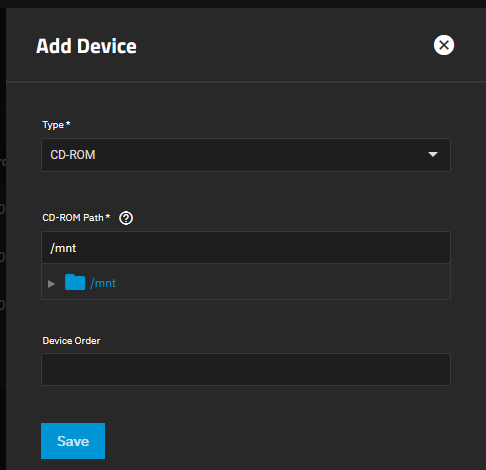
- Once the OS is setup, I have to immediately shut the OS down and then remove the
CD-ROMdevice from the Virtual Machine to prevent booting of that ISO again. - Adding and removing a
CD-ROMdevice to have the presence of aCD-ROMor not is not user friendly.
My solution would be to add the following features
- Allow ejecting the CD/ISO and keep the
CD-ROMdevice present like a normal PC. In the device the mount will be removed and a checkbox ticked sayingEjected/Empty - Disable the
CD-ROMdevice in the KVM configuration, but not remove. This would prevent a lot of lost time. - Ability to change the ISO of the
CD-ROMdevice while the Virtual Machine is on (I have not tested if this is possible already), obviously this would generate anejectcommand to a Virtual Machine if it is running. - An option in the
CD-ROMdevice to load a blank ISO if ejecting or disabling is not possible. The blank ISO would be part of TrueNAS rather than user uploaded, for convenience and security.
Impact
- End users could use their Virtual Machines easier by not having to worrying about constantly removing a
CD-ROMdevice just to boot a freshly installed OS. - Users tend to user Virtual Machines for installing and testing and this can involve using may different ISOs and currently many adding and removing of
CD-ROMdevices which can be time consuming.
User Story
A more friendly user experience when making Virtual Machines making it more likely that a user will come back and use this feature again.
This is one of the most annoying issues in TrueNAS  and it would nice to get these additional feature(s) added.