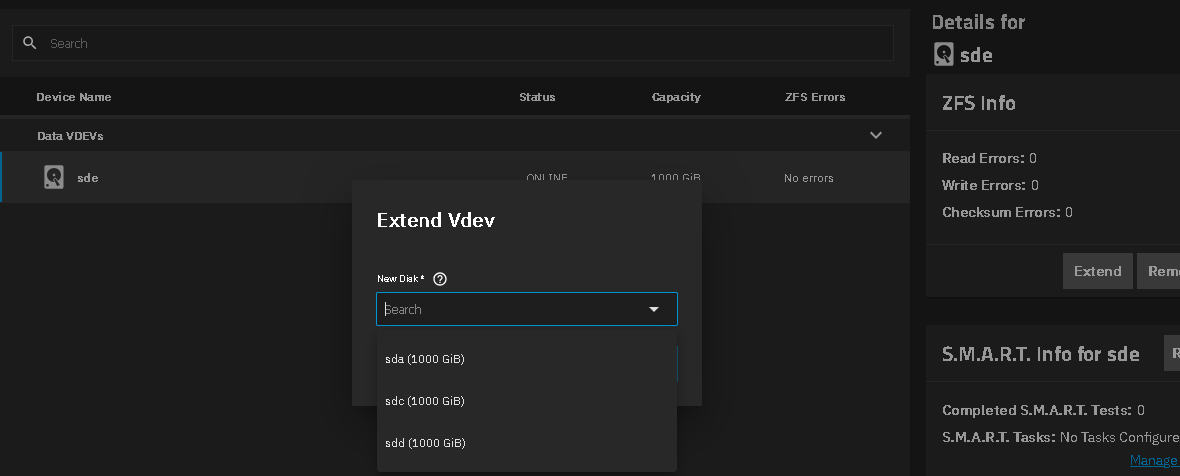
Hello, I’m new to TrueNAS Scale. My storage configuration until this morning was:
1x 250GB SSD boot pool
1x 4TB HDD storage pool
I want to replace the one 4TB drive with 2 identical 6TB drives, that I want to be mirrored for redundancy.
The motherboard I’m using does not have sufficient SATA ports for all 3 drives, so at some point (I think) I’ll have to remove the 4 TB drive.
So I added the first 6TB drive and extended the storage pool. Now the web interface says the pool consists of 2 VDEVS with mixed capacity, no redundancy and a total capacity of the sum of the two drives.
Can someone explain to me:
What did I do wrong?
What steps should I take next to reach my goal (2x 6TB drives in a mirrored pool).
I realise that this is probably a very basic question and I’ve looked online, however most replies appear to refer to outdated UI.
You wanted to do a REPLACE with the first drive. Refer to the online documentation.
You will have to remove a VDEV from your 2 VDEV slice first. Screenshots should be close to procedure to add a single drive and create a mirror pair. I don’t remember what OS version I made the screenshots from.
If you are not sure what you did, do the tutorial and post images back or the results of the following when run in the GUI Shell window. Post the results using (</>) Preformatted text mode.
sudo zpool status -v
Browse some other threads and do the Tutorial by the Bot to get your forum trust level up and post images and links
TrueNAS-Bot
Type this in a new reply and send to bring up the tutorial, if you haven’t done it already. @TrueNAS-Bot start tutorial
Assuming you made the usual mistake, and added a drive (vdev) instead of extending the existing vdev, the path to your destination is to remove the 4 TB drive from GUI, which will force ZFS to move all data to the 6 TB. When the migration is done, physically remove the 4 TB drive and then extend the 6TB to make a mirror.
What’s the motherboard, by the way? 3 SATA ports is not much… Is there any other slot you might use for the boot device?
Thanks all for your replies! Indeed a case of pressing the wrong button and adding rather than extending.
I’m on the right track now.
@SmallBarky thanks a lot for also providing the screenshots. I’ve seen similar screenshots, it seems that the current version has some different labels on the Storage Dashboard (“Topology” is replaced by “VDEVS” and “Manage Devices” by “View VDEVS”). Since I’m still unfamiliar with the interface, these discrepancies made it hard for me to understand the large amount of already available help.